Download PDFFree PDF. The Save button below keeps a bookmark and private notes in your account.
KGUSS Topping PA3S Power Amplifier Instruction Manual
Product Overview
The KGUSS Topping PA3S is a high-performance Class D power amplifier designed for home audio systems. It features a fully balanced design with two MA12070 amplifier chips, offering robust power output and versatile input options. This manual provides essential information for setting up, operating, maintaining, and troubleshooting your PA3S amplifier.
Setup Guide
Connecting Power
Connect the provided power adapter to the DC26V input on the rear panel of the PA3S amplifier. Ensure the power adapter is connected to a suitable power outlet.
Image: Rear view of the Topping PA3S amplifier, highlighting the DC26V power input port.
Connecting Speakers
Connect your passive speakers to the red (positive) and black (negative) speaker terminals on the rear of the amplifier. Ensure correct polarity for both left and right channels.
Image: Rear view of the Topping PA3S amplifier, showing the speaker output terminals for left and right channels.
Input Connections
The PA3S supports both balanced (TRS) and single-ended (RCA) inputs. Connect your audio source to either the 'BAL' (TRS) or 'SE' (RCA) inputs. Use appropriate cables for your source.
Image: Rear view of the Topping PA3S amplifier, displaying the RCA and TRS input jacks.
Video: This video demonstrates the physical connections for the Topping PA3s, including power, speaker outputs, and input sources like RCA and TRS cables.
Operating Instructions
Power On/Off and Input Selection
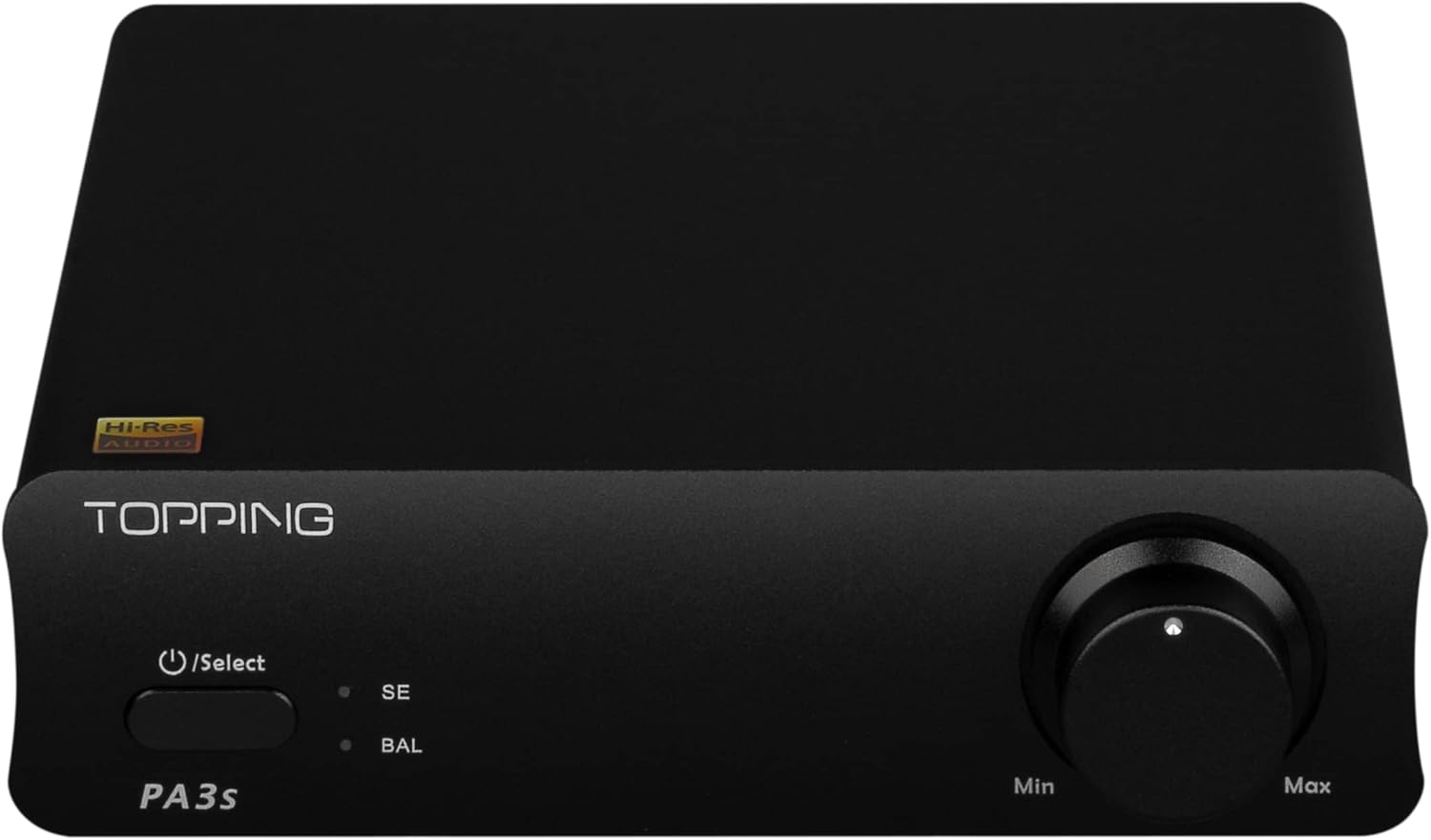
Press the 'Select' button on the front panel to power on the unit or switch between the 'SE' (single-ended) and 'BAL' (balanced) inputs. Press and hold the button to power off the amplifier.
Image: Front panel of the Topping PA3S amplifier, highlighting the power/select button and volume knob.
Volume Control
Turn the volume knob clockwise to increase the audio output level and counter-clockwise to decrease it.
Maintenance
Cleaning
Use a soft, dry cloth to clean the exterior of the amplifier. Avoid using liquid cleaners or solvents, as they may damage the finish.
Ventilation
Ensure the amplifier is placed in a location with adequate ventilation to prevent overheating. Do not block the ventilation openings.
Video: This video provides a detailed troubleshooting guide for common issues encountered with the Topping PA3s power amplifier, including no sound, abnormal sound, and LED indicators.
Common Issues and Solutions
Phenomenon
Solution
Can't be turned on
Check the power adapter. Only connect the power adapter to a power outlet, not to the unit. If the LED on the adapter blinks or does not light up, the adapter is defective.
Check the power connection.
The device did not power on. Check LED and the power connection.
No sound
Check that the proper input source is selected. Press the left button on front panel to switch input channel.
Check the connections for all devices.
Insert connection cables all the way in.
Check the volume of all devices and whether they are muted.
May be caused by high temperature. Turn the power off, wait for the unit to cool down sufficiently, and then turn the power on again. Please place the unit in a place having good ventilation.
Abnormal sound
One channel's positive output and negative output may be reversed, please check and correct it.
The cables may not be connected correctly, check and reconnect them.
Probably overloaded. Try turning down the volume.
Check to see if the problem is with the source, downstream equipment and cables.
One channel with noise/no output
Check to see if the problem is with the source, downstream equipment and cables.
You can try swapping the left and right channel connections.
Sound interrupted and 2 LED flash
Power voltage too high, PA3s starts over voltage protection. Please use TOPPING's power adapter.
PA3s overload then turn to protection mode. Output is closed to protect the speakers. Please turn down the volume and reboot PA3s.
High temperature. BAL LED flashes once and stops for 1s
Turn the power off, wait for the unit to cool down sufficiently, and then turn the power on again. Please place the unit in a place having good ventilation.
BAL LED flashes twice and stops for 1s
Too low load impedance or short-circuit load.
Check if the speaker cables are connected in place. (Note: when connecting the speaker cables, there can be no bare leakage of copper wire touching the metal enclosure.)
Check if you have followed the connections as per our instructions in user manual.
Check if the speaker cables are defective, try with other cables.
SE LED flashes once/twice/three and stop for 2s
Check the power adapter. Only connect the power adapter to a power outlet, not to the unit. If the LED on the adapter blinks or does not light up, the adapter is defective.
If the power adapter works and the problem still persists after disconnecting the other devices and restarting PA3s, the unit may be defective. Please contact us by mail.
Can the amp be used in bridged mode so that it can be used as a mono amp?
The amplifier is already internally bridged. So you can't short any of the output terminals together.
Technical Specifications
Specification
Value
Voltage
48 Volts
Manufacturer
KGUSS
Maximum Supply Voltage
48 Volts
Mounting Type
Surface Mount
Brand
KGUSS
Number of Channels
2
Output Power
80 Watts
Package Type Name
box
Package Dimensions
10.98 x 7.95 x 2.99 inches
Item Weight
2.96 pounds
ASIN
B09LCTYHKQ
Item model number
TOPPING PA3s
Date First Available
May 9, 2020
Package Contents
The following items are included in your Topping PA3S package:
Topping PA3S Amplifier Unit
AC to DC Power Adapter
AC Power Cable
User Manual
Warranty Card
Image: Visual representation of the Topping PA3S package contents.
Warranty and Support
Warranty Information
The product comes with a 12-month warranty covering quality defects. Please retain your proof of purchase for warranty claims.
Return Policy
A 30-day money-back guarantee is offered for any reason, ensuring customer satisfaction.
Contact Support
For any questions, technical assistance, or support, please contact HIFI College at HIFICOLLEGE@gmail.com.
Ask a question about this manual
Ask about setup, troubleshooting, compatibility, parts, safety, or missing instructions. Manuals+ will review the question and use this page’s manual context to help answer it.