1. Product Overview
The DEWENWILS Outdoor Light Sensor Timer with Remote is designed to automate the control of outdoor electrical devices such as string lights, landscape lights, garden decorations, and pool pumps. It features dual 3-prong outlets, a light sensor for dusk-to-dawn operation, and a mechanical timer with multiple scheduling options. A wireless remote control provides convenient manual override functionality.
Key Features:
- Light Sensor & Countdown Timer: Offers various modes including ON, OFF, Dusk to Dawn, and ON at Dusk with a countdown of 2, 4, 6, or 8 hours.
- Wireless Remote Control: Allows remote operation of connected devices from up to 100 feet away, even through walls and doors.
- Mechanical Timer: Provides 48 setting options in 30-minute intervals over a 24-hour period, with daily repeat functionality.
- Dual Outlets: Equipped with two 3-prong outlets to control multiple devices simultaneously.
- Weatherproof Design: Suitable for outdoor use, designed to withstand various weather conditions.

Image 1.1: The DEWENWILS outdoor timer shown in diverse outdoor applications, including controlling string lights, garden lights, and a sprinkler system. This illustrates the versatility of the timer for various outdoor electrical needs.
2. Safety Information
- Always ensure the timer is securely plugged into a grounded outlet.
- Do not immerse the timer in water.
- Ensure the timer is mounted in a vertical position with the outlets facing downward to prevent water accumulation.
- Keep children away from the timer and connected devices.
- Do not exceed the maximum electrical rating of the timer.
- Unplug the timer from the power source before cleaning or performing any maintenance.
3. Setup and Installation
- Choose a Location: Select an outdoor location that is protected from direct heavy rain and allows for vertical mounting. The timer must be mounted in a vertical position with the outlets facing downward and at least 2 feet (0.6 meters) above the ground for optimal weather protection.
- Mounting: Use a screw or nail (not included) to hang the timer from its integrated mounting hole.
- Plug In: Insert the timer's plug into a grounded outdoor electrical outlet.
- Connect Devices: Plug your outdoor lights or appliances into the dual 3-prong outlets on the timer. Ensure the total wattage of connected devices does not exceed the timer's maximum rating.

Image 3.1: The DEWENWILS outdoor timer shown connected to string lights, highlighting its ease of programming, daily repeat function, overload protection, and 1/2 HP rating for motor loads.
4. Operating Instructions
4.1 Setting the Mechanical Timer
- Set Current Time: Rotate the timer dial clockwise until the arrow on the dial points to the current time of day. The dial is marked in 24-hour format.
- Set ON/OFF Times: The dial has small pins around its circumference. Each pin represents 30 minutes. Push the pins down for the periods you want the connected devices to be ON. Pull the pins up for the periods you want the connected devices to be OFF. You can set up to 48 ON/OFF settings within a 24-hour period.
- Select Operating Mode: Use the manual override switch located on the side of the timer to select the desired mode:
- TIMER: The timer will operate according to the set pins on the dial.
- ON: The connected devices will remain continuously ON, overriding the timer settings.
- OFF: The connected devices will remain continuously OFF, overriding the timer settings.

Image 4.1: A close-up view of the DEWENWILS timer dial, illustrating how to push pins down for 'ON' periods and pull them up for 'OFF' periods. The dial allows for 48 ON/OFF settings within a 24-hour cycle.
4.2 Timer Modes (Light Sensor Function)
In addition to the mechanical timer, the unit features a light sensor for specific operational modes:
- Always ON/OFF: Manual control, bypassing light sensor.
- Dusk to Dawn Sensor: Devices turn ON automatically at dusk and turn OFF at dawn.
- Light Sensor Countdown: Devices turn ON at dusk and remain ON for a set duration of 2, 4, 6, or 8 hours, then turn OFF.

Image 4.2: A graphic representation of the DEWENWILS timer's operational modes, including 'Always ON/OFF', 'Dusk to Dawn Sensor', and 'Light Sensor Countdown' for 2, 4, 6, or 8 hours.
4.3 Using the Remote Control
The included wireless remote control allows for convenient manual operation of the timer and connected devices.
- ON Button: Press to turn connected devices ON.
- OFF Button: Press to turn connected devices OFF.
- Range: The remote operates using an RF signal, providing a range of up to 100 feet (30 meters) in line of sight. The signal can pass through walls and doors.

Image 4.3: The DEWENWILS remote control, demonstrating its ability to operate devices from up to 100 feet away, even through obstacles like walls and windows, as depicted in a winter scene.
4.4 Daily Repeat Setting
Once programmed, the mechanical timer settings will repeat daily. The light sensor modes also operate on a daily cycle. This ensures consistent automation without daily re-programming.
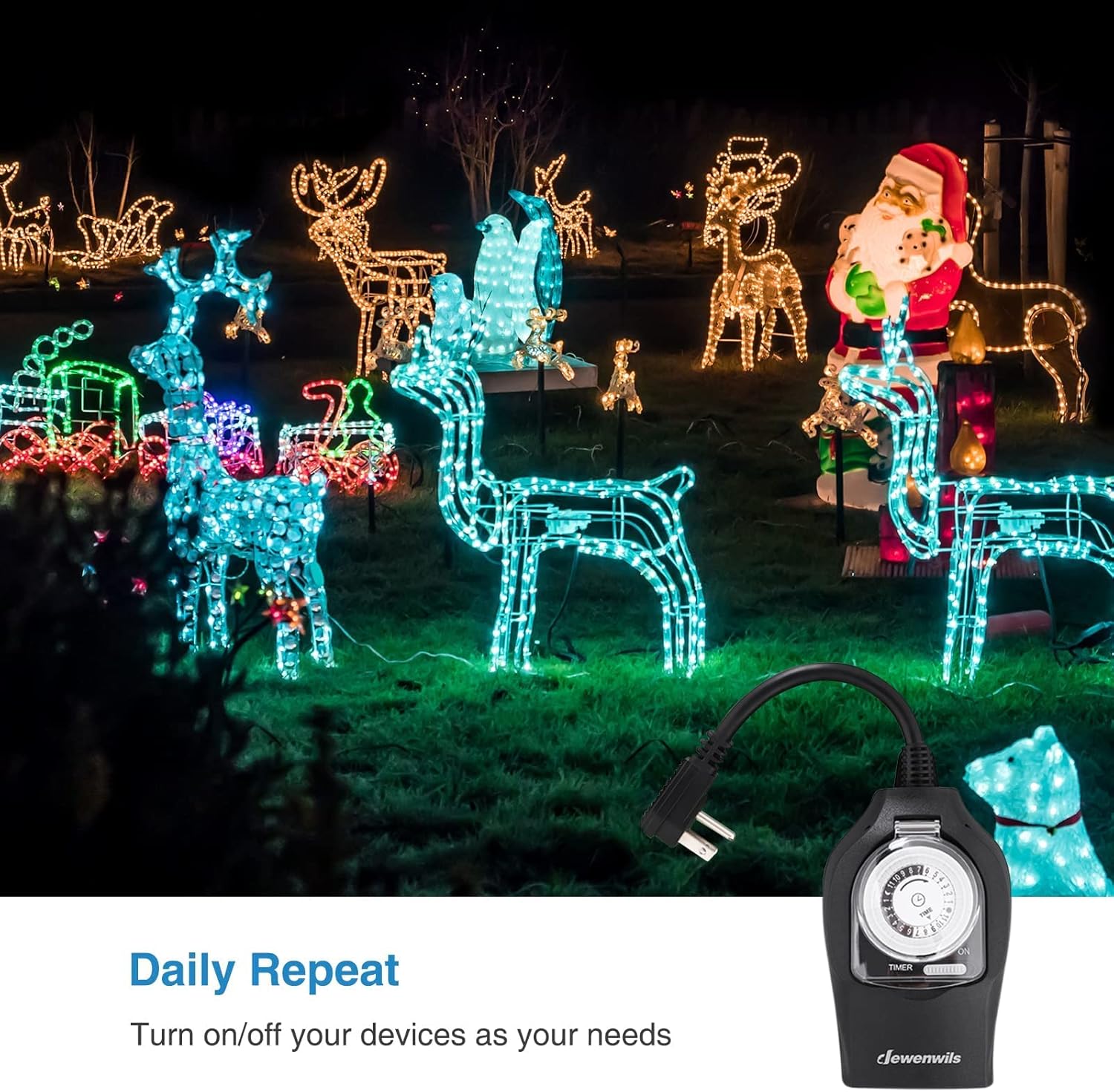
Image 4.4: The DEWENWILS timer shown in an outdoor setting controlling various Christmas light decorations, emphasizing its 'Daily Repeat' function for automated scheduling.
5. Maintenance
- Cleaning: Periodically wipe the timer with a soft, damp cloth. Do not use harsh chemicals or abrasive cleaners. Ensure the timer is unplugged before cleaning.
- Inspection: Regularly inspect the timer, cord, and plugs for any signs of damage, such as cracks, fraying, or corrosion. If damage is found, discontinue use and replace the unit.
- Accuracy Check: For mechanical timers, it is recommended to check the time setting weekly to ensure its accuracy, as minor deviations can occur over time.
6. Troubleshooting
| Problem | Possible Cause | Solution |
|---|---|---|
| Devices do not turn ON/OFF at set times. |
|
|
| Remote control not working. |
|
|
| Devices remain continuously ON or OFF. | Manual override switch is set to ON or OFF. | Set the manual override switch to TIMER mode. |
| Timer is not receiving power. |
|
|
7. Specifications
- Model: B09LC8D266
- Brand: DEWENWILS
- Color: Black
- Mounting Type: Plug-In Mount
- Switch Style: Dial Switch
- Number of Settings: 48 (30-minute intervals)
- Remote RF Range: Up to 100 feet (line of sight)
- Outlets: Dual 3-prong grounded outlets
- Manufacturer: DEWENWILS
8. Warranty and Support
This DEWENWILS product is covered by a standard manufacturer's warranty. For specific warranty details, technical support, or assistance with your product, please contact DEWENWILS customer service directly. Refer to the product packaging or the DEWENWILS official website for contact information.


