
Introduction
This manual provides detailed instructions for the installation and operation of your Mounting Dream TV Mounts, models MD2263-XLK and MD2268-MK. The MD2263-XLK is designed for most 42-86 inch TVs, supporting VESA patterns up to 800x400mm and weights up to 120 lbs. The MD2268-MK is suitable for most 26-55 inch TVs, supporting VESA patterns up to 400x400mm and weights up to 88 lbs. Please read these instructions carefully before installation to ensure safe and correct usage.
Safety Information
WARNING: Failure to read and follow these instructions may result in personal injury, property damage, or voiding your warranty. If you do not understand these instructions or have doubts about the safety of the installation, please contact customer service or a qualified installer.
- Do not exceed the maximum weight capacity of the mount. MD2263-XLK: 120 lbs (54.4 kg). MD2268-MK: 88 lbs (39.9 kg).
- This product is designed for installation on wood stud walls or solid concrete/brick walls. Do not install on drywall alone.
- Ensure the wall structure can safely support the combined weight of the mount and the television.
- Always use a stud finder to locate wood studs accurately.
- Use appropriate safety gear during installation, including eye protection.
- Keep children and pets away during installation.
- Check all connections and fasteners regularly to ensure they remain secure.
Package Contents
Verify that all components are present and undamaged before beginning installation. If any parts are missing or defective, contact Mounting Dream customer service.
- Wall Plate Assembly
- TV Brackets (Left and Right)
- Hardware Kit (various screws, washers, spacers, concrete anchors if requested)
- Bubble Level
- Instruction Manual

Image: Overview of the Mounting Dream TV Mounts MD2263-XLK and MD2268-MK, showing the main components and the included bubble level.
Setup and Installation
Follow these general steps for installing your TV mount. Specific details for your wall type and TV model may vary. Always refer to the detailed diagrams in the included printed manual for precise measurements and hardware usage.
Step 1: Attach Brackets to TV Back
- Carefully place your TV face down on a soft, clean surface.
- Identify the VESA mounting holes on the back of your TV.
- Select the correct diameter and length of screws from the hardware kit that fit your TV's mounting holes. Use washers and spacers as needed to ensure a secure fit without overtightening.
- Attach the left and right TV brackets to the back of your TV, ensuring they are level and securely fastened.
Step 2: Install Wall Plate
- Determine the desired height and location for your TV on the wall.
- Use a stud finder to locate the center of two adjacent wood studs. Mark these locations. For concrete/brick walls, mark drill points directly.
- Position the wall plate against the wall, ensuring it is level using the included bubble level. Mark the drill holes through the wall plate.
- Drill pilot holes at the marked locations. For wood studs, drill appropriate size pilot holes. For concrete/brick, use a masonry drill bit and insert concrete anchors.
- Secure the wall plate to the wall using the lag bolts and washers provided. Tighten firmly but do not overtighten.
Step 3: Hang TV onto Wall Plate
- With assistance, carefully lift the TV with the attached brackets.
- Hook the TV brackets onto the top edge of the wall plate.
- Gently lower the TV until the brackets engage fully with the wall plate.
- Secure the TV to the wall plate using the safety screws or locking mechanisms on the bottom of the TV brackets. This prevents accidental dislodgement.

Image: Visual representation of the three-step installation process: attaching brackets to the TV, installing the wall plate, and hanging the TV.
Operating Instructions
MD2263-XLK Tilt and Level Adjustment
The MD2263-XLK mount offers tilt and post-installation level adjustment for optimal viewing.
- Tilt Adjustment: This mount allows tilting the TV up 5° and down 15°. To adjust the tilt, loosen the tilt knobs on the side of the TV brackets, set the desired angle, and then re-tighten the knobs securely. This feature helps reduce glare and improve viewing comfort.
- Post-Installation Level Adjustment: After the TV is mounted, you can make fine adjustments to ensure it is perfectly level. The mount allows for a +/-1° post-installation level adjustment. Use a screwdriver to turn the leveling screws on the TV brackets until the TV is perfectly horizontal.
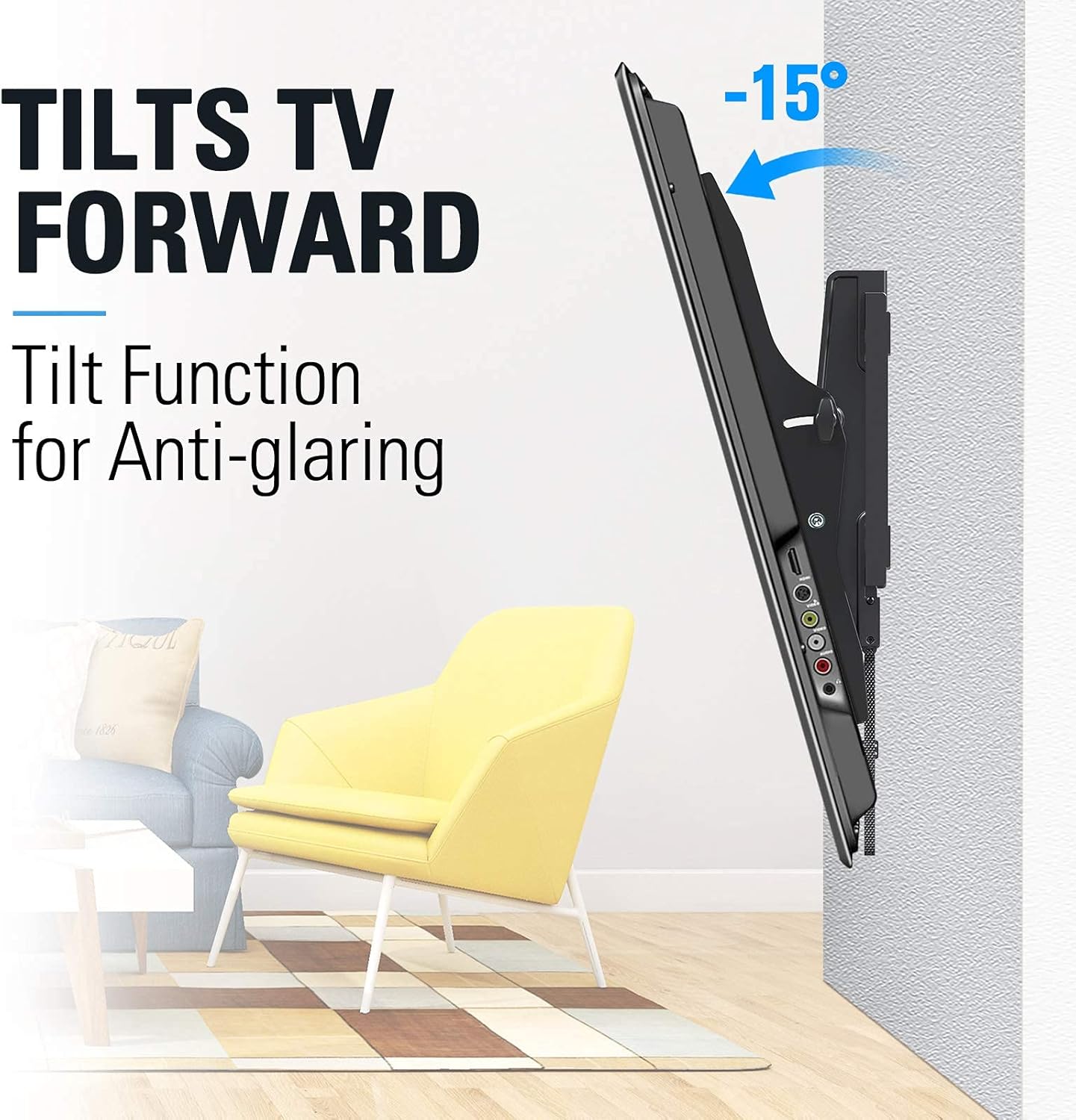
Image: TV tilting forward by 15 degrees to reduce glare.

Image: TV tilting backward by 5 degrees for convenient cable access.
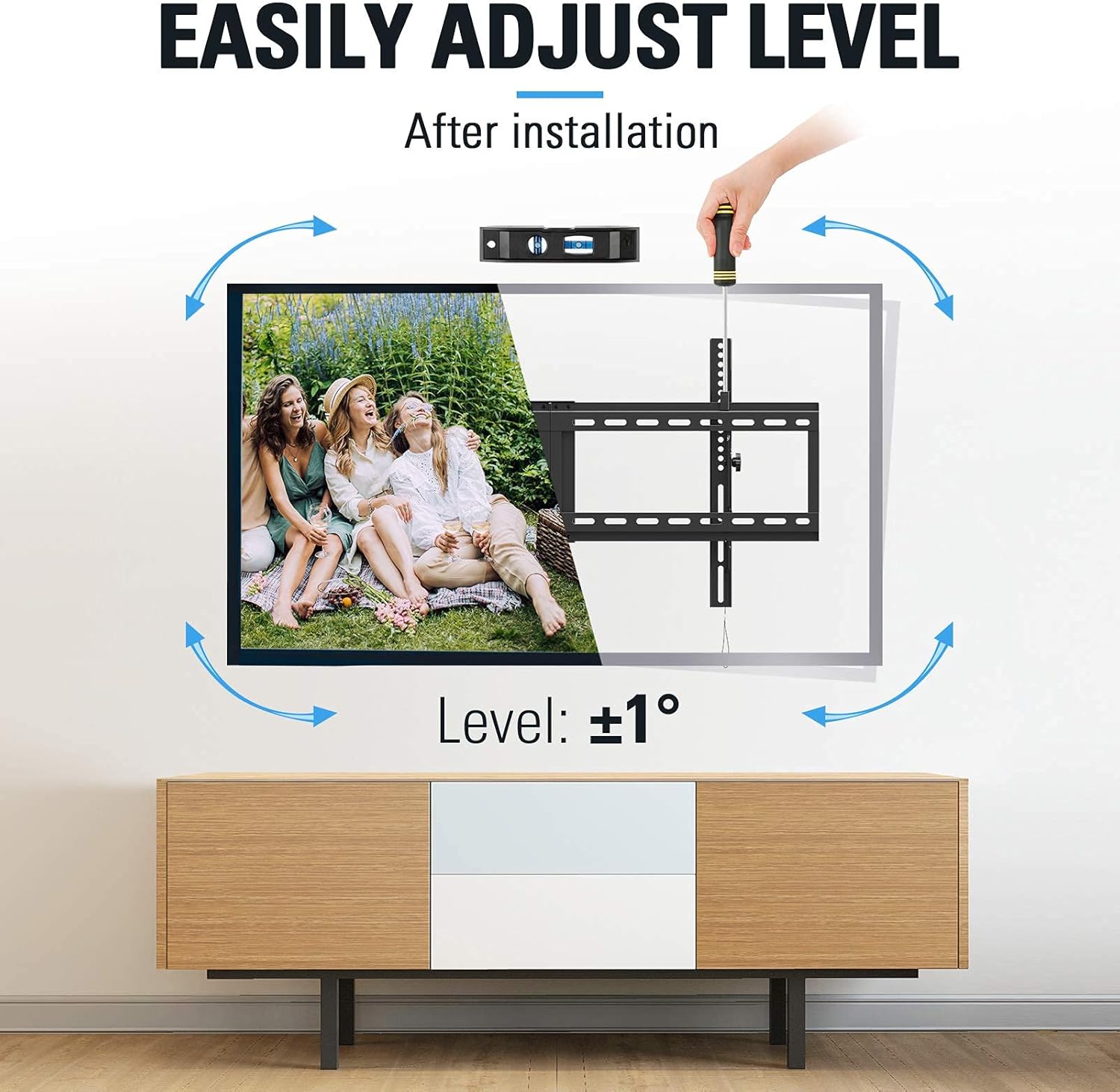
Image: Demonstration of the +/-1 degree post-installation level adjustment using a screwdriver.
MD2268-MK Tilting Function
The MD2268-MK is a tilting mount with a slim 1.5-inch profile. It provides a fixed tilt angle for comfortable viewing and space-saving design.

Image: Side view of a TV mounted with the MD2268-MK, illustrating its tilt for comfortable viewing.
Maintenance
Regular maintenance ensures the longevity and safety of your TV mount.
- Cleaning: Wipe the mount with a soft, dry cloth. Avoid abrasive cleaners or solvents that could damage the finish.
- Fastener Check: Periodically (e.g., every 6 months) check all screws and bolts to ensure they are still tight and secure. Loose fasteners can compromise the mount's stability.
- Movement Check: For the MD2263-XLK, test the tilt mechanism to ensure it moves smoothly and locks securely.
Troubleshooting
- TV is not level after installation (MD2263-XLK): Use the post-installation level adjustment feature as described in the Operating Instructions section. If the issue persists, re-check the wall plate installation for levelness.
- Difficulty tilting the TV (MD2263-XLK): Ensure the tilt knobs are sufficiently loosened before attempting to adjust the angle. If movement is stiff, check for any obstructions.
- Mount feels unstable: Immediately remove the TV from the mount. Re-check all wall fasteners and TV bracket screws for tightness. Ensure the mount is installed into solid wood studs or concrete as required. Do not re-mount the TV until stability is confirmed.
- Missing parts or damaged components: Do not proceed with installation. Contact Mounting Dream customer service for replacement parts.
Specifications
| Feature | MD2263-XLK | MD2268-MK |
|---|---|---|
| TV Size Compatibility | 42-86 inches | 26-55 inches |
| Weight Capacity | 120 lbs (54.4 kg) | 88 lbs (39.9 kg) |
| VESA Compatibility (Max) | 800x400mm | 400x400mm |
| Tilt Angle | Up 5°, Down 15° | Fixed Tilt (Comfortable Viewing) |
| Level Adjustment | +/-1° Post-installation | N/A |
| Profile from Wall | Not specified (standard tilt) | 1.5 inches |
| Material | Metal | |
| Color | Black | |
Warranty and Support
Mounting Dream products are backed by a 10-year warranty, reflecting our commitment to quality and durability. We offer US-based customer service dedicated to providing quick responses and support tailored to your needs.
For technical assistance, missing parts, or warranty claims, please contact our customer support team:
- Website: www.mountingdream.com
- Email: [Insert Customer Service Email Here]
- Phone: [Insert Customer Service Phone Number Here]
Please have your model number (MD2263-XLK or MD2268-MK) and purchase information ready when contacting support.


