
Autel 2021 EVO Lite+
Autel Robotics EVO Lite Plus Drone User Manual
Model: 2021 EVO Lite+
1. Introduction
The Autel Robotics EVO Lite Plus Drone is a professional-grade aerial photography and videography platform. It features a 1-inch CMOS sensor with a 6K HDR camera, a 3-axis gimbal for stable footage, and an adjustable aperture from F2.8 to F11. Designed for versatility, it includes advanced 3-way obstacle avoidance, dynamic tracking capabilities, and an impressive flight time of up to 40 minutes. The drone supports a video transmission range of up to 7.4 miles (12 km), providing clear and reliable live view.
2. What's in the Box
Upon unboxing your Autel EVO Lite Plus Drone, please verify that all components listed below are present and in good condition:
- 1x EVO Lite+ Aircraft (including gimbal cover and propellers)
- 1 Pair of spare propellers
- 1x Flight Battery
- 1x Remote Controller
- 1x Flight Battery Charger
- 1x RC Charging Cable
- 1x RC Cables (Lightning, Micro-USB, USB-C)

Image: The Autel EVO Lite Plus Drone with all standard included accessories, such as the remote controller, battery, charger, and spare propellers.
3. Initial Setup
3.1 Charging the Battery
Before first use, fully charge the flight battery and remote controller using the provided charger and cables. Connect the charger to a power outlet and then connect the battery/remote controller. The charging indicator will show progress and turn off when fully charged.
3.2 Propeller Installation
Attach the propellers to the corresponding motor arms. Ensure that the propellers with markings are installed on the motors with matching markings, and unmarked propellers on unmarked motors. Press down and twist to secure them.
3.3 App Installation and Binding
Download and install the Autel Sky App on your mobile device. Power on the drone and the remote controller. Follow the in-app instructions to bind the drone to the remote controller and perform any necessary firmware updates. For detailed instructions, refer to the official User Manual PDF available for download.
For comprehensive setup procedures, please refer to the official User Guide and User Manual PDFs provided by Autel Robotics.
4. Operating the Drone
4.1 Flight Modes
The Autel EVO Lite Plus offers three distinct flight modes, selectable via the Autel Sky App, to suit various flying conditions and pilot preferences:
- Standard Mode: Provides a balanced flight experience with a maximum speed of 10 m/s, suitable for general flying and stable footage.
- Sport Mode: Increases responsiveness and speed, with a maximum flight speed of 19 m/s, ideal for dynamic maneuvers and faster travel.
- Smooth Mode: Offers precise control and reduced speed (maximum 5 m/s) for cinematic shots and fine adjustments.
4.2 Camera Features and Photography
The EVO Lite Plus is equipped with a powerful 20MP camera featuring a 1-inch CMOS sensor, capable of recording 6K video at 30 frames per second (fps) or 4K video at 60 fps. Its adjustable aperture (F2.8-F11) allows for creative control over exposure and depth of field.
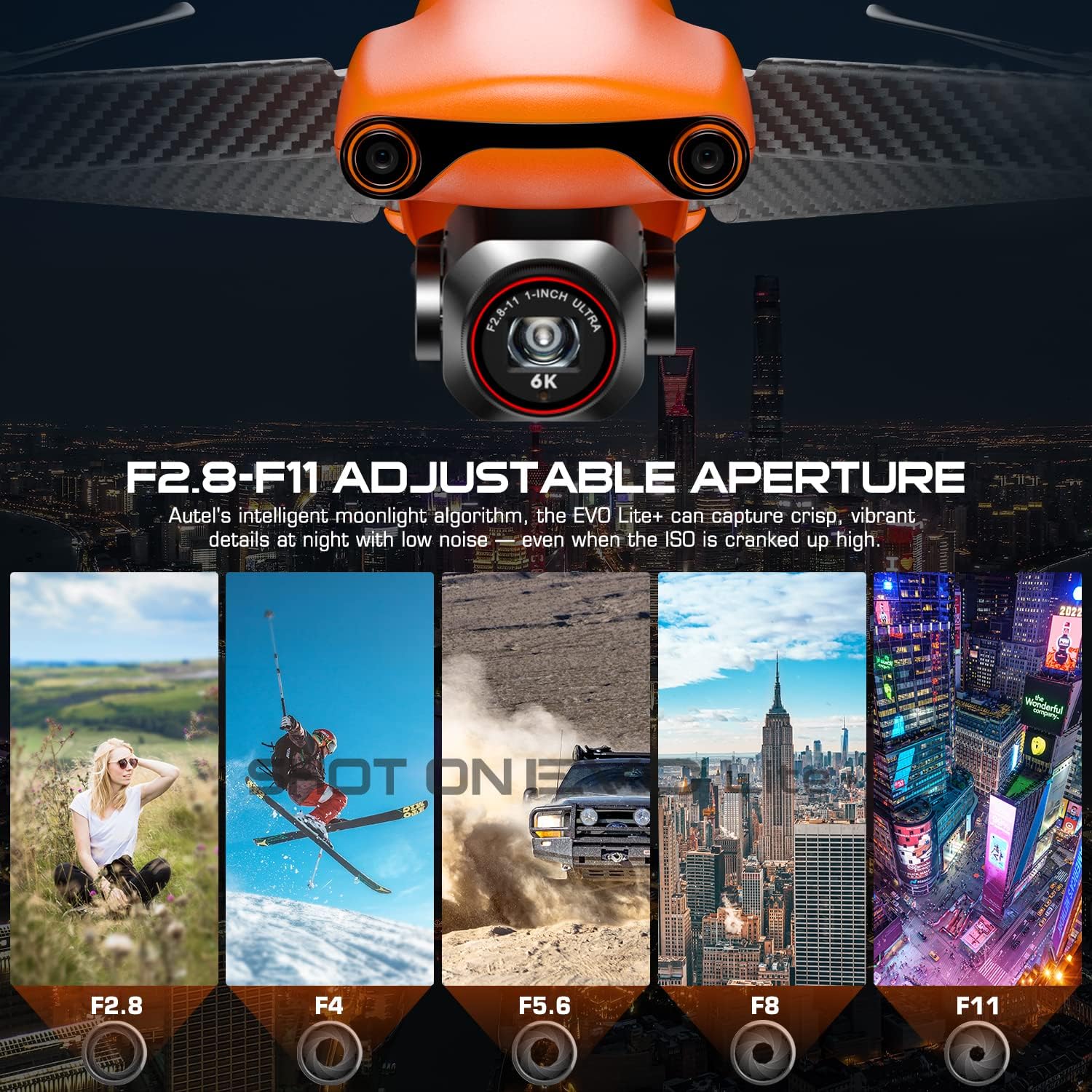
Image: The drone's camera module highlighting the adjustable aperture range, allowing for versatile light control.
The intelligent moonlight algorithm enhances low-light performance, capturing crisp details with minimal noise even at high ISO settings. The HDR mode automatically stitches multiple exposures for photos with greater contrast and dynamic range.

Image: A visual comparison demonstrating the enhanced night scene capabilities of the EVO Lite Plus, capturing more detail in low light.
Quick Shot modes (Flick, Rocket, Fade away, Orbit) enable the drone to automatically perform cinematic maneuvers and generate short videos. Dynamic Track 2.1 allows the drone to automatically follow a selected person, animal, or vehicle.

Image: A collage showcasing different photographic modes such as single shot, HDR imaging, night mode, panoramic, and time-lapse.
4.3 Obstacle Avoidance
The EVO Lite Plus features an advanced 3-way obstacle avoidance system, detecting obstructions in front, behind, and below the drone. If an obstacle is detected, the drone will automatically brake and hover to prevent collision.
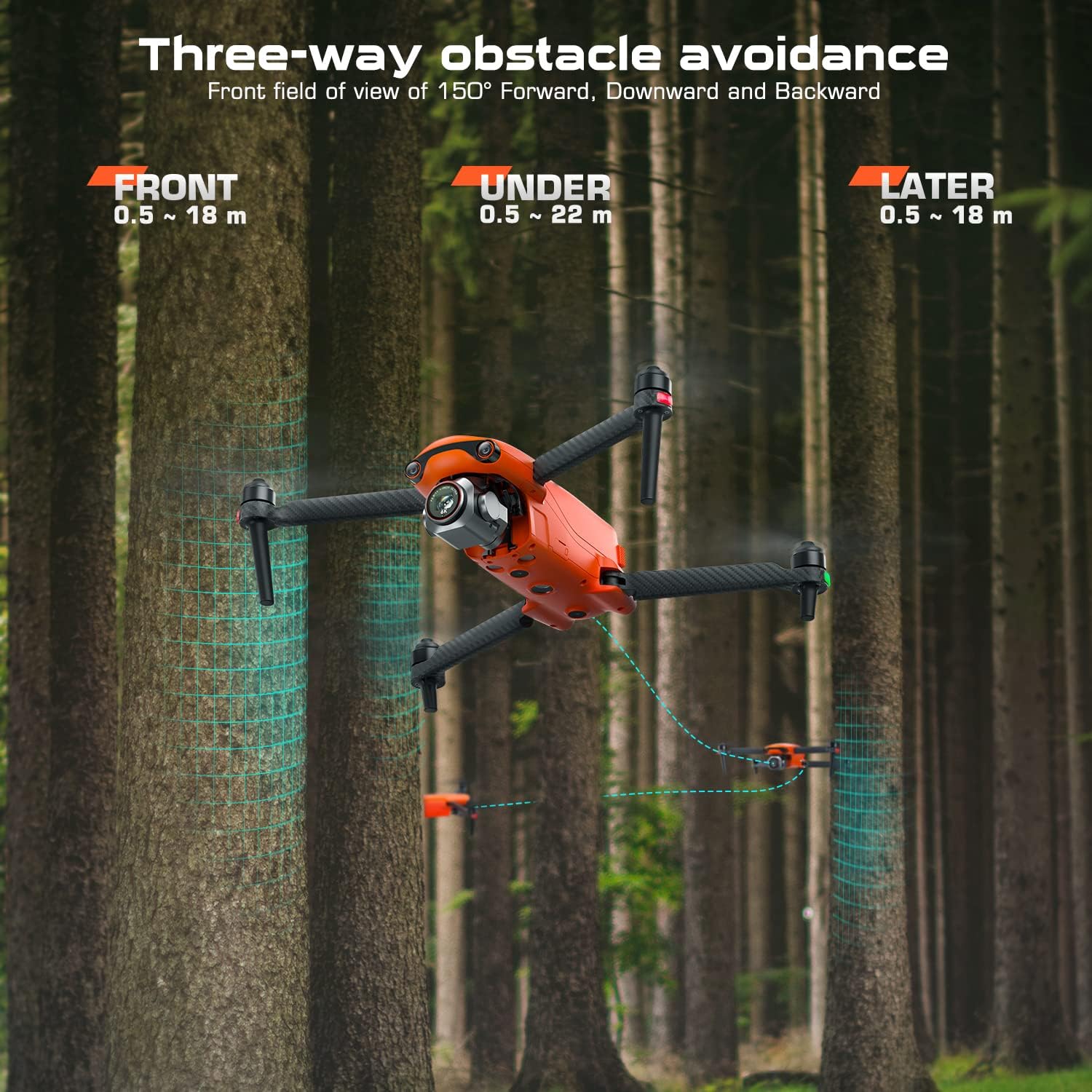
Image: The drone navigating through a forest, illustrating its 3-way obstacle avoidance sensors detecting trees.
4.4 Image Transmission
The drone utilizes Autel's SkyLink image transmission technology, offering a stable and clear live view. It supports triple frequency (2.4/5.2/5.8GHz) for strong anti-interference capabilities and a transmission range of up to 7.4 miles (12 km) with 2.7K/30FPS quality.

Image: A visual representation of the Autel SkyLink system, showing its triple frequency support and extended transmission range.
Video: This video demonstrates how to use the Autel Sky App for Wi-Fi fast transmission of media files from the drone to a mobile device, streamlining your workflow.
5. Maintenance
Proper maintenance ensures the longevity and optimal performance of your EVO Lite Plus Drone:
- Battery Care: Always fully charge the aircraft battery before flying. Store batteries at approximately 50% charge if not used for extended periods.
- Propeller Inspection: Regularly check propellers for any cracks, bends, or damage. Replace damaged propellers immediately using the provided spare pair.
- Gimbal Protection: Always attach the gimbal cover when transporting or storing the drone to protect the camera and gimbal mechanism.
- Cleaning: Keep the drone's body, camera lens, and sensors clean from dust and debris using a soft, dry cloth.
6. Troubleshooting
This section addresses common issues you might encounter with your Autel EVO Lite Plus Drone. For more detailed troubleshooting, please refer to the comprehensive User Manual PDF.
6.1 Connection Issues
If you experience difficulty connecting the remote controller to the drone or the app, ensure both devices are fully charged and within range. Restarting both the drone and the remote controller can often resolve minor connection glitches. Verify that the Autel Sky App is updated to the latest version.
6.2 Flight Stability
If the drone exhibits unstable flight, check for any physical damage to the propellers or motors. Ensure the compass is calibrated before each flight, especially when flying in a new location. Avoid flying in strong winds exceeding the drone's wind resistance capabilities (Level 7 winds).
6.3 Image and Video Quality
For optimal image and video quality, ensure the camera lens is clean. Adjust aperture settings (F2.8-F11) according to lighting conditions. Utilize HDR mode in high-contrast environments and the moonlight algorithm for low-light scenarios. If video appears blurry or choppy, check the image transmission settings in the app and ensure sufficient signal strength.
Note: The Autel EVO Lite Plus drone is not programmed with no-fly zones (NFZ) or geo-fencing. It is the pilot's responsibility to ensure compliance with local aviation regulations and to fly in legal areas.
7. Technical Specifications
Below are the key technical specifications for the Autel EVO Lite Plus Drone:
| Feature | Specification |
|---|---|
| Brand | Autel |
| Model Name | Autel EVO Lite Plus Drone |
| Item Model Number | 2021 EVO Lite+ |
| Item Weight | 7.32 pounds |
| Product Dimensions | 9.1 x 5.1 x 4.3 inches |
| Optical Sensor Technology | CMOS (1-inch) |
| Effective Still Resolution | 20 MP |
| Video Capture Resolution | 6K (5472x3076 p30/25/24), 4K (3840x2160 p60/50/48/30/25/24), 2.7K (2720x1528 p60/50/48/30/25/24), 1080p (1920x1080 p120/60/50/48/30/25/24) |
| Adjustable Aperture | F2.8-F11 |
| Max Flight Time | 40 minutes |
| Maximum Range | 7.4 Miles (12 km) |
| Obstacle Avoidance | 3-Way (Front, Downward, Backward) |
| Connectivity Technology | Wi-Fi |
| Battery Cell Composition | Lithium Polymer |
| UPC | 724320378167 |

Image: A detailed comparison chart outlining the key specifications of the EVO Lite Plus against similar drone models.
8. Warranty and Support
For warranty information and detailed support, please refer to the official documentation included with your product or visit the Autel Robotics official website. If you have any questions or require assistance, you may also contact AutelStoreOnline via email at AutelStoreOnline@outlook.com.
Additional resources:
Ask a question about this manual
Ask about setup, troubleshooting, compatibility, parts, safety, or missing instructions. Manuals+ will review the question and use this page’s manual context to help answer it.