
NutriBullet NBR-0601
NutriBullet Personal Blender Instruction Manual
Model: NBR-0601 | Brand: NutriBullet
Introduction
Welcome to the world of quick and easy nutrition with your new NutriBullet Personal Blender. This compact yet powerful appliance is designed to effortlessly transform fruits, vegetables, and other ingredients into delicious and nutritious shakes, smoothies, and food preparations. Its 600-watt motor ensures smooth blending for a variety of textures, making healthy living simple and accessible.
This manual provides essential information on setting up, operating, maintaining, and troubleshooting your NutriBullet Personal Blender to ensure optimal performance and longevity.
What's Included
Your NutriBullet Personal Blender package includes the following components:
- NutriBullet 600 Watt Motor Base
- Extractor Blade
- 24 Ounce Tall Cup (BPA-free, durable Tritan)
- Standard Lip Ring
- To-Go Lid
Setup
Unpacking and Initial Inspection
Carefully remove all components from the packaging. Inspect each part for any signs of damage. If any part is damaged or missing, do not use the appliance and contact customer support.
Assembly
Follow these steps to assemble your NutriBullet Personal Blender:
- Place the NutriBullet Motor Base on a clean, dry, and level surface. Ensure it is unplugged from the power outlet.
- Fill the 24 Ounce Tall Cup with your desired ingredients. Do not exceed the MAX line indicated on the cup.
- Attach the Extractor Blade onto the open end of the Tall Cup. Twist it on tightly until it forms a secure seal.
- Invert the Tall Cup (with the blade attached) and place it onto the Motor Base. Align the tabs on the cup with the slots on the base.
- Press down firmly on the cup and twist clockwise until the tabs lock into place. The blender is now ready for operation.

Image: NutriBullet blender components including the motor base, tall cup, and blade assembly.
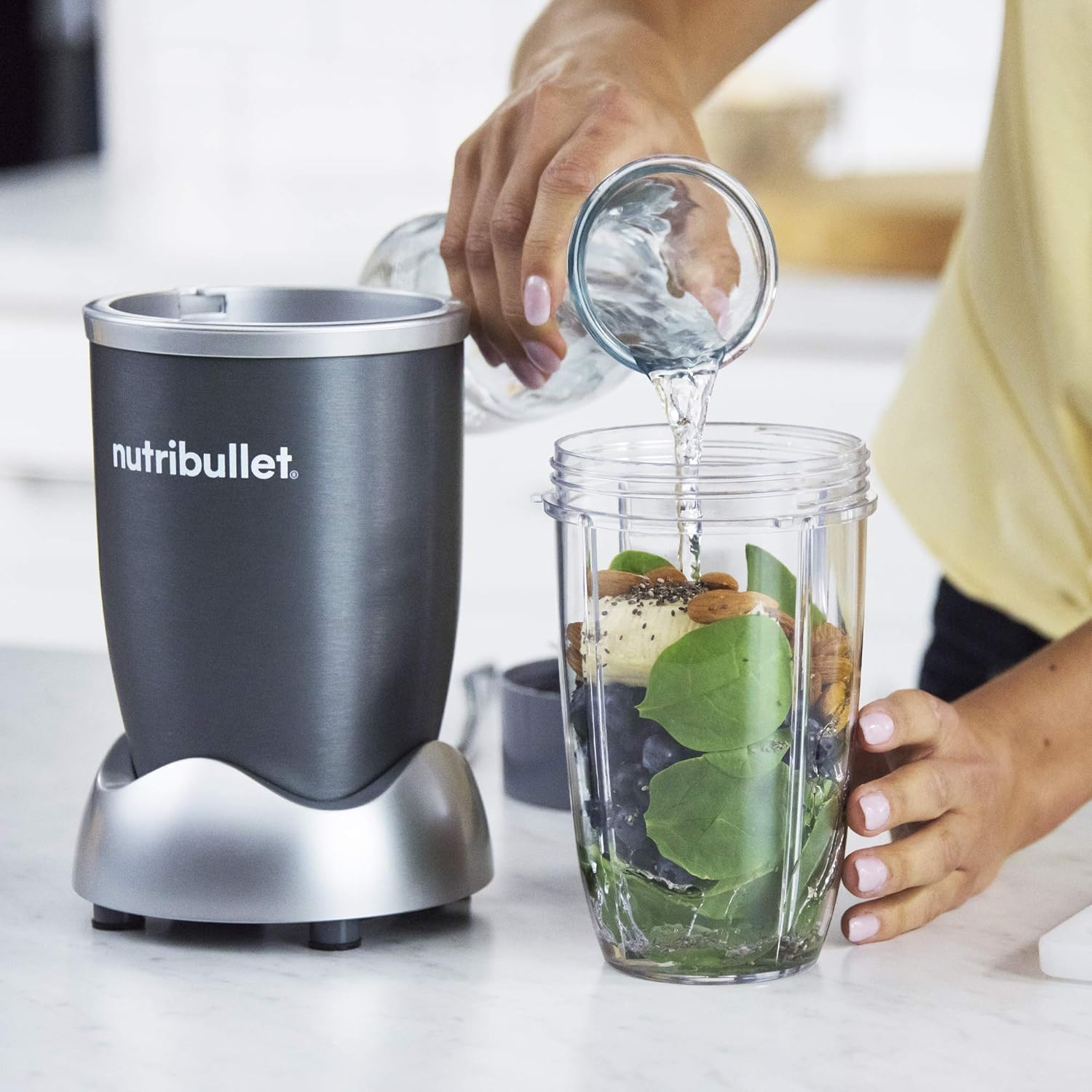
Image: A user adding liquid to the tall cup, which is already filled with solid ingredients for blending.
Operating Instructions
Blending Your Ingredients
The NutriBullet Personal Blender operates with a simple push-and-twist mechanism:
- Ensure the Tall Cup with the Extractor Blade is securely attached to the Motor Base as described in the Setup section.
- Plug the power cord into a standard electrical outlet.
- To begin blending, press down firmly on the Tall Cup. The motor will activate.
- For continuous blending, press down and twist the cup clockwise until the tabs lock into place. The motor will run continuously.
- To stop blending, simply press down on the cup and twist counter-clockwise to release the tabs. The motor will stop.
- Unplug the unit from the power outlet before detaching the cup. Carefully remove the Tall Cup from the Motor Base.
- Unscrew the Extractor Blade from the Tall Cup. You can now attach the Standard Lip Ring or To-Go Lid for drinking or storage.
Note: The 600 watts of power in the original NutriBullet blender efficiently processes various ingredients, from soft fruits to tougher vegetables, into smooth, sippable nutrition.
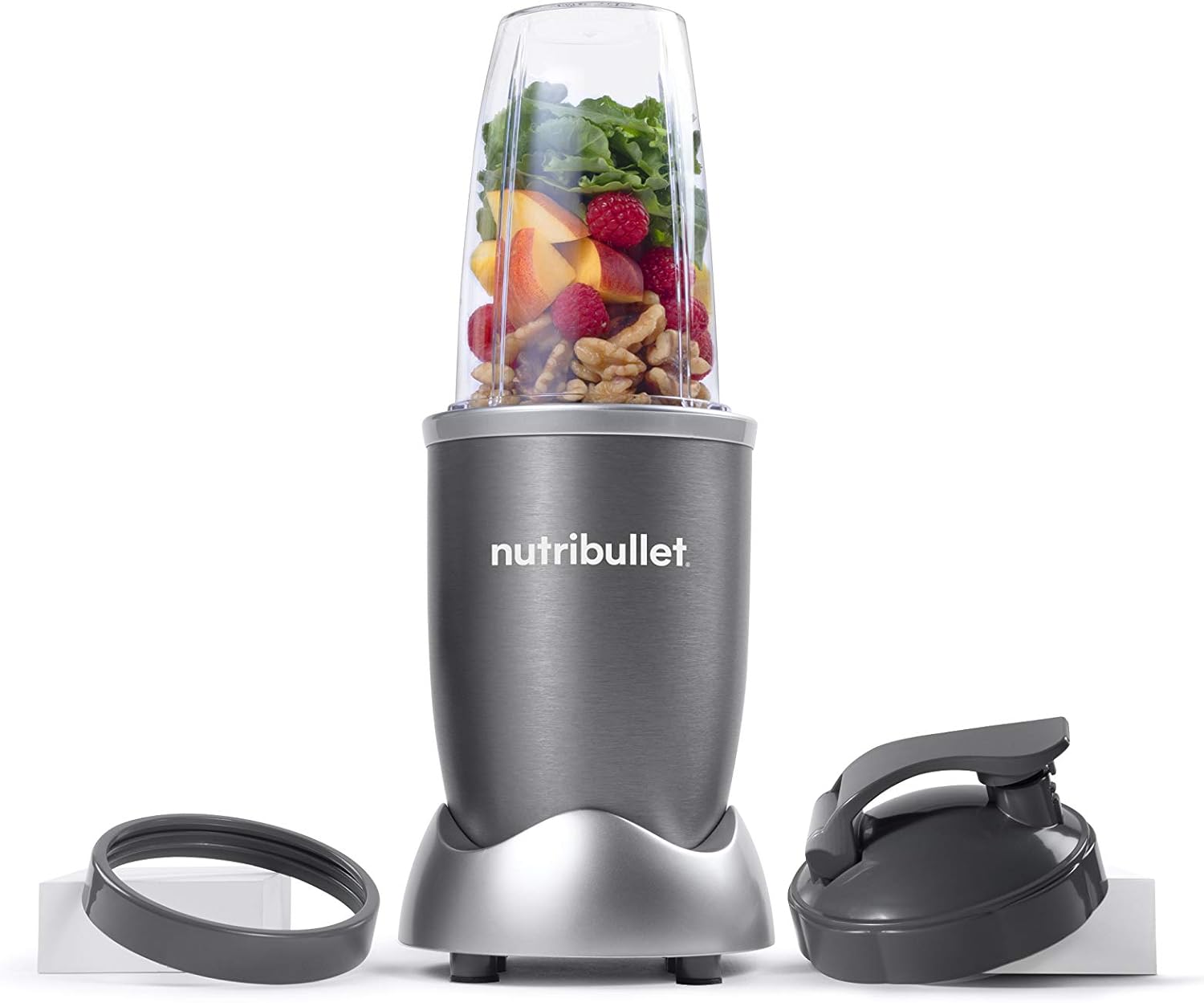
Image: The NutriBullet blender with its cup filled with a colorful assortment of fruits and vegetables, ready for blending.

Image: A clear NutriBullet tall cup showcasing a perfectly blended green smoothie, indicating the 'MAX' fill line.

Image: A person holding a NutriBullet smoothie cup, demonstrating the portability and convenience of the product.
Maintenance
Cleaning Instructions
Proper cleaning ensures the longevity and hygiene of your NutriBullet Personal Blender:
- Always unplug the Motor Base before cleaning.
- Extractor Blade: Twist off the Extractor Blade from the cup. Rinse the blade under running water immediately after use. If food is stuck, use a brush to remove it. The blade assembly is not dishwasher safe.
- Cups and Lids: The 24 Ounce Tall Cup, Standard Lip Ring, and To-Go Lid are dishwasher safe. Place them on the top rack of your dishwasher for easy cleaning. Alternatively, wash them with warm, soapy water and rinse thoroughly.
- Motor Base: Wipe the Motor Base clean with a damp cloth. Never immerse the Motor Base in water or any other liquid.
- Ensure all parts are completely dry before storing or reassembling.
Troubleshooting
If you encounter any issues with your NutriBullet Personal Blender, refer to the table below for common problems and solutions:
| Problem | Possible Cause | Solution |
|---|---|---|
| Blender does not turn on. | Not plugged in; Cup not properly assembled/locked; Overheating. | Ensure unit is plugged into a working outlet. Re-seat the cup and twist clockwise until locked. Unplug and let cool for 15-20 minutes if motor feels hot. |
| Leaking from the cup/blade. | Blade not tightened enough; Fill line exceeded. | Ensure Extractor Blade is twisted on tightly. Do not fill ingredients past the MAX line. |
| Motor smells burnt or makes unusual noise. | Overloading; Prolonged continuous use. | Reduce ingredients. Do not run for more than 1 minute continuously. Allow motor to cool. If problem persists, discontinue use and contact support. |
| Ingredients not blending smoothly. | Too little liquid; Too many hard ingredients. | Add more liquid. Reduce the amount of hard or frozen ingredients. Pulse blend to break down larger pieces. |
Specifications
| Feature | Detail |
|---|---|
| Brand | NutriBullet |
| Model | NBR-0601 |
| Color | Gray |
| Capacity | 24 Fluid Ounces |
| Power Source | Corded Electric |
| Wattage | 600 Watts |
| Number of Speeds | 1 |
| Controls Type | Push Button |
| Material Type Free | BPA Free |
| Date First Available | November 5, 2021 |
Warranty & Support
For detailed warranty information and customer support, please refer to the official NutriBullet resources:
- Official User Manual (PDF): Download Here
- Visit the NutriBullet Store on Amazon: NutriBullet Store
For further assistance or to inquire about replacement parts, please contact NutriBullet customer service directly.
Related documentsNBR-0601


Ask a question about this manual
Ask about setup, troubleshooting, compatibility, parts, safety, or missing instructions. Manuals+ will review the question and use this page’s manual context to help answer it.