
1. Introduction
The XTOOL IP900BT is a wireless, AI-assisted diagnostic scan tool designed for comprehensive vehicle diagnostics and maintenance. It features a robust hardware configuration and a wide array of software functionalities to assist both professional mechanics and DIY enthusiasts.

Image: Overview of the XTOOL IP900BT wireless diagnostic scanner, highlighting its key features.
Key Features:
- Hardware: Quad-core 1.5GHz processor, 64GB internal storage, Android 10.0 OS, 8-inch touchscreen, 8MP camera, 5000mAh 7.3V Li-ion battery.
- Connectivity: Wireless (Wi-Fi) and wired connection options.
- Diagnostic Functions: Full system diagnostics, 41+ reset services, 4000+ bidirectional tests, ECU coding, PMI function, ADAS calibration.
- Advanced Features: AI-assisted diagnostics, Pre/Post scan reports, Live Data graphing, FCA AutoAuth, DoIP, CAN FD support.
- Updates: 3 years of free software updates.
2. Setup
2.1 Unboxing and Initial Inspection
Carefully unpack all components from the tool case. Verify that all items listed in the 'What's Included' section are present and undamaged. If any items are missing or damaged, contact XTOOL support.

Image: The VCI (Vehicle Communication Interface) box, a key component for wireless diagnostics.
2.2 Powering On and Charging
- Connect the provided charger adapter to the IP900BT device.
- Plug the charger into a power outlet. The device will begin charging.
- Press and hold the power button to turn on the device.
2.3 Initial Configuration
Upon first startup, follow the on-screen prompts to configure basic settings:
- Language Selection: Choose your preferred language.
- Wi-Fi Connection: Connect to a stable Wi-Fi network for software updates and online functions.
- Time Zone: Set the correct time zone.
2.4 Account Registration and Software Updates
Registering an account is essential for accessing software updates and certain online features. Ensure the device is connected to Wi-Fi before proceeding.
Video: This video demonstrates the process of registering an account for the XTOOL IP900BT diagnostic tool, which is necessary for software updates and online services.
After registration, navigate to the 'Update' section to download and install the latest software. Regular updates ensure optimal performance and compatibility with new vehicle models.
3. Operating Instructions
3.1 Connecting to the Vehicle
The IP900BT supports both wireless and wired connections to the vehicle's OBD-II port.
Video: This video illustrates how to establish both wireless and wired connections between the XTOOL IP900BT and a vehicle, demonstrating flexibility in diagnostic setup.
Wireless Connection:
- Locate the vehicle's OBD-II port (usually under the dashboard).
- Plug the VCI (Vehicle Communication Interface) module into the OBD-II port.
- Ensure the IP900BT device's Bluetooth is enabled and paired with the VCI module.
- The device will automatically detect the vehicle's VIN (Vehicle Identification Number) and establish communication.
Wired Connection:
- Locate the vehicle's OBD-II port.
- Connect the OBDII-16 connector cable from the IP900BT device directly to the vehicle's OBD-II port.
- The device will automatically detect the vehicle's VIN and establish communication.
3.2 Diagnostic Functions
Once connected, the IP900BT offers a range of diagnostic and service functions.
Video: This video demonstrates the automatic scan feature of the XTOOL IP900BT, showing how it quickly identifies vehicle systems and potential issues.
Full System Diagnostics:
Select 'Diagnostics' from the main menu to perform a comprehensive scan of all available vehicle systems (e.g., Engine, ABS, Airbag, Transmission, TPMS). The tool will read and clear Diagnostic Trouble Codes (DTCs).
Live Data Stream:
View real-time data parameters from various sensors and modules. This data can be displayed in text, graph, or gauge format, allowing for detailed analysis of vehicle performance. Up to 8 PIDs can be graphed simultaneously.
Video: This video demonstrates the real-time live data display feature of the XTOOL IP900BT, showing how to monitor various vehicle parameters simultaneously.
Bidirectional Control / Active Tests:
This function allows you to send commands to vehicle components to test their functionality directly from the scanner. Examples include activating fuel pumps, cycling ABS solenoids, or testing window motors. This helps pinpoint faulty components quickly.

Image: The XTOOL IP900BT performing bidirectional control, illustrating the ability to send commands to vehicle components.
Video: This video demonstrates the bidirectional controls and active tests available on the XTOOL IP900BT, showing how to command vehicle components for diagnostic purposes.
ECU Coding & PMI:
ECU Coding: This function allows for component matching, adaptive data reset, and feature control. It ensures new components are recognized by the vehicle and allows for customization of vehicle features. Supported for specific brands like Benz and BMW.
PMI (Programmable Module Installation): Used when replacing parts like control modules, sensors, or actuators. It ensures the new component is properly recognized and allows for relearning optimal parameters. Supported for Ford, Lincoln, and Mazda.

Image: The XTOOL IP900BT performing ECU coding, illustrating its capability to program and adapt vehicle modules.
Video: This video highlights the ECU Coding feature and the ability to reflash hidden features using the XTOOL IP900BT diagnostic tool.
Special Functions / Reset Services:
The IP900BT provides over 41 common maintenance and reset services, including but not limited to:
- Oil Reset
- Electronic Parking Brake (EPB) Reset
- Battery Management System (BMS) Reset
- Steering Angle Sensor (SAS) Calibration
- ABS Bleeding
- Throttle Relearn
- ADAS Calibration
- Gearbox Match
- Seat Match
- Headlight Adjustment
- A/C Relearn
- TPMS Reset
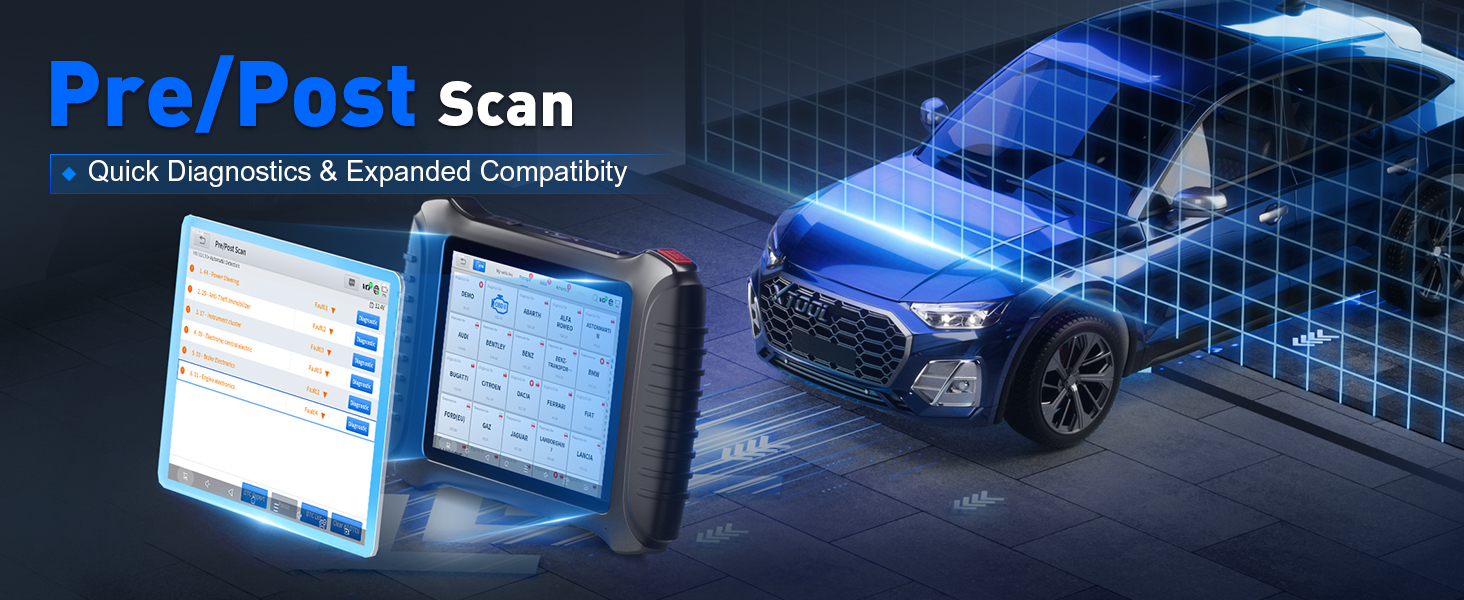
Image: The XTOOL IP900BT displaying its extensive list of over 41 service reset functions.
Pre/Post Scan Reports:
Generate diagnostic reports before and after repairs to document resolved issues. This feature provides a clear record of vehicle condition and repairs performed.
AI-Assisted Diagnostics:
The AI-assisted feature translates complex fault codes into understandable language and provides step-by-step troubleshooting guidance, reducing reliance on extensive technical knowledge.

Image: The XTOOL IP900BT displaying AI-assisted diagnostic results and recommendations.
Advanced Protocols (FCA/DoIP/CAN FD):
The IP900BT supports advanced communication protocols for modern vehicles:
- FCA AutoAuth: Directly accesses secured modules on Chrysler, Jeep, Dodge (2018+) and Fiat (2017+) vehicles in North America. (Requires FCA account, registration, and subscription plan, or use XTOOL 12+8 cable as an alternative).
- DoIP (Diagnostics over Internet Protocol): Utilizes the vehicle's Ethernet network for faster and more stable data transfer, essential for 2020+ vehicles.
- CAN FD (Controller Area Network Flexible Data-Rate): Provides faster diagnostic speeds and handles larger data frames for 2005+ vehicles.

Image: The XTOOL IP900BT demonstrating FCA AutoAuth functionality for secure gateway access.
4. Maintenance
4.1 Software Updates
Regular software updates are crucial for maintaining optimal performance, adding new features, and ensuring compatibility with the latest vehicle models. The IP900BT includes 3 years of free software updates.
- Ensure the device is connected to a stable Wi-Fi network.
- Navigate to the 'Update' section on the main menu.
- Follow the on-screen instructions to download and install available updates.
4.2 Cleaning and Storage
- Clean the device with a soft, damp cloth. Avoid using abrasive cleaners or solvents.
- Keep the touchscreen clean to ensure responsiveness.
- Store the device in its protective case in a cool, dry place when not in use.
- Avoid exposing the device to extreme temperatures or direct sunlight for prolonged periods.
4.3 Battery Care
- Charge the device regularly to maintain battery health.
- Avoid completely draining the battery frequently.
- If storing for an extended period, charge the battery to approximately 50-70% before storage.
5. Troubleshooting
This section addresses common issues you might encounter with your XTOOL IP900BT.
5.1 Device Not Powering On
- Ensure the device is fully charged. Connect it to the charger and wait a few minutes before attempting to power on again.
- Verify the charger and cable are functioning correctly.
5.2 Connection Issues (Wireless/Wired)
- Wireless: Ensure the VCI module is securely plugged into the vehicle's OBD-II port and the vehicle's ignition is on. Check that Bluetooth is enabled on the IP900BT and it is paired with the VCI.
- Wired: Ensure the OBDII-16 connector cable is securely connected to both the device and the vehicle's OBD-II port.
- Verify the vehicle's battery has sufficient charge.
5.3 Software Freezing or Unresponsive
- Restart the device.
- Ensure the software is up to date. Perform a software update if available.
- If the issue persists, contact XTOOL technical support.
5.4 AI Suggestions for Reference Only
The AI-assisted diagnostic suggestions are for reference only. Always refer to the actual on-site conditions and professional judgment for final diagnosis and repair decisions.
6. Specifications
| Feature | Specification |
|---|---|
| Brand | XTOOL |
| Model Number | IP900BT |
| Operating System | Android 10.0 |
| Processor | Quad-core 1.5GHz |
| Screen Size | 8 inches (1024x768) |
| Internal Storage | 64GB |
| Battery Capacity | 5000mAh 7.3V Li-ion |
| Camera | 8MP Rear |
| Connection Method | Wireless (Wi-Fi) / Wired |
| Free Update Period | 3 Years |
| Warranty | 2 Years |
| Special Functions | 41+ |
| Bidirectional Control | Available |
| ECU Coding | Available |
| ADAS Calibration | Available |
| PMI (Programmable Module Installation) | Available |
| FCA AutoAuth | Available (North America, 2018+ Chrysler/Jeep/Dodge, 2017+ Fiat) |
| DoIP Support | Available (for modern 2020+ vehicles) |
| CAN FD Support | Available (for 2005+ vehicles) |
7. What's Included
The XTOOL IP900BT package includes the following components:

Image: A visual representation of the XTOOL IP900BT and its included accessories.
- IP900BT Wireless AI-Assisted Diagnostic Scan Tool
- OBD II -16 Connector
- OB15 to OBD II-F Adapter
- Tool Case
- Charger Adapter US
- Charger Adapter UK
- Charger Adapter EU
- Type C to Type C Charger Cable
- Type C to Type A Adapter
- Quick Start Guide
- Packing List
8. Warranty and Support
8.1 Product Warranty
The XTOOL IP900BT comes with a 2-year warranty from the date of purchase, covering manufacturing defects and malfunctions under normal use. Please retain your proof of purchase for warranty claims.
8.2 Technical Support
For any technical assistance, troubleshooting, or warranty inquiries, please contact XTOOL customer service:
- Email: xtoolinplusus@outlook.com
- Please provide your product model, serial number, and a detailed description of the issue when contacting support.
XTOOL provides lifetime after-sales support to ensure you get the most out of your diagnostic tool.


