1. Introduction
Welcome to the instruction manual for your Togetface Y-B88 Grey Earbuds. These wireless earbuds are designed for children, featuring a volume limit for hearing protection, comfortable fit, and intuitive controls. Please read this manual carefully to ensure proper use and optimal performance of your device.

Image: The Togetface Y-B88 Grey Earbuds and their unique charging case, presented in a sleek grey finish.
2. Package Contents
Ensure all items are present in your package:
- 1 x Pair of Wireless Earbuds
- 1 x Charging Case
- 1 x User Manual (this document)
- 1 x USB-C Charging Cable
- 3 x Pairs of Eartips (Sizes: Small, Medium, Large)

Image: An earbud displayed alongside three different sizes of eartips (Small, Medium, Large) to ensure a comfortable and secure fit for various ear sizes.
3. Product Features
3.1 Design and Comfort
The Togetface Y-B88 earbuds feature a unique spherical charging case with creative pattern colors, making them visually appealing. Designed with an ultra-lightweight and ergonomic craft, each earbud weighs approximately 3.8 grams, ensuring a burden-free wearing experience. Three pairs of ear caps (S, M, L) are included to provide an optimal fit for different ear canals, preventing them from easily loosening or falling out.
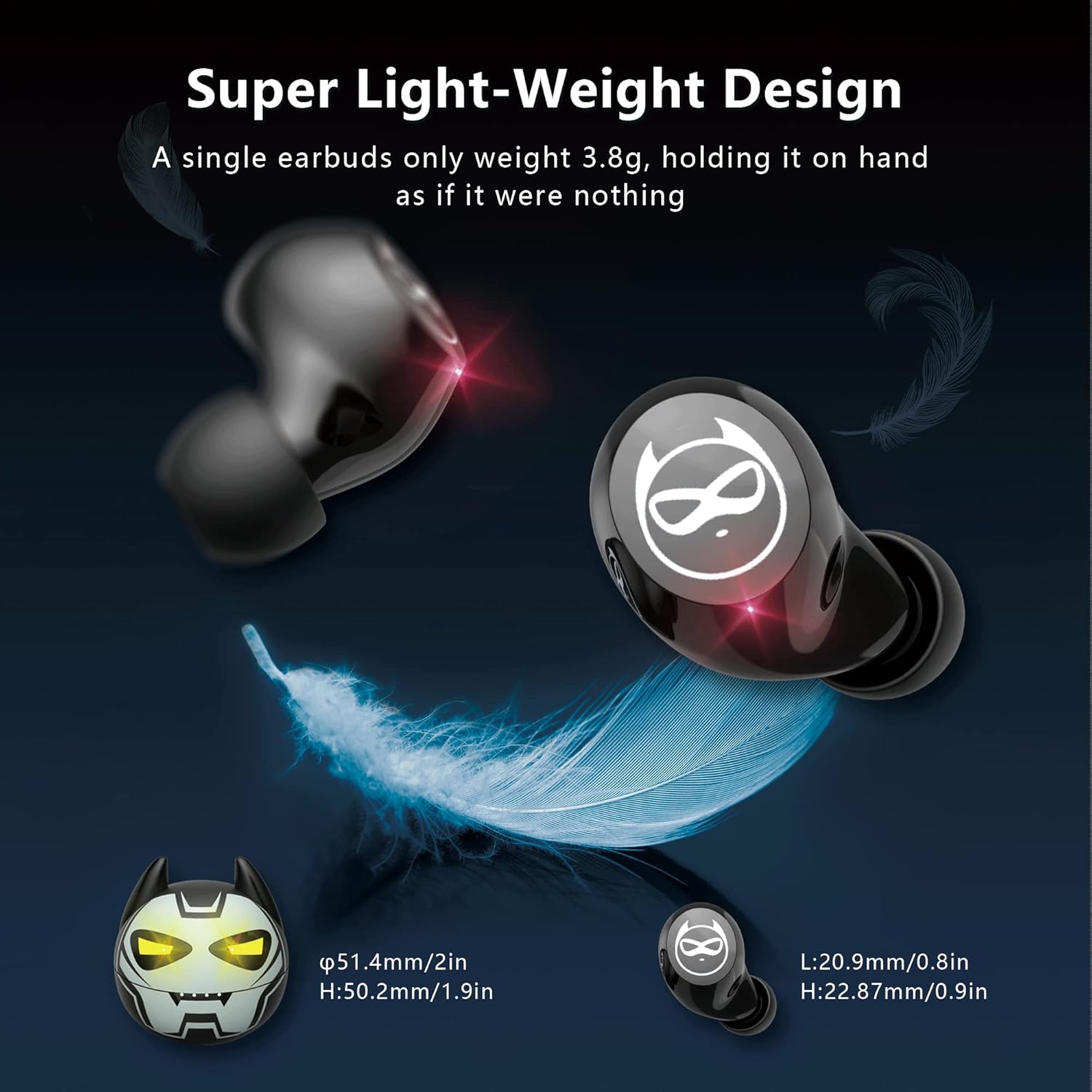
Image: A visual representation highlighting the super lightweight design of the earbuds and their compact charging case, emphasizing their small size and minimal weight.
3.2 Audio Quality
Equipped with a 10mm vibrating diaphragm and HD rendering technology, these earbuds deliver high-fidelity sound quality. They provide deep bass and 3D surround stereo, aiming to create an immersive audio experience. The sound sensitivity is limited to 85 dB to protect young users' hearing.

Image: A detailed diagram illustrating the internal components responsible for the Hi-Fi stereo sound quality, including the 10mm loudspeaker unit and HD audio codec.
3.3 Connectivity
The earbuds utilize advanced Bluetooth 5.1 technology for faster pairing, stable connection, and efficient signal transmission. They are perfectly compatible with iOS, iPad, and iPhone devices, maintaining a stable wireless range of up to 10 meters.

Image: The earbuds and charging case positioned next to a smartphone displaying its Bluetooth settings, indicating wide compatibility and effortless pairing.
3.4 Battery Life
The earbuds offer 5-6 hours of playtime on a single charge. The portable charging case provides an additional 30 hours of continuous playtime, with a full recharge taking approximately 1 hour.

Image: The earbuds and charging case with icons indicating 5-6 hours of single-use playtime, 5 times charging from the case, and a total of 36 hours with the charging case.
3.5 Durability
With an IPX5 waterproof rating, the earbuds are protected from splashes of sweat and raindrops, making them suitable for various activities.

Image: A man showering, illustrating the IPX5 waterproof rating of the earbuds, which prevents damage from sweat and raindrops.
3.6 Additional Features
The earbuds also feature a low latency mode (under 100ms) for synchronized video and gaming experiences, and Siri assistant support for voice commands.

Image: Earbuds displayed next to a smartphone screen showing a game, highlighting the low latency mode for synchronized audio and video during gaming, shows, and films.
4. Setup Guide
4.1 Charging the Earbuds and Case
Before first use, fully charge the earbuds and the charging case. Connect the provided USB-C cable to the charging port on the case and to a power source. The indicator lights on the case will show the charging status.
4.2 Pairing Steps
Follow these steps to pair your earbuds with your device:
- Ensure Bluetooth is enabled on your device (e.g., smartphone, tablet).
- Take both earbuds out of the charging case. They will automatically power on and enter pairing mode, indicated by flashing red and blue lights.
- Wait for approximately 5 seconds until the light on one earbud turns off. This indicates that the earbuds have connected to each other automatically.
- On your device, search for Bluetooth devices and select "K62" from the list to connect.
- Once successfully paired, the earbuds will automatically connect to your device in subsequent uses when taken out of the case.
5. Operating Instructions
The Togetface Y-B88 earbuds feature touch control sensors for various functions, minimizing pressure on your ears.
5.1 Touch Controls
- Answer/Hang Up Call: Double-click the touch button.
- Refuse Call: Long press the touch button.
- Play/Pause Music: Double-click the touch button.
- Volume Up: Click the "L" (left) touch button.
- Volume Down: Click the "R" (right) touch button.
- Previous Song: Long press the "L" (left) touch button for 2 seconds.
- Next Song: Long press the "R" (right) touch button for 2 seconds.
5.2 Special Functions
- Siri Assistant: Triple-click the "L" (left) touch button.
- Turn on Game Mode: Triple-click the "R" (right) touch button.
6. Safety Information
The Togetface Y-B88 earbuds are designed with an 85 dB volume limit to protect children's hearing. Always ensure the volume is at a comfortable level. Avoid using earbuds in situations where you need to be aware of your surroundings, such as while driving or walking in traffic. Keep small parts, such as eartips, away from young children to prevent choking hazards.
7. Specifications
| Feature | Detail |
|---|---|
| Model Name | Y-B88 |
| Brand | Togetface |
| Connectivity Technology | Wireless (Bluetooth 5.1) |
| Bluetooth Range | 10 Meters |
| Noise Control | Sound Isolation |
| Sensitivity | 85 dB (Volume Limited) |
| Headphones Jack | No Jack |
| Control Type | Touch, Volume Control |
| Battery Life (Earbuds) | 5-6 hours (single charge) |
| Total Playtime (with Case) | 30 Hours |
| Charging Time | 1 Hour |
| Water Resistance Level | IPX5 Waterproof |
| Item Weight (Earbud) | 4 Grams |
| Audio Driver Size | 10 Millimeters |
| Material | Plastic |
8. Product Overview Video
Video: A comprehensive overview of the Togetface Y-B88 Grey Earbuds, demonstrating key features, design elements, and usage scenarios.
9. Warranty and Support
For warranty information or technical support, please refer to the contact details provided by the manufacturer, Togetface, at the point of purchase or on their official website. Keep your purchase receipt as proof of purchase.


