
1. Product Overview
The LG LDFN3432T is a 50 dBA Stainless Front Control Built-in Dishwasher featuring the advanced QuadWash system. This appliance is designed to provide efficient and thorough cleaning for your dishes with quiet operation and user-friendly controls.
Key Features:
- QuadWash System: Utilizes four powerful spray arms for comprehensive cleaning coverage.
- NeveRust Stainless Steel Tub: Ensures durability and resistance to corrosion.
- Dynamic Dry: Enhances drying performance for spotless dishes.
- LoDecibel Operation (50 dB): Provides quiet performance, suitable for open-concept living spaces.
- NSF Certified: Meets public health and safety standards.
- 15 Place Settings: Accommodates large loads, ideal for families and entertaining.
- 5 Wash Cycles & 6 Options: Offers versatility for various cleaning needs.

2. Setup and Installation
Proper installation is crucial for the optimal performance and longevity of your LG LDFN3432T dishwasher. It is recommended that installation be performed by a qualified technician.
Pre-Installation Checklist:
- Ensure the installation area meets the required dimensions (Product Dimensions: 29"D x 30"W x 35"H).
- Verify electrical requirements (Voltage: 120 Volts) and water supply connections are accessible.
- Confirm proper drainage setup.
- Unpack the dishwasher carefully, removing all packing materials and protective films.

Installation Steps (Summary):
- Positioning: Carefully slide the dishwasher into the designated cabinet opening.
- Leveling: Adjust the leveling legs to ensure the dishwasher is stable and level.
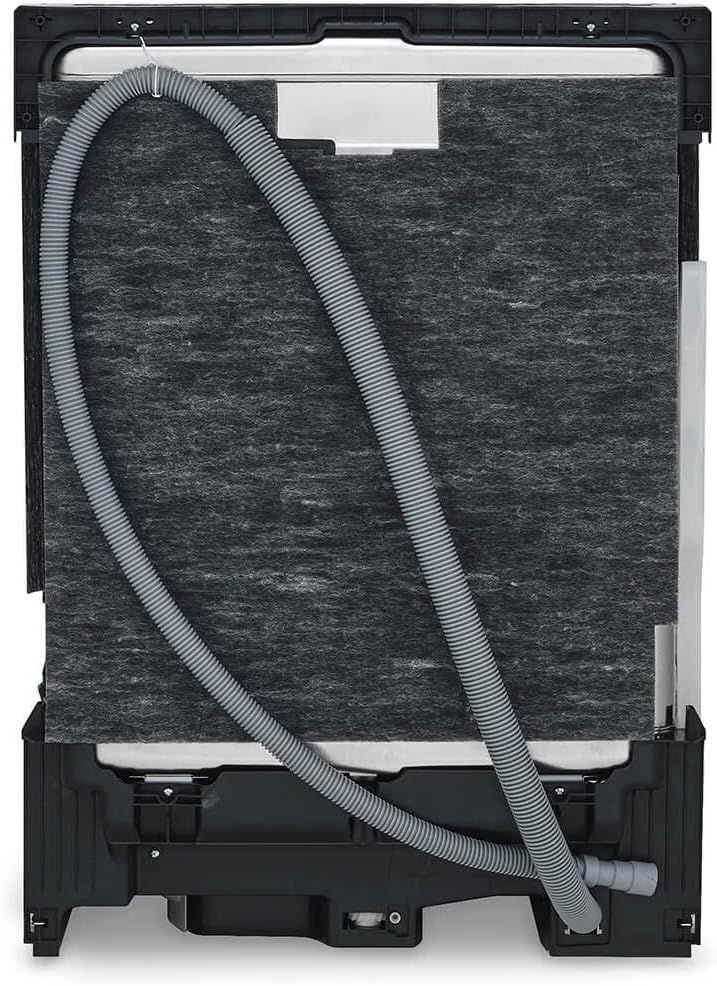
- Water Connection: Connect the water inlet hose to the hot water supply and the drain hose to the sink drain or garbage disposal.
- Electrical Connection: Connect the dishwasher to a grounded electrical outlet.
- Securing: Secure the dishwasher to the countertop or side cabinets using the provided brackets.
- Final Checks: Run a test cycle to check for leaks and proper operation.
3. Operating Instructions
The LG LDFN3432T dishwasher features an intuitive front control panel for easy selection of wash cycles and options.

Loading the Dishwasher:
- Scrape off large food particles from dishes.
- Place larger items in the lower rack and smaller items, glasses, and cups in the upper rack.
- Utilize the adjustable racks and fold-down tines for flexible loading of various dish sizes.
- Ensure spray arms are not obstructed by dishes.

Adding Detergent and Rinse Aid:
- Add the recommended amount of dishwasher detergent to the main dispenser.
- Fill the rinse aid dispenser to the indicated level for improved drying and to prevent water spots.
Selecting a Wash Cycle:
Press the Power button to turn on the dishwasher. Select one of the 5 available wash cycles:
- Auto: Automatically detects soil level and adjusts wash time and temperature.
- Heavy: For heavily soiled pots, pans, and bakeware.
- Normal: Standard cycle for everyday dishware and glassware.
- Turbo: A faster cycle for lightly soiled dishes.
- Machine Clean: A self-cleaning cycle for the dishwasher interior.
Selecting Options:
Customize your wash with 6 available options:
- Flex Zone: Allows for different wash intensities in upper and lower racks.
- High Temp: Increases wash temperature for enhanced sanitization.
- Extra Dry: Extends drying time for better results.
- Delay Start: Delays the start of the wash cycle.
- Control Lock: Locks the control panel to prevent accidental changes.
- Night Dry: Reduces noise during the drying phase.
Press the Start button to begin the cycle. Close the dishwasher door firmly.
4. Maintenance
Regular maintenance ensures your LG LDFN3432T dishwasher continues to perform efficiently.
Cleaning the Interior:
- Run the Machine Clean cycle periodically to remove grease and lime scale buildup.
- Wipe down the interior with a damp cloth and mild detergent as needed.
- Clean the filter regularly by removing it, rinsing under running water, and scrubbing with a soft brush if necessary.
Cleaning the Exterior:
- Wipe the stainless steel exterior with a soft, damp cloth. For stubborn stains, use a stainless steel cleaner.
- Avoid abrasive cleaners or scouring pads that can scratch the surface.
5. Troubleshooting
Refer to this section for common issues and their solutions. For more complex problems, contact LG customer support.
| Problem | Possible Cause | Solution |
|---|---|---|
| Dishwasher does not start | Door not fully closed; Power supply issue; Control Lock activated. | Ensure door is latched; Check circuit breaker; Deactivate Control Lock. |
| Dishes not clean | Improper loading; Clogged spray arms; Insufficient detergent; Incorrect cycle. | Reload dishes correctly; Clean spray arm nozzles; Use appropriate detergent; Select suitable wash cycle. |
| Dishes not drying | No rinse aid; Extra Dry option not selected; Plastic items. | Refill rinse aid dispenser; Select Extra Dry option; Plastic items may require towel drying. |
| Unusual noise | Dishes obstructing spray arm; Foreign object in pump. | Rearrange dishes; Inspect and remove any foreign objects from the filter area. |
6. Product Specifications
| Feature | Detail |
|---|---|
| Brand | LG |
| Model Name | LDFN3432T |
| Finish Type | Stainless Steel |
| Form Factor | Built-In |
| Item Weight | 75 Pounds |
| Voltage | 120 Volts |
| Cycle Options | Auto, Heavy, Normal, Turbo, Machine Clean |
| Recommended Uses | Everyday dishware and glassware, pots and pans, heavily soiled bakeware |
| Display Type | LED |
| Number of Settings | 11 |
| Water Consumption | 2.9 Gallons per Hour |
| Option Cycles | 6 |
| Dishwasher Basket Material | Stainless Steel |
| Annual Energy Consumption | 258 Kilowatt Hours Per Year |
| Special Features | Adjustable racks |
| Certification | NSF, Energy Star Certified |
| Product Dimensions | 29"D x 30"W x 35"H |
| Capacity | 15 Place Settings |
| Noise Level | 50 Decibels |
7. Product Media
Additional Product Images:


Official Product Videos:
8. Warranty and Support
The LG LDFN3432T dishwasher comes with a manufacturer's warranty. Specific warranty details, including coverage duration and terms, are typically provided with your purchase documentation. Please refer to the warranty card included with your appliance for complete information.
For technical assistance, service requests, or to inquire about warranty claims, please contact LG Customer Support. You can find contact information on the LG website or in your product's documentation.
Note: Some customer reviews mention a 10-year warranty on the motor. Please verify this information with LG directly or through your official warranty documentation.