1. Introduction
Thank you for purchasing the LEICKE DJ ROXXX Partybox Aurora Bluetooth Speaker. This portable 800W party speaker is designed to deliver powerful sound and a unique party lighting experience. It features multiple connectivity options including Bluetooth, USB, Aux-In, and FM Radio, along with microphone inputs for karaoke. This manual provides detailed instructions for setup, operation, maintenance, and troubleshooting to ensure you get the most out of your device.
2. Safety Instructions
- Read all instructions carefully before using the product.
- Do not expose the speaker to water, moisture, or extreme temperatures.
- Keep the speaker away from heat sources such as radiators, heat registers, stoves, or other apparatus that produce heat.
- Use only the power adapter supplied by the manufacturer.
- Do not block any ventilation openings. Install in accordance with the manufacturer's instructions.
- Protect the power cord from being walked on or pinched, particularly at plugs, convenience receptacles, and the point where they exit from the apparatus.
- Unplug the apparatus during lightning storms or when unused for long periods of time.
- Refer all servicing to qualified service personnel. Servicing is required when the apparatus has been damaged in any way.
3. Package Contents
Please check the package contents upon unboxing:
- 1 x DJ ROXXX Partybox Aurora Speaker
- 1 x Power Adapter
- 1 x AUX Cable (3.5mm)
- 1 x Remote Control
- 1 x User Manual
4. Product Overview
4.1 Speaker Design and Features
The LEICKE DJ ROXXX Partybox Aurora is designed for portability and powerful audio performance, featuring integrated LED lighting for a dynamic visual experience.

Figure 4.1: LEICKE DJ ROXXX Partybox Aurora Speaker and its retail packaging.

Figure 4.2: Front view of the speaker showcasing its vibrant LED lighting.

Figure 4.3: The speaker's dynamic light effects and sound projection.
4.2 Control Panel and Ports
The top panel of the speaker houses all the essential controls and connectivity ports.
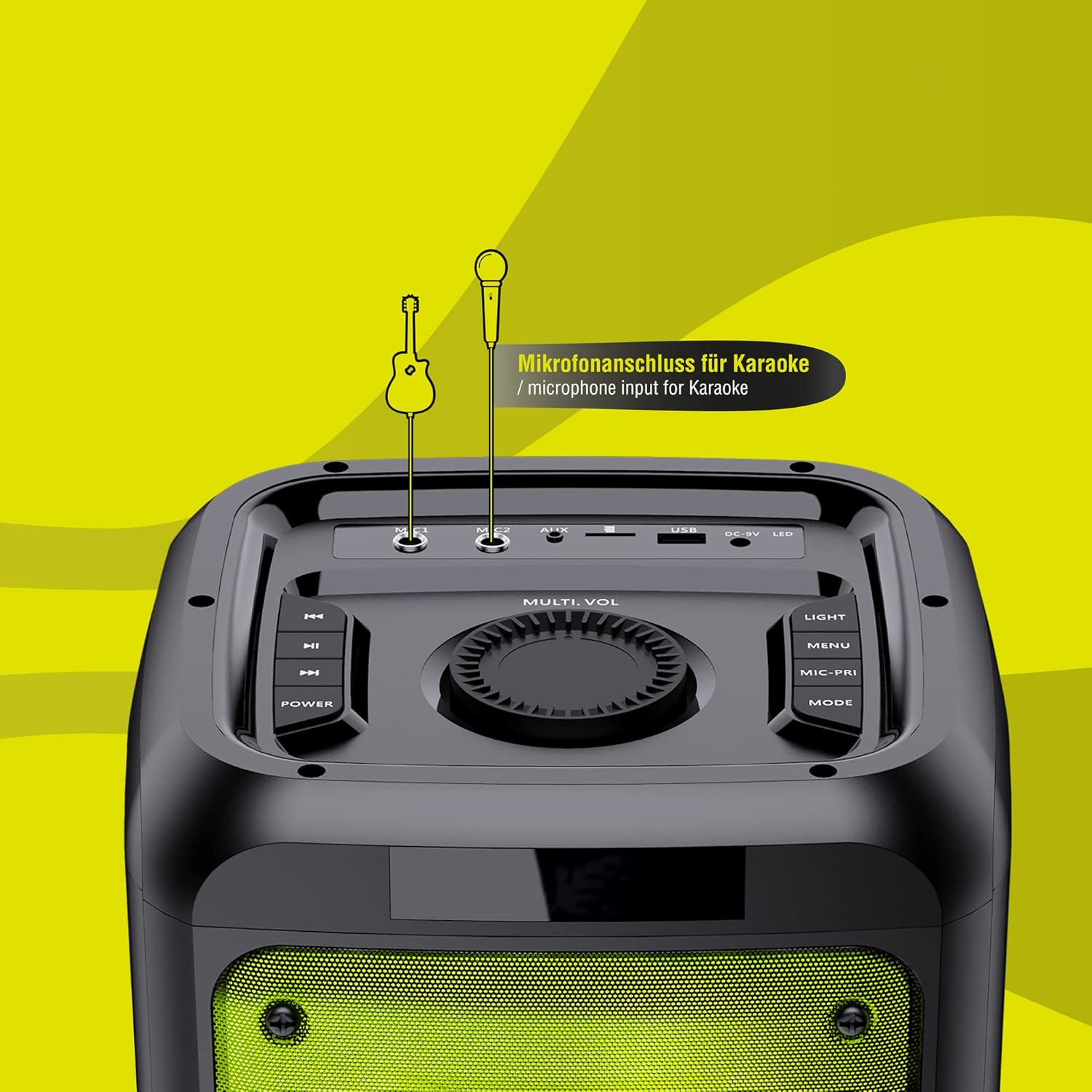
Figure 4.4: Detailed view of the control panel with various buttons and input jacks.
- Power Button: Turns the speaker on/off.
- Multi-Vol Knob: Adjusts master volume.
- Light Button: Cycles through light modes or turns lights off.
- Menu Button: Accesses various settings.
- Mode Button: Switches between input modes (Bluetooth, USB, AUX, FM).
- Mic-Fri Button: Microphone priority/echo function.
- USB Port: For USB flash drives.
- AUX-IN Port: 3.5mm jack for external audio devices.
- Microphone Inputs: Two 6.35mm jacks for microphones.
- DC 9V Input: For charging the speaker.
5. Setup
5.1 Charging the Speaker
The speaker is equipped with a 10000mAh battery. Before first use, fully charge the speaker.
- Connect the supplied 9V/1.5A power adapter to the DC 9V input port on the speaker.
- Plug the power adapter into a wall outlet.
- The charging indicator will illuminate. Once fully charged, the indicator may change color or turn off.
- A full charge provides up to 8 hours of playback, depending on volume and LED effects.
5.2 Powering On/Off
- To turn on the speaker, press and hold the Power button.
- To turn off the speaker, press and hold the Power button again.
6. Operating Instructions
6.1 Bluetooth Pairing
- Turn on the speaker. It will automatically enter Bluetooth pairing mode, indicated by a flashing "BLUE" on the display.
- On your smartphone, tablet, or PC, enable Bluetooth and search for available devices.
- Select "LEICKE DJ ROXXX Aurora" from the list.
- Once paired, the speaker will emit a confirmation sound, and "BLUE" will stop flashing.
- You can now play audio from your device through the speaker.
6.2 USB Playback
- Insert a USB flash drive containing MP3 audio files into the USB port.
- The speaker will automatically switch to USB mode and begin playing the first track. If not, press the Mode button to select USB mode.
- Use the playback controls (Previous/Next Track, Play/Pause) on the speaker or remote control.
6.3 AUX-In Mode
- Connect one end of the supplied 3.5mm AUX cable to the AUX-IN port on the speaker.
- Connect the other end to the headphone jack or audio output of your external device (e.g., mobile phone, laptop, CD player).
- Press the Mode button to select AUX mode.
- Control playback from your external device.
6.4 FM Radio
- Press the Mode button to switch to FM Radio mode.
- Press and hold the Play/Pause button to automatically scan and save available FM stations.
- Use the Previous/Next Track buttons to navigate between saved stations.
6.5 Microphone and Karaoke Function
- Connect one or two microphones to the microphone input jacks on the control panel.
- Adjust the microphone volume using the dedicated controls (if available) or the main volume knob.
- Use the Mic-Fri button to activate microphone priority (music volume lowers when speaking into the mic) or echo effects.
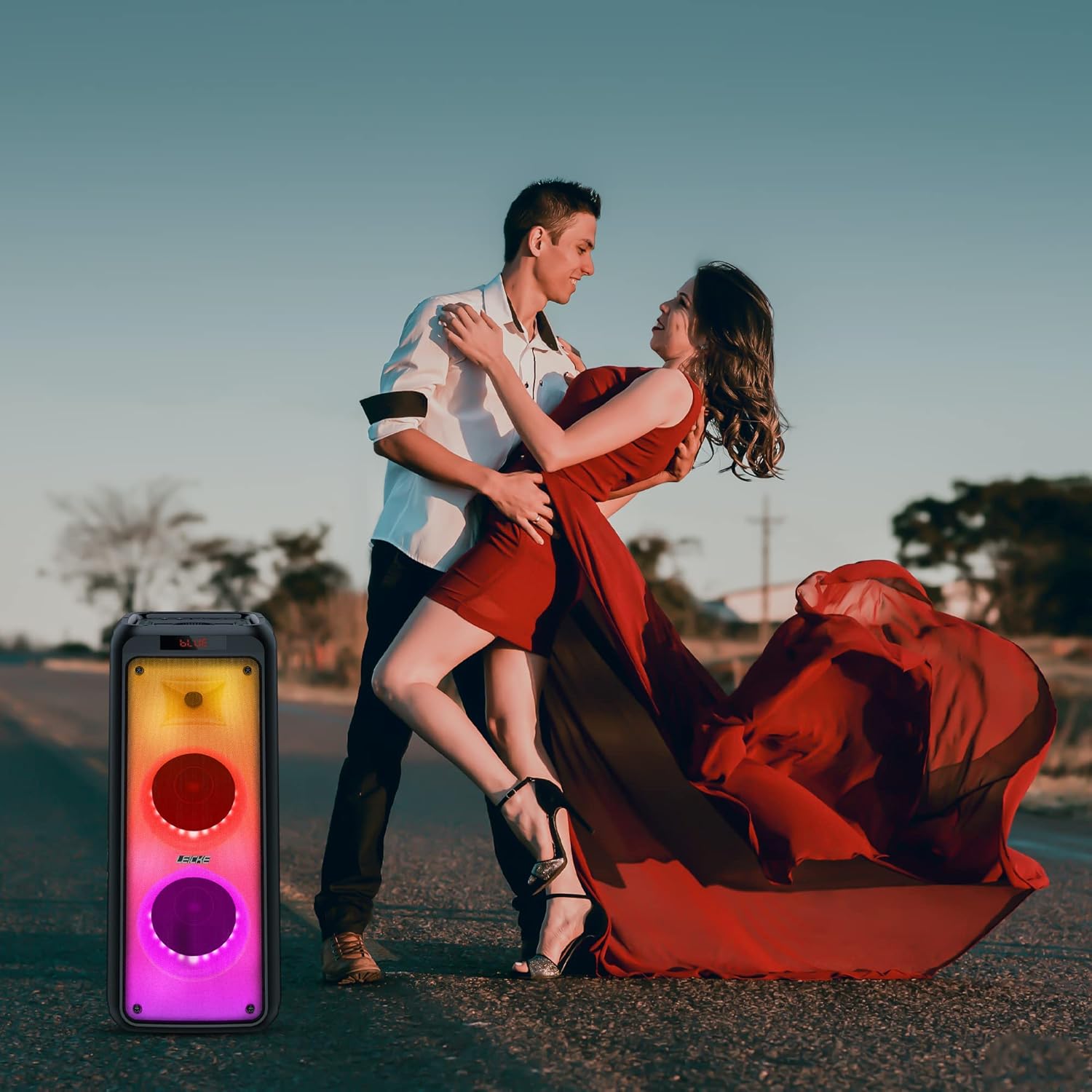
Figure 6.1: The speaker is ideal for karaoke sessions.
6.6 Light Effects Control
The DJ ROXXX Partybox Aurora features powerful multi-colored LED light effects that react to music.
- Press the Light button to cycle through different light modes.
- Continue pressing the Light button to turn the light effects off.
Video 6.1: Demonstration of the dynamic LED light effects of the Partybox Aurora.
6.7 True Wireless Stereo (TWS) Function
The TWS function allows you to connect two DJ ROXXX Partybox Aurora speakers for a true stereo sound experience.
- Ensure both speakers are powered on and in Bluetooth mode, but not connected to any device.
- On one speaker (this will be the master), press and hold the Mode button until you hear a confirmation sound, indicating TWS pairing mode.
- The two speakers will automatically connect to each other. Once connected, you will hear another confirmation sound.
- Now, connect your Bluetooth device to the master speaker as described in section 6.1. Audio will play in stereo across both speakers.

Figure 6.2: Two speakers paired for True Wireless Stereo sound.
7. Maintenance
- Clean the speaker with a soft, dry cloth. Do not use abrasive cleaners or solvents.
- Do not disassemble the speaker. This will void the warranty.
- Store the speaker in a cool, dry place when not in use for extended periods.
- Charge the battery at least once every three months to prolong its lifespan.
8. Troubleshooting
| Problem | Possible Cause | Solution |
|---|---|---|
| Speaker does not turn on. | Battery is depleted. | Charge the speaker using the supplied power adapter. |
| No sound. | Volume is too low or muted. Incorrect input mode. | Increase volume. Press the Mode button to select the correct input. |
| Bluetooth pairing fails. | Speaker not in pairing mode. Device too far. Interference. | Ensure speaker is in pairing mode. Move device closer. Turn off other Bluetooth devices. |
| Microphone not working. | Microphone not connected properly. Microphone volume too low. | Ensure microphone is fully plugged in. Adjust microphone volume. |
| Light effects not working. | Lights are turned off. | Press the Light button to activate light modes. |
9. Specifications
| Feature | Detail |
|---|---|
| Model Number | EP18240 |
| Brand | LEICKE |
| Product Dimensions (L x W x H) | 25 x 24 x 63 cm |
| Weight | 6 Kilograms |
| Connectivity Technology | Bluetooth, USB, AUX |
| Color | Aurora |
| Compatible Devices | Laptop, Smartphone |
| Battery Life | Up to 8 hours (depending on usage) |
| Power Output | 800W (Peak) |
10. Warranty and Support
LEICKE products come with a standard warranty. For detailed warranty information, technical support, or service requests, please visit the official LEICKE website or contact their customer service.
LEICKE Official Store: Visit LEICKE Store on Amazon


