Introduction
Thank you for choosing the UrbanX iX2 Pro Dynamic Hybrid Dual Driver In-Ear Earphones. These earphones are designed to deliver high-resolution audio with a balanced, clean, and detailed sound quality, suitable for musicians and audio enthusiasts. This manual provides essential information for the proper setup, operation, maintenance, and troubleshooting of your new earphones.
Product Overview
The UrbanX iX2 Pro earphones feature a dynamic hybrid dual driver system for superior sound reproduction. They are equipped with a tangle-free cable and an inline microphone for convenient communication.
Key Features:
- High Resolution Sound: Utilizes a dynamic hybrid dual driver system for balanced, clean, and detailed audio.
- Durable Cable: High-quality, tangle-free cable designed for smooth and lossless sound transmission.
- Inline Microphone: Integrated microphone for hands-free calling and voice control.
- Enhanced Connection: Groove protection design on pins to prevent distortion and extend product lifespan.
- Comfortable Fit: Includes multiple sizes of silicone ear tips for a secure and comfortable listening experience.

Image: The UrbanX iX2 Pro earphones, showcasing their design and components. One earbud is shown with its internal structure visible, while the other has a silicone ear tip attached, ready for use. An additional ear tip is also visible.
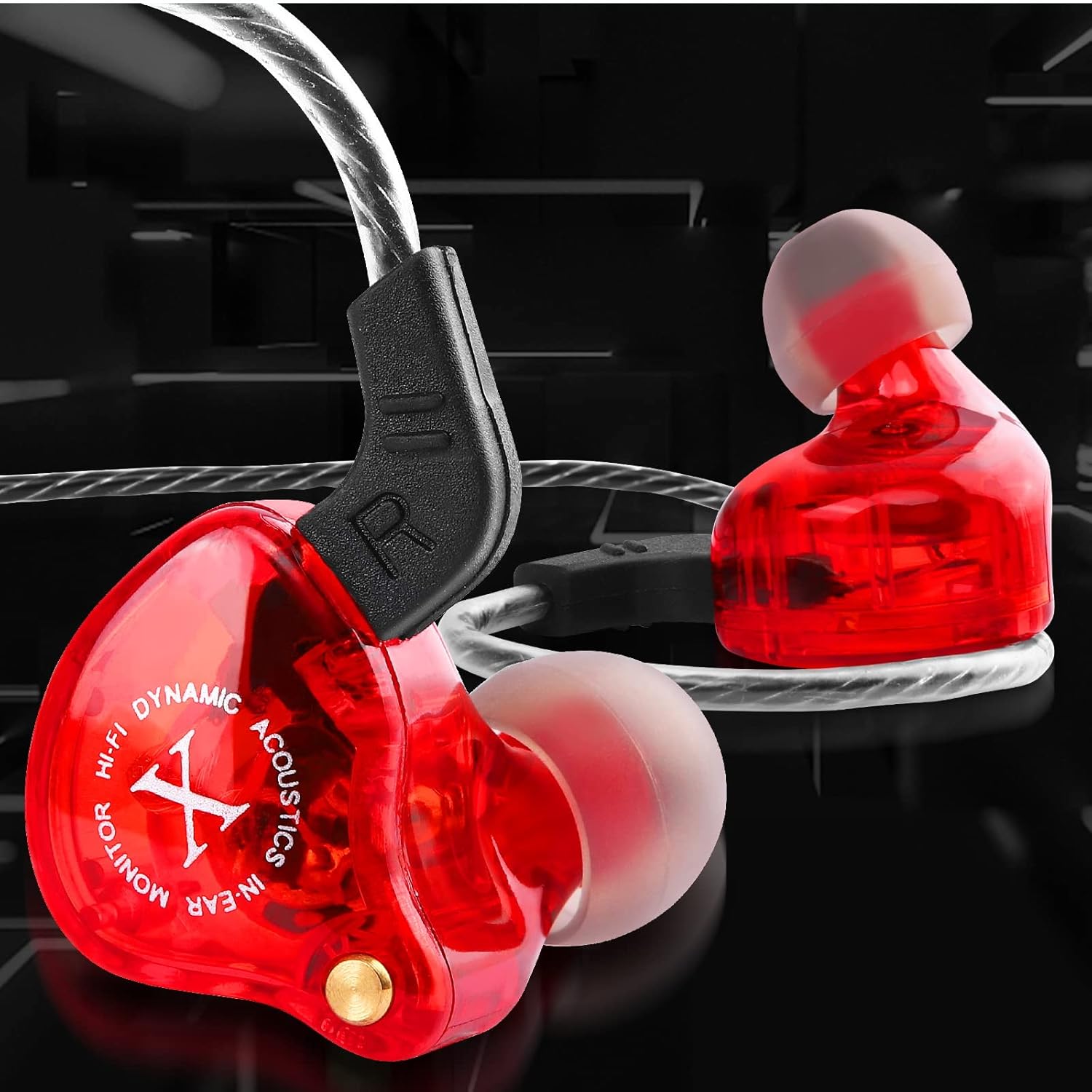
Image: A detailed view of an UrbanX iX2 Pro earbud, highlighting the 'HI-FI DYNAMIC ACOUSTICS IN-EAR MONITOR X' branding and the transparent red casing.
Setup
1. Choosing the Right Ear Tips:
The earphones come with multiple sizes of silicone ear tips (L, M, S). Selecting the correct size is crucial for optimal sound quality, noise isolation, and comfort. Experiment with different sizes to find the best fit for your ears. A good fit will create a seal, enhancing bass response and reducing external noise.

Image: A man wearing the UrbanX iX2 Pro earphones while running, illustrating proper fit. The image also displays different sizes of ear tips (Large and Medium) to guide users in selecting the most comfortable and secure option.
2. Wearing the Earphones:
- Gently insert the earbud into your ear canal.
- Adjust the earbud until it feels secure and comfortable, forming a good seal.
- The cable is designed to be worn over the ear for added stability, especially during physical activity.
3. Connecting to Your Device:
Plug the 3.5mm jack of the earphone cable into the headphone port of your smartphone, tablet, laptop, or any compatible audio device. Ensure the plug is fully inserted for a stable connection.

Image: The UrbanX iX2 Pro earphones connected to a smartphone, demonstrating a typical usage scenario on a wooden desk next to a laptop.
Operating Instructions
The UrbanX iX2 Pro earphones feature an inline remote with a microphone for easy control of calls and music playback.

Image: The UrbanX iX2 Pro earphones with visual cues highlighting their key functionalities: hands-free calling, voice control, volume and track controls, compatibility with iOS and Android devices, and the waterproof inline microphone and controls.
Inline Remote Functions:
- Play/Pause Music: Press the multi-function button once.
- Next Track: Press the multi-function button twice quickly.
- Previous Track: Press the multi-function button three times quickly.
- Answer/End Call: Press the multi-function button once during an incoming call or an active call.
- Reject Call: Press and hold the multi-function button during an incoming call.
- Activate Voice Assistant: Press and hold the multi-function button (functionality may vary by device).
- Volume Control: Use the dedicated volume buttons (+) and (-) on the inline remote to adjust audio levels.
The earphones are compatible with most devices featuring a 3.5mm audio jack, including iOS and Android smartphones, tablets, and laptops.
Maintenance
Proper care will extend the lifespan and maintain the performance of your UrbanX iX2 Pro earphones.
- Cleaning Ear Tips: Regularly remove the silicone ear tips and clean them with a soft cloth dampened with mild soap and water. Ensure they are completely dry before reattaching.
- Cleaning Earbuds: Wipe the earbud bodies with a dry, soft cloth. Avoid using harsh chemicals or abrasive materials.
- Cable Care: The tangle-free cable is designed for durability. Avoid sharp bends, excessive pulling, or wrapping the cable too tightly. Store the earphones neatly when not in use.
- Water Resistance: The earphones are water resistant. This means they can withstand splashes and light rain, but they are not designed for submersion in water. Avoid exposing them to heavy rain or swimming.
- Storage: Store your earphones in a clean, dry place, away from extreme temperatures and direct sunlight.
Troubleshooting
If you encounter any issues with your UrbanX iX2 Pro earphones, please refer to the following common solutions:
- No Sound or Intermittent Audio:
- Ensure the 3.5mm jack is fully inserted into your device's audio port.
- Check the volume level on your device and on the inline remote.
- Test the earphones with another audio device to rule out a device-specific issue.
- Inspect the cable for any visible damage or kinks.
- Poor Sound Quality (Muffled, Low Bass):
- Ensure the ear tips are correctly sized and form a good seal in your ear canal.
- Clean the ear tips and the mesh filters on the earbuds to remove any debris.
- Try different audio sources or files to see if the issue persists.
- Microphone Not Working:
- Ensure the 3.5mm jack is fully inserted. Some devices require a TRRS (4-pole) jack for microphone functionality, which these earphones provide.
- Check your device's audio settings to ensure the external microphone is selected.
- Test the microphone with another device or application.
- Inline Remote Buttons Not Responding:
- Ensure the earphones are properly connected to your device.
- Compatibility with certain functions (e.g., voice assistant) may vary by device operating system.
- Restart your connected device.
If these steps do not resolve your issue, please contact UrbanX customer support for further assistance.
Specifications
| Feature | Specification |
|---|---|
| Model Name | iX2 |
| Headphone Type | In-Ear |
| Wearing Style | On Ear (over-ear cable routing) |
| Connectivity Technology | Wired |
| Plug Diameter | 3.5mm Jack |
| With Inline Microphone | Yes |
| Sound Principle | Moving Coil (Dynamic Hybrid Dual Driver) |
| Frequency Response Range | 20-20000 Hz |
| Impedance | 16 Ω |
| Sensitivity | 112 dB |
| Distortion Rate | Less than 1% |
| Cable Length | 3.6 ft (1.2 m) |
| Speaker Diameter | 11.6mm |
| Ear Tips Material | Silica Gel |
| Cable Material | TPE |
| Control Type | Call Control, Volume Control |
| Water Resistance Level | Water Resistant |
| Item Weight | 0.5 Ounces |
| Product Dimensions | 1 x 0.5 x 1 inches |
Warranty and Support
UrbanX is committed to providing high-quality products. While specific warranty details are not provided in this manual, please retain your proof of purchase. For any product-related inquiries, technical support, or warranty claims, please contact UrbanX customer service through the retailer where you purchased the product or visit the official UrbanX website for support contact information.
We recommend registering your product, if applicable, to receive updates and support.


