
1. Product Overview
The Glocusent 106 LED Camping Lantern is a versatile and durable lighting solution designed for outdoor activities, emergencies, and general use. It features a powerful 5000mAh rechargeable battery, multiple brightness levels, and various light modes, all within a compact and rugged design.
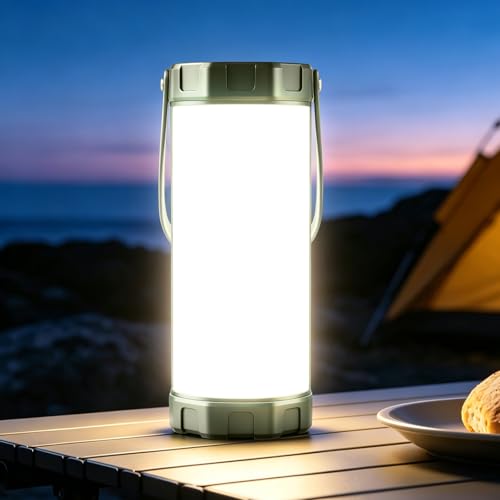
Image: The Glocusent 106 LED Camping Lantern in its compact form.
2. Package Contents
Please check the package contents upon unboxing:
- 1 x Glocusent Camping Lantern
- 1 x Charging Cable
- 1 x User Manual (this document)
3. Specifications
| Feature | Detail |
|---|---|
| Light Source Type | Light Emitting Diode (LED) |
| Brand | Glocusent |
| Power Source | 5000mAh Battery Powered |
| Material | Plastic |
| Light Output Maximum | 1200 lumens |
| Water Resistance Level | IP68 Waterproof |
| Battery Life | Up to 80 hours (at lowest brightness) |
| Voltage | 5 volts DC |
| Number of Light Sources | 106 LEDs |
| Item Dimensions (L x W x H) | 2.2"L x 2.2"W x 5.6"H |
| Item Weight | 246 g (8.6 ounces) |
| Certifications | CE, FCC, PSE, RoHS, C-TICK |
4. Setup
4.1 Initial Charging
Before first use, fully charge your Glocusent Camping Lantern. Use the provided USB-C charging cable to connect the lantern to a compatible USB power source (e.g., wall adapter, power bank, computer USB port).
- The charging port is located on the top of the lantern.
- Battery indicator lights will show charging progress.
- A full charge can take approximately 3.5 hours.

Image: The lantern connected to a charging cable, illustrating its 5000mAh battery and up to 80 hours of lighting time.
5. Operating Instructions
5.1 Power On/Off and Brightness Adjustment
Press the power button located on the top of the lantern to turn it on. Subsequent presses will cycle through 5 brightness levels. Hold the button to turn off the lantern.

Image: A person holding the lantern, demonstrating its small size and adjustable brightness levels from 20LM to 220LM.
5.2 Light Modes
The lantern offers three distinct light color temperatures and an SOS mode:
- 3000K Warm Light: Ideal for use in thick fog or for a cozy ambiance.
- 4000K Combined Light: Suitable for walking or hiking.
- 6000K Cool White Light: Best for repairing tasks or illuminating larger areas like a tent or campsite.
- SOS Mode: Activates a flashing signal for emergency situations.
To switch between light modes, press the mode button (usually indicated by a light bulb icon) on the top of the lantern.

Image: The lantern displaying its three color temperatures: 3000K Warm Light, 4000K Combined Light, and 6000K Cool White Light.
5.3 Super Bright Mode
The "Super Bright" mode provides 1200LM illumination for 3 minutes, designed for situations requiring maximum light output over a larger area. This mode is activated by a specific button press (refer to the device's button layout on the device for exact activation, typically a quick double-press or a dedicated button).
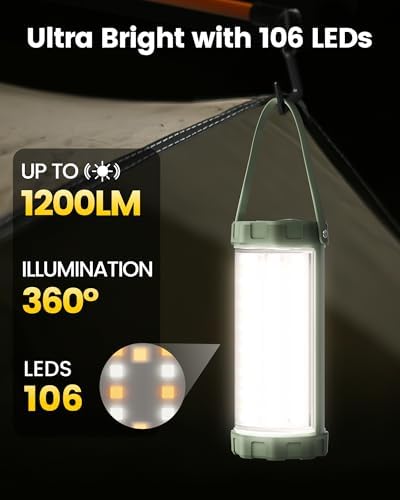
Image: Close-up of the lantern highlighting its 106 LEDs and 360° illumination, capable of reaching up to 1200 lumens.
5.4 Usage and Portability
The lantern is designed for versatile use:
- Handheld: Its compact size and lightweight design make it easy to carry.
- Stand Firm: Place it on any flat surface for stable illumination.
- Hangable: Utilize the integrated top handle or bottom hook to hang it inside tents, on branches, or other suitable fixtures.

Image: The lantern shown next to a backpack, illustrating its compact dimensions (5.6" x 2.2" x 2.2") and light weight (8.6 oz / 245.5g).
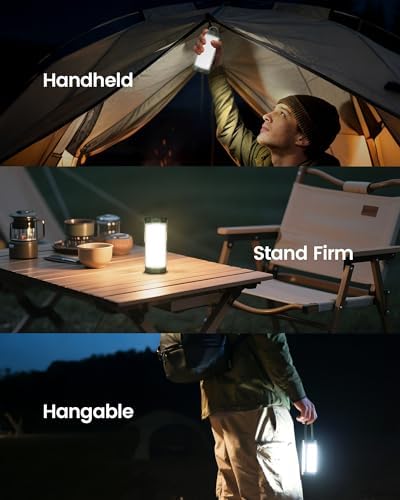
Image: Demonstrations of the lantern being used handheld, standing on a table, and hanging from a tent ceiling.
6. Maintenance
6.1 Cleaning
Wipe the lantern with a soft, damp cloth. Do not use harsh chemicals or abrasive cleaners, as these may damage the surface or internal components.
6.2 Water and Drop Resistance
The Glocusent Camping Lantern features an IP68 waterproof rating, meaning it can withstand immersion in water up to 1.5 meters for 30 minutes. Its reinforced housing is also designed to be drop-proof from heights of up to 40 inches. While durable, avoid unnecessary exposure to extreme conditions to prolong product life.
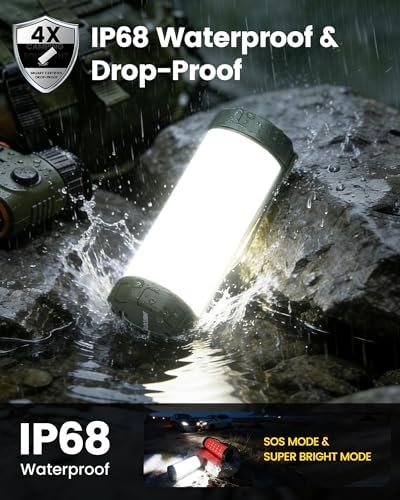
Image: The lantern being splashed with water, illustrating its IP68 waterproof and drop-proof capabilities, along with SOS and Super Bright modes.
6.3 Battery Care
To maintain optimal battery health, recharge the lantern at least once every three months, even if not in use. Store in a cool, dry place away from direct sunlight and extreme temperatures.
7. Troubleshooting
- Lantern does not turn on:
- Ensure the battery is charged. Connect the lantern to a power source using the USB-C cable.
- Press and hold the power button for a few seconds to ensure it's not just a quick press.
- Light output is dim:
- Check the battery level and recharge if necessary.
- Cycle through the brightness levels to ensure it's not set to the lowest setting.
- Charging is slow or not working:
- Ensure the USB-C cable is securely connected to both the lantern and the power source.
- Try a different USB-C cable or power adapter.
- Verify the power source is functioning correctly.
- SOS mode not activating:
- Refer to the device's button layout for the specific activation sequence for SOS mode. It might be a long press or a specific combination.
8. Official Product Video
Video: An official product video from Glocusent demonstrating the LED Camping Lantern for Emergency use. This video highlights key features and functionality.
9. Warranty and Support
9.1 Warranty Information
This Glocusent product comes with a 24-month warranty from the date of purchase. This warranty covers manufacturing defects and issues arising from normal use. Please retain your proof of purchase for warranty claims.
9.2 Customer Support
For any questions, concerns, or support needs, Glocusent offers 24/7 online services. Please refer to the contact information provided with your product packaging or visit the official Glocusent website for assistance.


