
W-KING D9-1
Contents
W-KING Bluetooth Speaker User Manual
Model: D9-1
Product Overview
The W-KING D9-1 is a robust portable Bluetooth speaker designed for high-quality audio output in various environments. It features a durable construction and multiple connectivity options, making it suitable for both indoor and outdoor use.

Figure 1: Front view of the W-KING D9-1 Bluetooth Speaker, showcasing its rugged design and integrated handle.
What's in the Box
Upon unboxing your W-KING D9-1 Bluetooth Speaker, verify that all components are present:
- W-KING D9-1 Bluetooth Speaker with built-in handle
- USB-C Charging Cable
- 3.5mm AUX Audio Cable
- User Manual
- Warranty Card

Figure 2: The W-KING D9-1 speaker with its included USB-C charging cable, AUX cable, and documentation.
Specifications
| Feature | Detail |
|---|---|
| Output Power | 60W (Peak 80W) |
| Waterproof Rating | IPX6 (Splash-proof, not submersible) |
| Battery Capacity | 12000mAh |
| Playtime | Up to 40 hours (at lowest volume) |
| Charging Time | 4-7 hours (from empty) |
| Bluetooth Version | 5.0 |
| Wireless Range | Up to 33 feet (10 meters) |
| Audio Drivers | Dual Woofers, Dual Tweeters, Passive Subwoofer |
| Connectivity | Bluetooth, TF Card, AUX, USB (for charging external devices) |
| Special Features | NFC, True Wireless Stereo (TWS) Pairing, 2 EQ Modes, Built-in Microphone |
| Weight | Approximately 6 lbs |

Figure 3: Diagram showing the internal speaker configuration of the W-KING D9-1, including two tweeters, two subwoofers, and one passive radiator.
Setup
Initial Charge
Before first use, fully charge the speaker. Connect the provided USB-C charging cable to the speaker's DC 5V port and a compatible USB power adapter (not included). A full charge may take 4-7 hours.
Powering On/Off
Press and hold the power button (⏻) located on the top panel to power the speaker on or off.
Bluetooth Pairing
- Ensure the speaker is powered on and in Bluetooth pairing mode (indicated by a flashing blue LED).
- On your device (smartphone, tablet, etc.), enable Bluetooth and search for available devices.
- Select "W-KING D9-1" from the list to connect. A voice prompt will confirm successful pairing.
NFC Pairing (Android devices only): Tap your NFC-enabled Android device to the NFC area on the speaker's top panel for quick, automatic pairing.
True Wireless Stereo (TWS) Pairing
To achieve a true stereo sound experience, you can pair two W-KING D9-1 speakers:
- Ensure both speakers are powered on and not connected to any other Bluetooth device.
- On one speaker, press and hold the TWS button (usually indicated by two interlocking circles or a similar icon). The speaker will enter TWS pairing mode.
- The two speakers will automatically connect to each other. A voice prompt will confirm successful TWS pairing.
- Once TWS is established, connect your device to one of the speakers via Bluetooth as described above. Both speakers will now play audio in stereo.

Figure 4: Two W-KING D9-1 speakers set up for True Wireless Stereo, providing a wider soundstage.
Operating Instructions
Basic Controls
- Power Button (⏻): Press and hold to power on/off.
- Volume Down (-): Short press to decrease volume. Long press to skip to the previous track.
- Play/Pause Button (▶): Short press to play or pause audio.
- Volume Up (+): Short press to increase volume. Long press to skip to the next track.
- EQ Button (≡): Press to cycle through available equalizer modes (e.g., Super Bass, Vocal, 3D Sound).
Connectivity Ports
The speaker features a sealed panel on the rear to protect its connectivity ports:
- DC 5V (USB-C) Port: For charging the speaker.
- TF Card Slot: Insert a TF (microSD) card with audio files for direct playback.
- AUX Port (3.5mm): Connect external audio devices using the provided AUX cable.
- USB Port: Use this port to charge other devices (e.g., smartphones) from the speaker's internal battery.
Figure 5: The W-KING D9-1 speaker charging a smartphone via its USB-A output port, highlighting its power bank functionality.
Maintenance
Cleaning
Wipe the speaker with a soft, damp cloth. Do not use harsh chemicals or abrasive cleaners. Ensure all port covers are securely closed before cleaning or exposing to water.
Storage
Store the speaker in a cool, dry place away from direct sunlight and extreme temperatures. If storing for extended periods, charge the battery to approximately 50% every few months to maintain battery health.
Water Resistance
The W-KING D9-1 is IPX6 water-resistant, meaning it can withstand splashes and light rain. It is not designed to be submerged in water. Always ensure the rubber flap covering the ports is tightly sealed when near water.
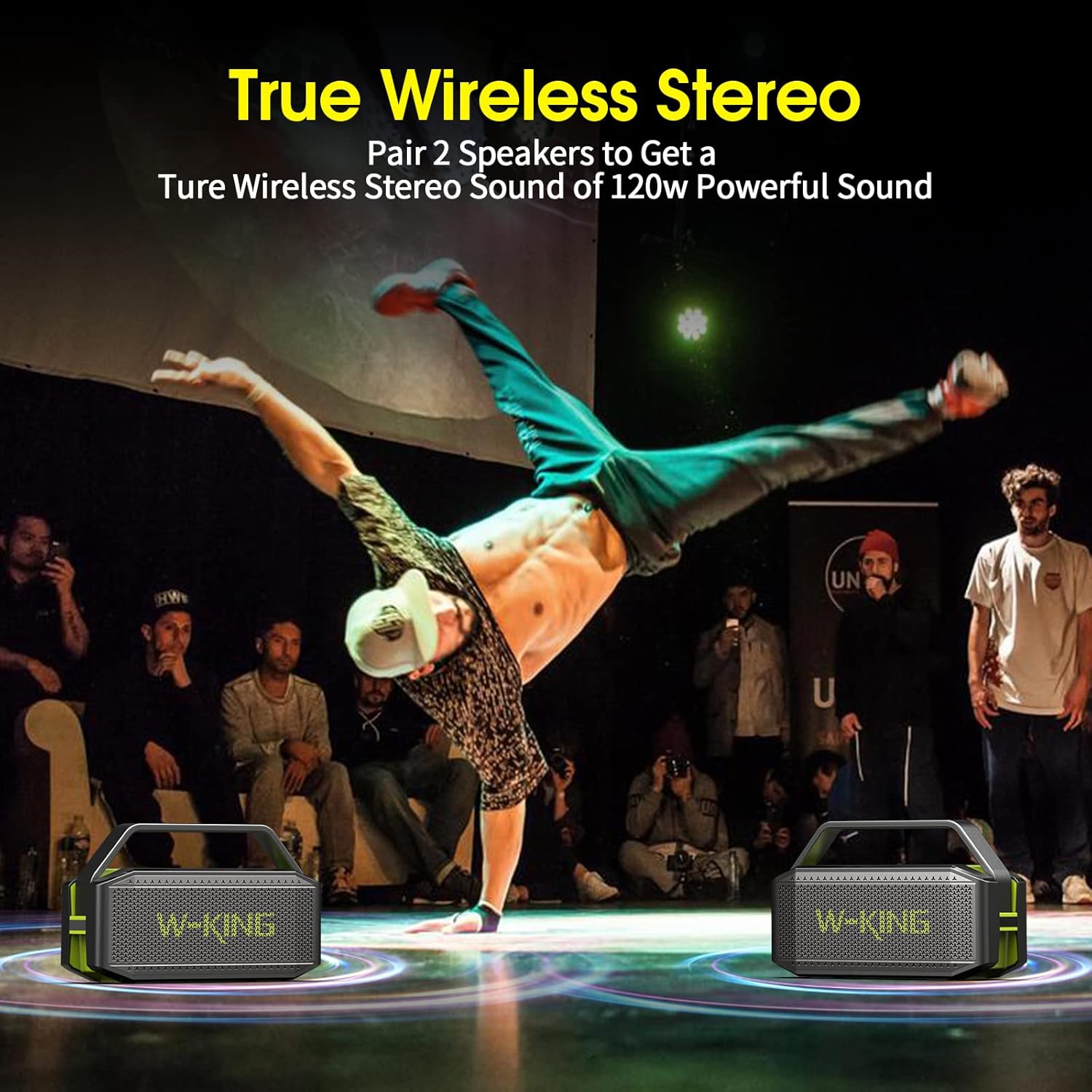
Figure 6: The W-KING D9-1 speaker positioned near a pool, demonstrating its suitability for outdoor, splash-prone environments.
Troubleshooting
- Speaker not turning on: Ensure the battery is charged. Connect the speaker to a power source and try again.
- Cannot pair via Bluetooth:
- Ensure the speaker is in pairing mode (flashing blue LED).
- Make sure your device's Bluetooth is enabled and within range (33 feet).
- Forget "W-KING D9-1" from your device's Bluetooth list and try pairing again.
- If using NFC, ensure NFC is enabled on your Android device and it is correctly tapped to the NFC area.
- No sound or low volume:
- Increase the volume on both the speaker and your connected device.
- Ensure the speaker is correctly paired and connected.
- If using AUX, ensure the cable is fully inserted and not damaged.
- Poor sound quality (distortion, weak bass):
- Move the speaker closer to your device to improve Bluetooth signal.
- Adjust the EQ settings on the speaker to find a preferred sound profile.
- Ensure the passive subwoofer on the back is not obstructed.
- Speaker vibrating excessively: Ensure the protective films on the rubber feet are removed to allow proper grip and reduce vibration.
Warranty and Support
The W-KING D9-1 Bluetooth Speaker comes with a 4-year warranty. For warranty registration or support inquiries, please refer to the contact information provided on the included Warranty Card or visit the official W-KING support website.
For further assistance, please contact W-KING customer support via support.amazon@w-king.com.
Documents and downloads
Ask a question about this manual
Ask about setup, troubleshooting, compatibility, parts, safety, or missing instructions. Manuals+ will review the question and use this page’s manual context to help answer it.