
1. Introduction
This manual provides essential information for the safe and efficient use of your Philips DST3030/70 Steam Iron. Please read these instructions carefully before first use and keep them for future reference. Proper use and maintenance will ensure optimal performance and extend the lifespan of your appliance.
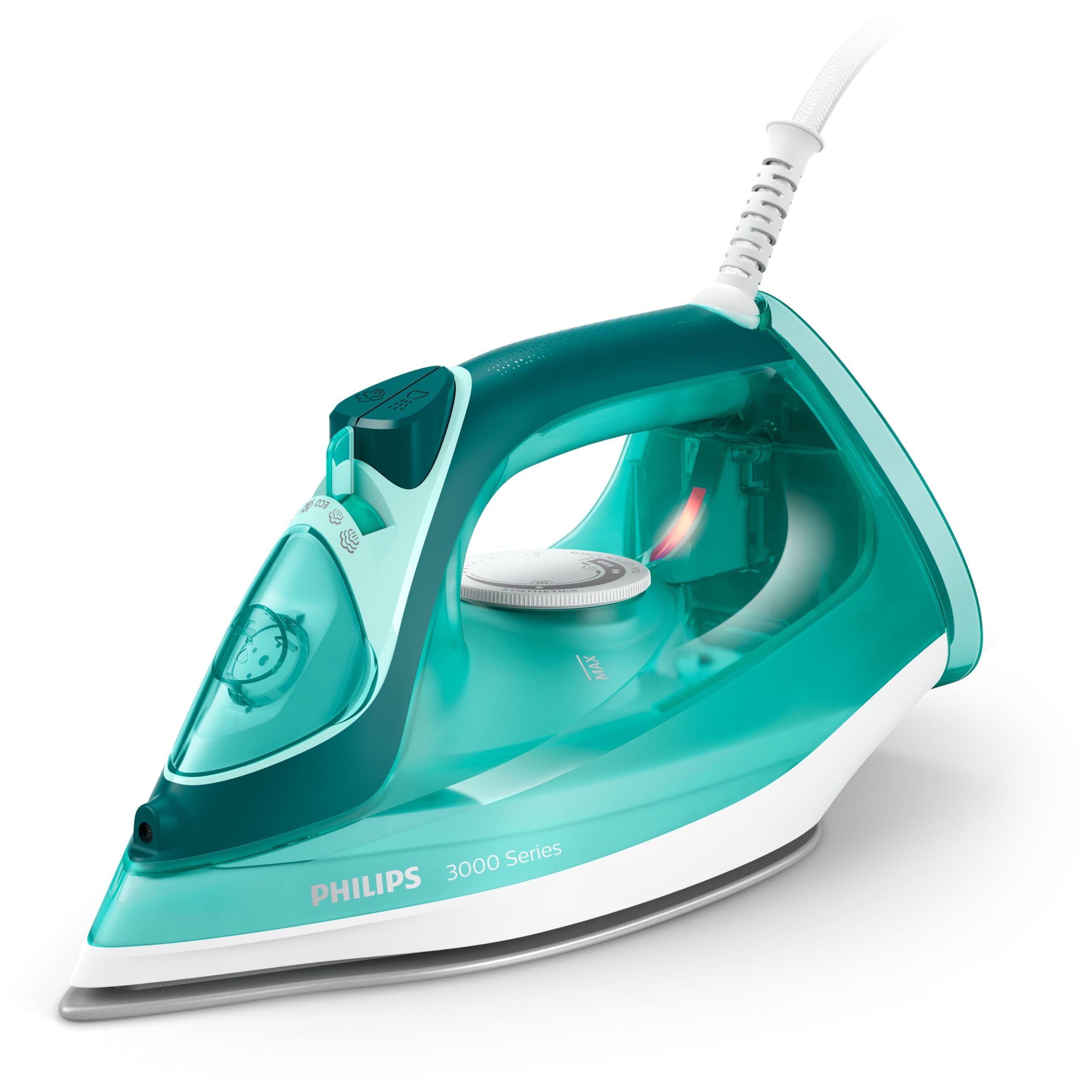
Figure 1: Philips DST3030/70 Steam Iron
2. Safety Information
Always follow basic safety precautions when using electrical appliances to reduce the risk of fire, electric shock, and personal injury.
- Ensure the voltage indicated on the iron corresponds to your local mains voltage before connecting.
- Do not immerse the iron or its cord in water or any other liquid.
- Keep the iron out of reach of children and pets.
- Never leave the iron unattended while it is switched on or connected to the mains.
- Always unplug the iron from the power outlet before filling or emptying the water tank, and when not in use.
- Do not operate the iron with a damaged cord or plug, or if the iron has been dropped or damaged.
- The soleplate can become extremely hot. Avoid direct contact with hot surfaces.
- Use the iron on a stable, heat-resistant surface, preferably an ironing board.
3. Product Overview
The Philips DST3030/70 Steam Iron is designed for efficient and effective ironing, featuring a ceramic soleplate and powerful steam functions.
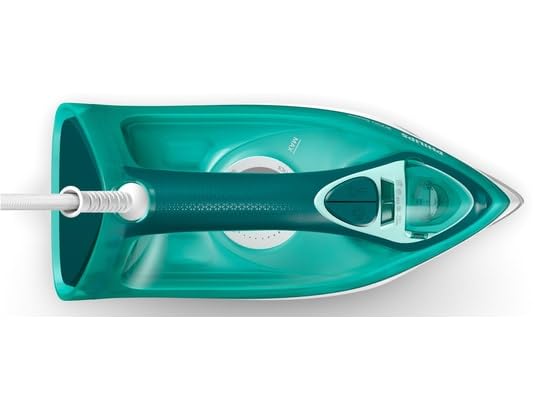
Figure 2: Top view of the iron with water tank and controls
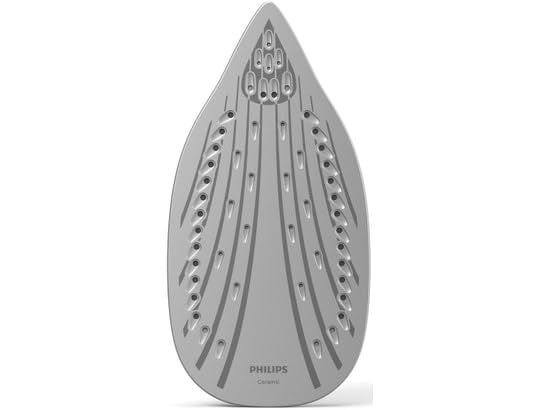
Figure 3: Ceramic soleplate for smooth gliding
Key Features:
- 2400W Power: Ensures rapid heating for quick ironing sessions.
- Continuous Steam (up to 40 g/min): Provides a steady output of steam to effectively remove creases.
- Steam Boost (up to 180 g): Delivers an extra burst of steam for stubborn wrinkles.
- Ceramic Soleplate: Offers excellent gliding performance and resistance to scratches.
- Automatic Shut-off: Enhances safety by turning off the iron if left unattended.
- Vertical Steam: Allows for steaming hanging garments and curtains.
- Triple Precision Tip: Designed to reach difficult areas like buttons and pleats.
- Drip-Stop System: Prevents water droplets from staining your clothes during ironing.
Video 1: A 360-degree view of the Philips DST3030/70 Steam Iron, showcasing its design and features.
4. Setup
Follow these steps to prepare your iron for first use:
- Unpacking: Carefully remove the iron from its packaging. Remove any stickers or protective film from the soleplate.
- Filling the Water Tank: Ensure the iron is unplugged. Open the water filling inlet and fill the water tank with tap water up to the 'MAX' indicator. Do not overfill. Close the inlet securely.
- First Use Preparation: For the first use, iron an old piece of fabric for a few minutes to remove any manufacturing residues from the soleplate. Steam may be emitted during this process.
5. Operating Instructions
Using your Philips DST3030/70 Steam Iron effectively:
- Temperature Setting: Plug in the iron. Turn the temperature dial to the desired setting based on the fabric type. The indicator light will illuminate, indicating the iron is heating up. It will turn off when the set temperature is reached.
- Steam Function: Once the iron reaches the desired temperature (for steam ironing, select a setting between '••' and 'MAX'), you can activate the steam. Adjust the steam slider to the desired steam level.
- Steam Boost: Press the steam boost button for an extra powerful burst of steam to tackle stubborn creases. Wait a few seconds between bursts to allow the iron to reheat.
- Vertical Steaming: Hold the iron vertically, close to the hanging garment. Press the steam boost button to release steam and remove wrinkles.
- Dry Ironing: For dry ironing, ensure the steam slider is set to the 'no steam' position and select the appropriate temperature.
- Automatic Shut-off: The iron will automatically switch off if left motionless for a certain period (e.g., 30 seconds on its soleplate or 8 minutes on its heel rest). The indicator light will flash to signal this. Move the iron to restart heating.

Figure 4: Vertical steam function for hanging garments.

Figure 5: Automatic shut-off for enhanced safety.
6. Maintenance and Cleaning
Regular maintenance ensures your iron performs optimally:
- Cleaning the Soleplate: After use, allow the iron to cool down completely. Wipe the soleplate with a damp cloth and a non-abrasive cleaner if necessary. Do not use harsh scouring pads or metal cleaners.
- Descaling (Calc-Clean): Over time, mineral deposits can build up. Refer to the specific descaling instructions in your full product manual for the Calc-Clean function. Regular descaling helps maintain steam performance.
- Emptying the Water Tank: After each use, unplug the iron and empty any remaining water from the tank. This prevents mineral buildup and leakage.
- Storage: Store the iron on its heel rest, with the cord neatly wrapped, in a dry and safe place.
7. Troubleshooting
If you encounter issues with your iron, refer to the following common problems and solutions:
| Problem | Possible Cause | Solution |
|---|---|---|
| Iron does not heat up. | Not plugged in; power outlet fault; automatic shut-off activated. | Check power connection; try another outlet; move the iron to reactivate. |
| No steam or insufficient steam. | Water tank empty; temperature too low; steam vents blocked by scale. | Fill water tank; set temperature to steam range (•• to MAX); perform Calc-Clean. |
| Water drips from the soleplate. | Temperature too low for steam; drip-stop system not engaged. | Ensure iron is hot enough for steam; avoid using steam at low temperatures. |
| Brown stains on fabric. | Mineral deposits in the iron; residues on soleplate. | Perform Calc-Clean; clean the soleplate. |
8. Specifications
- Brand: Philips
- Model Name: DST3030/70
- Special Feature: Automatic Shut-off
- Color: Turquoise
- Power: 2400 Watts
- Voltage: 230 Volts
- Frequency: 50 Hz
- Item Weight: 1.2 Kilograms
- Style: Steam Iron
- Soleplate Material: Ceramic
- Recommended Use: General ironing, suitable for most fabrics
- Global Trade Identification Number (GTIN): 08720389003059
- Included Components: Steam iron, user manual
9. Warranty and Support
Your Philips DST3030/70 Steam Iron comes with a 2-year manufacturer's warranty. This warranty covers manufacturing defects under normal use conditions.
For warranty claims, technical support, or service inquiries, please contact Philips customer support through their official website or the contact information provided in your product packaging. Please have your proof of purchase and model number (DST3030/70) ready when contacting support.


