Introduction
Thank you for choosing the ROYQUEEN G30 Mini Waterproof Bluetooth Speaker. This manual provides essential information for setting up, operating, and maintaining your speaker to ensure optimal performance and longevity. The G30 speaker is designed for portability and durability, offering rich bass and HD stereo sound for various environments, including home, beach, shower, and outdoor travel.

Figure 1: Front view of the ROYQUEEN G30 Mini Waterproof Bluetooth Speaker.
What's in the Box
Please check the package contents to ensure all items are present:
- ROYQUEEN G30 Speaker
- Carabiner
- Type-C Charging Cable
- User Manual
Product Features
1. Professional Studio Sound Quality with TWS
The ROYQUEEN G30 speaker incorporates anti-breaking sound technology to deliver clear and powerful audio. For an immersive 360° surrounding stereo sound experience, two G30 speakers can be paired using the True Wireless Stereo (TWS) function.
Video 1: Demonstration of the ROYQUEEN G30's sound quality and compact size.
2. IP66 Waterproof and Dustproof Design
Engineered with an IP66 rating, the G30 speaker is highly resistant to dust and water splashes, making it ideal for outdoor use. It is also drop-proof, providing robust durability for adventures. Avoid prolonged submersion in water.

Figure 2: The ROYQUEEN G30 speaker demonstrating its IP66 waterproof capability.
Video 2: Visual demonstration of the ROYQUEEN G30's IP66 waterproof feature.
3. Lightweight and Portable Design
Weighing only 190g, the G30 is a palm-sized speaker designed for ultimate portability. It includes a clip hook, allowing it to be easily attached to bikes, backpacks, or zippers, making it a perfect companion for travel and outdoor activities.
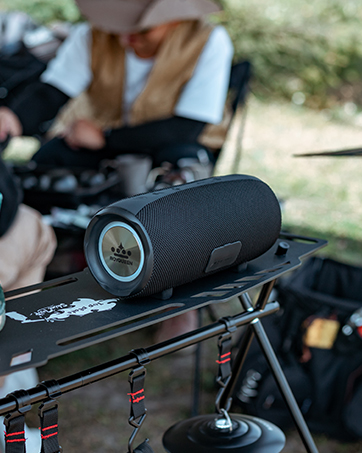
Figure 3: The compact size of the ROYQUEEN G30 speaker, easily held in one hand.
Video 3: The ROYQUEEN G30 speaker shown in various travel and outdoor settings, highlighting its portability.
4. Bluetooth 5.0 and Multiple Playback Modes
Equipped with the latest Bluetooth 5.0 technology, the G30 ensures stable and hassle-free connectivity up to 33 feet (10 meters) with most Bluetooth-enabled devices. In addition to Bluetooth, it supports Micro SD cards (up to 32GB) for MP3 and WAV audio formats, offering versatile playback options.

Figure 4: The ROYQUEEN G30 speaker highlighting its Bluetooth 5.0 and Micro SD card capabilities.
5. Long Playtime and Power Saving
The built-in 2000 mAh lithium-ion battery provides up to 20 hours of playtime (at 50% volume), ensuring your music lasts from day to night. The speaker also features an automatic power-off function after 10 minutes of no connection in Bluetooth mode to conserve battery life.

Figure 5: The ROYQUEEN G30 speaker emphasizing its long battery life.
Setup Guide
1. Charging the Speaker
Before first use, fully charge the speaker. Connect the provided Type-C charging cable to the charging port on the speaker and the other end to a USB power source (e.g., wall adapter, computer USB port). The charging time is approximately 3 hours.

Figure 6: Location of the Type-C charging port on the ROYQUEEN G30 speaker.
2. Powering On/Off
To power on the speaker, press and hold the power button located on the top panel until you hear an audible prompt. To power off, press and hold the power button again.
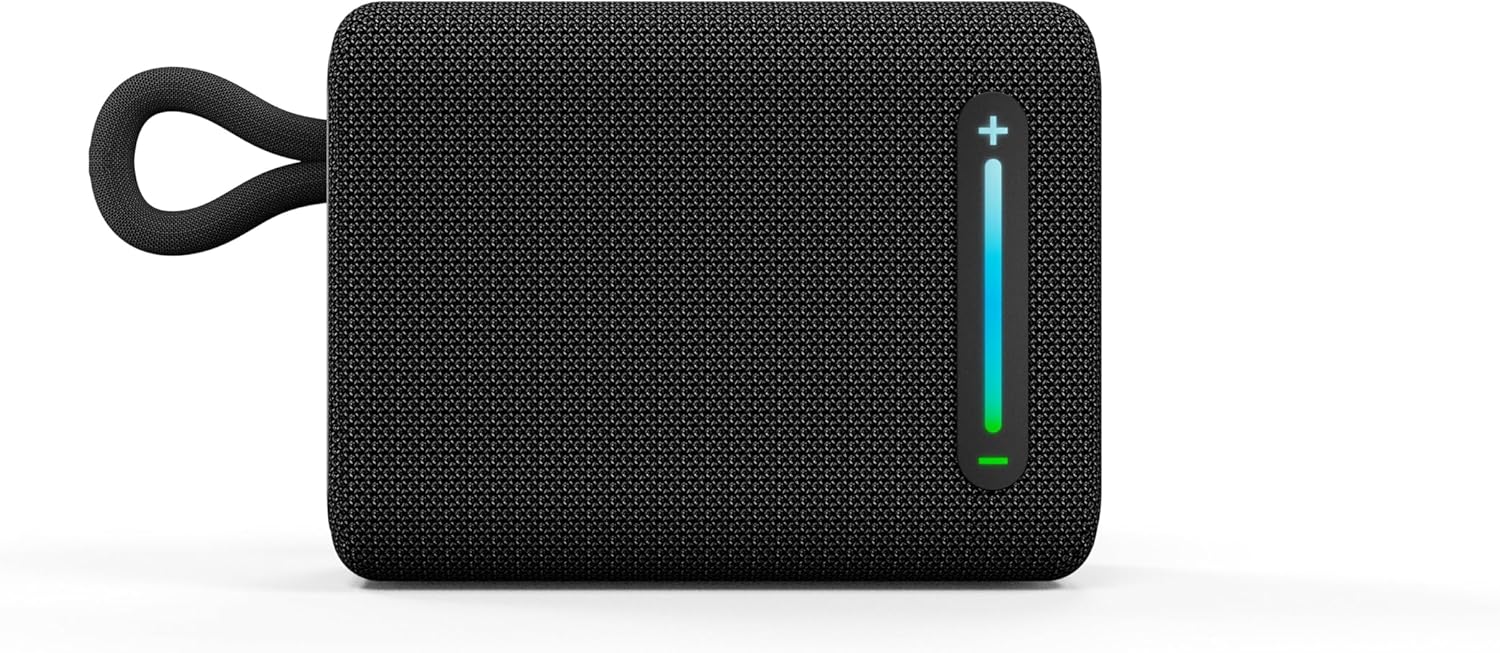
Figure 7: Top panel of the ROYQUEEN G30 speaker with power and playback controls.
3. Bluetooth Pairing
Upon powering on, the speaker will automatically enter Bluetooth pairing mode, indicated by a flashing LED light. On your device (smartphone, tablet, laptop), enable Bluetooth and select "ROYQUEEN G30" from the list of available devices. Once connected, you will hear a confirmation tone.
4. TWS (True Wireless Stereo) Connection
To achieve a true stereo sound experience, you can pair two ROYQUEEN G30 speakers together:
- Power on both G30 speakers and ensure they are in Bluetooth mode (not connected to any device).
- On one of the speakers, press and hold the "+" and "-" buttons simultaneously until you hear a "TWS paired" voice prompt. The speakers will automatically connect to each other.
- Once TWS is established, connect your device to one of the speakers (e.g., "ROYQUEEN G30") via Bluetooth. Both speakers will now play audio in stereo.
Video 4: Step-by-step guide on how to connect two ROYQUEEN G30 speakers using TWS function.
5. Micro SD Card Playback
Insert a Micro SD card (up to 32GB, formatted with MP3/WAV files) into the Micro SD card slot located under the rubber flap on the top panel. The speaker will automatically switch to Micro SD card playback mode.
Operating Instructions
The ROYQUEEN G30 speaker features intuitive controls for easy operation:
- Volume Control: Press and hold the "+" button to increase volume. Press and hold the "-" button to decrease volume.
- Track Control: Short press the "+" button to skip to the next track. Short press the "-" button to go to the previous track.
- Play/Pause: Short press the Play/Pause button (triangle icon) to play or pause audio.
- Call Handling: If connected to a smartphone, the speaker can be used for calls. Short press the Play/Pause button to answer or end a call. Press and hold the Play/Pause button to reject an incoming call.

Figure 8: Side control buttons for volume and track navigation.
Maintenance
- Cleaning: Wipe the speaker with a soft, damp cloth. Do not use harsh chemicals or abrasive cleaners.
- Waterproof Care: Ensure the rubber flap covering the charging port is securely closed when not charging, especially when near water, to maintain its IP66 rating.
- Storage: Store the speaker in a cool, dry place away from direct sunlight and extreme temperatures.
- Battery Care: To prolong battery life, avoid fully discharging the speaker frequently. Charge it regularly, even if not in use for extended periods.
Troubleshooting
| Problem | Possible Cause | Solution |
|---|---|---|
| Speaker does not power on. | Low battery. | Charge the speaker fully. |
| Cannot pair via Bluetooth. | Speaker is not in pairing mode or already connected. Device Bluetooth is off. | Ensure speaker is in pairing mode (flashing LED). Turn off and on device Bluetooth. Forget previous connections. |
| No sound or low volume. | Volume too low on speaker or device. Speaker not connected. | Increase volume on both speaker and connected device. Re-pair the speaker. |
| TWS pairing fails. | Speakers are too far apart or already connected to a device. | Ensure both speakers are powered on and not connected to any device. Place them close together during TWS pairing. |
Specifications
| Model Name | RQ-G30 |
| Bluetooth Version | 5.0 |
| Wireless Range | Up to 33 feet (10 meters) |
| Waterproof Rating | IP66 |
| Battery Capacity | 2000 mAh Lithium-ion |
| Playtime | Up to 20 hours (at 50% volume) |
| Charging Time | Approx. 3 hours |
| Speaker Output | 5 Watts |
| Product Dimensions | 3"D x 3.9"W x 2"H |
| Item Weight | 190 Grams (6.7 ounces) |
| Micro SD Card Support | Up to 32GB (MP3, WAV) |
Warranty and Support
The ROYQUEEN G30 speaker comes with a limited warranty. For detailed warranty information, technical support, or customer service inquiries, please refer to the contact information provided on the product packaging or visit the official ROYQUEEN website. You can also refer to the digital user manual available at https://manuals.plus/m/bd7b320bf6abeea897114dc71ce6c3bf4c87e3f146eae76d010d1823f0ba7673.


