
1. Introduction
This manual provides detailed instructions for the safe and effective use of your Godox V860III-N Camera Flash Speedlight. The V860III-N is designed for Nikon cameras, offering advanced features such as TTL auto-exposure, High-Speed Sync (HSS) up to 1/8000s, and a built-in 2.4G wireless X system. Please read this manual thoroughly before operation to ensure optimal performance and to prevent damage to the unit.
Key features include a powerful 76Ws output, a 2600mAh Li-ion battery providing approximately 480 full-power flashes with a quick 1.5-second recycle time, and an integrated LED modeling lamp with 10 adjustable brightness levels for pre-visualization.
2. What's in the Box
Verify that all items listed below are included in your package:
- 1 x Godox V860III-N Camera Flash
- 1 x Li-ion Battery
- 1 x Battery Charger
- 1 x USB Battery Charger and Cable
- 1 x Protection Case
- 1 x Mini Stand
- 1 x Color Filters Kit
- 1 x Diffuser
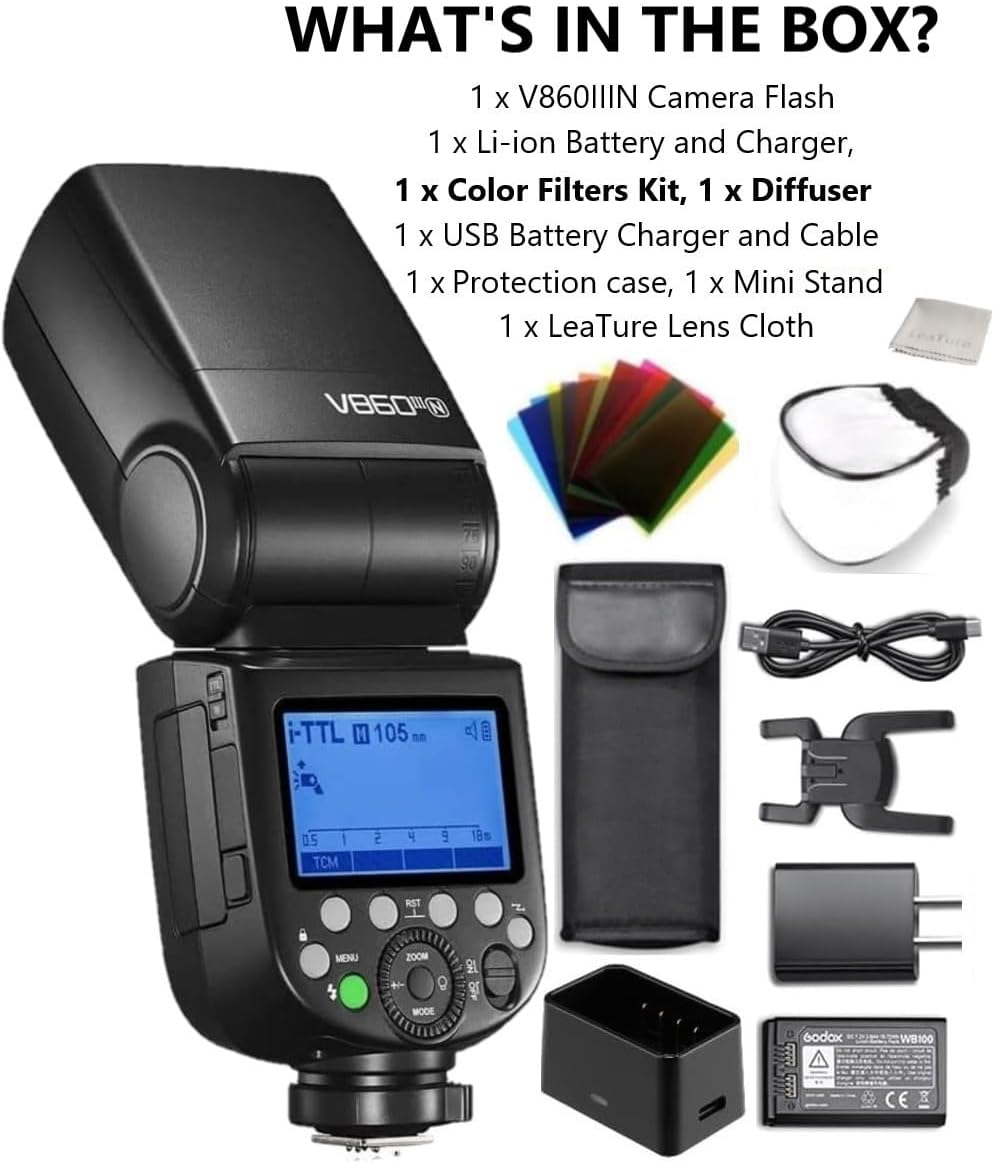
Image: All components included in the Godox V860III-N package.
3. Setup
3.1. Battery Installation and Charging
- Insert the provided 7.2V/2600mAh Li-ion battery into the battery compartment of the flash unit. Ensure correct polarity.
- To charge the battery, use the included battery charger and USB cable. Connect the charger to a power source and insert the battery. The charging indicator will show the charging status.
3.2. Mounting the Flash to Your Camera
- Slide the flash's hotshoe foot into your Nikon camera's hotshoe.
- Secure the flash by rotating the quick-release lock lever clockwise until it is firmly locked in place.

Image: Quick-release lock for secure camera mounting.
3.3. Initial Power-On
Press and hold the power button to turn on the flash. The LCD screen will illuminate, indicating the flash is ready for use.
4. Operating Instructions
4.1. Basic Operation and Mode Selection
The V860III-N features a quick switch to toggle between TTL (Through-The-Lens) and Manual (M) flash modes. This allows for rapid adjustments during shooting.

Image: TTL/M Quick Switch and connectivity ports.
4.2. Flash Modes and Functions
- TTL Auto-Flash: Automatically adjusts flash output for correct exposure.
- Manual Flash (M): Allows manual control over flash power output (1/1 to 1/256).
- Multi Flash: Fires a series of rapid flashes to capture multiple movements in a single image.
- High-Speed Sync (HSS): Enables flash synchronization with shutter speeds up to 1/8000s, useful for freezing action or using wide apertures in bright conditions.
- Flash Exposure Compensation (FEC): Adjusts the flash output level.
- Flash Exposure Bracketing (FEB): Automatically fires three flashes at different exposure levels.
- Rear Curtain Sync: Fires the flash just before the shutter closes, creating a trail of light behind moving subjects.
4.3. Zoomable Flash Head and Flexible Shooting Angle
The flash head can be zoomed automatically or manually from 20mm to 200mm to match the lens focal length, optimizing light coverage. The head also swivels 0° to 330° horizontally and tilts -7° to 120° vertically, allowing for bounce flash and various lighting angles.
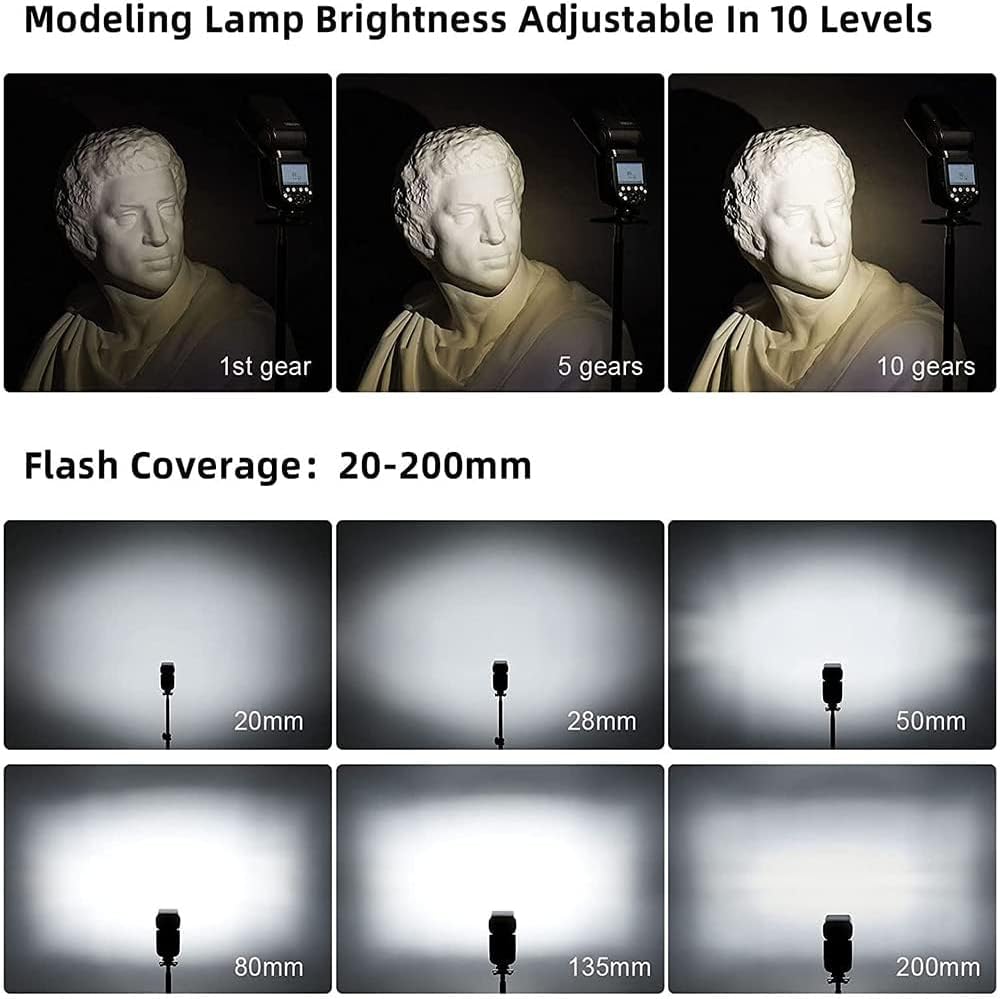
Image: Modeling lamp brightness and flash coverage examples.
4.4. LED Modeling Lamp
The integrated LED modeling lamp can be adjusted in 10 levels of brightness. This feature aids in pre-visualizing the light effect and blending with ambient light.
4.5. 2.4G Wireless X System
The V860III-N has a built-in Godox 2.4G wireless X system, enabling it to function as both a master and slave unit. It can control or be controlled by other Godox X system triggers and flashes (e.g., X1, X2, XPro, AD200 Pro, V1, AD300Pro).

Image: Godox 2.4G Wireless X System overview.
5. Maintenance
5.1. Battery Care
- Always use the original Godox Li-ion battery and charger.
- Do not short-circuit, disassemble, or expose the battery to high temperatures.
- Store the battery in a cool, dry place when not in use.
5.2. Cleaning and Storage
- Clean the flash unit with a soft, dry cloth. Avoid using solvents or harsh chemicals.
- Keep the hotshoe contacts clean to ensure reliable communication with the camera.
- Store the flash in its protective case in a dry environment, away from direct sunlight and extreme temperatures.
6. Troubleshooting
- Flash not firing: Check battery level, ensure flash is securely mounted, verify camera and flash settings (e.g., flash mode, sync speed).
- Incorrect exposure: Adjust FEC, check flash power settings in Manual mode, ensure flash coverage matches lens focal length.
- Wireless connection issues: Ensure master and slave units are on the same channel and ID, check distance and line of sight, verify battery levels.
- Slow recycle time: This is normal when the battery level is low or after a series of full-power flashes. Allow the flash to cool down or replace/recharge the battery.
7. Specifications
| Feature | Specification |
|---|---|
| Model | V860III-N |
| Compatible Mountings | Nikon Camera |
| Power (1/1 output) | 76Ws |
| Color Temperature | 5300K±200K |
| Flash Coverage | 20 to 200mm (Auto/Manual Zoom) |
| Flash Duration | 1/300 to 1/20000 seconds |
| Power Source | 7.2V/2600mAh Li-ion battery |
| Recycle Time | Approx. 1.5 seconds |
| Full Power Flashes | Approx. 480 |
| Sync Triggering Mode | Hotshoe, 2.5mm sync line |
| Wireless Flash Function | Master, Slave, Off (2.4G Wireless X System) |
| Transmission Range (approx.) | 100m |
| Channels | 32 (1~32) |
| ID | 01~99 |
| Modeling Lamp | LED, 10 levels adjustable |
| Item Weight | 1.17 pounds |
| Package Dimensions | 8.94 x 8.31 x 3.98 inches |
8. Warranty and Support
8.1. Warranty Information
Godox products typically come with a limited manufacturer's warranty. Please refer to the warranty card included with your product or visit the official Godox website for specific warranty terms and conditions applicable to your region.
8.2. Customer Support
For technical assistance, service, or further inquiries, please contact Godox customer support through their official website or authorized distributors. Keep your purchase receipt and product serial number handy when seeking support.
You can visit the official GODOX store for more information: GODOX Store on Amazon