
1. Introduction
This instruction manual provides essential information for the safe and efficient operation, setup, and maintenance of your Gardena Sileno City Smart Lawnmower. Please read this manual thoroughly before using the product to ensure proper function and to prevent injury or damage. Keep this manual for future reference.
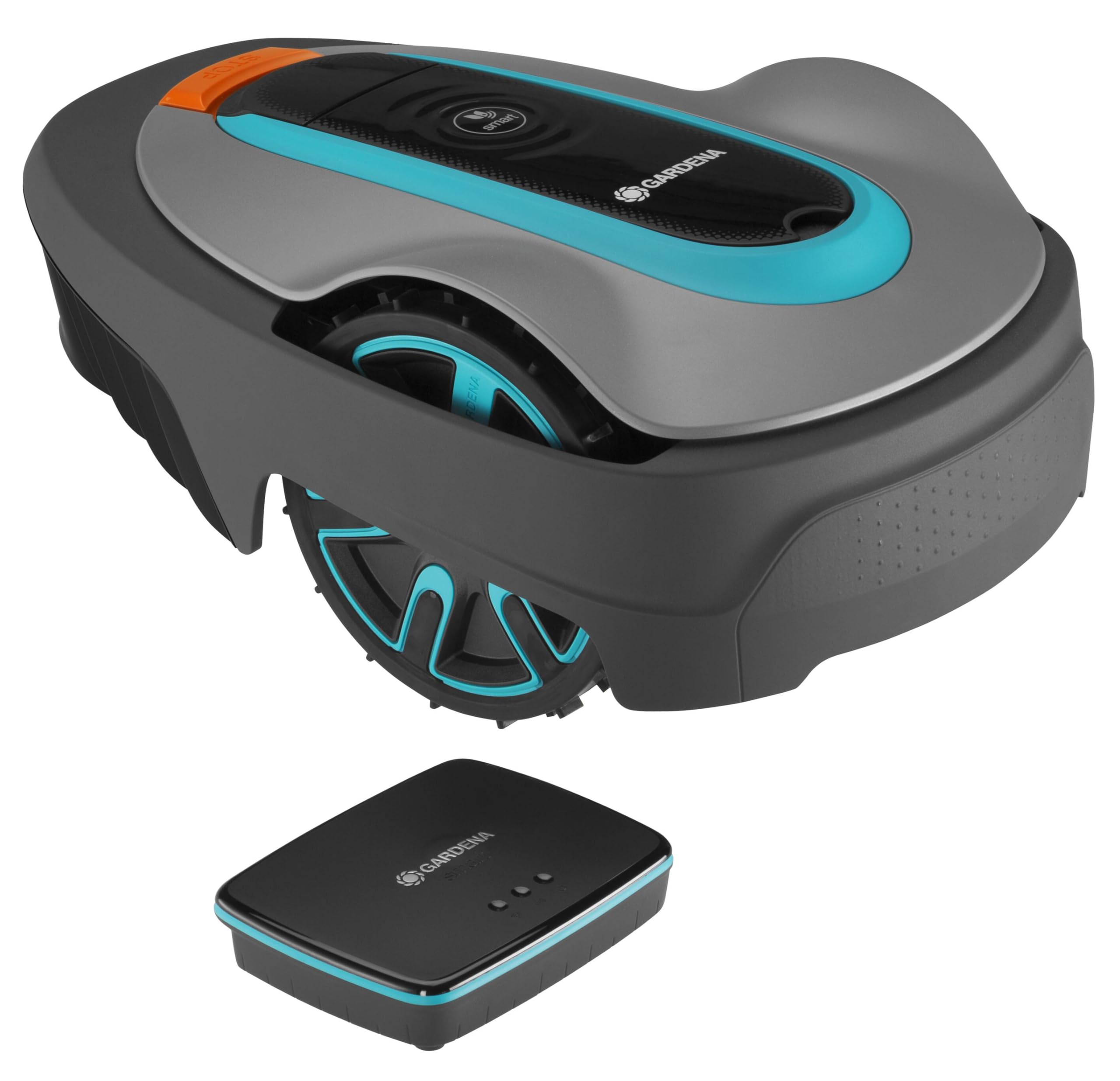
Image: The Gardena Sileno City Smart Lawnmower positioned on its charging station, ready for operation.
2. Safety Information
Always observe the following safety precautions to reduce the risk of injury or damage:
- Read all instructions carefully before operating the lawnmower.
- Keep children and pets away from the working area when the lawnmower is active.
- Do not operate the lawnmower if safety devices are damaged or missing.
- Ensure the boundary wire is correctly installed to prevent the mower from leaving the designated area.
- Turn off the main switch before performing any maintenance or cleaning.
- Avoid operating the lawnmower in wet conditions or during heavy rain.
- Regularly inspect the blades for wear and damage. Replace worn blades promptly.
3. Package Contents
Verify that all components are present in the package:
- Gardena Sileno City Smart Lawnmower unit
- Charging station
- Power supply unit
- Low voltage cable
- Boundary wire (150 m / 492.1 ft)
- Staples (200x) for boundary wire installation
- Connectors and couplers for boundary wire
- Measurement gauge
- Hex key

Image: A visual representation of all items included in the Gardena Sileno City Smart Lawnmower package, such as the mower, charging station, boundary wire, and installation accessories.
4. Setup
4.1 Charging Station Placement
Select a flat area with access to a power outlet. The charging station should be placed in a central location within the mowing area, if possible, to ensure optimal coverage. Ensure there is sufficient clear space around the station for the mower to dock.

Image: The Gardena Sileno City Smart Lawnmower correctly docked in its charging station, illustrating proper placement.
4.2 Boundary Wire Installation
Lay the boundary wire around the perimeter of your lawn, defining the mowing area. Use the provided staples to secure the wire to the ground. Ensure the wire is taut and buried or firmly attached to prevent tripping hazards and damage. Connect the ends of the boundary wire to the charging station as per the diagram in the full manual.
4.3 Initial Charging and App Connection
Connect the charging station to the power supply. Place the lawnmower in the charging station to allow it to charge fully. Download the Gardena Smart App on your smartphone and follow the in-app instructions to connect your Sileno City Smart Lawnmower to your home Wi-Fi network. This enables smart features and remote control.
5. Operating
5.1 Starting and Stopping
To start the lawnmower, ensure the main switch is on, then press the 'START' button on the control panel or use the Gardena Smart App. To stop, press the 'STOP' button on the mower. The mower will return to its charging station when its battery is low or when its schedule dictates.
5.2 Scheduling and Cutting Height
Use the Gardena Smart App to set up a mowing schedule tailored to your lawn's needs. You can adjust the cutting height manually using the dial located on the top of the mower. Refer to the app for advanced settings like CorridorCut and SpotCutting for specific areas.
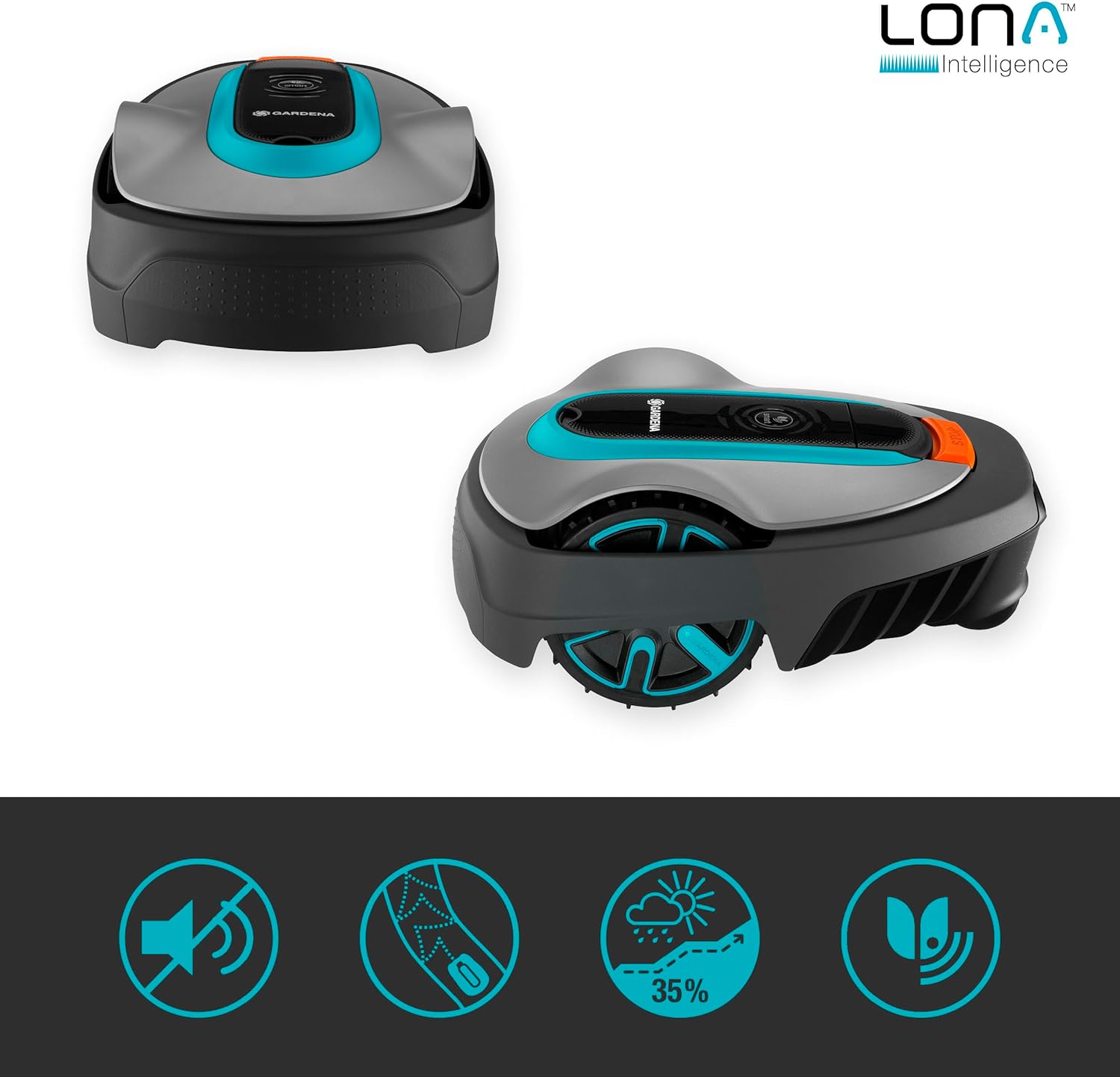
Image: The Gardena Sileno City Smart Lawnmower, showcasing its LONA Intelligence features such as quiet operation, efficient cutting patterns, ability to handle slopes up to 35%, and advanced sensor technology.
6. Maintenance
6.1 Cleaning
Regularly clean the lawnmower's chassis, wheels, and cutting deck. Use a brush or damp cloth. Avoid using high-pressure washers directly on the unit. Remove any grass clippings or debris that may accumulate around the blades or wheels.
6.2 Blade Replacement
The cutting blades should be replaced regularly, typically every 1-2 months depending on usage and grass type. Always use genuine Gardena replacement blades. Turn off the main switch and wear protective gloves when handling blades. Refer to the full manual for detailed instructions on blade replacement.
6.3 Battery Care and Winter Storage
For optimal battery life, allow the mower to charge fully before storing it for extended periods. During winter, store the lawnmower and charging station in a dry, frost-free environment. Ensure the battery is fully charged before storage and recharge it periodically if stored for several months.
7. Troubleshooting
If your Gardena Sileno City Smart Lawnmower encounters an issue, consult the following common problems and solutions:
| Problem | Possible Cause | Solution |
|---|---|---|
| Mower not charging | Charging station not powered; poor contact; dirty charging plates. | Check power supply; clean charging plates on mower and station. |
| Mower stays within charging station | Boundary wire signal issue; schedule not set. | Check boundary wire connection; verify schedule in app. |
| Uneven cutting result | Dull or damaged blades; incorrect cutting height. | Replace blades; adjust cutting height. |
| Error message on display/app | Specific issue detected by the mower. | Refer to the full manual or Gardena Smart App for specific error code solutions. |
8. Specifications
| Feature | Detail |
|---|---|
| Brand | Gardena |
| Model Number | 19602-72 |
| Power Source | Battery Powered |
| Material | Plastic |
| Color | Black, Grey, Orange, Turquoise |
| Style | Rotary |
| Item Weight | 14500 Grams (16.1 lbs) |
| Cutting Width | 17 Centimeters |
| Operation Mode | Manual (via app/control panel) |
| Assembly Required | No (initial setup required) |
| Adjustable Cutting Height | Minimum: 17 cm, Maximum: 17 cm (Note: This likely refers to the range of adjustment, not the absolute min/max. Please consult the full product manual for precise cutting height range.) |
| Manufacturer | Gardena Deutschland GmbH |

Image: Visual representation of the Gardena Sileno City Smart Lawnmower's dimensions (55 cm length, 38 cm width, 23 cm height) and weight (7.3 kg / 16.1 lbs).
9. Warranty and Support
For warranty information, please refer to the documentation provided with your purchase or visit the official Gardena website. For technical support, troubleshooting assistance, or to order spare parts, please contact Gardena customer service. You can typically find contact details on the Gardena website or within the Gardena Smart App.
Online resources and FAQs are also available on the official Gardena website: www.gardena.com