
Introduction
The Scosche PBPi-SP Portable Power Station is a versatile power hub designed to provide reliable power for various devices. This manual provides essential information for the safe and efficient use of your device, including setup, operation, maintenance, and troubleshooting.
Key Features:
- Reliable Portable Power: Features a 32,000 mAh/118Wh Lithium-Ion battery with a 110V AC output.
- Multi-Device Charging: Capable of charging up to 4 devices simultaneously via a 110AC/100W outlet, two USB-C ports (30W & 20W), and one 12W (2.4A) USB-A port.
- Independent Power Control: Separate switches for AC output and USB ports allow for flexible power management.
- Battery Percentage Indicator: A digital display shows the exact battery percentage for convenient monitoring.
- Durable Design: Equipped with an LED flashlight and a rugged, protective rubberized coating.
Setup
Initial Charging
Your Scosche PBPi-SP comes pre-charged at approximately 75%. For optimal performance and to ensure full capacity, it is recommended to fully charge the unit before its first use. Connect the included charger to the PD Input/Output USB-C port and plug it into a wall outlet until the digital display shows 100%.
Controls Overview
Familiarize yourself with the control panel and ports:
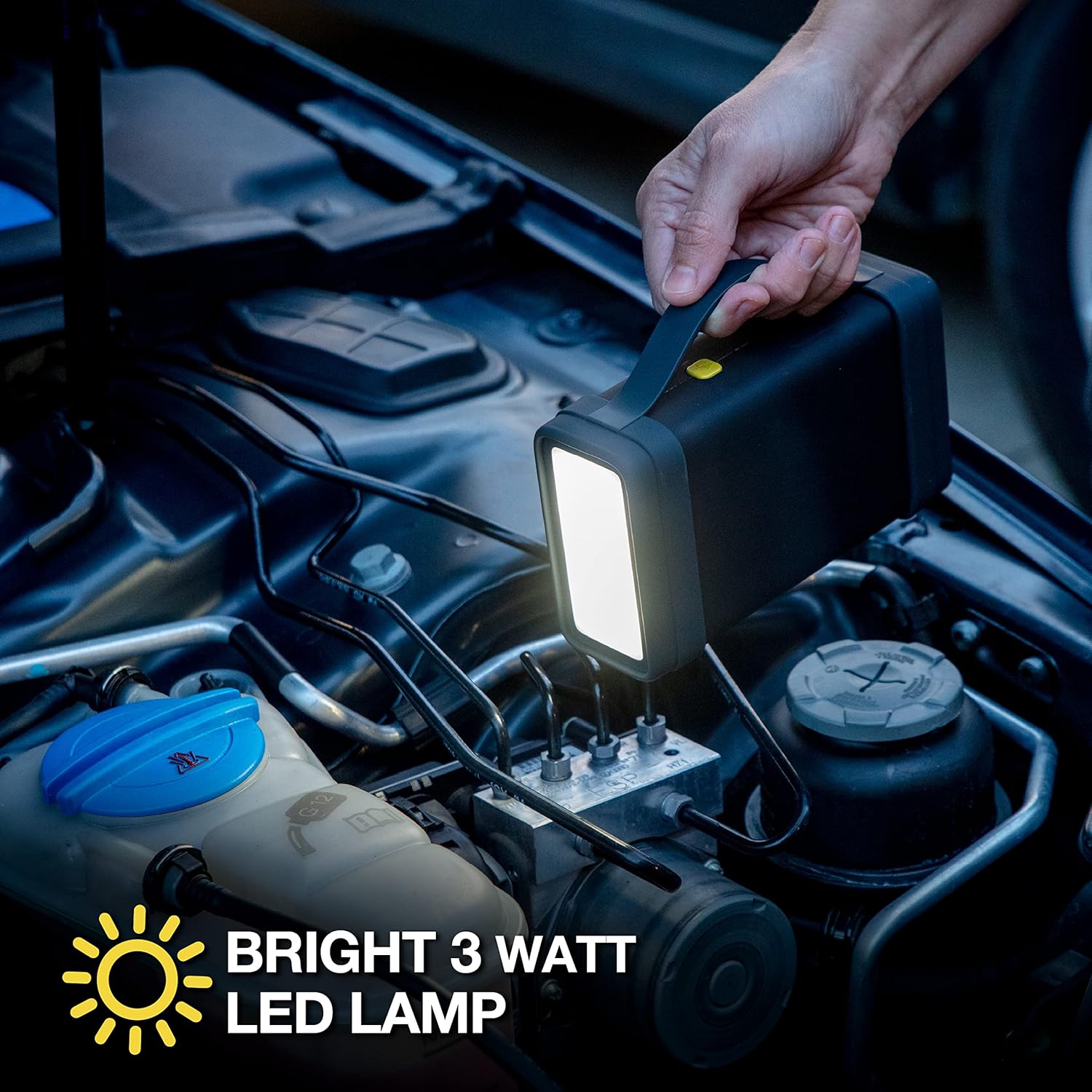
Image: Front panel of the Scosche PBPi-SP, highlighting the USB On/Off button, AC On/Off button, PD Output USB-C port, PD Input/Output USB-C port, 5V/2.4A USB-A port, and 110V AC outlet.
- USB On | Off Button: Activates/deactivates the USB-C and USB-A ports.
- AC On | Off Button: Activates/deactivates the 110V AC outlet, 100W inverter, and internal fan.
- PD Output USB-C Port: For charging USB-C compatible devices.
- PD Input | Output USB-C Port: For charging the power station itself or charging USB-C compatible devices.
- 5V / 2.4A Output USB-A Port: For charging standard USB-A compatible devices.
- 110V AC | 100W Max Output: Standard wall plug outlet for small appliances and laptops.
- Digital Display: Shows the current battery percentage.
Operating Instructions
Charging Devices
To charge your devices, connect them to the appropriate ports on the Scosche PBPi-SP. You can charge up to four devices simultaneously.
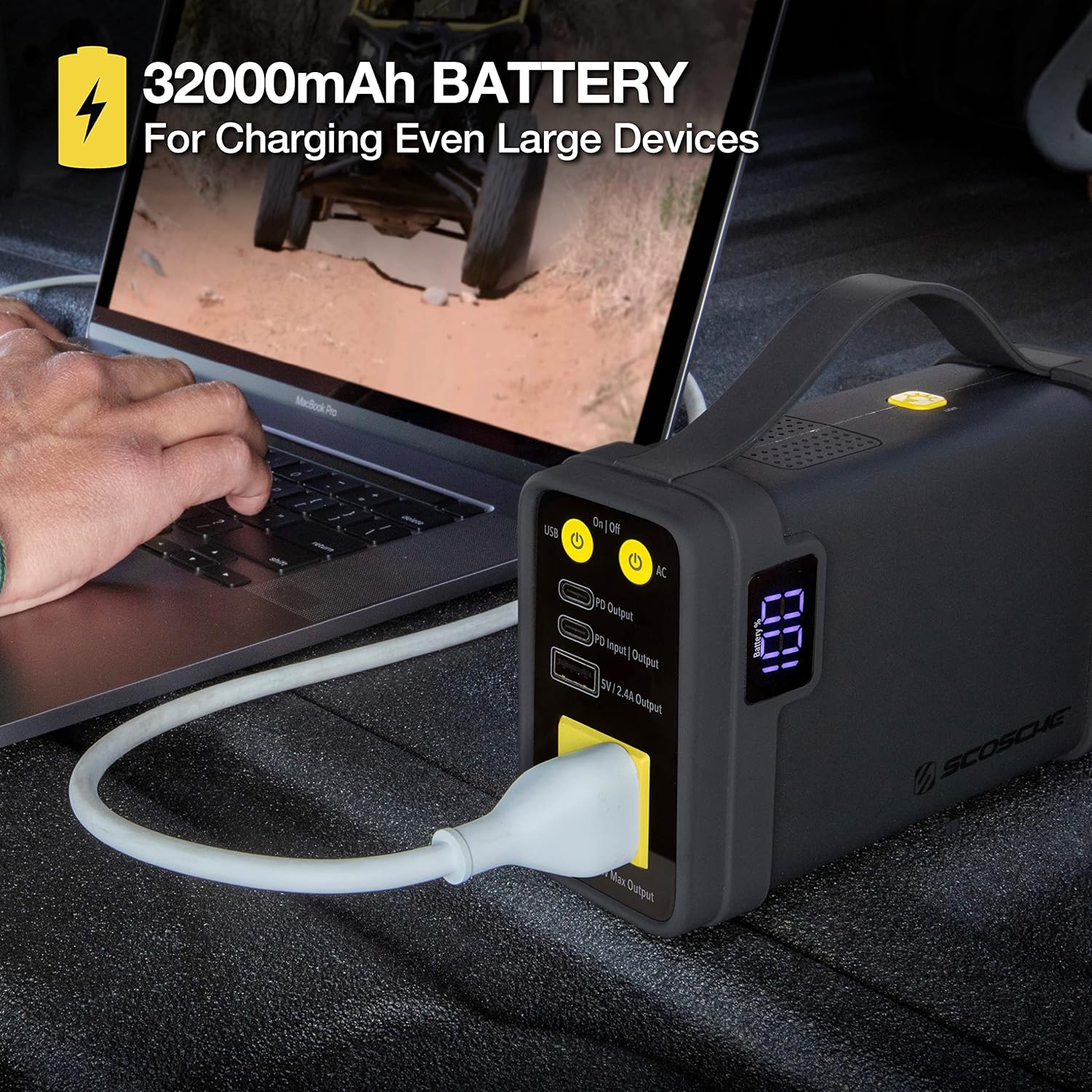
Image: The Scosche PBPi-SP Power Station connected to a laptop via its AC outlet, demonstrating its capability to charge larger devices.
Using the AC Outlet
Press the AC On | Off button to activate the 110V AC outlet. The internal fan will also turn on to cool the 100W inverter. Plug your device's standard wall plug into the AC outlet. Press the button again to turn off the AC output when not in use.
Using USB Ports
Press the USB On | Off button to activate the USB-C and USB-A ports. Connect your USB-C or USB-A compatible devices to the respective ports. Press the button again to turn off the USB outputs when not in use.
To use both AC and USB outputs simultaneously, press both the AC On | Off and USB On | Off buttons.
LED Flashlight
The Scosche PBPi-SP includes an integrated LED flashlight. To activate the flashlight, locate the dedicated button (often integrated with the USB On/Off button or a separate small button near the light panel) and press it. Press again to cycle through modes (if applicable) or turn off.
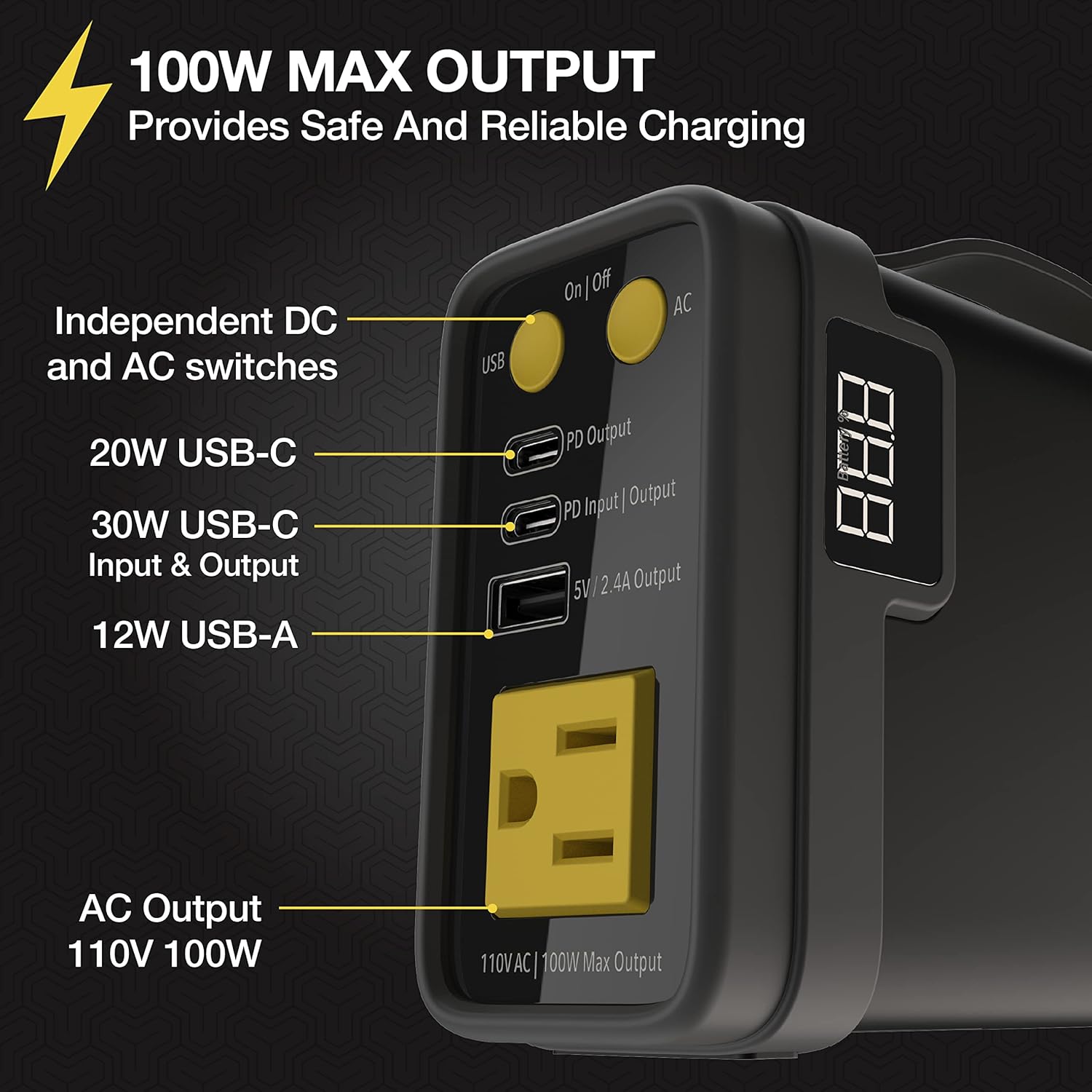
Image: The Scosche PBPi-SP Power Station's LED flashlight providing illumination in a dark environment, such as an engine compartment.
Battery Percentage Indicator
The digital display on the unit provides a clear indication of the remaining battery percentage. Monitor this display to know when the power station requires recharging. It is recommended to recharge the unit before the battery level drops too low to prolong battery life.
Maintenance
To ensure the longevity and optimal performance of your Scosche PBPi-SP, follow these maintenance guidelines:
- Cleaning: Use a soft, dry cloth to clean the exterior of the power station. Avoid using harsh chemicals or abrasive materials.
- Storage: Store the unit in a cool, dry place away from direct sunlight and extreme temperatures. If storing for extended periods, ensure the battery is charged to approximately 50-75% and recharge every 3-6 months.
- Avoid Over-Discharge: Do not allow the battery to completely drain frequently, as this can reduce its overall lifespan.
- Environmental Conditions: Avoid exposing the unit to water, high humidity, or dusty environments.
Troubleshooting
If you encounter issues with your Scosche PBPi-SP, refer to the following common troubleshooting steps:
- Unit Not Turning On: Ensure the battery has sufficient charge. If the battery is depleted, connect the unit to a power source for recharging.
- Devices Not Charging:
- Verify that the correct output (USB or AC) is activated using its respective On | Off button.
- Check that the charging cables are securely connected to both the power station and your device.
- Ensure your device's power requirements do not exceed the power station's output capacity (e.g., 100W for AC outlet).
- AC Outlet Not Working: Confirm the AC On | Off button has been pressed. The internal fan should activate. If not, the unit may be in a low-power state or require a reset.
- Digital Display Not Showing: If the unit is on but the display is blank, try pressing any button to wake it. If it remains blank, the battery may be fully depleted or there could be an internal issue.
- Overheating: If the unit feels excessively hot, disconnect all devices and allow it to cool down in a well-ventilated area. Ensure the fan vents are not obstructed.
If these steps do not resolve the issue, please contact Scosche customer support.
Specifications
| Product Dimensions | 3.3 x 7.28 x 10.05 inches |
| Item Weight | 2 pounds |
| Item Model Number | PBPi-SP |
| Battery Type | Lithium Ion (1 required) |
| Battery Capacity | 32,000 mAh / 118Wh |
| AC Output | 110V AC, 100W Max Output |
| USB-C Ports | 1 x 30W PD Input/Output, 1 x 20W PD Output |
| USB-A Port | 1 x 12W (5V/2.4A) Output |
| Special Features | Digital Display, Flashlight, Lightweight, Portable |
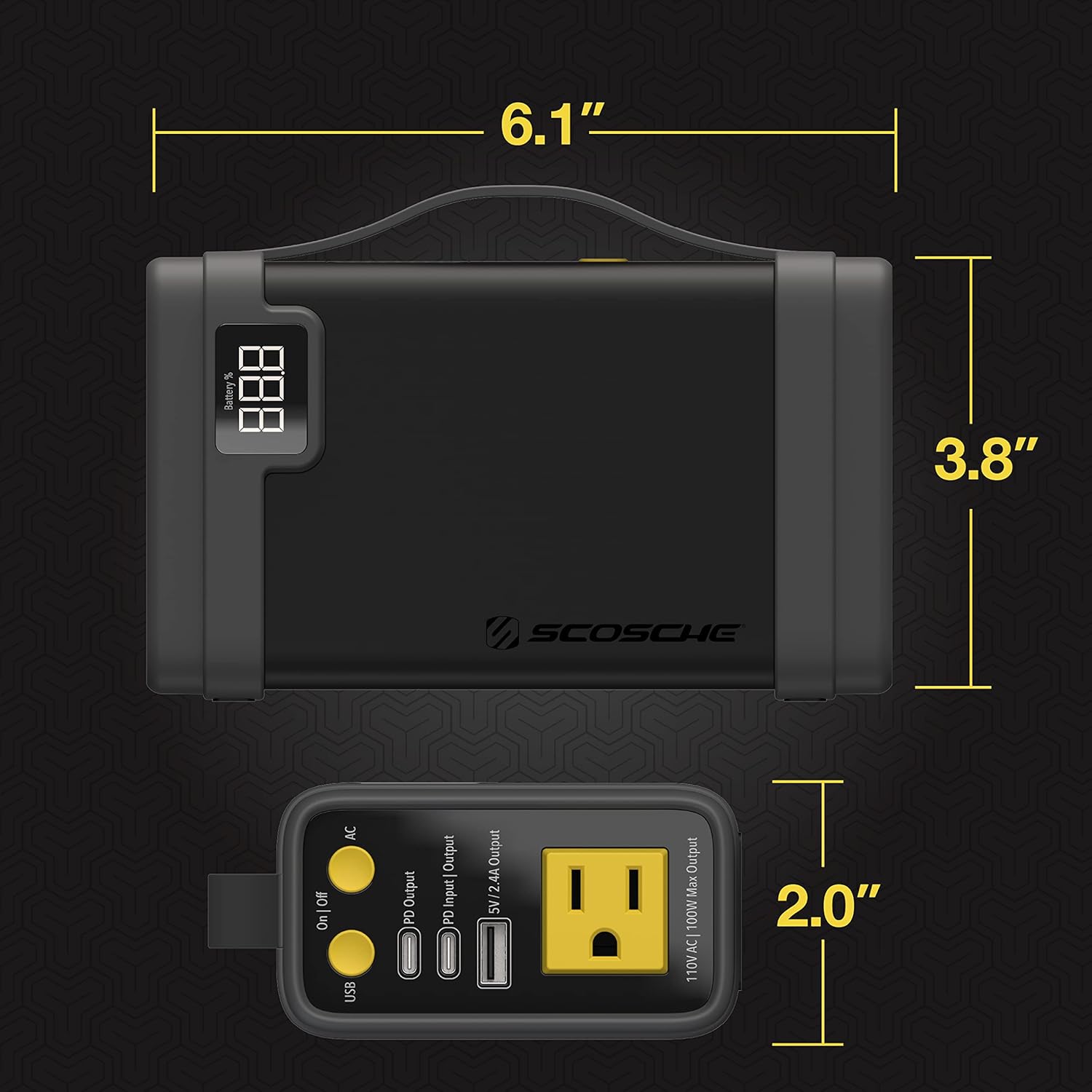
Image: Diagram showing the physical dimensions of the Scosche PBPi-SP Power Station.
Package Contents
The Scosche PBPi-SP package typically includes:
- Scosche PBPi-SP Portable Power Station
- Charging Cable (USB-C to USB-C)
- Wall Charger
- Storage Case
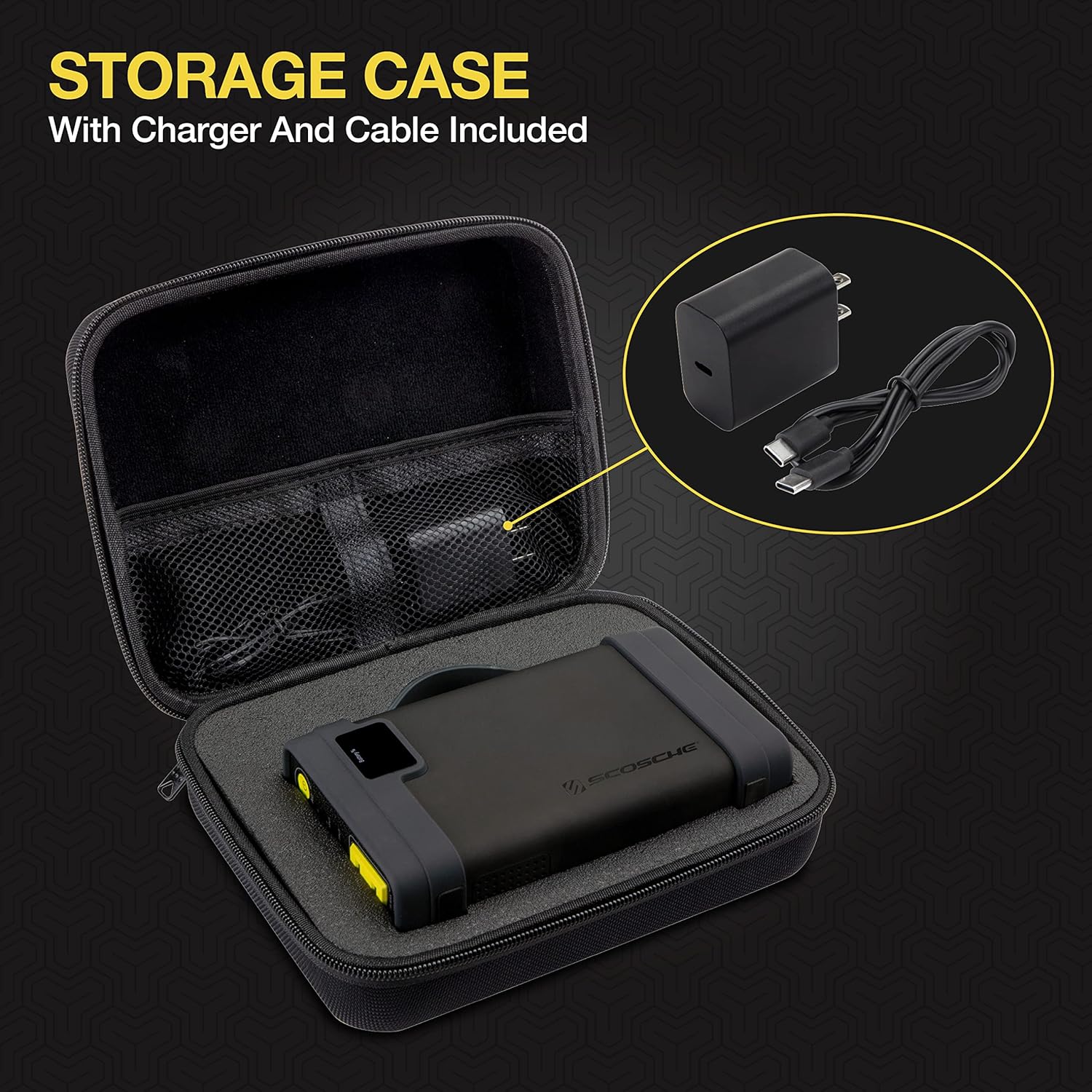
Image: The Scosche PBPi-SP Power Station neatly packed within its included storage case, alongside its charging accessories.
Warranty and Support
The Scosche PBPi-SP Portable Power Station is backed by a 1-Year Limited Warranty. This warranty covers defects in materials and workmanship under normal use. For detailed warranty terms and conditions, please refer to the warranty card included with your product or visit the official Scosche website.
Scosche also provides Lifetime Tech Support. If you have any questions, require assistance with setup, operation, or troubleshooting, please contact Scosche customer service through their official website or the contact information provided in your product packaging.