
Introduction
This manual provides instructions for the installation, operation, and maintenance of your EKWB EK-Loop D-RGB 2-Way Splitter Cable. This cable allows you to connect multiple digitally addressable RGB (D-RGB) devices to a single D-RGB header on your motherboard or controller, simplifying cable management and synchronization of lighting effects.
The EK-Loop D-RGB 2-Way Splitter Cable is designed for compatibility with standard 3-pin D-RGB controllers and popular RGB software from major manufacturers, ensuring seamless integration into your existing system.
Package Contents
Verify that all items are present in your package:
- 1x EKWB EK-Loop D-RGB 2-Way Splitter Cable (300mm length, black)
- 3x Male-to-Male 3-pin D-RGB Connector Pins
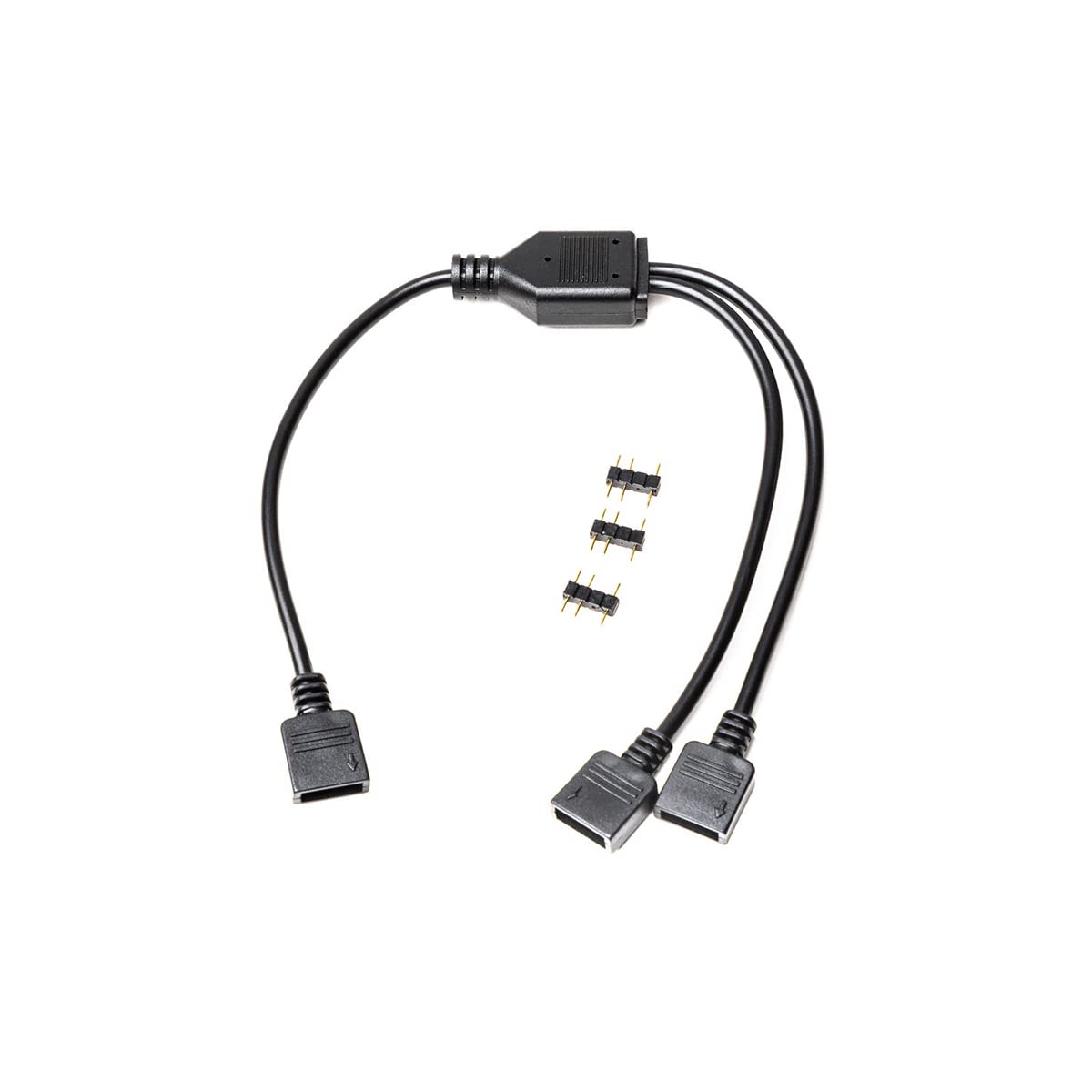
Image: The EKWB EK-Loop D-RGB 2-Way Splitter Cable shown with the included male-to-male connector pins.
Setup and Installation
Follow these steps to properly install your D-RGB splitter cable:
- Identify D-RGB Headers: Locate the 3-pin D-RGB (addressable RGB) header on your motherboard or dedicated D-RGB controller. This header typically has a "5V" pin, a "Data" pin, and a "Ground" pin. Ensure it is not a 4-pin 12V RGB header, as connecting to the wrong header can damage your devices.
- Connect Splitter to Source: Connect the single female end of the EK-Loop D-RGB 2-Way Splitter Cable to the D-RGB header on your motherboard or controller. Ensure the arrow on the splitter's connector aligns with the 5V pin on the header.
- Prepare D-RGB Devices: Take your D-RGB enabled devices (e.g., fans, LED strips, water blocks). If your device has a male D-RGB connector, you can directly plug it into one of the two female ends of the splitter cable. If your device has a female D-RGB connector, use one of the provided male-to-male connector pins to bridge the connection between the device and the splitter.
- Connect D-RGB Devices to Splitter: Connect up to two D-RGB devices to the two available female ends of the splitter cable. Ensure all connections are secure and correctly oriented (arrow on connector to 5V pin).

Image: A close-up view of the two female output connectors on the D-RGB splitter cable.

Image: The EKWB EK-Loop D-RGB 2-Way Splitter Cable laid out, illustrating the single input and dual output connections.
Operation
Once connected, the EK-Loop D-RGB 2-Way Splitter Cable will transmit the D-RGB signal from your motherboard or controller to both connected devices simultaneously. All connected devices will display the same lighting effects and colors as dictated by your D-RGB software or controller settings.
Control of the D-RGB lighting is managed through your motherboard's RGB software (e.g., ASUS Aura Sync, MSI Mystic Light Sync, Gigabyte RGB Fusion, ASRock Polychrome Sync) or a dedicated D-RGB controller. Refer to your motherboard or controller manual for specific software instructions.
Maintenance
The EKWB EK-Loop D-RGB 2-Way Splitter Cable requires minimal maintenance. To ensure optimal performance and longevity:
- Keep the cable and connectors free from dust and debris. Use a soft, dry cloth or compressed air for cleaning.
- Avoid excessive bending or pulling on the cable, especially near the connectors, to prevent internal damage.
- Ensure connections remain secure. Loose connections can lead to intermittent lighting or signal loss.
Troubleshooting
If you encounter issues with your D-RGB lighting, consider the following troubleshooting steps:
- No Lighting or Incorrect Colors:
- Verify all 3-pin D-RGB connections are secure and correctly oriented. Ensure the arrow on the connector aligns with the 5V pin on the header.
- Confirm that you are connected to a 3-pin 5V D-RGB header, not a 4-pin 12V RGB header.
- Check your motherboard's D-RGB software or dedicated controller settings to ensure lighting effects are enabled and configured correctly.
- Test each D-RGB device individually if possible, to isolate whether the issue is with a specific device or the signal from the source.
- Intermittent Lighting:
- Ensure all connections are firmly seated.
- Inspect the cable for any visible damage or kinks.
Specifications
| Feature | Detail |
|---|---|
| Product Name | EK-Loop D-RGB 2-Way Splitter Cable |
| Model Number | 3831109848050 |
| Brand | EKWB |
| Cable Length | 300 mm (11.8 inches) |
| Color | Black |
| Connector Type | 3-pin D-RGB (Addressable RGB) |
| Compatibility | Standard 3-pin D-RGB controllers, popular RGB software (e.g., ASUS Aura Sync, MSI Mystic Light Sync, Gigabyte RGB Fusion, ASRock Polychrome Sync) |
Warranty and Support
For warranty information and technical support, please refer to the official EKWB website or contact their customer service directly. Keep your proof of purchase for warranty claims.
Official EKWB Website: www.ekwb.com


