1. Introduction
Thank you for purchasing the SHIDU H8 25W Voice Amplifier with UHF Wireless Microphone. This portable PA system is designed to provide clear and powerful sound amplification for various applications, including teaching, presentations, public speaking, and outdoor activities. Please read this manual carefully before use to ensure proper operation and to maximize the product's lifespan.
2. Safety Information
- Do not expose the device to water, moisture, or extreme temperatures.
- Avoid dropping or subjecting the device to strong impacts.
- Do not attempt to disassemble or repair the device yourself. Contact qualified service personnel.
- Keep out of reach of children.
- Use only the provided charging cable and adapter to prevent damage.
3. Package Contents
Please check the package for the following items:
- SHIDU H8 Voice Amplifier
- UHF Wireless Headset Microphone
- Charging Cable (for amplifier)
- Data Line (USB)
- Audio Line (AUX)
- Waistband
- Remote Control
- User Manual

Image: Contents of the SHIDU H8 Voice Amplifier package.
4. Product Overview
Familiarize yourself with the components and controls of your SHIDU H8 Voice Amplifier and UHF Wireless Microphone.
Video: An overview of the SHIDU H8 Voice Amplifier and its UHF Wireless Microphone, showcasing its design and features.
4.1 Amplifier Layout and Dimensions

Image: Front and back view of the amplifier with dimensions: 6.45 inches (width), 9.44 inches (height), 3.6 inches (depth).
4.2 Control Panel
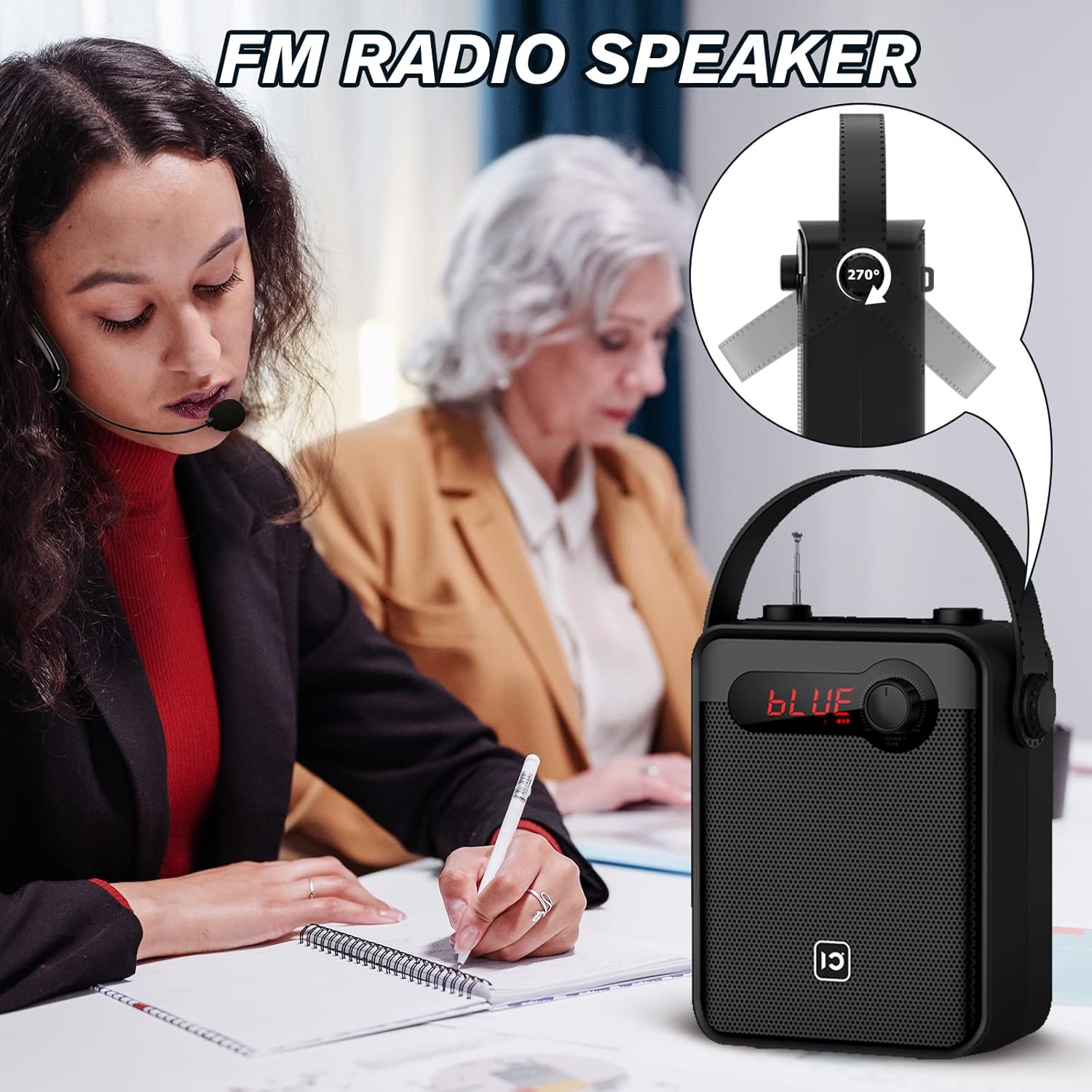
Image: Top panel controls including Microphone Volume, Bluetooth/UHF switch, Echo control, and One-Key Recording button.
4.3 Input/Output Ports
Image: Side panel ports for TF Card, U Disk, AUX, OUT, and MIC.
4.4 Wireless Microphone

Image: UHF Wireless Headset Microphone showing volume buttons and one-key pairing button.
5. Setup
5.1 Charging the Amplifier
- Connect the charging cable to the amplifier's charging port.
- Plug the other end into a standard USB power adapter (not included) or a computer's USB port.
- The LED indicator will show charging status. A full charge typically takes 4-6 hours.
5.2 Charging the Wireless Microphone
- Connect the data line (USB) to the microphone's charging port.
- Plug the other end into a USB power source.
- The indicator light will show charging status. A full charge typically takes 2-3 hours and provides 3-5 hours of use.
5.3 Wearing the Wireless Microphone

Image: Visual guide on how to properly wear the UHF wireless headset microphone.
- Place the headset over your ear, ensuring a comfortable fit.
- Adjust the microphone boom so the microphone is positioned close to your mouth, about 1-2 cm away.
- Ensure the microphone is facing towards your mouth for optimal sound pickup.
6. Operating Instructions
6.1 Power On/Off
- To power on the amplifier, rotate the Volume knob clockwise until the display lights up.
- To power off, rotate the Volume knob counter-clockwise until it clicks off.
- For the wireless microphone, press and hold the power button until the indicator light turns on/off.
6.2 Volume Control
- Amplifier Volume: Use the main Volume knob on the amplifier to adjust the overall output volume.
- Microphone Volume (MIC.VOL): Use the dedicated MIC.VOL knob on the amplifier to adjust the microphone input volume independently.
- Microphone Volume (Headset): Use the volume buttons on the wireless headset microphone for fine-tuning.
6.3 Pairing the UHF Wireless Microphone
- Turn on both the amplifier and the wireless microphone.
- Press the 'One Key Pairing' button on the wireless microphone (refer to Product Overview for location).
- The amplifier should automatically connect to the microphone. A successful connection is usually indicated by a stable light on the microphone or a specific display on the amplifier.
- If you encounter difficulties pairing, please refer to the troubleshooting section or contact SHIDU customer support for a pairing method video.
6.4 Bluetooth Mode

Image: The amplifier connected via Bluetooth to various devices.
- Turn on the amplifier.
- Press the 'Mode' button (or cycle through modes using the Selection/LED button) until 'BLUE' appears on the display, indicating Bluetooth mode.
- On your external device (smartphone, tablet, PC), enable Bluetooth and search for 'SHIDU H8' (or similar).
- Select the device to pair. Once paired, you can play audio from your device through the amplifier.
6.5 USB/TF Card/U Disk Playback
- Insert a USB flash drive or TF card into the corresponding port on the amplifier.
- The amplifier will automatically switch to USB/TF card mode and begin playing audio files.
- Use the control buttons (e.g., Play/Pause, Next/Previous) on the amplifier or remote control to manage playback.
6.6 FM Radio

Image: The amplifier with its extendable antenna for FM radio reception.
- Press the 'Mode' button (or cycle through modes) until FM radio mode is activated.
- Extend the antenna for better reception.
- Use the tuning buttons to scan for available radio stations.
6.7 One-Key Recording
- Ensure a USB flash drive or TF card is inserted into the amplifier.
- Press the 'One-Key Recording' button to start recording.
- Press it again to stop recording. The recording will be saved to the inserted storage device.
6.8 TWS Pairing (True Wireless Stereo)
This feature allows you to pair two SHIDU H8 amplifiers for a true wireless stereo sound experience.
Image: Two amplifiers connected for True Wireless Stereo (TWS) pairing.
- Turn on both SHIDU H8 amplifiers.
- Ensure both are in Bluetooth mode and not connected to any other device.
- On one amplifier, press and hold the TWS button (refer to product overview or manual for exact button). The amplifier will search for another TWS-compatible device.
- Once paired, one amplifier will act as the left channel and the other as the right, providing stereo sound.
6.9 Using the Remote Control
The included remote control allows for convenient operation from a distance. Functions include power, mode selection, volume adjustment, track control, and digital selection for FM radio or track numbers.
7. Maintenance
- Cleaning: Use a soft, dry cloth to clean the surface of the amplifier and microphone. Do not use abrasive cleaners or solvents.
- Storage: When not in use for extended periods, store the device in a cool, dry place away from direct sunlight.
- Battery Care: To prolong battery life, fully charge the device before first use and recharge it at least once every three months if not used regularly.
8. Troubleshooting
| Problem | Possible Cause | Solution |
|---|---|---|
| No sound from amplifier | Low battery; Volume too low; Incorrect mode; Microphone not paired. | Charge the amplifier; Increase volume; Select correct mode (e.g., MIC, Bluetooth); Pair microphone. |
| Wireless microphone not connecting/pairing | Microphone not powered on; Out of range; Pairing error; Interference. | Ensure microphone is charged and powered on; Move closer to amplifier; Re-attempt one-key pairing; Try pairing in a different location. If issues persist, contact SHIDU support for a pairing method video. |
| Bluetooth device not pairing | Amplifier not in Bluetooth mode; Device Bluetooth off; Amplifier already paired to another device. | Switch amplifier to Bluetooth mode; Enable Bluetooth on your device; Disconnect from other devices and try again. |
| Poor FM radio reception | Antenna not extended; Weak signal; Interference. | Fully extend the antenna; Try moving to a different location; Rescan for stations. |
9. Specifications
| Feature | Detail |
|---|---|
| Output Power | 25W |
| Speaker Size | 4-inch |
| Amplifier Battery | 2000mAh Lithium Battery |
| Amplifier Charge Time | 4-6 hours |
| Microphone Battery Use Time | 3-5 hours |
| Connectivity | Bluetooth, UHF Wireless, USB, TF Card, AUX |
| Functions | Voice Amplification, Bluetooth Speaker, FM Radio, One-Key Recording, TWS Pairing |
| Dimensions (Amplifier) | Approx. 6.45 x 9.44 x 3.6 inches |
| Weight | 3.89 pounds |
10. Warranty and Support
SHIDU provides a 12-month warranty for this product from the date of purchase. We also offer lifetime technical support to ensure your satisfaction.
If you have any questions, require assistance with setup, operation, or encounter any issues with your SHIDU H8 Voice Amplifier, please do not hesitate to contact our customer service team. Refer to the contact information provided with your product or visit the official SHIDU website for support details.


