
Sofucor 5247
Sofucor 52 Inch Ceiling Fan with Lights User Manual
Model: 5247
Introduction
Thank you for choosing the Sofucor 52 Inch Ceiling Fan with Lights. This manual provides essential information for the safe installation, operation, and maintenance of your new ceiling fan. Please read it thoroughly before installation and keep it for future reference.
Important Safety Information
- Always disconnect power at the main circuit breaker before installation or servicing.
- Ensure all electrical connections comply with local codes and ordinances.
- Mount the fan to a ceiling joist or outlet box marked "Acceptable for Fan Support of 35 lbs (15.9 kg) or less."
- Do not bend the blade holders during installation, balancing, or cleaning.
- Keep hands clear of rotating fan blades.
- This fan is suitable for indoor and outdoor use (not directly exposed to rain).
Package Contents
Verify that all components are present before beginning installation:
- Fan Blades (3x Solid Wood)
- Motor Housing with Integrated LED Light
- Remote Control and Wall Mount Holder
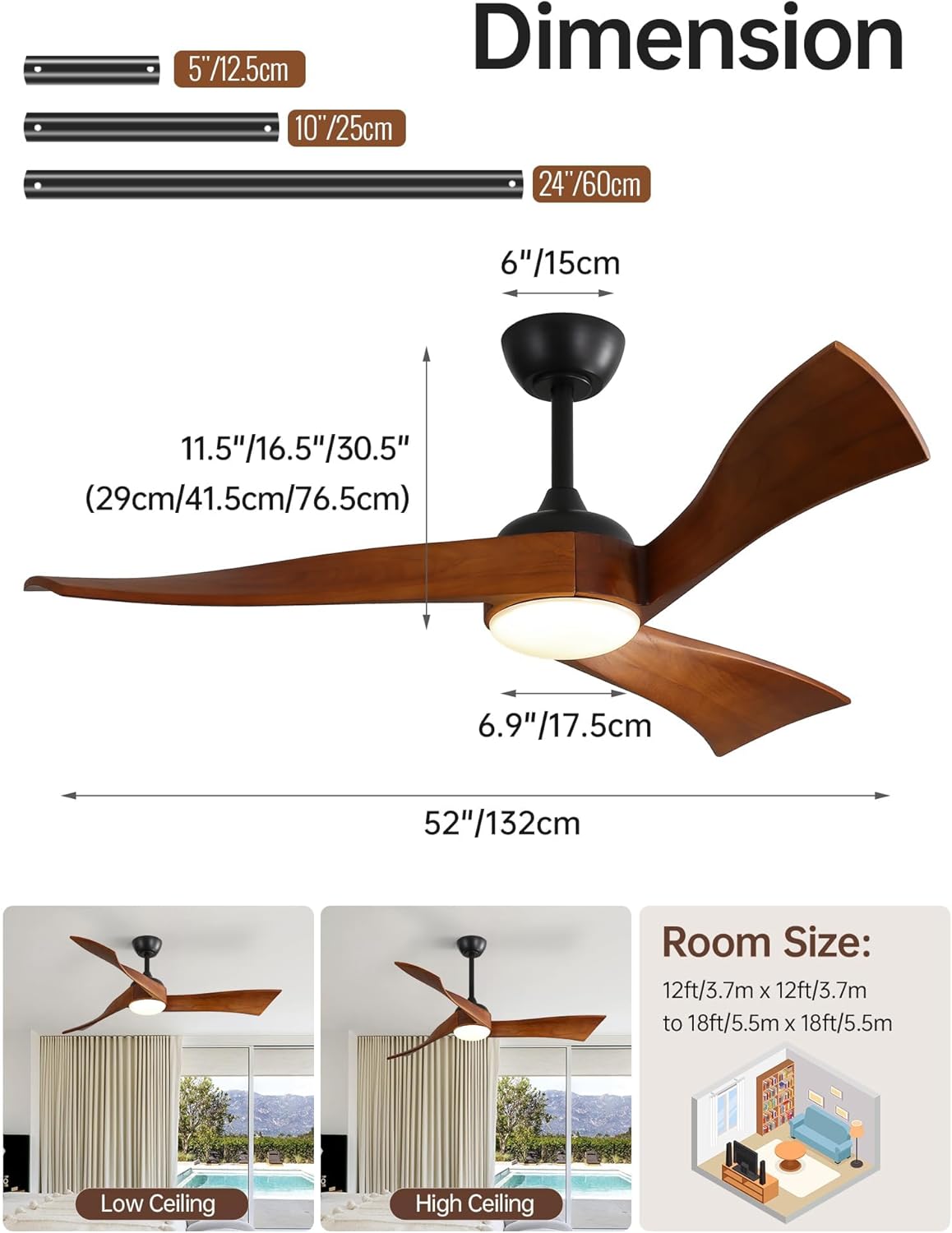
- Downrods (5-inch, 10-inch, 24-inch options)
- Mounting Bracket
- Hardware Pack (screws, wire nuts, washers)
- Instruction Manual
Setup and Installation
Follow these steps for proper installation. Professional installation is recommended if you are unfamiliar with electrical wiring.
1. Prepare for Installation
- Turn off power at the circuit breaker.
- Ensure the mounting location can support the fan's weight.
2. Assemble the Fan
- Attach the chosen downrod (5", 10", or 24") to the motor housing.
- Secure the solid wood blades to the motor housing using the provided screws.

3. Mount the Fan
- Install the mounting bracket to the ceiling outlet box.
- Hang the fan assembly onto the mounting bracket.
4. Electrical Connections
- Connect the fan's electrical wires to the household wiring as per the wiring diagram in the full manual.
- Ensure all connections are secure.
5. Final Assembly
- Attach the canopy and light kit cover.
- Restore power at the circuit breaker.
Operating Instructions
Your Sofucor ceiling fan is operated via the included remote control.
Remote Control Functions
- Power On/Off: Press the power button to turn the fan and light on or off.
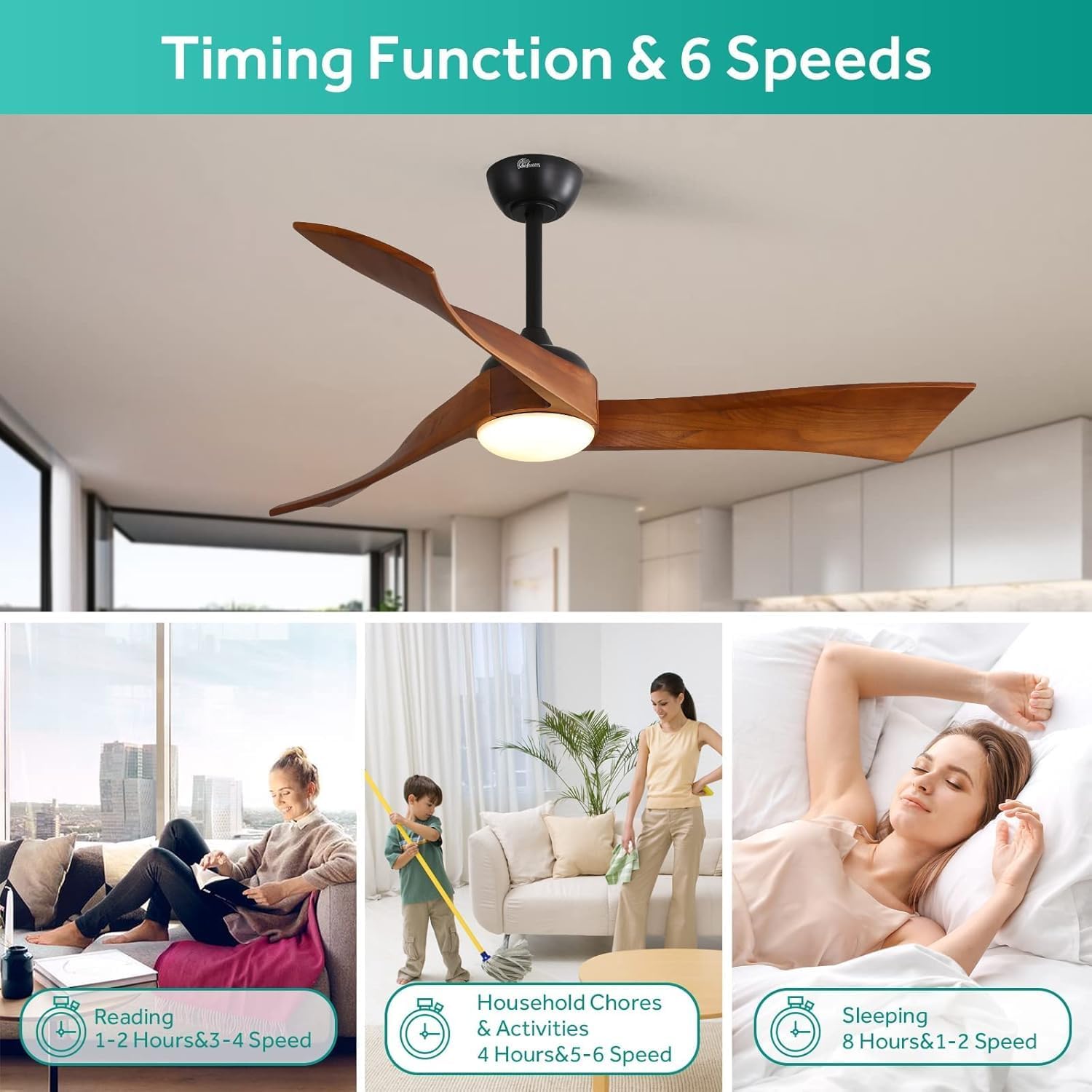
- Fan Speed: Select from 6 speed settings (1-6) to adjust airflow.
- Light On/Off: Independently control the LED light.
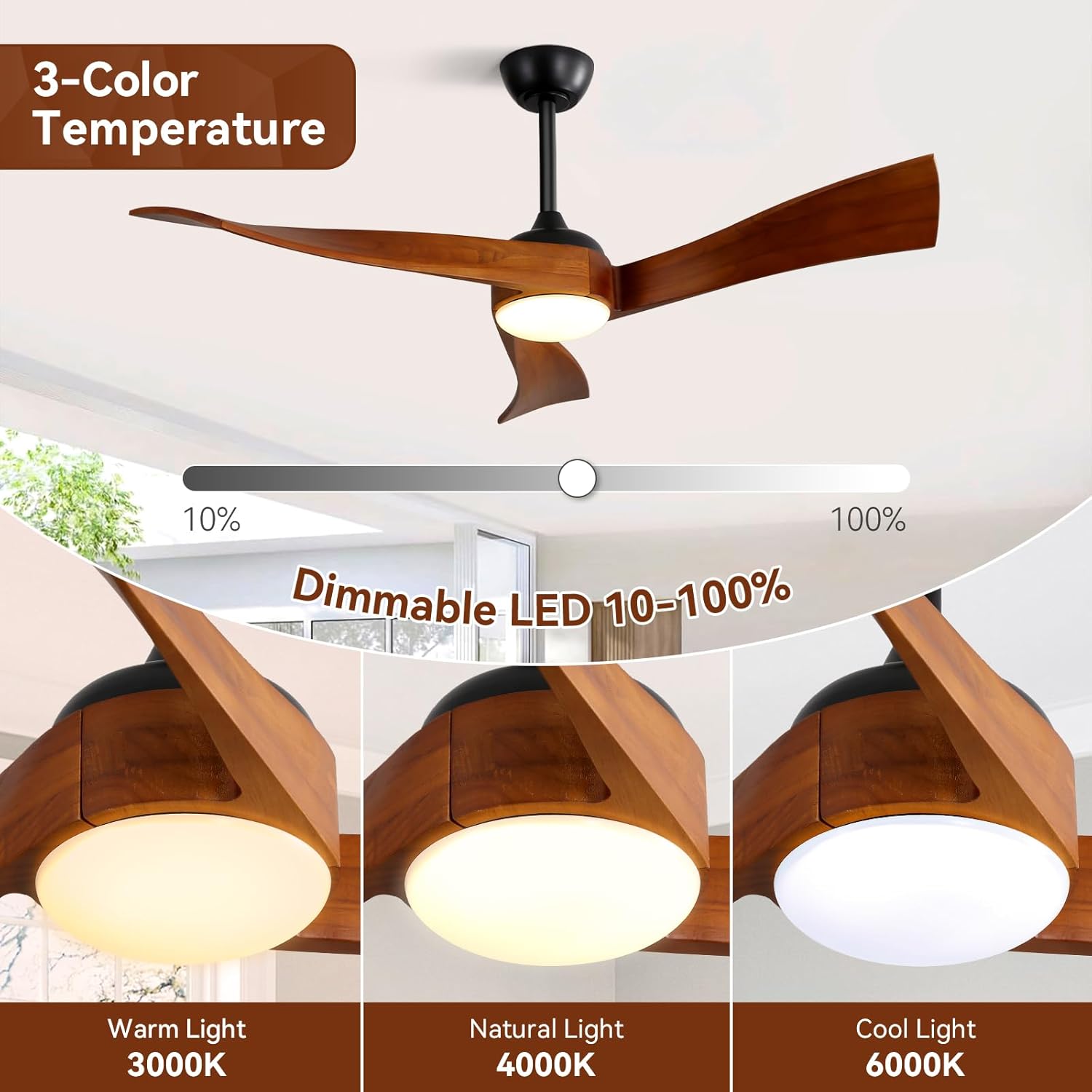
- Light Color Temperature: Cycle through 3000K Warm White, 4000K Natural White, and 6000K Cool White.
- Light Dimming: Adjust the brightness of the LED light from 10% to 100%.
- Reversible Function (F/R): Change the blade direction for summer (downward airflow) or winter (upward airflow) modes.
- Timer: Set the fan to turn off automatically after 1, 2, 4, or 8 hours.

Reversible DC Motor
The reversible DC motor allows you to change the direction of the fan blades, optimizing air circulation for different seasons:
- Summer Mode (Counter-clockwise): Creates a downward airflow, producing a cooling effect.
- Winter Mode (Clockwise): Creates an upward airflow, circulating warm air trapped near the ceiling.
Adjustable LED Light
The integrated LED light offers customizable illumination:
- Color Temperatures: Choose between 3000K (Warm White), 4000K (Natural White), and 6000K (Cool White) to suit your preference or activity.
- Dimmable: Adjust the light intensity from 10% to 100% for perfect ambiance.

Maintenance
- Cleaning: Use a soft, damp cloth to clean the fan blades and motor housing. Do not use abrasive cleaners.
- Blade Inspection: Periodically check blade screws for tightness.
- Light Source: The LED light is integrated and not user-replaceable. Contact support if replacement is needed.
Troubleshooting
| Problem | Possible Cause | Solution |
|---|---|---|
| Fan does not start | No power to the fan; Loose wire connections; Remote control battery low. | Check circuit breaker; Verify all wiring connections; Replace remote control battery. |
| Fan wobbles | Loose blade screws; Improperly balanced blades; Loose mounting bracket. | Tighten all blade screws; Use a balancing kit (not included) to balance blades; Ensure mounting bracket is secure. |
| Light does not work | Loose wire connection to light kit; Remote control battery low. | Check light kit wiring; Replace remote control battery. |
| Remote control not working | Battery low or incorrectly installed; Remote not paired with fan. | Replace battery, ensure correct polarity; Refer to the full manual for remote pairing instructions. |
Specifications
| Feature | Detail |
|---|---|
| Brand | Sofucor |
| Model Number | 5247 |
| Size | 52 Inch |
| Blade Material | Solid Wood |
| Number of Blades | 3 |
| Motor Type | DC Motor (Reversible) |
| Number of Speeds | 6 |
| Light Type | Integrated LED |
| Color Temperature | 3000K / 4000K / 6000K (Adjustable) |
| Dimming Range | 10% - 100% |
| Noise Level | ≤ 35 dB |
| Control Method | Remote Control |
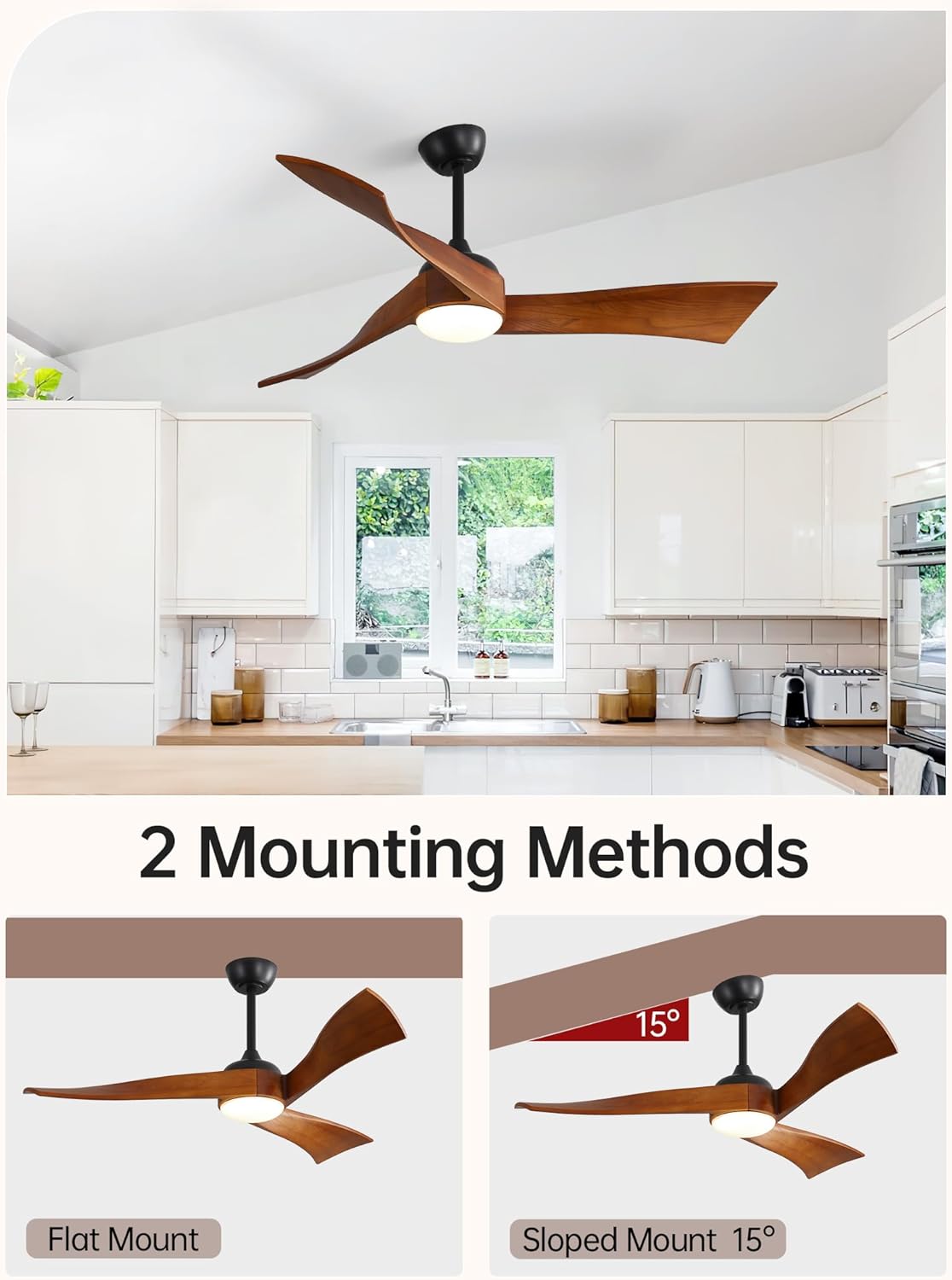
| Mounting Type | Downrod Mount (up to 15° sloped ceiling) |
| Indoor/Outdoor Use | Indoor, Outdoor (not directly exposed to rain) |
| Certifications | ETL/FCC Certified |
Warranty and Support
Sofucor provides the following warranty for your ceiling fan:
- Lifetime Motor Warranty: The DC motor is covered for its lifetime.
- 2-Year Protection: All other parts are covered for 2 years from the date of purchase.
For technical support, installation questions, or warranty claims, please contact Sofucor customer service. Our 24/7 tech support team is ready to assist you.

Official Product Video
Related documents5247


Ask a question about this manual
Ask about setup, troubleshooting, compatibility, parts, safety, or missing instructions. Manuals+ will review the question and use this page’s manual context to help answer it.