1. Introduction
This manual provides essential information for the safe and effective use of your Futurebatt L15L3A03 laptop battery. Please read these instructions carefully before installation and operation.
The Futurebatt L15L3A03 is a Li-ion replacement battery designed for specific Lenovo IdeaPad 110 series laptops. It features a capacity of 2200mAh and a voltage of 11.1V.
Compatible Laptop Models:
- Lenovo IdeaPad 110-14AST
- Lenovo IdeaPad 110-14IBR
- Lenovo IdeaPad 110-15ACL
- Lenovo IdeaPad 110-15AST
- Lenovo IdeaPad 110-15IBR
- Lenovo IdeaPad 110 Touch-15ACL Series
Compatible Part Numbers:
- L15L3A03
- L15C3A03
- L15S3A02
- 5B10L04167
- 5B10L04215
- 5B10L79278
- 5B10L04166

Image 1.1: Compatibility diagram for Futurebatt L15L3A03 battery, highlighting correct dimensions and compatible part numbers. Please verify your laptop model and original battery part number before installation.
2. Safety Information
Observe the following safety precautions to prevent damage to the battery, laptop, or personal injury:
- Do not disassemble, crush, puncture, or short-circuit the battery.
- Keep the battery away from fire, water, and extreme temperatures.
- Do not expose the battery to direct sunlight for extended periods.
- If the battery shows signs of damage, swelling, or leakage, discontinue use immediately.
- Dispose of used batteries according to local regulations. Do not dispose of in household waste.
- Use only the specified charger for your laptop.

Image 2.1: The Futurebatt L15L3A03 battery incorporates multiple protection features to ensure safe operation, including safeguards against overcharging, over-discharge, overvoltage, overcurrent, and short circuits.
3. Setup and Installation
Replacing your laptop battery requires careful handling. If you are unsure about any step, consult a professional technician. Ensure your laptop is powered off and disconnected from the AC adapter before beginning.
Tools Required (May vary):
- Small Phillips head screwdriver
- Plastic prying tool (spudger)
Installation Steps:
- Power Off: Shut down your laptop completely and disconnect the AC adapter.
- Remove Back Cover: Carefully unscrew all visible screws on the bottom case of your laptop. Use a plastic prying tool to gently separate the back cover from the chassis.
- Disconnect Old Battery: Locate the old battery. Carefully disconnect the battery cable from the motherboard.
- Remove Old Battery: Unscrew any screws securing the old battery in place and remove it.
- Install New Battery: Place the new Futurebatt L15L3A03 battery into the battery compartment. Secure it with the screws previously removed.
- Connect New Battery: Carefully connect the new battery cable to the motherboard. Ensure a firm connection.
- Reattach Back Cover: Align the back cover and gently press it into place until it snaps securely. Reinsert and tighten all screws.
- Initial Charge: Connect the AC adapter and fully charge the new battery before its first use.

Image 3.1: The Futurebatt L15L3A03 battery often comes with necessary tools for installation, such as screwdrivers and prying tools.
Video Guide: Battery Installation
Video 3.1: This video demonstrates the process of replacing a laptop battery, including opening the laptop case, disconnecting the old battery, and installing the new one. Follow the steps carefully for a successful replacement.
4. Operating Instructions
To ensure optimal performance and longevity of your new battery, follow these operating guidelines:
- First Use: For the first use, fully charge the battery to 100%, then discharge it to about 5-10% before recharging. Repeat this cycle 2-3 times to calibrate the battery.
- Regular Use: Avoid frequently discharging the battery completely. It is recommended to keep the charge level between 20% and 80% for daily use.
- Charging: Use only the original or a certified compatible AC adapter for charging.
- Storage: If storing the laptop for an extended period, charge the battery to about 50-60% and remove it from the laptop if possible. Store in a cool, dry place.

Image 4.1: Details of the battery's construction, including the power interface, battery label with specifications, and the robust ABS+PC casing.
5. Maintenance
Proper maintenance can significantly extend the lifespan of your laptop battery:
- Temperature Control: Avoid exposing your laptop and battery to extreme heat or cold. Optimal operating temperature is between 10°C and 35°C (50°F and 95°F).
- Cleanliness: Keep the laptop's vents clean to ensure proper airflow and prevent overheating, which can degrade battery performance.
- Software Updates: Keep your laptop's operating system and drivers updated, as power management improvements can optimize battery usage.
- Avoid Deep Discharges: While occasional full discharge and recharge cycles are good for calibration, frequent deep discharges can reduce the battery's overall lifespan.
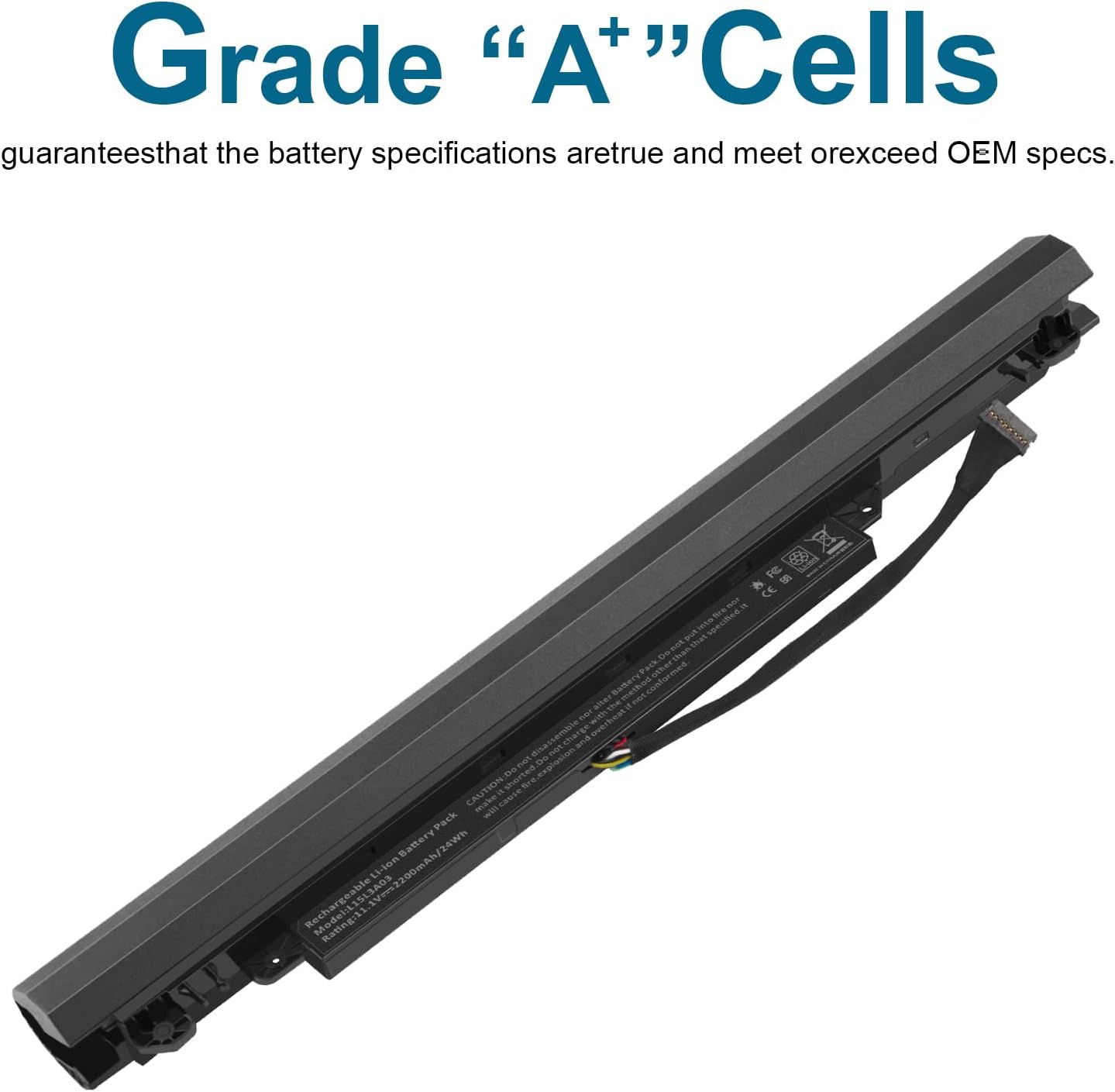
Image 5.1: The Futurebatt L15L3A03 battery is constructed with high-quality "Grade A++ Cells" to ensure reliable performance and durability.
6. Troubleshooting
If you encounter issues with your new battery, consider the following common solutions:
- Battery Not Detected:
- Ensure the battery cable is securely connected to the motherboard.
- Restart your laptop.
- Update your laptop's BIOS/UEFI firmware.
- Battery Not Charging:
- Verify the AC adapter is functioning correctly and securely connected.
- Check for any physical damage to the charging port or cable.
- Try recalibrating the battery (full charge, then full discharge, then full charge).
- Short Battery Life:
- Ensure background applications are closed.
- Adjust power settings to a balanced or power-saver mode.
- Reduce screen brightness.
- Check for excessive heat, which can reduce battery efficiency.
If problems persist after attempting these steps, please contact Futurebatt customer support.
7. Specifications
| Feature | Detail |
|---|---|
| Battery Type | Li-ion |
| Capacity | 2200mAh |
| Voltage | 11.1V |
| Item Weight | 7.8 ounces |
| Package Dimensions | 12.17 x 3.27 x 1.93 inches |
| Manufacturer | Dongguan Lewe Electronics Co., LTD |

Image 7.1: Key specifications of the Futurebatt L15L3A03 battery, including capacity, voltage, and battery type.
8. Warranty and Support
Futurebatt provides the following support for your product:
- Warranty: 12 months of warranty from the date of purchase.
- Money Back Guarantee: 30-day money-back guarantee.
- Customer Support: 24 x 7 email support.
For any questions or assistance, please contact us via the "Your Orders" tab in your Amazon account. We aim to respond within 24 hours.