
1. Introduction
This manual provides essential instructions for the safe assembly, operation, and maintenance of your HOMCOM Multistation Weight Machine, Model A91-132. Please read this manual thoroughly before using the equipment to ensure proper function and to prevent injury. Keep this manual for future reference.
Safety Information
- Always consult with a healthcare professional before starting any new exercise program.
- Ensure all bolts, nuts, and connections are securely tightened before each use.
- Do not allow children or pets near the equipment during use.
- Use the equipment on a flat, stable surface.
- Maintain a clear area of at least 0.6 meters (2 feet) around the equipment.
- Stop exercising immediately if you feel pain, dizziness, or shortness of breath.
- Maximum user weight: 120 kg. Recommended user height: 160-200 cm.
2. Product Overview
The HOMCOM Multistation Weight Machine is designed for comprehensive full-body workouts. It features a robust steel frame and a versatile pulley system with adjustable weight plates.

Key Features:
- Multifunctional Design: Includes a pull-back bar, butterfly arm, and lower pull bar for diverse exercises.
- Sturdy Construction: Resistant steel structure with high load capacity and anti-slip foot pads for stability.
- Adjustable Weight Stack: Comes with 10 weight plates totaling 45 kg (9 plates of 4.6 kg and 1 of 3.6 kg) for customizable intensity.
- Leg Extender: Fully functional and comfortable leg extender with a 0-90° angle adjustment.
3. Specifications
Refer to the table below for detailed product specifications.
| Feature | Specification |
|---|---|
| Model Number | A91-132 |
| Overall Dimensions (L x W x H) | 148 x 108 x 207 cm |
| Seat Dimensions (L x W x H) | 68 x 27 x 4 cm |
| Maximum Supported Weight | 120 kg |
| Recommended User Height | 160-200 cm |
| Total Weight Plates | 45 kg (9 x 4.6 kg, 1 x 3.6 kg) |
| Material | Steel, PU |
| Product Weight | 89 kg |

4. Setup and Assembly
Assembly of the HOMCOM Multistation Weight Machine requires careful attention to detail. It is recommended to have two people for assembly. Please note that detailed assembly instructions may need to be downloaded from the manufacturer's website or were included in a separate package. Ensure all components are present before beginning assembly.
General Assembly Steps:
- Unpack Components: Carefully remove all parts from the packaging and verify against the parts list (usually found in the separate instruction manual).
- Assemble Base Frame: Connect the main base components, ensuring they are stable and level.
- Install Uprights and Pulleys: Attach the vertical support structures and begin routing the cables through the pulley system as per the diagram.
- Attach Exercise Stations: Secure the chest press arms, leg extender, and other attachments.
- Install Weight Stack: Carefully place the weight plates onto the guide rods and secure the selector pin mechanism.
- Final Checks: Before first use, double-check all bolts, nuts, and connections for tightness. Ensure cables are correctly routed and move freely without obstruction.

5. Operating Instructions and Exercises
The HOMCOM Multistation offers a variety of exercises targeting different muscle groups. Always perform exercises with controlled movements and proper form.
Adjusting Weight:
To adjust the resistance, insert the selector pin into the desired weight plate in the stack. Ensure the pin is fully inserted before beginning your exercise. The machine includes 10 weight plates, allowing for incremental resistance adjustments.


Common Exercises:
This machine supports a variety of exercises for different muscle groups:
- Chest Fly (Mariposa): Targets chest muscles. Sit with your back against the pad, grasp the handles, and bring them together in front of you.
- Chest Press (Press de Pecho): Targets chest, shoulders, and triceps. Sit with your back against the pad, grasp the handles, and push them forward.
- Lat Pulldown (Jalón al Pecho): Targets back muscles. Sit facing the machine, grasp the lat bar, and pull it down towards your upper chest.
- Seated Row (Remo Sentado): Targets back muscles. Sit facing the lower pulley, place your feet on the footrests, grasp the handle, and pull it towards your abdomen.
- Leg Extension (Extensión de Piernas): Targets quadriceps. Sit on the seat, place your shins behind the foam rollers, and extend your legs forward. The leg extender has a 0-90° angle adjustment for comfort.
- Preacher Curl (Curl Predicador): Targets biceps. Use the preacher curl attachment, rest your arms, and perform bicep curls.


6. Maintenance
Regular maintenance is crucial for the longevity and safe operation of your weight machine.
- Daily Cleaning: Wipe down the machine with a damp cloth after each use to remove sweat and dust. Avoid abrasive cleaners.
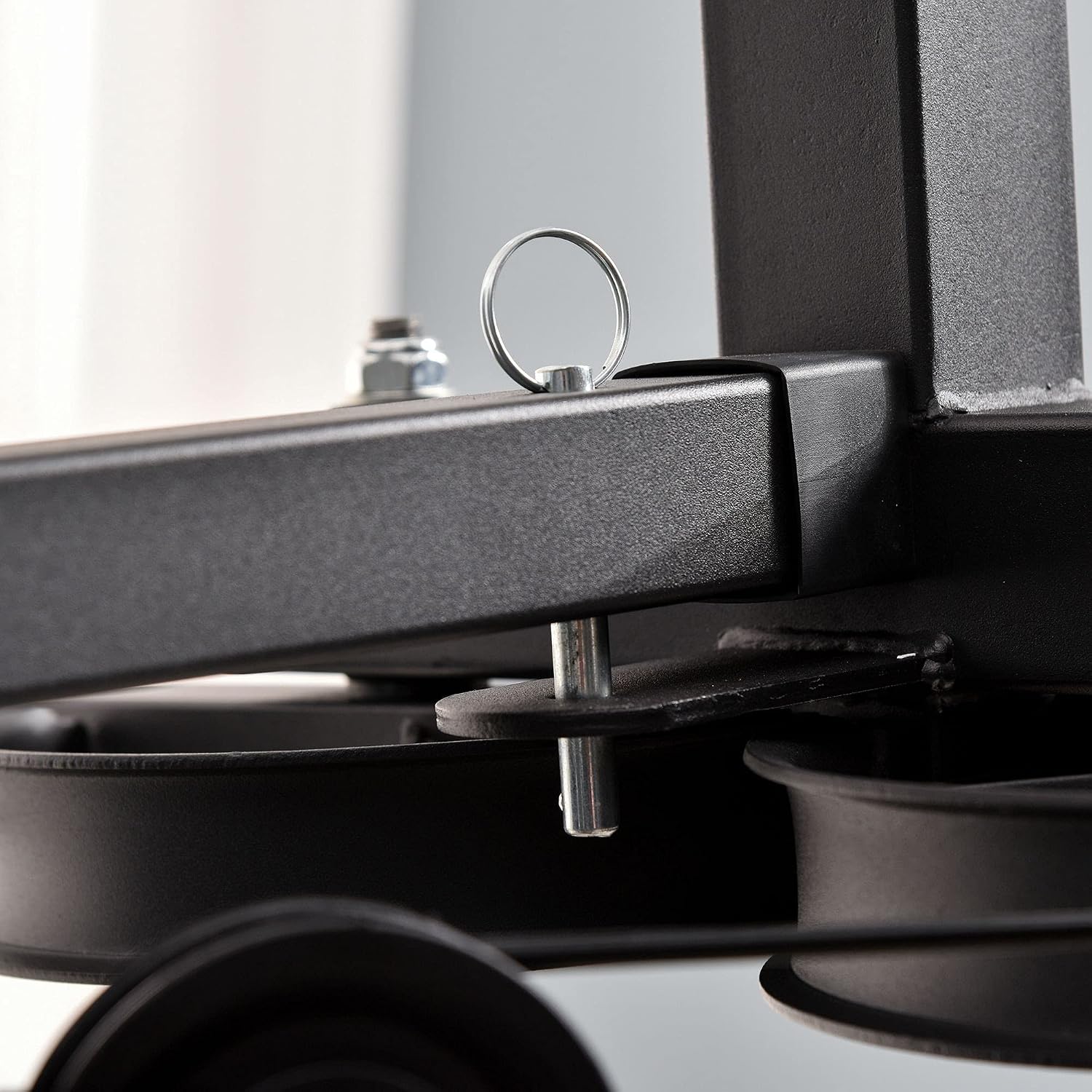
- Weekly Inspection: Check all cables, pulleys, and connections for signs of wear, fraying, or looseness. Tighten any loose bolts or nuts.
- Lubrication: Periodically apply a silicone-based lubricant to the guide rods of the weight stack to ensure smooth movement.
- Cable Inspection: Pay close attention to the condition of the cables. If any fraying or damage is observed, discontinue use immediately and replace the cable.
- Pad Inspection: Check the seat and backrest pads for tears or excessive wear.

7. Troubleshooting
This section addresses common issues you might encounter with your HOMCOM Multistation Weight Machine.
- Issue: Cables getting stuck or not moving smoothly.
Solution: Check for any obstructions in the pulley system. Ensure cables are correctly routed through all pulleys. Lubricate guide rods and pulley axles with a silicone-based lubricant. Inspect cables for fraying; replace if damaged. - Issue: Machine feels unstable or lifts when using heavy weights.
Solution: Ensure the machine is placed on a completely flat and stable surface. Verify all assembly bolts and nuts are securely tightened. If the issue persists, consider placing additional weight on the base of the machine for added stability, or reduce the weight used. - Issue: Weight plates are not sliding smoothly.
Solution: Clean the guide rods and apply a silicone-based lubricant. Ensure the selector pin is not bent and is fully inserted into the desired weight plate. - Issue: Squeaking or grinding noises during operation.
Solution: Identify the source of the noise. It is often due to dry pivot points or pulleys. Lubricate all moving parts and pivot points with a suitable lubricant. Check for any loose components that might be rubbing.
8. Warranty and Support
For warranty information, please refer to the documentation provided at the time of purchase or contact HOMCOM customer service directly. Keep your proof of purchase for warranty claims.
Customer Support:
If you require assistance with assembly, parts, or troubleshooting beyond what is covered in this manual, please contact HOMCOM customer support. Contact details can typically be found on the manufacturer's website or on your purchase receipt.
Note: Some replacement parts, such as specific cables, may not be sold separately by all retailers. It is advisable to inquire about part availability when purchasing the product.