
1. Product Overview
The Yahboom RPLIDAR A1 is a low-cost triangulation Lidar solution designed for ROS robots, offering 360-degree omni-directional scanning and ranging detection. It is suitable for various applications including service robot navigation, obstacle avoidance, AGV vehicle detection, parking space detection, multi-touch interaction, environmental scanning, and 3D reconstruction.
Key Features:
- SLAM Lidar Series: Part of the Silan lidar range, compatible with RPLIDAR A1/A1 up/C1, and includes ROS robot information and technical support.
- Safe Laser Standards: Utilizes a low-power infrared laser as the emitting light source, meeting Class 1 laser safety standards for human eye safety.
- Brushless Motor & Low Noise: Features a self-designed brushless motor, reducing mechanical friction for smooth, quiet operation.
- Wide Range of Applications: Ideal for service robot navigation, obstacle avoidance, AGV obstacle detection, parking space detection, multi-touch interaction, environmental scanning, 3D reconstruction, and drone mapping.
Package Contents:
The RPLIDAR A1 package typically includes the following components:
- RPLIDAR A1 Unit
- Signal adapter board
- USB data cable (100cm)
- Connection line (15cm)
- Instruction card
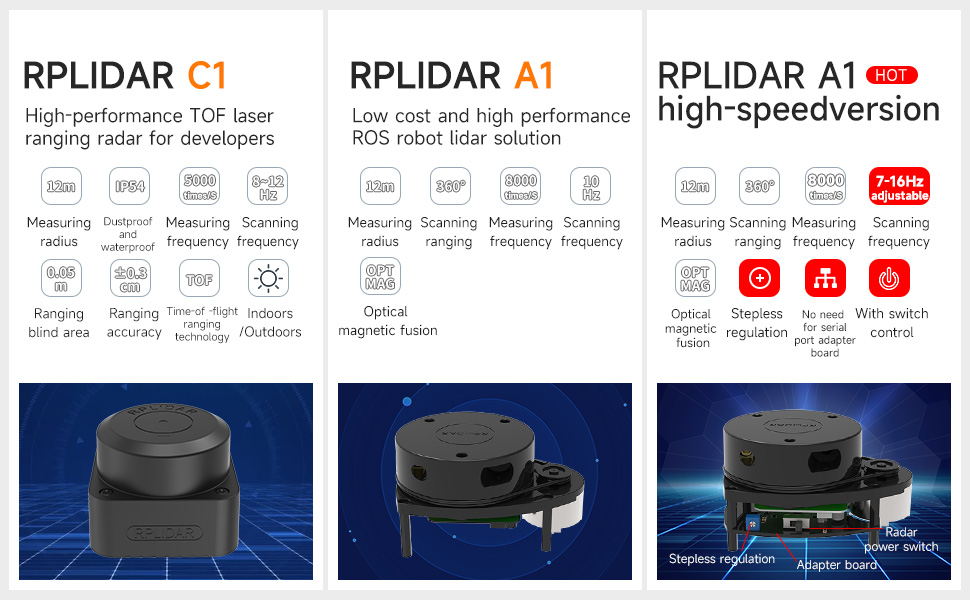
Image 1: RPLIDAR A1 Lidar Sensor and its components.
2. Specifications
The RPLIDAR A1 offers various specifications depending on the version. Below are general specifications for the A1 model:
| Feature | Specification |
|---|---|
| Measuring Radius | 12 meters |
| Scanning Range | 360 degrees |
| Measuring Frequency | 8000 times/s |
| Scanning Frequency | 5.5Hz ~ 10Hz (A1), 7Hz ~ 16Hz (A1 High-Speed Version) |
| Ranging Technology | Triangular Ranging |
| Optical Fusion | Yes |
| Dimensions | 96.8 x 70 x 55 mm (A1) |
| Weight | 8.8 ounces |
| Power Source | Corded Electric |
| Compatible Devices | Personal Computer, Raspberry Pi, Robots with ROS1/ROS2 |
The A1 high-speed version offers adjustable scanning frequency (7-16Hz) and features a built-in USB serial port chip, allowing direct connection via a Type-C data cable without an adapter board. The standard A1 version requires a serial port adapter board and a micro USB data cable.
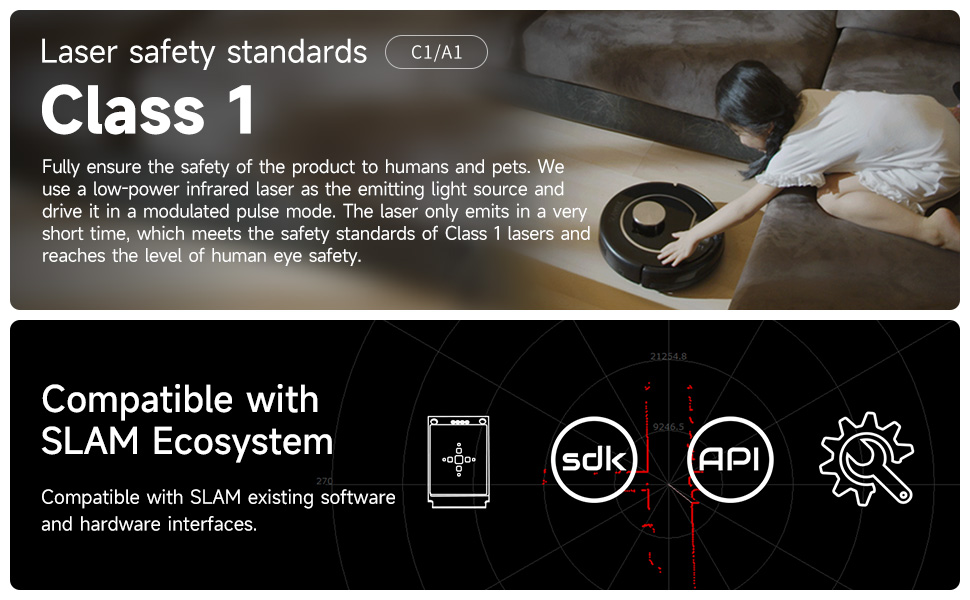
Image 2: RPLIDAR A1 High-Speed Version features and connectivity.
3. Setup and Connection
The RPLIDAR A1 is designed for ease of use with various platforms, particularly ROS-enabled robots and development boards.
Connectivity:
- Standard A1: Connects via a signal adapter board and a micro USB data cable.
- A1 High-Speed Version: Features a built-in USB serial port chip, allowing direct connection to your computer via a USB Type-C data cable. No additional adapter board is required.
After connecting the RPLIDAR to your computer via USB, it can be used directly without complex coding. It supports USB plug and play, and some versions (C1/A1) may use WiFi or Ethernet communication.
Compatibility:
The RPLIDAR A1 is compatible with a range of devices and systems:
- Raspberry Pi
- NVIDIA Jetson series boards
- PC computers
- Industrial computers
- RDK series boards
- Robots with ROS1/ROS2

Image 3: Plug and play USB connection for RPLIDAR.
4. Operating Instructions
The RPLIDAR A1 is designed to integrate with ROS (Robot Operating System) for advanced robotic applications. It provides various functionalities for navigation, mapping, and interaction.
4.1 ROS Environment Applications
Rviz is a graphical display tool within ROS that visualizes Lidar data, assisting developers in monitoring Lidar information and controlling ROS robot SLAM mapping and navigation. Tutorials provide Lidar test and mapping methods, along with configured launch files for quick setup.
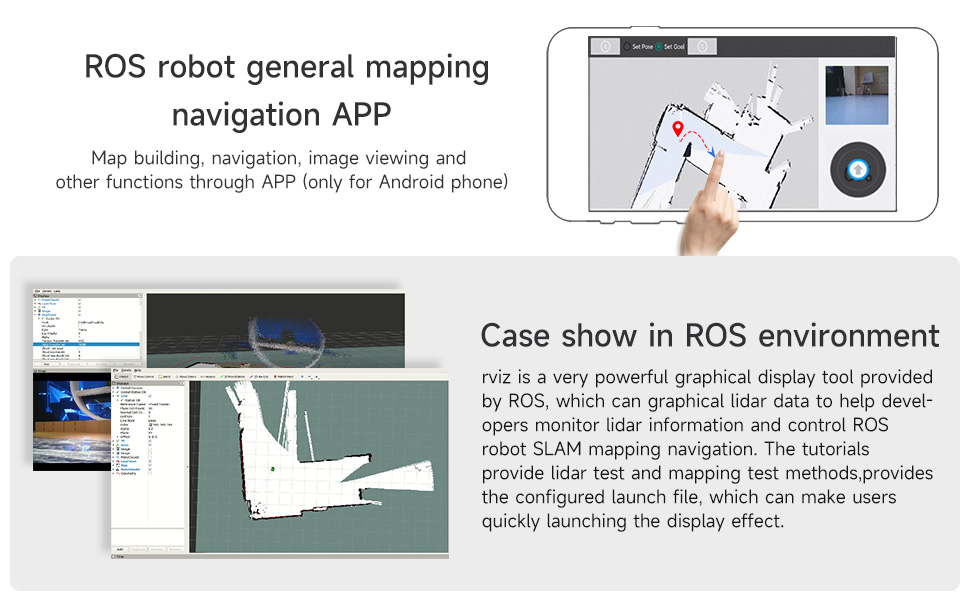
Image 4: Use cases in ROS environment.
4.2 Lidar Mapping and Navigation
The RPLIDAR A1 can generate a contour map of its surrounding environment by rotating its ranging core 360 degrees. This data is crucial for simultaneous localization and mapping (SLAM) and navigation tasks.
- 3D Visual Mapping: Create detailed 3D maps of the environment.
- Visual Navigation: Navigate through mapped environments using visual cues.
- Single-Point Navigation: Direct the robot to a specific point on the map.
- Multi-Point Navigation: Program the robot to follow a sequence of points.
Video 1: Demonstrates various functionalities of the Yahboom ROS Robot Transbot, including 3D visual mapping, visual navigation, Lidar avoiding, Lidar tracking, Lidar guard, RRT exploration mapping, APP control, autopilot, robotic arm transportation, and cross-platform control.
4.3 Obstacle Avoidance and Tracking
- Lidar Avoiding: The Lidar detects obstacles in real-time, allowing the robot to navigate around them.
- Lidar Tracking: The robot can be programmed to follow a moving target using Lidar data.
- Lidar Guard: Set up virtual boundaries or detection zones for security or operational safety.
4.4 Control Methods
- YahboomRobot APP (iOS/Android): Provides intuitive control options including gravity, key, and rocker modes, FPV video screen, speed adjustment, and light controls.
- ROS Robot APP (Android): Specifically designed for ROS robots, enabling map building, navigation, and image viewing.
- Jupyter Lab: Offers web-page online programming control for advanced customization.
- ROS Control System: Utilize the full capabilities of ROS for complex control and automation.
- FPV Handle: For direct, real-time control of the robot.
4.5 Advanced Features
- Robotic Arm Transportation: If equipped with a robotic arm, the system supports simulation control (e.g., MoveIt) and actual object manipulation.
- Intelligent Path Patrol: The robot can follow predefined paths or shapes (e.g., rectangle, triangle, circle) autonomously.
- Autopilot: Advanced navigation capabilities allowing the robot to follow lines or tracks.
- Human Tracking and Detection: Utilize depth image data for human body tracking and pose estimation.
- AR Tag Recognition: Augmented Reality tag recognition for enhanced environmental interaction.
- Image Beautification: Features for visual image enhancement.
5. Maintenance
To ensure the longevity and optimal performance of your RPLIDAR A1, follow these maintenance guidelines:
- Keep the Lidar unit clean and free from dust and debris. Use a soft, dry cloth for cleaning.
- Avoid exposing the Lidar to extreme temperatures or humidity.
- Handle the unit with care to prevent physical damage to the sensor or rotating parts.
- Regularly check cable connections to ensure they are secure.
- For software maintenance, ensure your ROS environment and associated libraries are up-to-date.
6. Troubleshooting
If you encounter issues with your RPLIDAR A1, consider the following common troubleshooting steps:
- No Lidar Data: Check power supply and USB connection. Ensure the Lidar motor is spinning. Verify that the correct ROS nodes or drivers are running.
- Inaccurate Readings: Ensure the Lidar lens is clean. Check for any obstructions in the Lidar's field of view. Calibrate the Lidar if necessary (refer to specific calibration guides in the provided ROS documentation).
- Connection Issues: For standard A1, ensure the adapter board is correctly connected. For A1 high-speed version, confirm the Type-C cable is functional and properly seated. Test with a different USB port or cable.
- Software Errors: Consult the ROS console output for error messages. Ensure all dependencies are installed and configured correctly. Refer to the Yahboom official documentation and ROS tutorials for detailed software setup.
For persistent issues, contact Yahboom technical support.
7. Warranty and Support
Warranty Description: The product comes with a warranty valid within 90 days after product delivery.
For technical assistance, additional documentation, or warranty claims, please refer to the official Yahboom website or contact their customer support channels. Yahboom provides professional technical support for their products, including ROS robot information.


