
Introduction
The Ring Spotlight Cam Plus, Battery is a versatile security camera designed for home or business surveillance. It features 1080p HD video, Two-Way Talk, Color Night Vision, and a built-in security siren to enhance your property's safety. This manual provides essential information for setting up, operating, and maintaining your device.
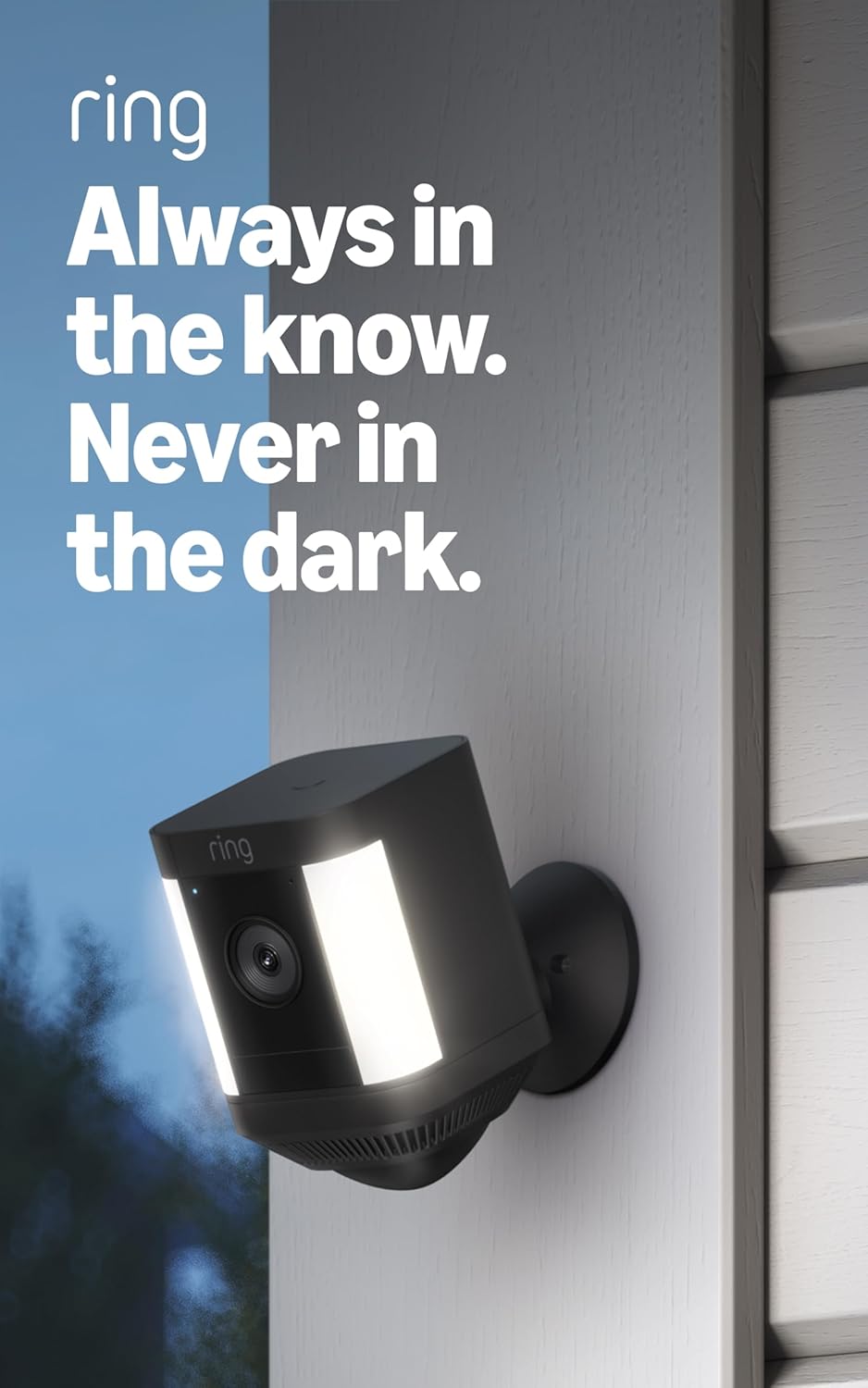
Image: The Ring Spotlight Cam Plus, Battery, showcasing its design and integrated spotlights.
Setup
The average installation time for the Spotlight Cam Plus, Battery is 5 to 10 minutes. Ensure you have a vertical or horizontal surface for mounting and a stable 2.4 GHz Wi-Fi connection with a minimum upload speed of 2 Mbps for optimal performance.
Box Contents:
- Spotlight Cam Plus (Battery)
- Mounting Base
- Quick-Release Battery Pack
- Installation Hardware
- Micro USB Charging Cable
- User Manual
- Security Sticker
Installation Steps:
- Charge the Battery: Fully charge the Quick-Release Battery Pack using the provided Micro USB charging cable.
- Download the Ring App: Download the Ring app from your device's app store and create an account or log in.
- Add Device: In the Ring app, select "Set Up a Device" and follow the on-screen instructions to add your Spotlight Cam Plus.
- Mount the Camera: Secure the mounting base to your desired vertical or horizontal surface using the installation hardware. Insert the charged battery pack into the camera and attach the camera to the mounting base.
- Adjust View: Adjust the camera angle to cover your desired area.

Image: A user performing a DIY installation of the Ring Spotlight Cam Plus camera on a home exterior.
Operating Instructions
Your Ring Spotlight Cam Plus offers various features for comprehensive security monitoring.
Key Features:
- 1080p HD Video & Live View: Access real-time, high-definition video of your property at any time through the Ring app.
- Color Night Vision: See clear, full-color video even in low-light conditions.
- Two-Way Talk: Speak to visitors or deter intruders using the built-in microphone and speaker.

Image: A user interacting with the Ring app on a smartphone, utilizing the Two-Way Talk function to communicate with individuals visible on camera.
- Advanced Motion Detection: Receive alerts when motion is detected. Customize motion zones to focus on specific areas and reduce unnecessary notifications.

Image: The Ring app displaying a customizable motion zone feature, allowing users to define specific areas for motion detection.
- Remote-Activated Security Siren: Activate a loud siren from the Ring app to deter unwanted visitors.
- Works with Alexa: Integrate your camera with Alexa-enabled devices. Receive motion announcements, stream live video to Echo Show devices, and use voice commands to control security features.
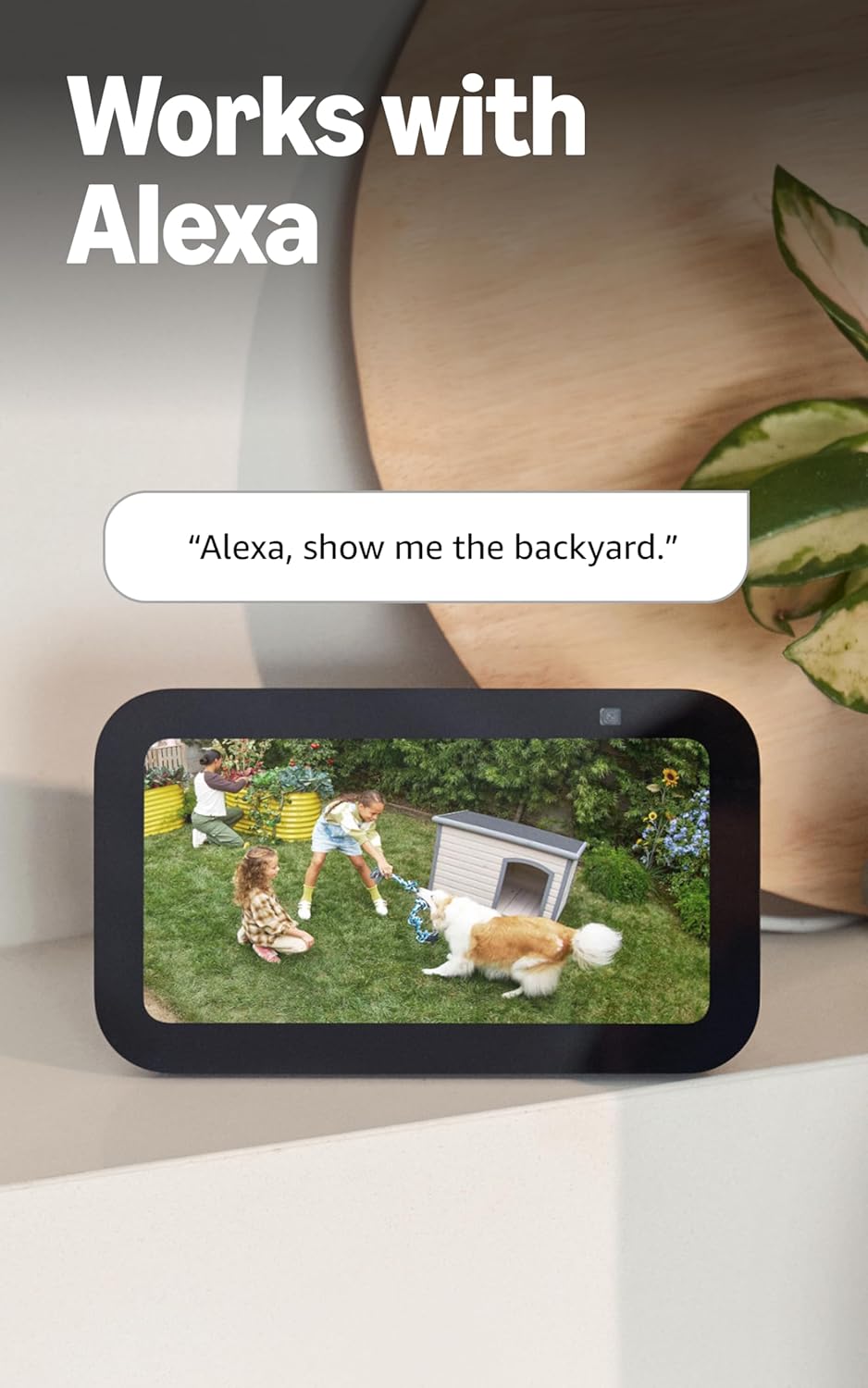
Image: An Echo Show device displaying a live video feed from a Ring camera, demonstrating integration with Alexa.
Maintenance
Proper maintenance ensures optimal performance and longevity of your Ring Spotlight Cam Plus.
Battery Management:
- The camera uses a Quick-Release Battery Pack. Monitor battery levels via the Ring app.
- To recharge, remove the battery pack from the camera and connect it to the Micro USB charging cable.
- Consider purchasing an additional battery pack (sold separately) to ensure continuous operation while one battery charges.
- An optional solar panel (sold separately) can be connected to provide continuous charging.
Cleaning:
- Periodically clean the camera lens and body with a soft, damp cloth to remove dust and debris. Avoid abrasive cleaners.
- Ensure the camera's field of view remains unobstructed by foliage or other objects.
Troubleshooting
If you encounter issues with your Ring Spotlight Cam Plus, refer to the following common solutions:
- No Power/Battery Issues: Ensure the Quick-Release Battery Pack is fully charged and correctly inserted. If using a solar panel, verify it is receiving adequate sunlight and properly connected.
- Connectivity Problems: Check your Wi-Fi router and ensure it is functioning correctly. Confirm your camera is within range of your 2.4 GHz Wi-Fi network. A minimum upload speed of 2 Mbps is required for optimal performance.
- Motion Detection Not Working: Review your motion zone settings in the Ring app. Ensure the zones cover the desired areas and sensitivity is adjusted appropriately.
- Poor Video Quality: Verify your internet connection meets the minimum speed requirements. Ensure the camera lens is clean and free from obstructions.
- App Issues: Ensure your Ring app is updated to the latest version. Try restarting the app or your mobile device.
For further assistance, consult the Ring app's help section or the official Ring support website.
Specifications
| Feature | Detail |
|---|---|
| Dimensions | 3.0 in x 3.2 in x 5.0 in (76.40mm x 80.50mm x 126.25mm) |
| Color Options | Black, White |
| Video | 1080p HD Video, Live View, Color Night Vision |
| Motion Detection | Advanced Motion Detection with Customizable Motion Zones |
| Field of View | 140° horizontal |
| Siren | Remote-activated security siren |
| Audio | Two-way audio with noise cancellation |
| Power | Rechargeable Battery Pack (1 included, holds up to 2), optional solar panel (sold separately) |
| Dual Power Mode | Dynamic switching between plug-in and battery power modes (requires purchase of plug-in adapter) |
| Internet Requirements | Minimum upload speed of 2 Mbps for optimal performance |
| Connectivity | 802.11 b/g/n Wi-Fi connection @ 2.4 GHz |
| Average Install Time | 5 to 10 minutes |
| Operating Conditions | -5°F to 120°F (-20°C to 48°C), Weather Resistant |
| Setup Requirements | Vertical or horizontal surface for mounting |
Additional Notes:
- Ring Home Plan: Your Ring videos in the cloud are stored temporarily, up to 180 days of Video Event History. Changing your video storage time will only affect videos recorded after the adjustment. Snapshot Capture photos are stored for up to 7 days. Refer to Ring Home Plan for more details.
- Alexa Integration: Works with Alexa to illuminate and send announcements to Echo devices, and allows viewing, hearing, and speaking to people on camera with select Echo and Fire TV devices.
Warranty
The Ring Spotlight Cam Plus, Battery comes with a one-year limited warranty. Please retain your proof of purchase for warranty claims. For specific terms and conditions, refer to the warranty documentation included with your product or visit the official Ring website.
Support
For technical support, product information, or assistance with your Ring Spotlight Cam Plus, Battery, please utilize the following resources:
- Ring App: The Ring app provides in-app help, FAQs, and troubleshooting guides.
- Software Security Updates: For information specific to your device regarding software security updates, visit the Software Security Updates section in the Ring Control Center.
- Online Resources: Visit the official Ring support website for comprehensive guides, video tutorials, and community forums.


