
Introduction
The Hubble Nursery Pal Link Premium is a smart video baby monitor designed to provide comprehensive monitoring of your child. It combines a dedicated 5-inch parent unit with smart features accessible via the HubbleClub app, ensuring you stay connected and informed.
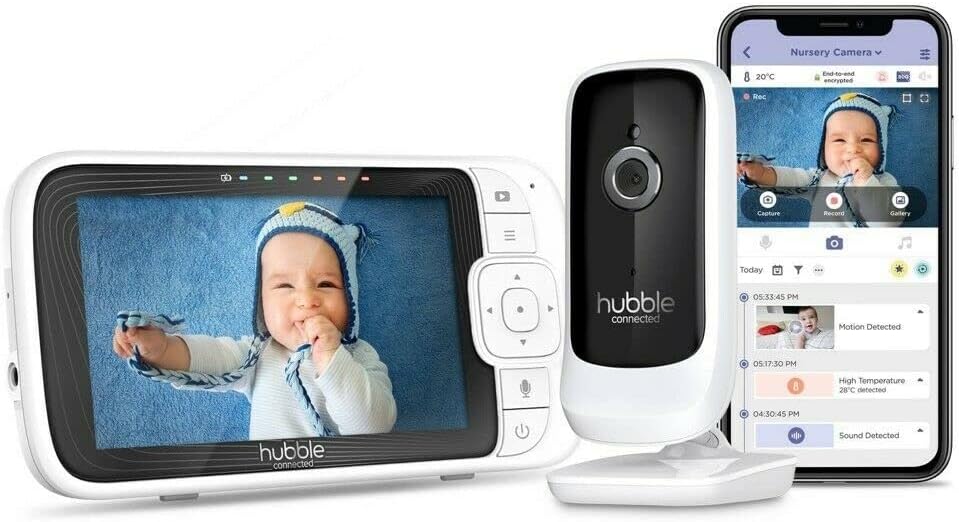
Image: The complete Hubble Nursery Pal Link Premium system, showing the parent unit, camera, and a smartphone displaying the HubbleClub app interface.
Setup
1. Unboxing and Components
Ensure all components are present:
- Parent Unit (5-inch display)
- Baby Camera Unit
- Power Adapters (for both units)
- Quick Start Guide
2. Powering On
Connect the power adapter to the Baby Camera Unit and plug it into a power outlet. Connect the power adapter to the Parent Unit and plug it into a power outlet. The Parent Unit has a built-in 3000mAh battery for portable use.
3. Pairing Camera and Monitor
The units are typically pre-paired. If not, follow the on-screen instructions on the Parent Unit to pair the camera. Ensure both units are within range.

Image: A close-up of the 5-inch parent unit screen, showing a clear view of a baby in a crib.
4. App Installation & Setup (HubbleClub)
Download the HubbleClub app from your device's app store. Create an account and follow the in-app instructions to connect your monitor. This enables remote access and additional smart features.
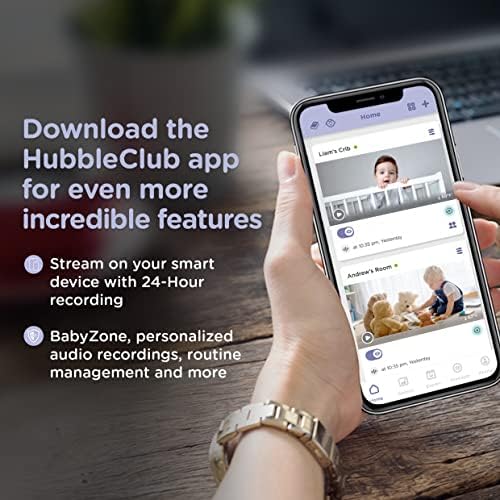
Image: A smartphone screen showing the HubbleClub app, highlighting features like live streaming, 24-hour recording, and BabyZone.
Operating Instructions
1. Parent Unit Functions
- Screen: The 5-inch diagonal color screen provides a live video feed.
- Buttons: Navigate menus and control camera functions using the directional pad and menu buttons.
- Two-Way Talk: Press and hold the microphone button on the parent unit to speak to your baby through the camera.
- Volume: Adjust the audio volume of the parent unit to hear your baby clearly.
- Brightness: Adjust screen brightness for optimal viewing in different lighting conditions.
2. Camera Functions
- Digital Pan, Tilt, and Zoom: Use the parent unit controls or the HubbleClub app to digitally adjust the camera's view.
- Night Vision: The camera automatically switches to infrared night vision in low light, providing a clear black and white image.
- Temperature Sensor: Monitors the room temperature and displays it on the parent unit and app.
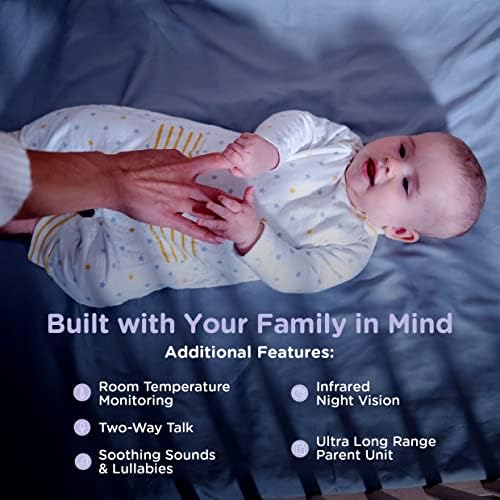
Image: Visual representation of key features including room temperature monitoring, two-way talk, soothing sounds, infrared night vision, and the long range of the parent unit.
3. HubbleClub App Features
The HubbleClub app enhances your monitoring experience with advanced functionalities:
- Live Streaming & 24-Hour Recording: Access a live video feed and review recorded footage from your smart device via Wi-Fi.
- BabyZone: Set virtual boundaries to receive alerts if your baby moves out of a designated area.
- Growth Tracker: Log and track your baby's sleep, feeding, diaper changes, and growth milestones.
- Parenting Tips & Articles: Access expert advice on sleep, nutrition, and development.
- Motion, Sound, and Temperature Alerts: Receive notifications on your smart device for detected activity or temperature changes.
- Preloaded Lullabies & Audiobooks: Play soothing sounds directly from the app to help your baby sleep.
- Personal Audio Recordings: Record your own voice or songs to play for your baby.
- Smart Scheduling: Customize when you receive motion detection notifications.
- Do Not Disturb: Manage notifications to avoid interruptions during specific times.
Video: An official product video demonstrating the features of the Hubble Nursery Pal Link Premium, including two-way talk, night vision, soothing sounds, and the HubbleClub app functionalities like growth tracking and alerts.
4. Range and Connectivity
The monitor offers a 1,000-ft range for reliable monitoring within your home. Wi-Fi connectivity allows remote access and extended features through the HubbleClub app.
Maintenance
1. Cleaning
Wipe both the Parent Unit and Baby Camera Unit with a soft, dry cloth. Do not use abrasive cleaners or solvents.
2. Battery Care
To prolong battery life, avoid extreme temperatures and fully discharge and recharge the Parent Unit battery periodically.
Troubleshooting
| Issue | Possible Cause | Solution |
|---|---|---|
| No signal/Poor image | Out of range, interference, low battery. | Move units closer, reduce interference (e.g., other electronics), charge Parent Unit. |
| No sound/Poor sound | Volume too low, microphone muted. | Increase volume, check microphone settings. |
| App connectivity issues | Weak Wi-Fi, incorrect login, app outdated. | Check Wi-Fi signal, re-enter login details, update app. |
Specifications
| Feature | Detail |
|---|---|
| Model Number | HCSNPLP-1 |
| Screen Size | 5-inch Diagonal Color Screen |
| Video Resolution | 1080p |
| Connectivity | Wireless, Wi-Fi |
| Range | Up to 1,000 ft (line of sight) |
| Battery Capacity (Parent Unit) | 3000 mAh |
| Special Features | Night Vision, Motion Sensor, Two-Way Talk, Room Temperature Monitoring, Preloaded Lullabies, HubbleClub App Integration |
| Power Source | Battery Powered |
| Indoor/Outdoor Usage | Indoor |
| Item Weight | 1.5 pounds |
Warranty & Support
For warranty information and technical support, please refer to the official Hubble Connected website or contact their customer service. Keep your proof of purchase for any warranty claims.