1. Introduction
This manual provides detailed instructions for the safe and effective operation of your Huepar FC011R 2-Line Cross Line Laser Level. Please read this manual thoroughly before using the device and keep it for future reference.
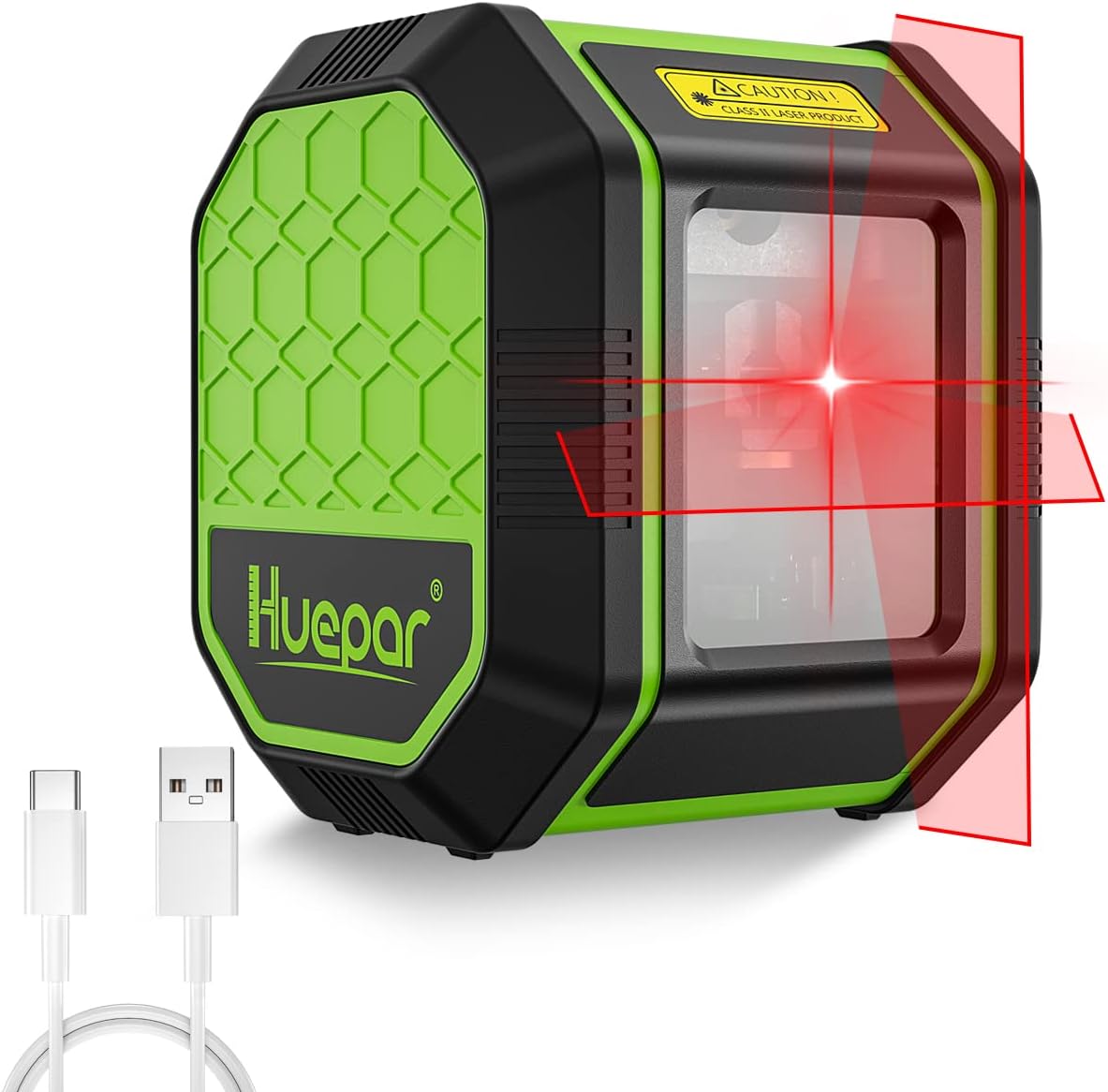
The Huepar FC011R is a versatile tool designed for various leveling and alignment tasks, featuring both self-leveling and manual tilt modes, high brightness, and a durable, dust and water-resistant design.
2. Product Features
- Easy-to-Use Cross Line Laser Level: Projects horizontal and vertical cross lines simultaneously with a single touch, significantly reducing time spent on traditional leveling. Ideal for various tasks such as suspended ceiling installation, furniture mounting, tile laying, and wall decoration.
- Self-Leveling and Manual Tilt Mode: Projects horizontal and vertical lines. The pendulum lock allows for projecting tilt lines, useful for tasks like staircase handrail installation or pipe fitting. Features an automatic leveling range of ±4° with a correction time of less than 3 seconds. Achieves 110° horizontal and vertical line projection.
- Built-in Battery for 12 Hours Continuous Use: Equipped with a 1400mAh built-in battery, providing approximately 12 hours of continuous use after a 5-hour charge. Eliminates the need for battery replacement, offering an economical and energy-saving solution. The Type-C charging port allows for emergency charging with a mobile power bank.
- Tripod Mountable & IP54 Dust/Water Resistant: Features a 1/4-inch camera thread for tripod mounting. IP54 dust and water resistance ensures reliable operation without concerns about dust or water splashes.


3. Package Contents
The Huepar FC011R package includes the following items:
- Huepar FC011R 2-Line Cross Line Laser Level
- Type-C Charging Cable
- User Manual
- Portable Pouch

4. Device Overview
Familiarize yourself with the main components of your Huepar FC011R Laser Level.

5. Setup
- Charging the Device: Connect the provided Type-C charging cable to the device's charging port and a suitable 5V=1A power adapter. The power indicator lights will show the charging status. A full charge takes approximately 5 hours.
- Mounting (Optional): The device features a 1/4-inch thread on its base, allowing it to be mounted on a compatible tripod or magnetic bracket for stable positioning during use.

Figure 6: The 1/4-inch thread on the base of the laser level allows for easy mounting on a tripod or other compatible accessories for stable operation. - Placement: Place the laser level on a stable surface or mount it on a tripod in the desired location for your task.
6. Operating Instructions
6.1 Power On/Off
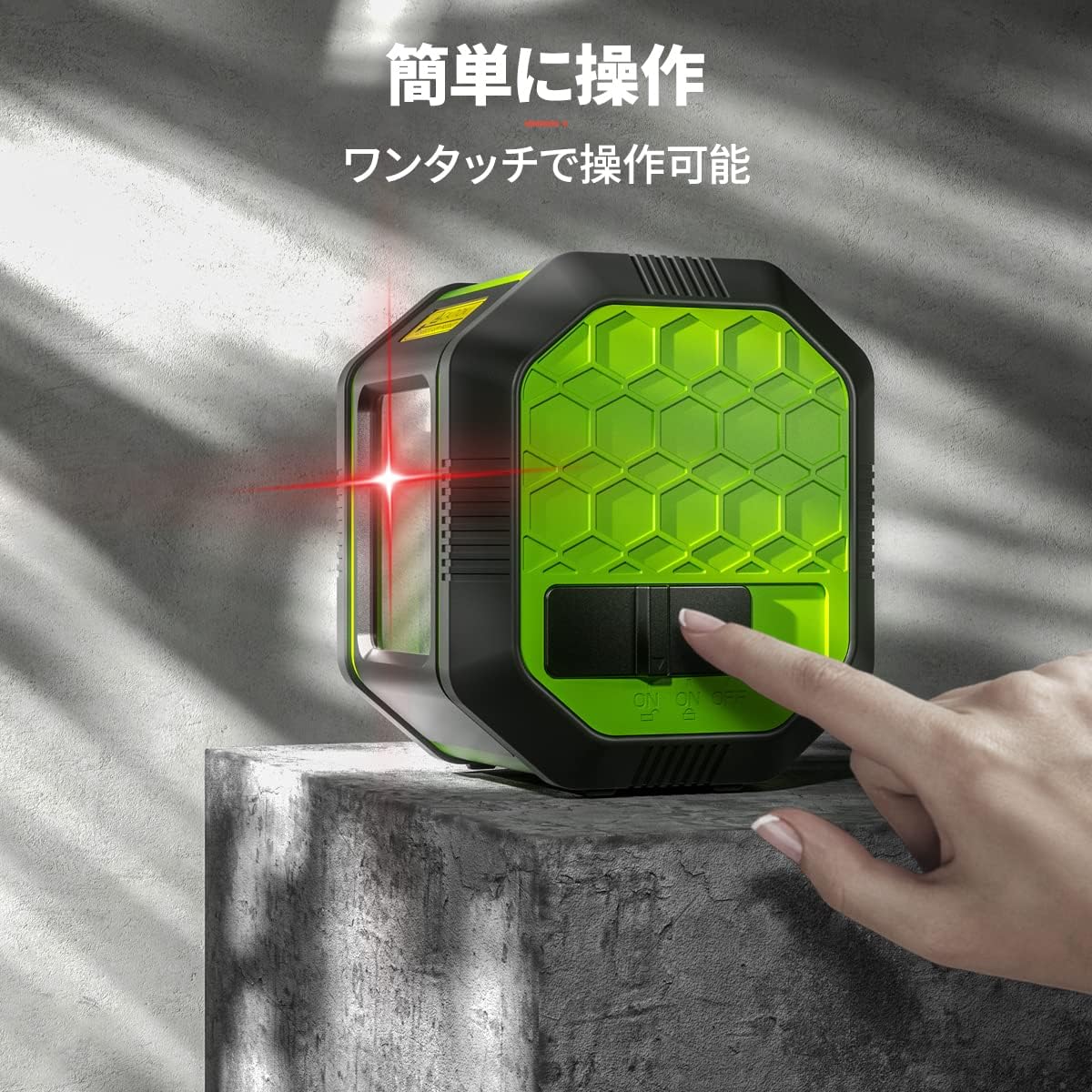
- To Power On: Slide the main ON/OFF switch to the "ON" position. The laser lines will activate.
- To Power Off: Slide the main ON/OFF switch to the "OFF" position. This will also lock the pendulum for safe transport.
6.2 Self-Leveling Mode
When the device is powered on with the pendulum unlocked (switch in "ON" position), it will automatically self-level within ±4°. If the device is outside this range, the laser lines will flash continuously to indicate it cannot self-level.

6.3 Manual/Tilt Mode
To use the device in manual mode for projecting tilt lines, ensure the pendulum is locked (switch in "OFF" position) before powering on. In this mode, the laser lines will flash every 3-5 seconds to remind you that it is not self-leveling. You can then position the device at any desired angle.
6.4 Applications
The Huepar FC011R is suitable for a wide range of indoor and light-duty outdoor applications, including:
- Installing suspended ceilings
- Mounting furniture and cabinets
- Laying tiles
- Hanging pictures and wall decorations
- Staircase handrail installation
- Pipe fitting

7. Maintenance
- Keep the laser level clean and dry. Use a soft, damp cloth to wipe the exterior.
- Do not use abrasive cleaners or solvents.
- Store the device in its portable pouch in a cool, dry place when not in use.
- Always ensure the pendulum is locked before transporting the device to prevent damage.
8. Troubleshooting
| Problem | Possible Cause | Solution |
|---|---|---|
| Laser lines are flashing continuously in self-leveling mode. | Device is tilted beyond its ±4° self-leveling range. | Place the device on a more level surface or adjust the tripod until the lines stop flashing. |
| Laser lines are not horizontal/vertical in manual mode. | This is normal behavior for manual/tilt mode. The device is designed to project lines at custom angles when the pendulum is locked. | No action required. This is the intended function of manual mode. |
| Laser lines are dim or not visible. | Low battery or bright ambient light. | Charge the device. Use in environments with appropriate lighting conditions. |
| Device does not power on. | Battery is depleted. | Charge the device using the provided Type-C cable. |
9. Specifications
| Feature | Detail |
|---|---|
| Brand | Huepar |
| Model | FC011R |
| Color | FC011R-Red |
| Operation Mode | Manual, Automatic |
| Self-Leveling Range | ±4° |
| Line Projection Angle | 110° (Vertical & Horizontal) |
| Battery Capacity | 1400mAh (Built-in) |
| Continuous Use Time | Approx. 12 hours (after 5-hour charge) |
| Charging Port | Type-C |
| Dust/Water Resistance | IP54 |
| Tripod Thread | 1/4-inch |
| Product Weight | 350 g |
| Dimensions | 11.6 x 11.3 x 8.1 cm |
10. Official Product Videos
The following videos provide visual demonstrations of the Huepar laser level's features and operation. Please note that these videos feature similar models (BOX-1R or B011R) with comparable functionality to the FC011R red laser level.
Video 1: Huepar 2-Line Laser Level (Red BOX-1R). This video demonstrates the general features and operation of a Huepar 2-line red laser level, similar to the FC011R.
Video 2: Huepar Laser Level 2-Line (B011R). This video showcases the functionality of another Huepar 2-line red laser level, providing further insight into its use.
11. Warranty and Support
For warranty information, technical support, or any product-related inquiries, please refer to the contact information provided in your product packaging or visit the official Huepar website. Please retain your proof of purchase for warranty claims.


