
Aputure COB 60X S
Contents
Aputure Amaran COB 60X S LED Video Light User Manual
Model: COB 60X S | Brand: Aputure
1. Introduction and Overview
The Aputure Amaran COB 60X S is a high-performance bi-color LED video light designed for professional photography and video shooting. It offers exceptional light quality and versatility in a compact, lightweight form factor.

Figure 1.1: Amaran COB 60X S LED Video Light with accessories.
Key Features:
- High SSI LED Bi-Color Light: Features CRI 96+, TLCI 96+, and CCT adjustable from 2700K to 6500K, ensuring superior color accuracy and light quality.
- Dual Power Support: Supports AC power, NP-F970 dual battery box, and V-Mount battery power supply for flexible operation in various environments.
- Compact & Lightweight Design: Weighing only 675 grams (1.49 pounds) with dimensions of approximately 11x11x11cm (4x4x4 inches), making it highly portable.
- Bowens Mount Compatibility: The accessory mount is compatible with a wide variety of Bowens Mount soft light modifiers.
- 9 Built-in Lighting FX: Includes effects such as Paparazzi, Fireworks, Lightning, Faulty Bulb, TV, Pulsing, Strobe, Explosion, and Fire.
- Sidus Link App Control: Enables 2.4G Bluetooth remote control for adjusting brightness, frequency, and various light effects from up to 80m away.

Figure 1.2: Amaran COB 60X S light output and color metrics.
2. What's in the Box
Verify that all components are present in your package:
- amaran 60x S x 1
- Bowens Mount Hyper Reflector (Mini) x 1
- Diffusion Cover for Hyper Reflector (Mini) x 1
- 1/4-20in Mounting Pin x 1
- Tilting Stand Adapter with Umbrella Mount x 1
- Dual NP-F Battery Plate for DC Barrel (5.5mm) x 1
- AC Power Supply x 1
- AC Power Cable x 1
- EPP Carrying Case x 1

Figure 2.1: All items included in the Amaran COB 60X S package.
3. Setup
3.1 Mounting the Light
Attach the Amaran COB 60X S to a light stand using the included Tilting Stand Adapter with Umbrella Mount. Ensure the light is securely fastened before operation. The 1/4-20in mounting pin provides additional mounting flexibility.
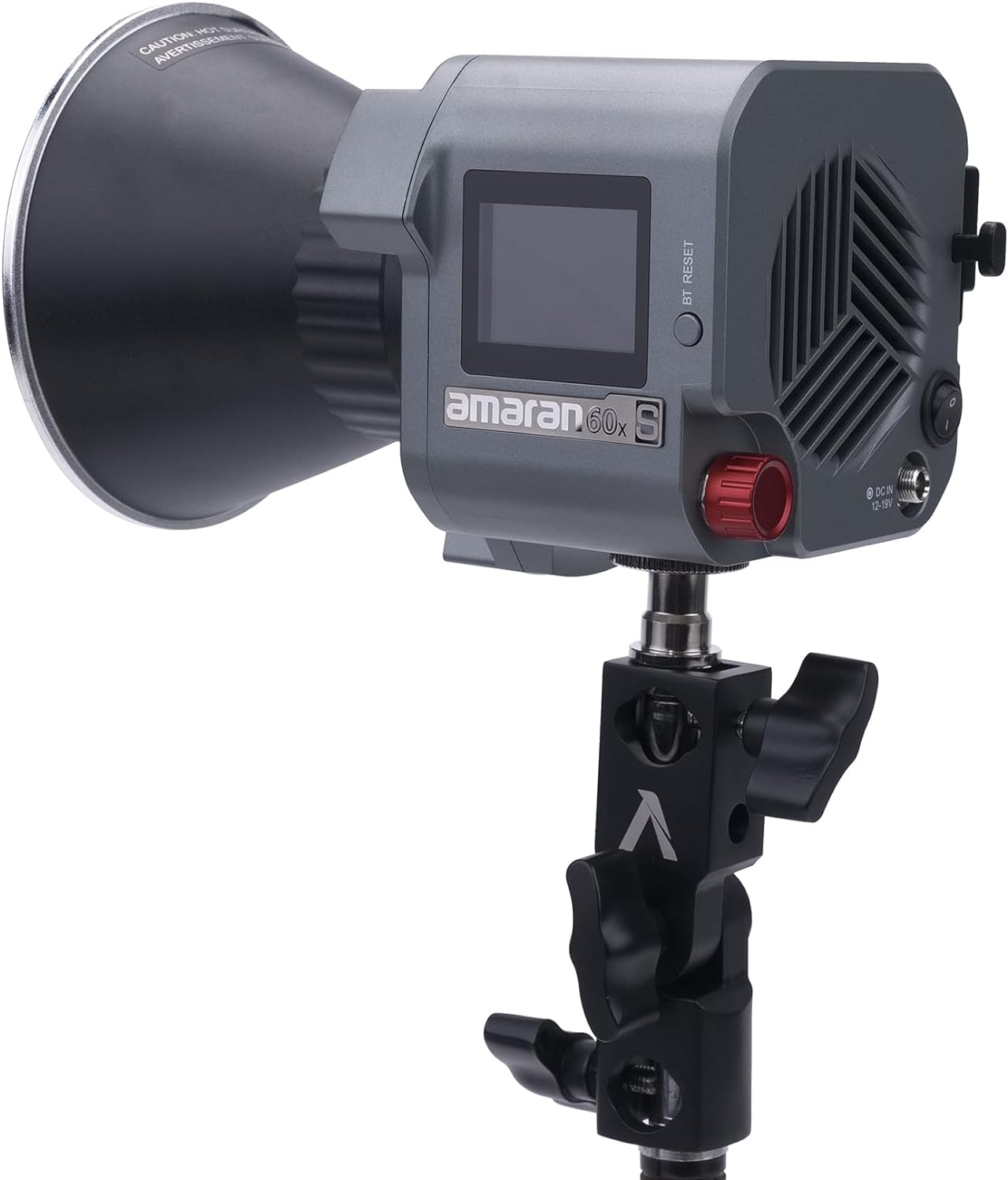
Figure 3.1: Amaran COB 60X S mounted on a stand.
3.2 Powering the Device
The Amaran COB 60X S offers multiple power options:
- AC Power: Connect the included AC power supply and cable to the light's DC input port and a standard wall outlet.
- Battery Power: For portable use, attach the Dual NP-F Battery Plate (requires two NP-F970 batteries, not included) or a V-Mount battery (not included) to the light. Ensure batteries are fully charged before use.
3.3 Sidus Link App Control
For advanced control and features, download the Sidus Link app on your smartphone or tablet. The app allows you to remotely adjust settings, activate lighting effects, and manage multiple Aputure lights.
Download the app here: https://m.sidus.link/download
4. Operating the Light
4.1 Brightness and Color Temperature Adjustment
Use the control knob on the light's body to adjust brightness from 0-100% and color temperature from 2700K to 6500K. The integrated display shows current settings. For precise control, utilize the Sidus Link app.
4.2 Built-in Lighting Effects
The Amaran COB 60X S includes 9 built-in lighting effects to enhance your creative productions:
- Paparazzi
- Fireworks
- Lightning
- Faulty Bulb
- TV
- Pulsing
- Strobe
- Explosion
- Fire

Figure 4.1: Visual representation of the 9 built-in lighting effects.
5. Maintenance
To ensure the longevity and optimal performance of your Amaran COB 60X S, follow these maintenance guidelines:
- Cleaning: Use a soft, dry cloth to clean the light's exterior. Do not use harsh chemicals or abrasive materials.
- Storage: Store the light in its EPP carrying case in a cool, dry place away from direct sunlight and extreme temperatures.
- Handling: Avoid dropping or subjecting the light to strong impacts.
6. Troubleshooting
If you encounter issues with your Amaran COB 60X S, refer to the following common troubleshooting steps:
- Light Not Turning On: Ensure the power cable is securely connected and the power source (AC or battery) is functional. Check the power switch on the unit.
- Bluetooth Connectivity Issues: Ensure Bluetooth is enabled on your device and the light. Try resetting the Bluetooth connection on the light (refer to the BT RESET button). Restarting the Sidus Link app may also resolve the issue.
- Overheating: Ensure proper ventilation around the light. Avoid blocking the cooling vents. If the light overheats, it may automatically reduce output or shut down to protect components.
- Inconsistent Brightness/Color: Verify that the light is not in a special effects mode. Check for any interference from other electronic devices.
For persistent issues, contact Aputure customer support.
7. Specifications
| Feature | Specification |
|---|---|
| Product Dimensions | 4.61 x 1.72 x 4.61 inches |
| Item Weight | 5.59 pounds |
| ASIN | B09JYQ54GQ |
| Brand | Aputure |
| Connectivity Technology | Bluetooth |
| Flash Modes Description | Constant illumination with adjustable brightness and color temperature, along with various built-in lighting effects. |
| Hardware Interface | Bluetooth |
| Date First Available | October 21, 2021 |
| Manufacturer | Aputure |
8. Compatible Accessories
The Amaran COB 60X S is designed with a Bowens Mount, allowing compatibility with a wide range of light modifiers to shape and control your light output. Some compatible accessories include:
- Aputure Light Dome SE
- Aputure Light Box 6090
- Aputure Light Box 30120
- Handheld Bracket (sold separately)
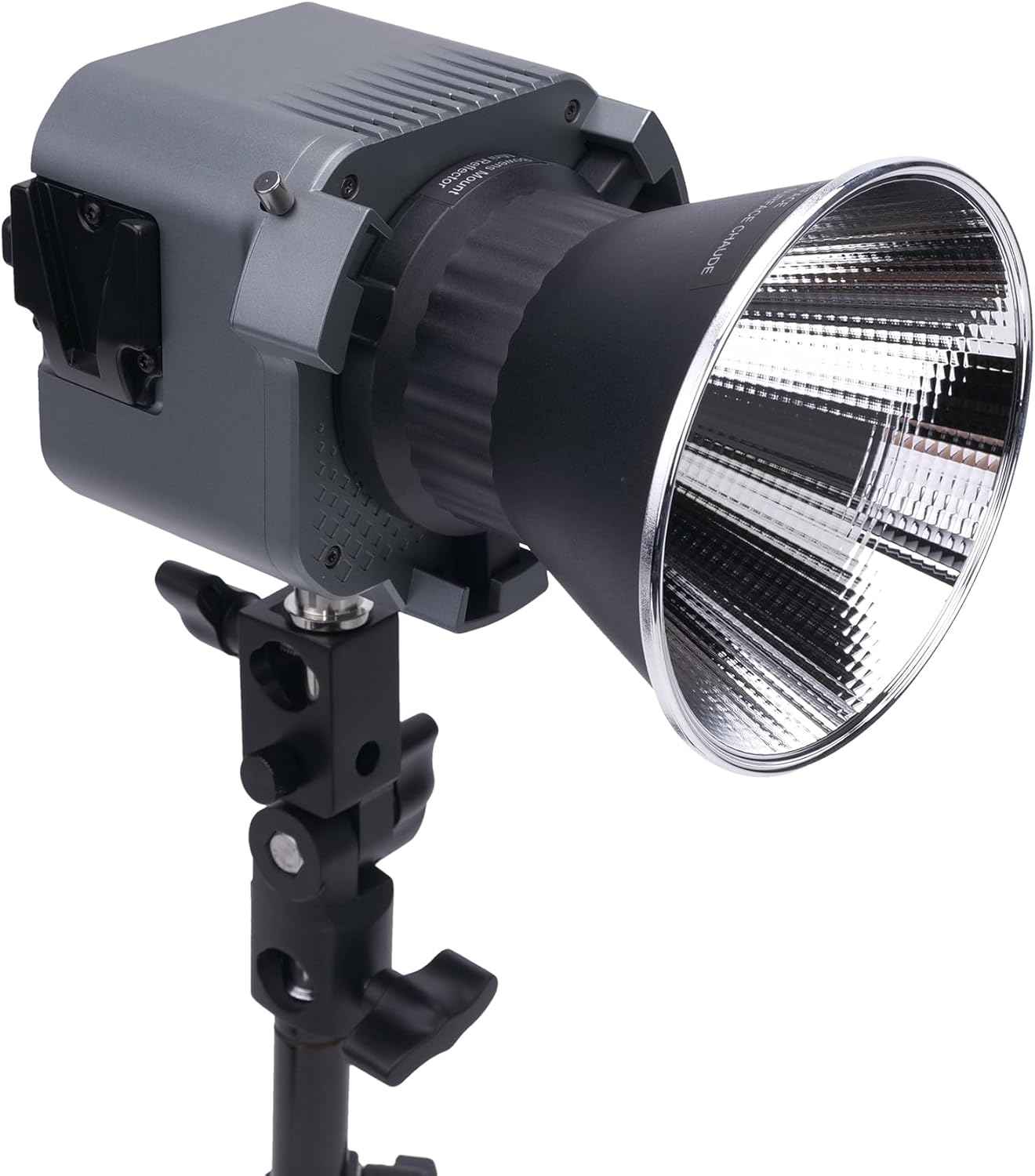
Figure 8.1: Amaran COB 60X S with a compatible softbox.

Figure 8.2: Amaran COB 60X S used with a handheld bracket for portability.
9. Warranty and Support
Aputure provides a limited warranty for the Amaran COB 60X S LED Video Light. Please refer to the warranty card included in your product packaging for detailed terms and conditions.
For technical support, service, or warranty claims, please visit the official Aputure website or contact their customer service department directly. Keep your proof of purchase for any warranty-related inquiries.
Documents and downloads
Ask a question about this manual
Ask about setup, troubleshooting, compatibility, parts, safety, or missing instructions. Manuals+ will review the question and use this page’s manual context to help answer it.