
Introduction
The Lexon TYKHO 3 is an iconic wireless Bluetooth speaker and FM radio, designed for both style and functionality. Its splash-proof rubber finish makes it suitable for various environments, from poolside lounging to bathroom use. Enjoy your favorite FM stations or stream music wirelessly via Bluetooth. This manual provides comprehensive instructions for setup, operation, maintenance, and troubleshooting to ensure optimal performance of your device.

Front view of the Lexon TYKHO 3 Wireless Bluetooth Speaker and FM Radio in black, showcasing its iconic design with the speaker grille, control buttons, and antenna.
What's in the Box
Upon unboxing your Lexon TYKHO 3, please ensure all the following components are present:
- Lexon TYKHO 3 FM radio - 3W Bluetooth® speaker
- Micro-USB charging cable

The Lexon TYKHO 3 speaker shown with its Micro-USB charging cable connected to the charging port on the side.
Setup
Initial Charging
Before first use, fully charge your Lexon TYKHO 3. The device is powered by a Lithium Polymer battery.
- Locate the Micro-USB charging port on the side of the speaker.
- Connect the provided Micro-USB cable to the speaker and the other end to a USB power adapter (not included) or a computer's USB port.
- The charging indicator light will illuminate. A full charge takes approximately 4 hours.
- Once fully charged, the indicator light may change or turn off, depending on the model. Disconnect the charging cable.

The Lexon TYKHO 3 speaker connected to a power source via its Micro-USB cable for charging.
Operating Instructions
Power On/Off
- To power on the device, press and hold the power button located on the top.
- To power off, press and hold the power button again.
FM Radio Mode
- Press the "FM" button to switch to FM radio mode.
- Extend the antenna for optimal reception.
- Use the tuning dial (or +/- buttons if applicable) to scan for and select your desired radio station. The frequency range is 88-108MHz.
Bluetooth Speaker Mode
- Press the "Bluetooth" button (often indicated by a Bluetooth icon) to switch to Bluetooth mode. The device will enter pairing mode, indicated by a flashing light or audible prompt.
- On your smartphone or other Bluetooth-enabled device, enable Bluetooth and search for "TYKHO 3" in the list of available devices.
- Select "TYKHO 3" to pair. Once paired, the device will confirm with a sound or steady light.
- You can now play audio from your connected device through the TYKHO 3 speaker. The Bluetooth range is approximately 10 meters.

The Lexon TYKHO 3 speaker positioned next to a smartphone, illustrating its use in Bluetooth mode for playing music.
Volume Control
- Use the volume buttons (+ and -) on the speaker to adjust the audio level.
Maintenance
To ensure the longevity and optimal performance of your Lexon TYKHO 3, follow these maintenance guidelines:
- Cleaning: Wipe the speaker with a soft, damp cloth. Avoid using harsh chemicals or abrasive cleaners, as they may damage the rubber finish.
- Splash-Proof Feature: The TYKHO 3 is splash-proof, meaning it can withstand light splashes of water. Do not submerge the device in water or expose it to heavy rain. Ensure the charging port cover is securely closed when not charging to maintain splash resistance.
- Storage: Store the speaker in a cool, dry place when not in use. Avoid extreme temperatures.
- Battery Care: For best battery life, avoid fully discharging the battery frequently. Recharge the device regularly, especially if it will be stored for an extended period.

The Lexon TYKHO 3 speaker with water droplets on its surface, highlighting its splash-proof capability, ideal for use in bathrooms or near water.
Troubleshooting
| Problem | Possible Cause | Solution |
|---|---|---|
| Device does not power on. | Battery is depleted. | Charge the device using the provided Micro-USB cable for at least 4 hours. |
| Cannot connect via Bluetooth. | Device is not in pairing mode; Bluetooth is off on source device; too far from source device. | Ensure the TYKHO 3 is in Bluetooth pairing mode. Turn Bluetooth off and on again on your source device. Move the source device closer to the speaker (within 10m). |
| Poor FM radio reception. | Antenna not extended; weak signal area; interference. | Fully extend the antenna. Try moving the speaker to a different location. |
| Sound quality is poor or distorted. | Volume too high; low battery; interference. | Reduce the volume. Recharge the speaker. Move away from other electronic devices that may cause interference. |
Specifications
| Feature | Detail |
|---|---|
| Product Dimensions | 5.51"L x 1.77"W x 3.19"H (14 x 4.5 x 8.1 cm) |
| Item Weight | 10.8 ounces (306 grams) |
| Model Number | LA119N1 |
| Connectivity Technology | Bluetooth |
| Tuner Technology | FM |
| Frequency Range | FM 88-108MHz |
| Bluetooth Range | 10 meters (33 feet) |
| Power Source | Battery Powered (1 Lithium Polymer battery required) |
| Battery Life | Up to 20 hours |
| Charging Time | Approximately 4 hours |
| Special Features | Portable, Rechargeable, Splash-proof |
| Manufacturer | Lexon |
| Country of Origin | China |
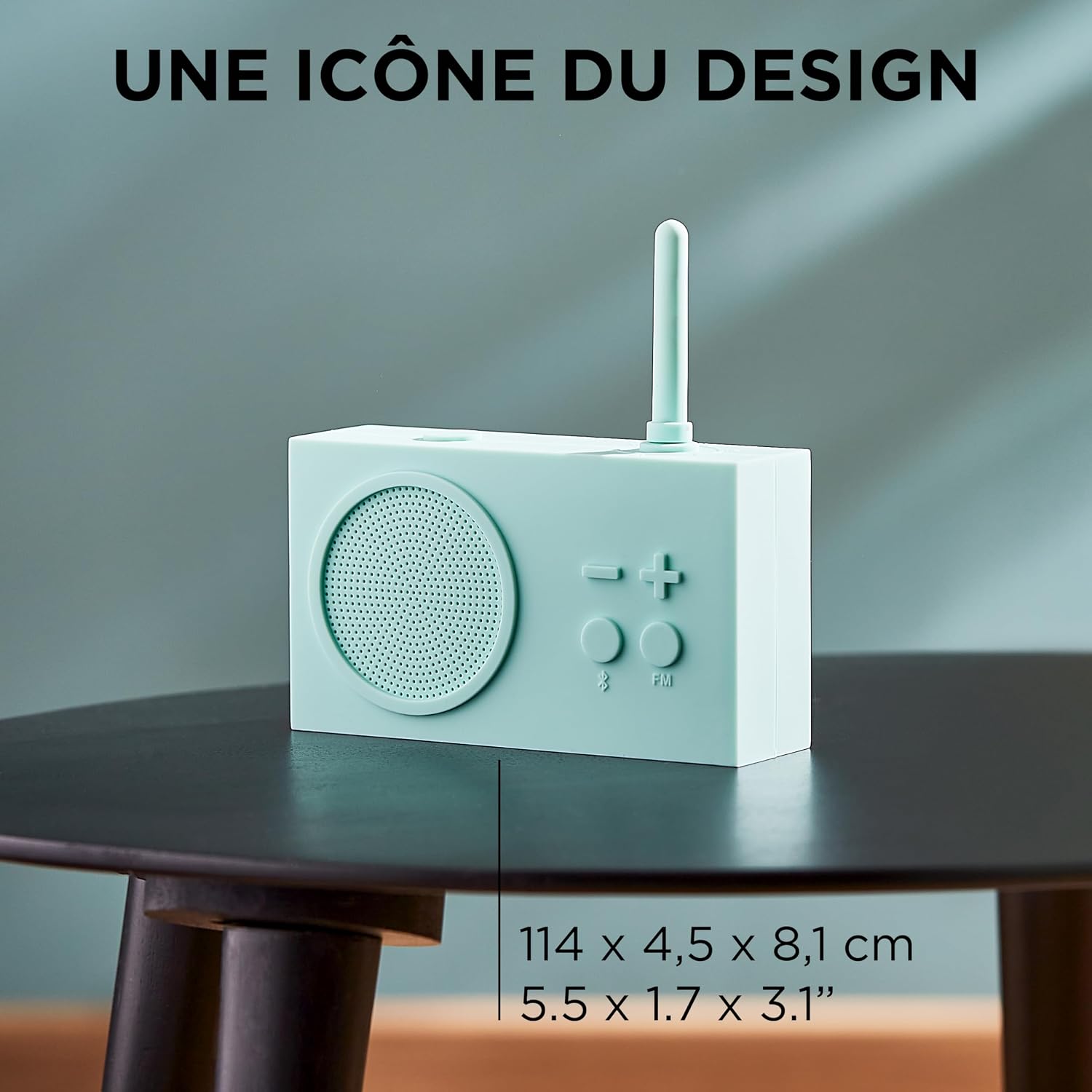
The Lexon TYKHO 3 speaker in a light blue color, with its dimensions (5.5 x 1.7 x 3.1 inches) clearly indicated on the image.
Warranty and Support
For warranty information and customer support, please refer to the official Lexon website or contact your retailer. Keep your proof of purchase for any warranty claims.
You can also find additional support and product information by visiting the Lexon Store on Amazon.
A PDF version of the user manual is available here.


