Product Overview
The Crosley Cruiser Plus is a portable 3-speed Bluetooth turntable designed for playing vinyl records and streaming digital music. It features a classic suitcase design with modern functionalities, including Bluetooth input and output, adjustable pitch control, and built-in stereo speakers.

Figure 1: Crosley Cruiser Plus Turntable (Red) with lid open, showing the platter and tonearm.
Key Features:
- Three-Speed Belt-Drive Turntable: Supports 33 1/3, 45, and 78 RPM records.
- Bluetooth Connectivity: Stream music to the turntable's speakers or stream vinyl to external Bluetooth speakers.
- Dynamic Full-Range Stereo Speakers: Built-in speakers with isolated design to reduce vibration and distortion.
- Adjustable Pitch Control: Fine-tune playback speed.
- Auxiliary Input: Connect external audio devices.
- RCA Output: Connect to an external stereo system.
- Headphone Jack: For private listening.
- Portable Suitcase Design: Easy to transport with a convenient carry handle.
What's in the Box
- CR8005DP-RE1 Cruiser Plus Turntable
- AC Adapter
- User Manual
- Rubber Turntable Mat
- 45 RPM Adapter
Setup
1. Unpacking and Placement
Carefully remove the turntable from its packaging. Place the unit on a flat, stable surface away from direct sunlight, heat sources, or excessive dust. Ensure adequate ventilation around the unit.
2. Power Connection
- Connect the AC adapter to the DC IN port on the back of the turntable.
- Plug the AC adapter into a standard wall outlet.
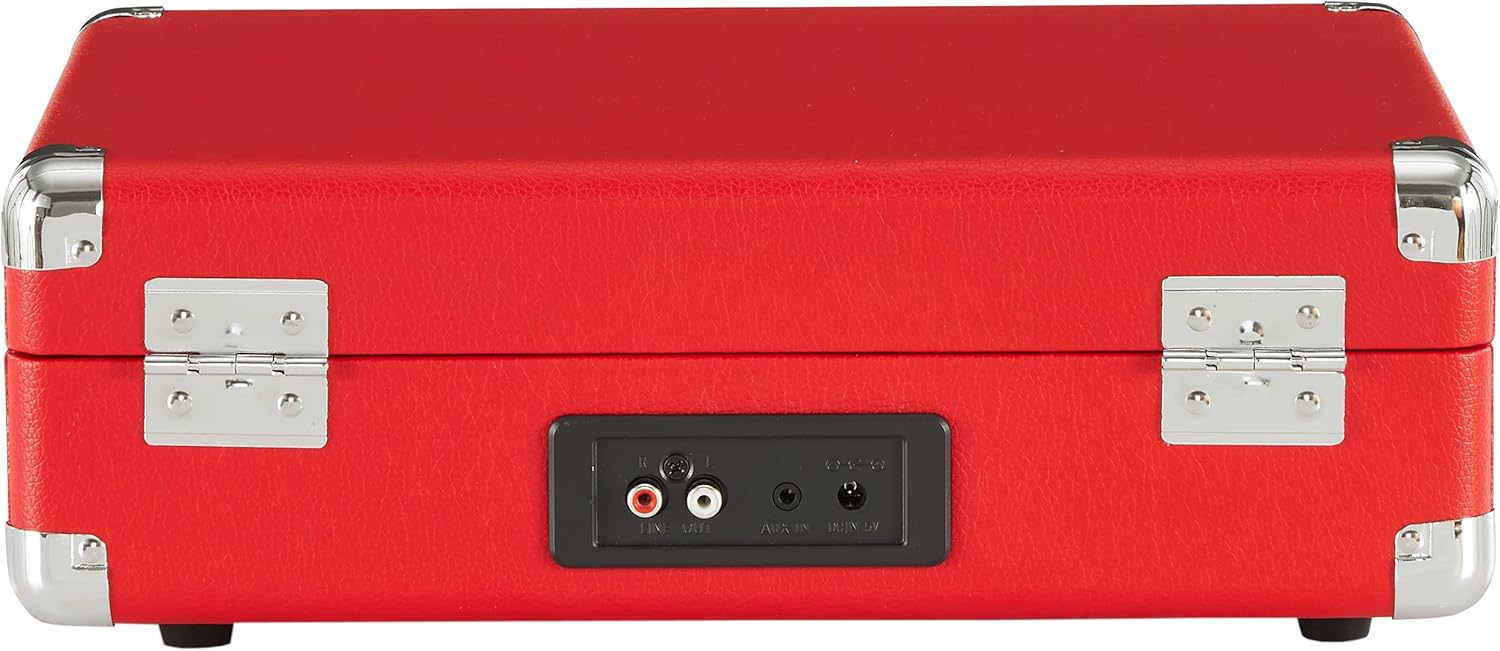
Figure 2: Rear panel connections including RCA output, Aux In, and DC In.
3. Initial Turntable Preparation
- Open the lid of the turntable.
- Remove any protective packaging materials from the platter and tonearm.
- Place the rubber turntable mat onto the platter.
- Release the tonearm lock to allow the tonearm to move freely.

Figure 3: Turntable interior with platter and tonearm.
Operating Instructions
1. Playing a Vinyl Record
- Place a record on the turntable platter. If playing a 45 RPM single, use the included 45 RPM adapter.
- Select the appropriate speed (33 1/3, 45, or 78 RPM) using the speed selector switch.
- Turn the Power/Volume knob clockwise to power on the unit and adjust the volume.
- Lift the tonearm using the cueing lever.
- Move the tonearm over the desired track on the record.
- Gently lower the tonearm onto the record using the cueing lever.
- Adjust the pitch control knob to fine-tune the playback speed if necessary.
- When the record finishes, the tonearm will automatically return to its rest position (auto-stop feature). Lift the tonearm and return it to the tonearm rest, then engage the tonearm lock.

Figure 4: Control panel with speed selector, pitch, and volume controls.
2. Bluetooth Input (Streaming to Turntable Speakers)
- Turn the Power/Volume knob clockwise to power on the unit.
- Set the function switch to the Bluetooth position. The Bluetooth indicator light will flash.
- Enable Bluetooth on your external device (e.g., smartphone, tablet) and select "Crosley Cruiser Plus" from the list of available devices.
- Once paired, the Bluetooth indicator light will glow solid.
- You can now play music from your device through the turntable's built-in speakers.
3. Bluetooth Output (Streaming Vinyl to External Speakers)
- Ensure your external Bluetooth speaker is in pairing mode.
- Place a record on the turntable and begin playback as described in section 1.
- The turntable will automatically search for and connect to nearby Bluetooth speakers. The Bluetooth indicator light will flash during searching and glow solid once connected.
- Audio from the record will now play through your external Bluetooth speaker.
4. Using Auxiliary Input
Connect an external audio device (e.g., MP3 player) to the AUX IN port on the back of the turntable using a 3.5mm audio cable. The audio from your device will play through the turntable's speakers.
5. Connecting to an External Stereo System (RCA Output)
Connect an RCA cable (not included) from the RCA OUT ports on the back of the turntable to the corresponding audio input on your stereo system. This allows you to play records through your home audio setup.
6. Private Listening (Headphone Jack)
Plug headphones into the headphone jack on the control panel for private listening. The built-in speakers will be muted when headphones are connected.
Video 1: Official product overview of the Crosley Cruiser Plus Turntable, demonstrating its features and operation.
Maintenance
1. Cleaning the Stylus
Gently clean the stylus (needle) periodically using a soft brush or a specialized stylus cleaning kit. Always brush from back to front to avoid damaging the stylus.
2. Cleaning Records
Use a carbon fiber brush or a record cleaning solution with a microfiber cloth to remove dust and debris from your records before and after each play. This helps maintain sound quality and prolong stylus life.
3. General Care
- Keep the turntable covered when not in use to prevent dust accumulation.
- Wipe the exterior with a soft, dry cloth. Avoid using harsh chemicals or abrasive cleaners.
- When transporting the turntable, ensure the tonearm is secured with its lock and the lid is latched.
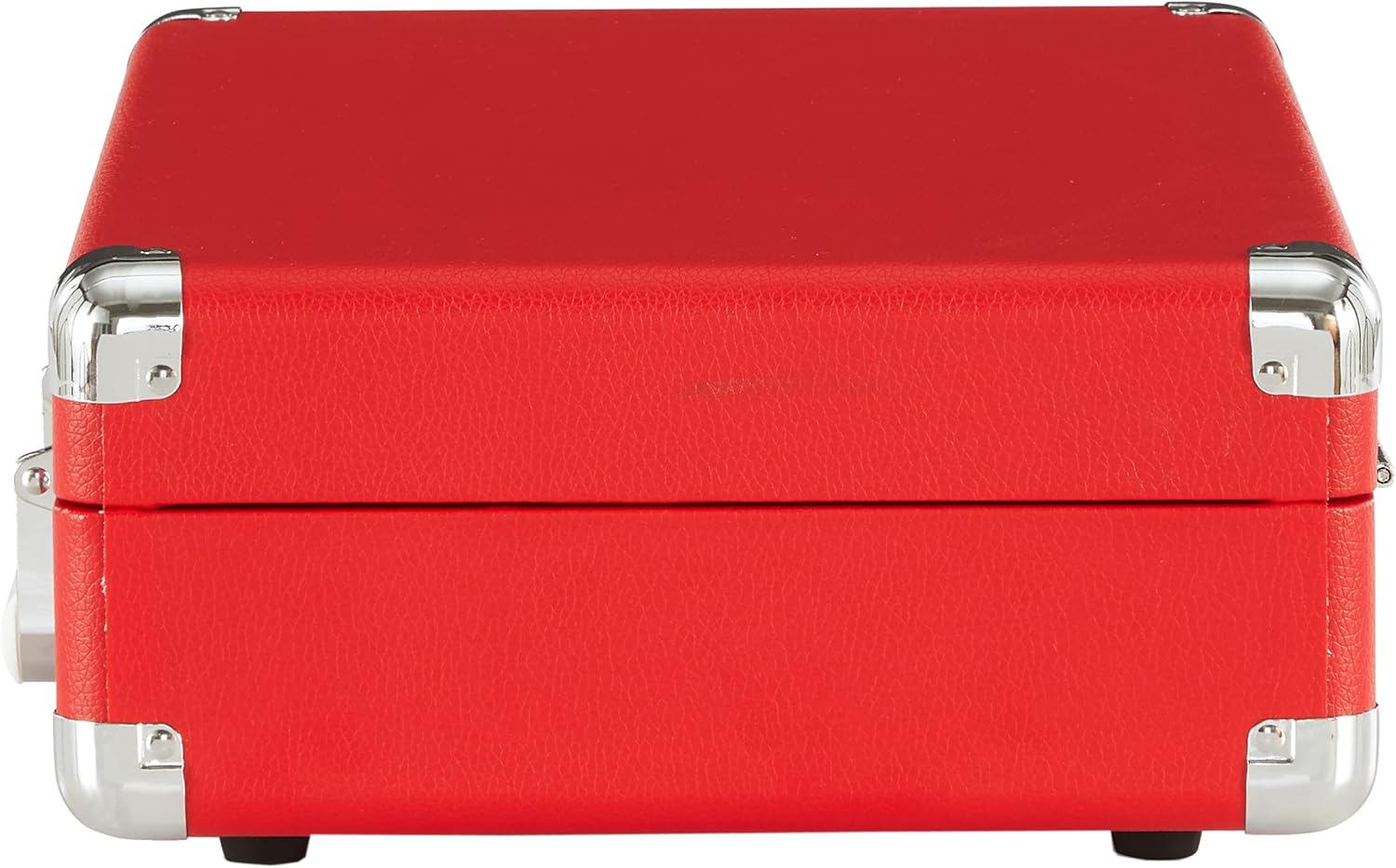
Figure 5: The turntable in its portable suitcase form.
Troubleshooting
| Problem | Possible Cause | Solution |
|---|---|---|
| No Power | Power adapter not connected or faulty outlet. | Ensure AC adapter is securely plugged into the turntable and a working wall outlet. |
| No Sound | Volume too low; function switch incorrect; headphones connected. | Increase volume; set function switch to PHONO or Bluetooth; disconnect headphones. |
| Skipping Record | Dirty record; damaged stylus; unstable surface. | Clean record; replace stylus; place turntable on a stable, level surface. |
| Sound Distortion/Muffled Audio | Dirty stylus; worn stylus; incorrect pitch. | Clean or replace stylus; adjust pitch control. |
| Bluetooth Pairing Issues | Device too far; incorrect mode; interference. | Ensure devices are close; set turntable to Bluetooth mode; restart devices. |
Specifications
- Model Name: Cruiser Plus
- Item Model Number: CR8005DP-RE1
- Brand: Crosley
- Color: Red
- Material: Plastic
- Item Weight: 6 pounds
- Product Dimensions: 13.78 x 4.72 x 10.24 inches
- Power Source: Corded Electric
- Voltage: 5 Volts
- Maximum Rotational Speed: 78 RPM
- Special Feature: Portable
Warranty and Support
For warranty information and customer support, please refer to the warranty card included with your product or visit the official Crosley website. You may also contact Crosley customer support directly for assistance with product registration, troubleshooting, or service inquiries.
Crosley Website: www.crosleyradio.com


