
CEYOMUR CY70
CEYOMUR Trail Camera CY70 User Manual
Model: CY70
1. Introduction
The CEYOMUR Trail Camera CY70 is designed for wildlife monitoring, hunting, farm surveillance, and home security. It captures high-resolution photos and videos with advanced features for reliable outdoor performance.
2. What's in the Box
Verify that all components are present in the package:
- 1 x CEYOMUR Trail Camera CY70
- 1 x USB Cable
- 1 x Strap
- 1 x Tripod Mount
- 1 x User Manual

Image: The CEYOMUR Trail Camera CY70 and its included accessories: a strap, tripod mount, USB cable, and user manual.
3. Product Features
- 2.7K Video Resolution & 24MP Photo Pixels: Captures high-definition videos and crisp images with vivid details, day and night.
- 850nm Low Glow Infrared Night Vision: Equipped with 40 low glow LEDs for clear black and white night vision up to 20 meters.
- Super Wide Detection Angle: Three passive infrared sensors provide up to a 120° detection angle with a 116° ultra-wide lens. Side PIR sensors can be enabled or disabled.
- Ultra-Fast 0.2s Motion Detection: Rapid trigger speed ensures no important moments are missed.
- IP66 Waterproof Performance: Durable construction with a rubber sealing ring in the battery compartment ensures operation in severe weather conditions.
- Clearer Sound Recording: Advanced microphone and speaker for enhanced audio capture.
- Large Memory Storage: Supports memory cards up to 128GB (not included).
- Multiple Features: Includes password protection, time interval, time lapse, timer, PIR sensitivity adjustment, and more.

Image: Comparison of 1080P and 2.7K video resolution, demonstrating the enhanced clarity of 2.7K for capturing wildlife details.
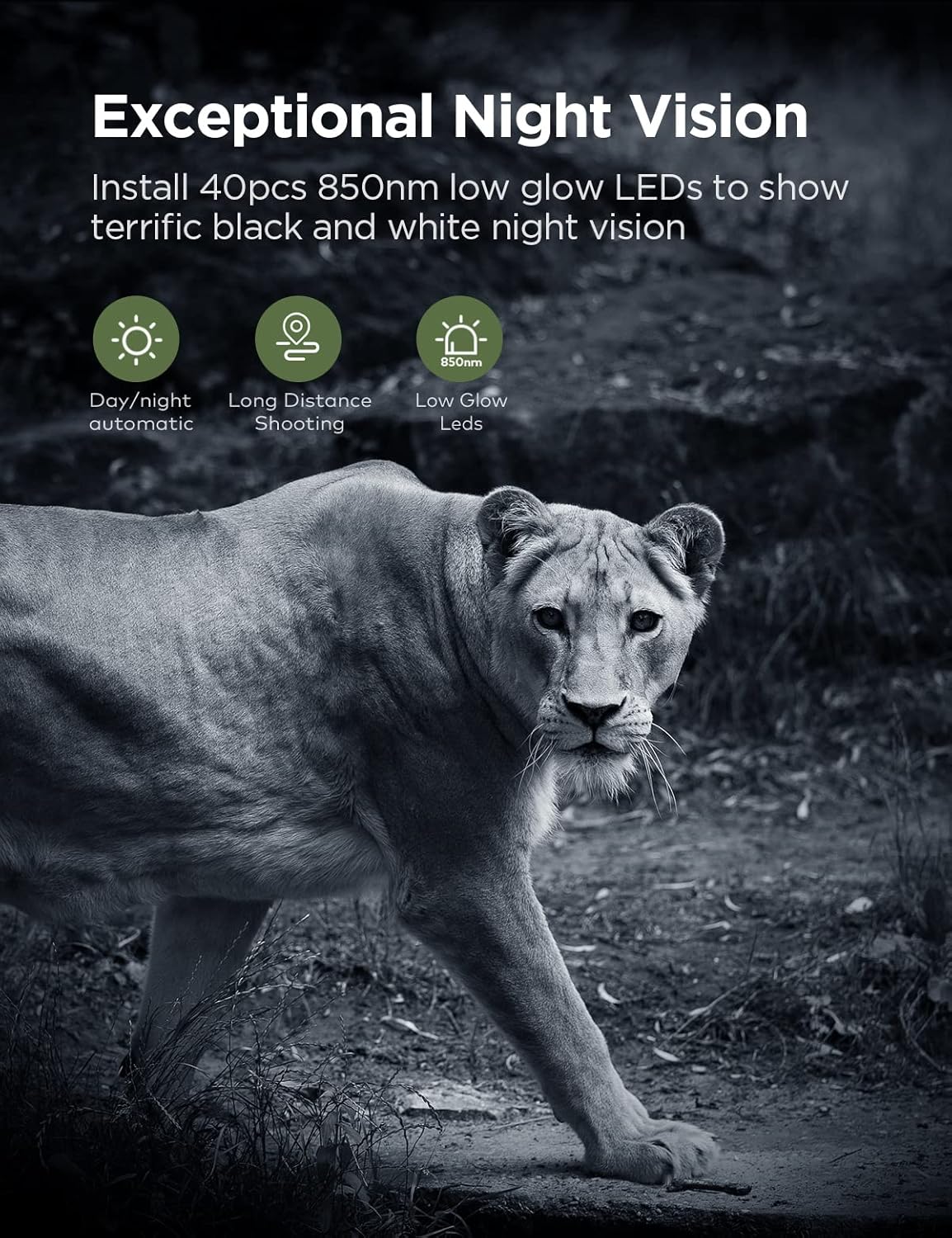
Image: Night vision capabilities of the camera, showing a clear black and white image of a lioness in a dark environment, enabled by 850nm low glow infrared LEDs.

Image: A fawn in motion, demonstrating the camera's 0.2-second trigger speed, capable of capturing fast-moving wildlife.

Image: A wide-angle view of horses grazing in a field, illustrating the camera's broad detection and field of view.

Image: A hummingbird near the camera, symbolizing the clear sound recording capability for capturing ambient wildlife sounds.
4. Setup
4.1 Battery Installation
- Open the camera housing by unlatching the side clips.
- Locate the battery compartment. The camera requires 8 AA batteries.
- Insert the batteries according to the polarity markings (+/-) inside the compartment.
- Close the battery compartment securely, ensuring the rubber sealing ring is properly seated for water resistance.
4.2 Memory Card Installation
- Ensure the camera is powered off.
- Insert a Micro SD or SD card (Class 6 or faster, up to 128GB, not included) into the designated memory card slot until it clicks into place.
- To remove, gently push the card until it springs out.
4.3 Mounting the Camera
The camera can be mounted using the included strap or tripod mount:
- Strap Mounting: Thread the strap through the slots on the back of the camera and secure it around a tree or pole. Adjust for a stable position.
- Tripod Mount: Attach the tripod mount to the camera's threaded insert and then secure it to a tripod or other compatible mounting accessory.
5. Operating Instructions
5.1 Powering On/Off
- To power on, slide the mode switch to the 'ON' position.
- To power off, slide the mode switch to the 'OFF' position.
5.2 Mode Selection
The camera typically features different operating modes:
- OFF: Power off the camera.
- SETUP: Access the menu settings and preview images/videos on the 2.4'' LCD screen.
- ON: Camera is active and will capture photos/videos based on configured settings.
5.3 Menu Settings
In 'SETUP' mode, use the navigation buttons to access and adjust various settings:
- Mode: Select Photo, Video, or Photo+Video.
- Photo Resolution: Choose from various MP options up to 24MP.
- Video Resolution: Select from 2.7K, 2K, 1296P, 1080P, 720P, 480P, 360P.
- PIR Sensitivity: Adjust the motion sensor sensitivity (Low, Medium, High).
- Trigger Interval: Set the delay between consecutive triggers.
- Time Lapse: Configure the camera to take photos at set intervals.
- Timer: Set specific times for the camera to be active.
- Password Protection: Enable a password for camera access.
- Date/Time: Set the current date and time.
6. Maintenance
- Cleaning: Use a soft, dry cloth to clean the camera lens and housing. Avoid abrasive cleaners.
- Battery Care: Replace all batteries at the same time. Remove batteries if the camera will not be used for an extended period.
- Storage: Store the camera in a cool, dry place away from direct sunlight when not in use.
- Memory Card: Regularly format the memory card to ensure optimal performance and prevent data corruption.
7. Troubleshooting
- Camera not turning on: Check battery installation and ensure batteries are fully charged. Verify the mode switch is in the 'SETUP' or 'ON' position.
- No photos/videos captured: Ensure the memory card is inserted correctly and has sufficient space. Check PIR sensitivity settings and trigger interval. Verify the camera is in 'ON' mode.
- Poor image/video quality: Clean the camera lens. Ensure the camera is mounted securely to prevent movement. Check resolution settings.
- Night vision issues: Ensure there are no obstructions in front of the infrared LEDs. Check battery level, as low power can affect IR performance.
- Water ingress: Ensure all latches are securely closed and the battery compartment's rubber seal is intact.
8. Specifications
| Feature | Specification |
|---|---|
| Model Name | CY70 |
| Effective Still Resolution | 24 MP |
| Video Capture Resolution | 2.7K, 2K, 1296P, 1080P, 720P, 480P, 360P |
| Trigger Time | 0.2s |
| Night Vision Range | 20 Meters |
| Light Source Type | 40pcs Infrared LEDs (850nm Low Glow) |
| Viewing Angle | 116 Degrees |
| Detection Angle | Up to 120 Degrees (with 3 PIR sensors) |
| Water Resistance Level | IP66 Waterproof |
| Power Source | 8 AA batteries (not included) |
| Flash Memory Type | Micro SD, SD (up to 128GB) |
| Screen Size | 2.4 Inches |
| Dimensions (L x W x H) | 5.31 x 3.94 x 2.99 inches |
| Item Weight | 1.3 pounds |
9. Warranty and Support
CEYOMUR products are designed for reliability and performance. For warranty information, technical support, or service inquiries, please refer to the contact details provided in your product packaging or visit the official CEYOMUR website. Keep your purchase receipt for warranty claims.
10. Media Gallery
10.1 Official Product Videos
Video: Interesting Moments Captured by CEYOMUR CY70 Trail Camera. This video showcases various wildlife captured by the camera, demonstrating its motion detection and recording capabilities.
Video: CEYOMUR Trail Camera CY70 - Day and Night Image & Video. This video provides examples of both daytime color footage and nighttime infrared footage from the CY70 camera.
Video: Day & Night Video Examples of CEYOMUR Trail Camera CY70. A collection of short video clips demonstrating the camera's performance in different lighting conditions.
Video: CEYOMUR Trail Camera CY70 - Common Snipes & Eurasian Teals. This video captures specific bird species, highlighting the camera's ability to record smaller wildlife.
Video: Welcome to the World of Birds. A compilation of various bird species recorded by the CEYOMUR CY70, showcasing its use for birdwatching and monitoring.
Video: CEYOMUR Trail Camera CY70 - Examples of Various Animals. This video features diverse animal captures, illustrating the camera's versatility for different wildlife monitoring scenarios.
Video: CEYOMUR CY70 Trail Camera: Great Picture and Video Quality. This video highlights the overall quality of images and videos produced by the CY70 trail camera.
Video: Time Lapse Function of CEYOMUR CY70 Trail Camera. This video demonstrates the time-lapse feature, showing environmental changes or slow-moving subjects over time.
Ask a question about this manual
Ask about setup, troubleshooting, compatibility, parts, safety, or missing instructions. Manuals+ will review the question and use this page’s manual context to help answer it.