
Introduction
This manual provides instructions for the setup, operation, and maintenance of your Kassionel Universal Replacement Remote Control. This remote is designed to function as a direct replacement for various Pioneer Home Theater AV A/V Receiver System models, including AXD7694, AXD7666, VSX-53, VSX-1019AH, SC-61, and VSX-D414-S.
It is a non-original replacement remote that requires no programming. Simply insert batteries, and it is ready for use.
Setup
1. Battery Installation
The remote control requires two (2) AAA alkaline batteries (not included) for operation. Follow these steps to install the batteries:
- Locate the battery compartment cover on the back of the remote control.
- Slide the cover downwards or press the latch and lift to open the compartment.
- Insert two AAA batteries, ensuring the positive (+) and negative (-) terminals align correctly with the markings inside the compartment.
- Replace the battery compartment cover by sliding it back into place until it clicks securely.

Figure 1: Battery installation. Ensure correct polarity when inserting AAA batteries.
Note: No programming is required for this replacement remote control. It is designed to work immediately after battery installation with compatible Pioneer receiver models.
Operating Instructions
This remote control operates using infrared (IR) technology. Ensure there is a clear line of sight between the remote and your Pioneer receiver for optimal performance. The maximum operating range is approximately 10 meters (33 feet).
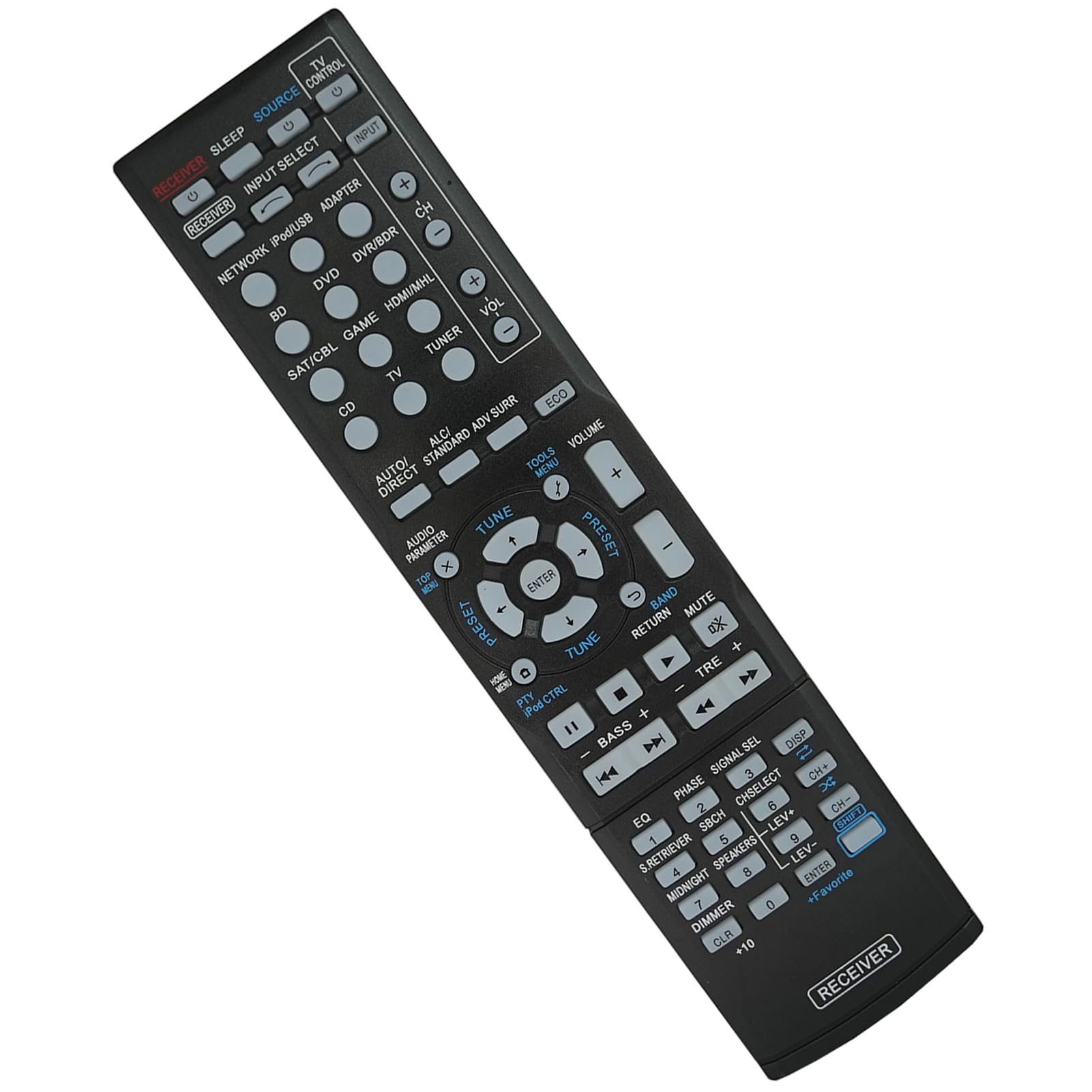
Figure 2: Remote control in use, demonstrating its strong signal capability.
Key Functions Overview
The remote control features 15 buttons designed for intuitive control of your home theater receiver. Below is a general overview of common button functions. Specific button labels may vary slightly but generally correspond to standard receiver controls.

Figure 3: Key features of the remote control, including durable ABS material and soft buttons.
- Power (RECEIVER): Turns the receiver on or off.
- Input Select: Cycles through available input sources (e.g., BD, DVD, SAT/CBL, CD, TV, TUNER).
- Volume (+/-): Adjusts the master volume level.
- Mute: Temporarily silences the audio output.
- Navigation (Up/Down/Left/Right/Enter): Used for menu navigation and selection.
- Menu/Tools: Accesses the receiver's main menu or settings.
- Audio Parameter: Adjusts audio settings.
- Tuner Controls (TUNE +/-): For radio tuning.
- Playback Controls (Play, Pause, Stop, Skip): For controlling connected media devices.
- Numeric Keypad (0-9, +10): For direct input or channel selection.
- Dimmer: Adjusts display brightness on the receiver.
For detailed information on specific functions, refer to your Pioneer receiver's original instruction manual.
Maintenance
Cleaning
To clean the remote control, use a soft, dry cloth. Do not use liquid cleaners, abrasive pads, or chemical solvents, as these can damage the surface and internal components.
Battery Replacement
Replace batteries when the remote control's response becomes sluggish or stops functioning. Always replace both batteries at the same time with new AAA alkaline batteries. Do not mix old and new batteries, or different types of batteries.
Storage
If the remote control will not be used for an extended period, remove the batteries to prevent leakage and potential damage to the device.
Troubleshooting
| Problem | Possible Cause | Solution |
|---|---|---|
| Remote control not responding. |
|
|
| Certain buttons do not work. |
|
|
Specifications
| Feature | Detail |
|---|---|
| Brand | Kassionel |
| Model Compatibility | Pioneer AXD7694, AXD7666, VSX-53, VSX-1019AH, SC-61, VSX-D414-S 7.1-Channel Home Theater AV A/V Receiver Systems |
| Connectivity Technology | Infrared (IR) |
| Power Supply | 2 x 1.5V AAA Alkaline Batteries (not included) |
| Maximum Range | 10 Meters (approx. 33 feet) |
| Color | Black |
| Material | ABS (as indicated by image) |
| Dimensions (L x W x H) | 8.23" x 1.93" x 0.85" |
| Item Weight | 84 Grams |
Warranty Information
This Kassionel Universal Replacement Remote Control comes with a 1-year warranty from the date of purchase. This warranty covers manufacturing defects under normal use. It does not cover damage caused by misuse, accidents, unauthorized modifications, or battery leakage.
Please retain your proof of purchase for warranty claims.
Customer Support
For any questions, problems, or warranty inquiries regarding your Kassionel Universal Replacement Remote Control, please contact our customer support team. Refer to your purchase documentation for specific contact details or visit the Kassionel brand page on the retailer's website.
We are committed to providing assistance and ensuring your satisfaction.