
Lenovo 11JN002MUS
Lenovo ThinkCentre M75q Gen 2 Desktop Computer User Manual
Model: 11JN002MUS
Introduction
This manual provides essential instructions for setting up, operating, maintaining, and troubleshooting your Lenovo ThinkCentre M75q Gen 2 desktop computer. Please read this manual thoroughly before using the device to ensure proper function and longevity.

Image: Front and side view of the Lenovo ThinkCentre M75q Gen 2 desktop computer, showcasing its compact black chassis with vertical ventilation grilles and front ports.
Package Contents
Verify that all items are present in the package:
- Lenovo ThinkCentre M75q Gen 2 Desktop Computer
- USB Traditional Keyboard
- USB Calliope Mouse
- Stand
- AC Adapter
Setup
1. Connecting Peripherals
Before powering on, connect your keyboard, mouse, and monitor to the appropriate ports on the computer. Refer to the image below for port identification.
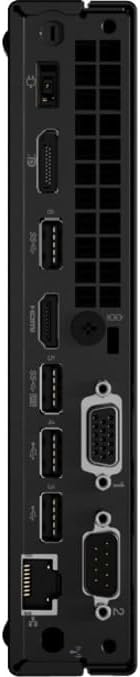
Image: Rear view of the Lenovo ThinkCentre M75q Gen 2, displaying multiple ports including USB, HDMI, DisplayPort, Ethernet, and VGA connectors.
- Keyboard and Mouse: Connect the USB keyboard and mouse to any available USB ports.
- Monitor: Connect your monitor using an HDMI or DisplayPort cable. Ensure the monitor is also powered on.
- Network: For a wired internet connection, connect an Ethernet cable to the RJ-45 port.
2. Power Connection
Connect the AC adapter to the power input port on the computer, then plug the power cord into a wall outlet.
3. Powering On
Press the power button located on the front of the computer. The system will boot up, and the operating system (Windows 10 Pro) will load.
Operating Instructions
The Lenovo ThinkCentre M75q Gen 2 comes pre-installed with Windows 10 Pro, offering a familiar and efficient user experience.
- Initial Setup: Follow the on-screen prompts to complete the initial Windows 10 Pro setup, including user account creation and network configuration.
- Performance: Equipped with an AMD Ryzen 5 PRO 5650GE Hexa-core processor and 8 GB DDR4 RAM, this system is designed for efficient multitasking and business applications. The 256 GB NVMe M.2 PCI Express SSD ensures fast boot times and quick application loading.
- Connectivity: Utilize the various USB ports for connecting external devices. Wireless connectivity is available via 802.11ac Wi-Fi and Bluetooth.

Image: The Lenovo ThinkCentre M75q Gen 2 desktop computer shown mounted to the rear of a monitor, demonstrating its compact size and VESA mounting capability for space-saving setups.
Maintenance
1. Cleaning
- Regularly clean the exterior of the computer with a soft, dry cloth.
- Use compressed air to clear dust from ventilation grilles to ensure proper airflow and prevent overheating.
- Do not use liquid cleaners directly on the computer.
2. Software Updates
- Keep your Windows 10 Pro operating system updated to the latest version for security and performance improvements.
- Periodically check for driver updates from the Lenovo support website to ensure optimal hardware performance.
3. Data Backup
Regularly back up important data to an external drive or cloud storage to prevent data loss.
Troubleshooting
This section addresses common issues you might encounter.
- No Power:
- Ensure the AC adapter is securely connected to both the computer and a working power outlet.
- Verify the power outlet is functional by plugging in another device.
- No Display on Monitor:
- Check that the monitor is powered on and the video cable (HDMI/DisplayPort) is securely connected to both the computer and the monitor.
- Try a different video cable or monitor if available.
- System Slow or Unresponsive:
- Close unnecessary applications running in the background.
- Check for and install any pending Windows updates.
- Run a system scan for malware or viruses.
- Ensure adequate ventilation to prevent thermal throttling.
- Peripheral Not Detected:
- Ensure the peripheral is properly connected to a USB port.
- Try connecting the peripheral to a different USB port.
- Restart the computer.
- Check the device manager in Windows for driver issues.
Specifications
| Feature | Detail |
|---|---|
| Brand | Lenovo |
| Series | ThinkCentre M75q Gen 2 |
| Model Number | 11JN002MUS |
| Processor | AMD Ryzen 5 PRO 5650GE Hexa-core (6 Core) 3.40 GHz |
| RAM | 8 GB DDR4 SDRAM (3200 MHz) |
| Storage | 256 GB NVMe M.2 PCI Express SSD |
| Graphics | AMD Radeon Graphics |
| Operating System | Windows 10 Pro |
| Wireless Connectivity | 802.11ac, Bluetooth |
| USB 2.0 Ports | 2 |
| Dimensions (LxWxH) | 0.7 x 7 x 0.7 inches |
| Item Weight | 2.76 pounds |
| Color | Black |
Physical Overview
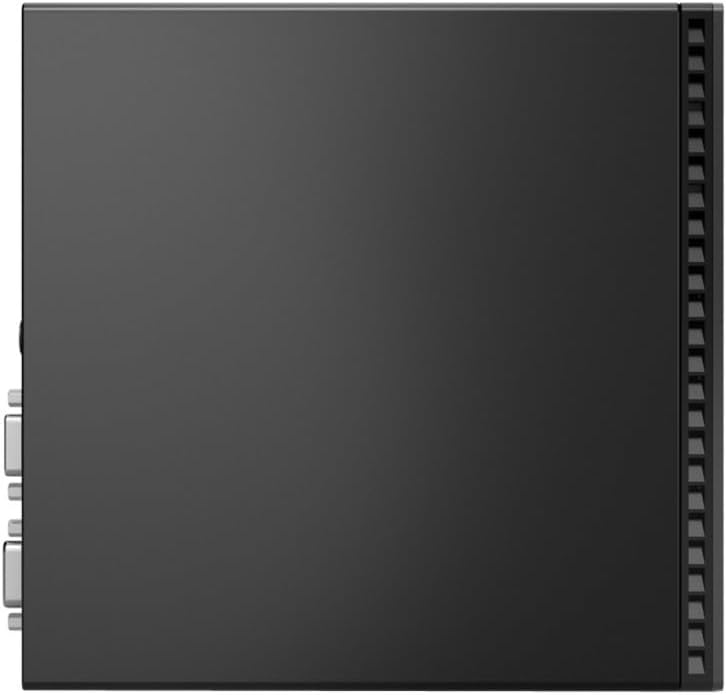
Image: Side view of the Lenovo ThinkCentre M75q Gen 2, showing its slim profile and ventilation grilles.
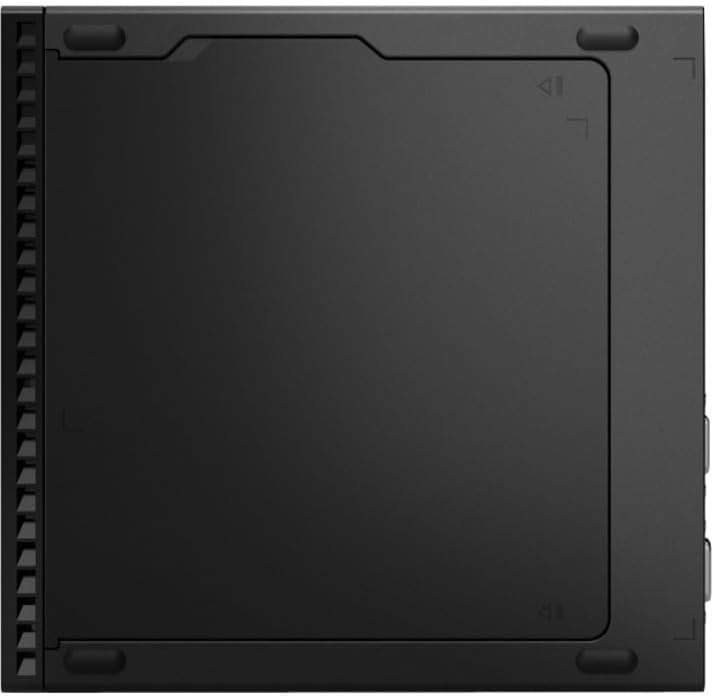
Image: Bottom view of the Lenovo ThinkCentre M75q Gen 2, highlighting its base design and mounting points.
Warranty and Support
For warranty information and technical support, please refer to the documentation included with your product or visit the official Lenovo support website. Ensure you have your model number (11JN002MUS) and serial number ready when contacting support.
Lenovo Support Website: support.lenovo.com