
1. Introduction
Thank you for choosing the FONESTAR MSHT-17 VHF Wireless Lapel Microphone. This manual provides essential information for the correct installation, operation, and maintenance of your wireless microphone system. Please read this manual thoroughly before using the product to ensure optimal performance and safety.
2. Safety Information
Please observe the following safety precautions to prevent damage to the device and ensure user safety:
- Do not expose the device to rain, moisture, or extreme temperatures.
- Avoid dropping or subjecting the device to strong impacts.
- Do not attempt to open or repair the device yourself. Refer all servicing to qualified personnel.
- Keep the device away from sources of heat and direct sunlight.
- Use only the power supply specified for this device.
3. Package Contents
Carefully unpack the box and ensure all items are present and in good condition. The package should contain:
- FONESTAR MSHT-17 VHF Wireless Lapel Microphone (Transmitter and Receiver)
- Computer recording and processing accessories
- User Manual
4. Product Overview
The FONESTAR MSHT-17 is a compact VHF wireless lapel microphone system designed for various applications including singing, karaoke, streaming, videoconferencing, and gaming. It offers reliable wireless connectivity for clear audio transmission.
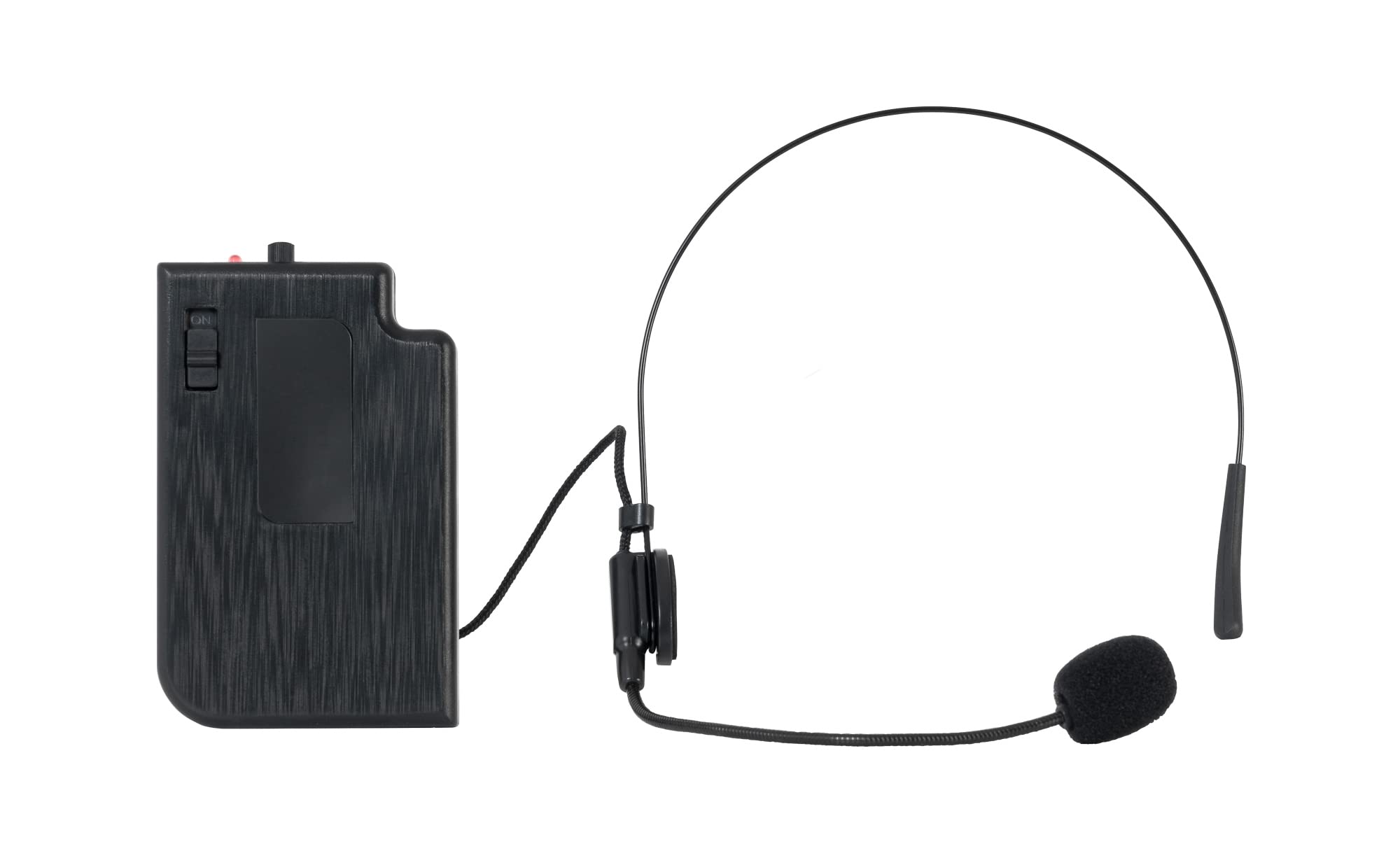
Image showing the FONESTAR MSHT-17 VHF Wireless Lapel Microphone, typically including the lapel microphone, transmitter, and receiver.
5. Setup Instructions
- Power Supply: Connect the receiver unit to a suitable power source using the provided electric cable. Ensure the power indicator light illuminates.
- Connect to Audio System: Use an XLR cable to connect the receiver's output to your mixer, amplifier, computer, or other compatible audio input device.
- Transmitter Power: Insert the required batteries (not specified, assume standard AA/AAA) into the lapel microphone transmitter. Turn on the transmitter.
- Pairing (if applicable): The system should automatically pair. If not, refer to specific pairing instructions in the full manual (if provided separately). Ensure the receiver's signal indicator shows a stable connection.
- Positioning: Clip the lapel microphone to your clothing, approximately 15-30 cm (6-12 inches) from your mouth, for optimal sound capture.
6. Operating Instructions
- Power On: Turn on the receiver first, then the transmitter.
- Volume Adjustment: Adjust the volume on your connected audio system (mixer, amplifier) to a suitable level. Start with a low volume and gradually increase it to avoid feedback or distortion.
- Testing: Speak into the microphone to test the audio output. Monitor the sound quality and adjust settings as needed.
- Power Off: When finished, turn off the transmitter first, then the receiver. This helps prevent pops or clicks through your audio system.
Helpful Videos
Video demonstrating a general overview or setup process for a wireless microphone system.
Video illustrating connection steps for a wireless microphone to an audio device.
Video showcasing the microphone in use for a performance or recording scenario.
Video providing tips for optimizing sound quality with the wireless microphone.
Short video clip demonstrating a specific feature or quick setup step.
7. Maintenance
- Cleaning: Use a soft, dry cloth to clean the exterior of the microphone and receiver. Do not use liquid cleaners or solvents.
- Storage: When not in use, store the microphone system in a dry, cool place, away from direct sunlight and extreme temperatures.
- Battery Replacement: Replace batteries in the transmitter when the low battery indicator appears or when performance degrades.
8. Troubleshooting
| Problem | Possible Cause | Solution |
|---|---|---|
| No sound output | Microphone or receiver not powered on; incorrect cable connection; low transmitter battery. | Ensure all units are powered on. Check all cable connections. Replace transmitter batteries. |
| Poor sound quality / Static | Interference from other wireless devices; transmitter too far from receiver; low transmitter battery. | Move away from other wireless devices. Reduce distance between transmitter and receiver. Replace transmitter batteries. |
| Feedback (howling sound) | Microphone too close to speakers; volume too high. | Increase distance between microphone and speakers. Reduce volume on your audio system. |
9. Specifications
| Brand | FONESTAR |
| Model Name | VHF Wireless Lapel Microphone |
| Product Model Number | MSHT-17 |
| Connectivity Technology | XLR |
| Connector Type | XLR |
| Special Feature | Wireless |
| Compatible Devices | Personal Computer, Video Game Console |
| Recommended Uses | Singing, Karaoke, Streaming, Videoconferencing, Gaming |
| Color | MULTICOLOR |
| Microphone Form Factor | Lapel |
| Power Supply | Electric Cable |
| Material | Metal, Plastic |
| Number of Channels | 1 |
| Package Dimensions | 10 x 6.6 x 2.4 cm |
| Product Weight | 100 g |
10. Warranty and Support
FONESTAR products are manufactured with high-quality materials and undergo strict quality control. For warranty information, please refer to the warranty card included with your purchase or contact your local dealer. For technical support or service inquiries, please contact FONESTAR customer service through their official website or the contact information provided with your product.


