
Autel Newest MS906 Pro-TS Scan Tool
Autel MaxiSYS MS906 PRO-TS Scanner User Manual
Model: Newest MS906 Pro-TS Scan Tool | Brand: Autel
Introduction
The Autel MaxiSYS MS906 PRO-TS is a professional diagnostic scan tool designed for comprehensive vehicle system analysis, maintenance, and repair. This advanced device integrates full TPMS functionality, ECU coding capabilities, and extensive diagnostic features to provide a powerful solution for automotive technicians and enthusiasts. It supports a wide range of vehicle makes and models, ensuring broad compatibility and efficient operation.
Key Features
- ECU Online & Offline Coding: Supports variant coding, offline programming, adaptive data reset, and customization of OE settings for various vehicle brands including BMW, Porsche, Ford, Mazda, Jaguar, and Vauxhall Opel.
- Full TPMS Functions: Activates all known 315MHz & 433MHz sensors, performs over 3000 TPMS sensor relearns, checks sensor data, and retrieves OEM part numbers. Includes RKE & RF signal strength check and TPMS Retrofit.
- Bi-Directional Control & Active Tests: Capable of performing over 3000 active tests on various components like fuel pumps, A/C, injectors, solenoids, and windows.
- OE-Level All System Diagnostics: Reads and erases over 8000 DTCs, displays graph/overlap live data, and freeze frame data across all vehicle systems.
- 36+ Hot Services: Offers dealership-level maintenance procedures including Oil Reset, EPB, BMS, SRS, ABS Bleed, SAS, Injector Coding, Throttle Match, Suspension, Gearbox Learn, and Battery Registration.
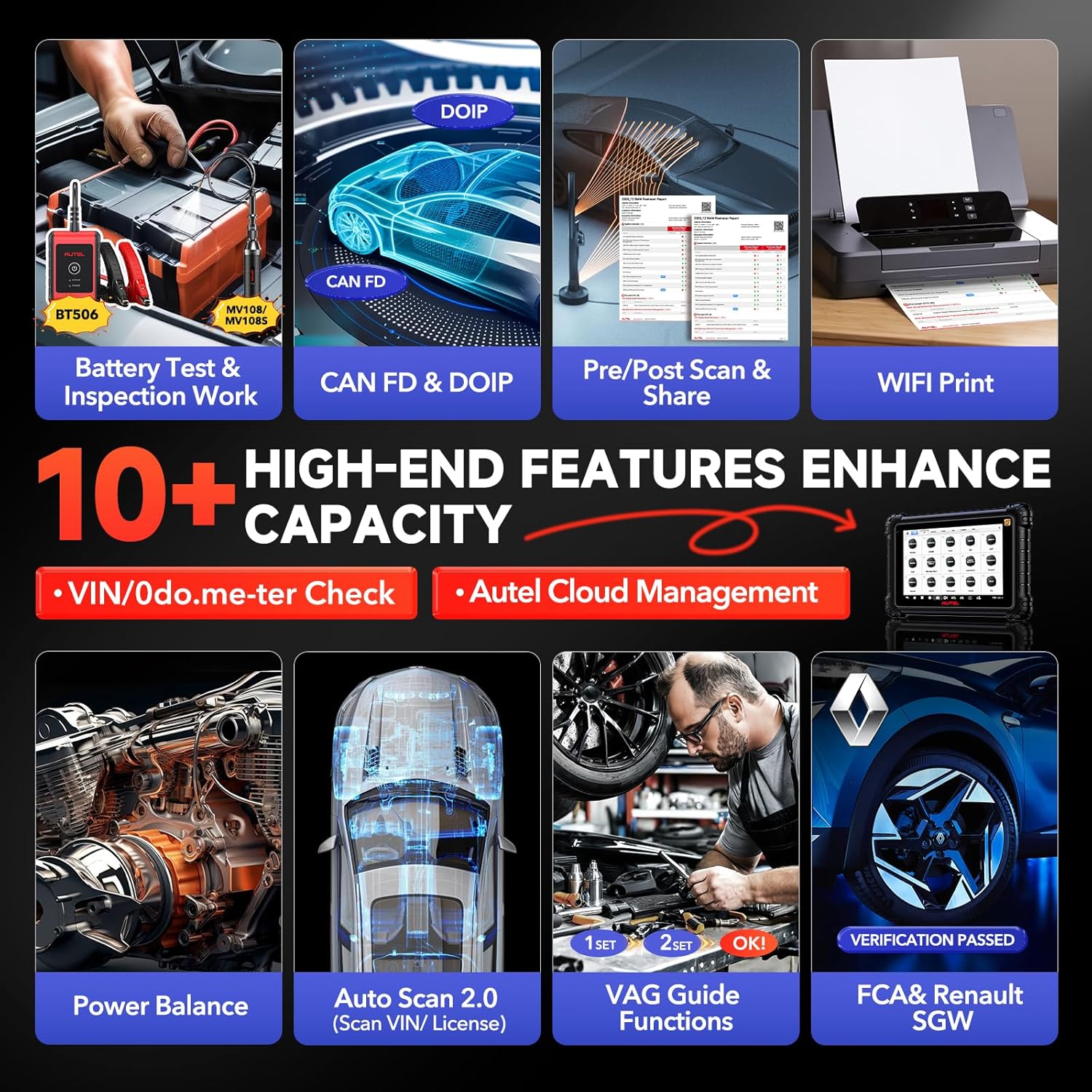
- Advanced Protocols: Supports CAN FD and DoIP protocols for newer vehicle models (GM 2019+, BMW E/F/G chassis, Volvo 2018+, Land Rover & Jaguar 2017+).
- Superior Hardware: Equipped with an Octa-core CPU, Android 10.0 OS, 8-inch 1920x1200 screen, 4G+128G memory, 11,600mAh battery, and 16MP camera.
- Auto Scan 2.0: Maximizes scanning speed, offering 3X faster average scan speeds for various car makes.
- FCA AutoAuth SGW: Supports secure gateway access for 2017+ FCA vehicles.
Product Components
The Autel MaxiSYS MS906 PRO-TS package includes the following components:
- MS906 PRO-TS Main unit
- MaxiVCI V200
- AC/DC Adapter(12V)
- Type C USB Cable
- Cigarette Lighter Adapter

Setup
- Charge the Tablet: Before first use, fully charge the MS906 PRO-TS tablet using the provided AC/DC adapter.
- Power On: Press and hold the Power button on the tablet to turn it on.
- Connect MaxiVCI V200: Locate the vehicle's OBDII port (usually under the dashboard) and plug in the MaxiVCI V200. The VCI's power LED should illuminate.
- Establish Bluetooth Connection: On the tablet, navigate to the VCI Manager application. Select the MaxiVCI V200 from the list of available devices to establish a Bluetooth connection. Ensure the VCI's connection LED indicates a successful pairing.
- Software Updates: Connect the tablet to a stable Wi-Fi network and check for any available software updates. It is recommended to keep the software updated for optimal performance and vehicle coverage.
Operating the Device
1. Diagnostics
The Diagnostics function allows for comprehensive scanning of all available vehicle systems to read and clear Diagnostic Trouble Codes (DTCs), view live data streams, and perform active tests.
- Auto Scan 2.0: Utilizes advanced algorithms for rapid vehicle system identification and scanning.
- Read/Erase DTCs: Identifies and clears fault codes from various control modules.
- Live Data: Displays real-time data parameters in text, graph, or analog gauge format.
- Active Test (Bi-directional Control): Commands specific components to perform functions for diagnostic purposes (e.g., turning on fuel pump, cycling ABS pump).

2. TPMS Functions
The MS906 PRO-TS offers complete TPMS solutions, from sensor activation to programming and relearn procedures.
- Sensor Activation: Activates all known 315MHz and 433MHz TPMS sensors.
- TPMS Relearn: Guides through various relearn procedures (OBD Relearn, Automatic Relearn, Stationary Relearn, Copy Relearn) for over 3000 vehicles.
- MX-Sensor Programming: Programs Autel MX-Sensors (315MHz & 433MHz) to replace faulty OEM sensors.
- TPMS Retrofit: Assists in installing TPMS systems on vehicles that did not originally come with them.

3. ECU Coding
This function allows for advanced ECU operations, including online and offline coding, component matching, and personalization.
- Online Coding: Connects to online servers for vehicle-specific coding data.
- Offline Coding/Programming: Performs coding and adaptation without an internet connection for supported models.
- Component Match: Matches new control modules to the vehicle.
- Personalization: Customizes vehicle features such as interior lighting, dashboard kits, and auto start/stop functions.

4. Service Functions
The MS906 PRO-TS provides access to over 36 common and special reset functions for various vehicle systems.
| Category | Examples of Services |
|---|---|
| Basic Maintenance | Oil Reset, EPB (Electronic Parking Brake) Reset, BMS (Battery Management System) Reset |
| Safety Systems | ABS Bleed, SRS (Supplemental Restraint System) Reset, SAS (Steering Angle Sensor) Calibration |
| Engine & Transmission | Injector Coding, Throttle Match, Gearbox Learn, DPF Regeneration |
| Chassis & Body | Suspension Calibration, Window/Door/Roof Initialization, Headlamp Adjustment |

5. Advanced Features
- Battery Test (with BT506): Connects with the optional Autel BT506 battery tester for comprehensive battery and electrical system analysis.
- Endoscope Function (MaxiVideo): Supports connection to an inspection camera (e.g., Autel MV108/MV105) for visual inspection of hard-to-reach areas.
- WIFI Print & Report Sharing: Allows printing of diagnostic reports directly from the tablet and sharing via QR code, SMS, or email.
- VIN/Odometer Check: Reads mileage values and checks Vehicle Identification Numbers.
- Autel Cloud Management: Enables saving data to a cloud server for easy access, viewing, and sharing across devices.
Maintenance
- Software Updates: Regularly check for and install software updates to ensure the widest vehicle coverage and latest diagnostic functions. Updates are typically released frequently.
- Battery Care: To prolong battery life, avoid extreme temperatures and fully charge the device before long periods of inactivity.
- Cleaning: Use a soft, damp cloth to clean the tablet screen and body. Avoid abrasive cleaners or solvents.
- Storage: Store the device in its protective case in a cool, dry place when not in use.
Troubleshooting
- Device Not Powering On: Ensure the battery is charged. Connect the AC/DC adapter and try again. If the issue persists, contact support.
- VCI Disconnection: Verify the MaxiVCI V200 is securely plugged into the OBDII port and properly paired via Bluetooth. Check for VCI firmware updates.
- Communication Errors: Ensure the vehicle's ignition is on. Check all cable connections. Verify the vehicle model and year are correctly selected in the software.
- Software Freezing/Crashing: Restart the tablet. Ensure sufficient storage space. Perform a software update if available.
Specifications
| Feature | Detail |
|---|---|
| Operating System | Android 10.0 |
| Processor | Octa-core CPU (Exynos8895) |
| Memory | 4GB RAM + 128GB ROM |
| Display | 8-inch LCD with 1920x1200 resolution |
| Battery | 11,600mAh Lithium Polymer |
| Camera | 16MP Rear Camera |
| Connectivity | 5G & 2.4G Dual WIFI, Bluetooth |
| Protocols Supported | CAN FD, DoIP |
| Dimensions | 7.87 x 5.91 x 1.18 inches |
| Item Weight | 1.41 ounces |
Warranty and Support
Autel provides ongoing support for the MaxiSYS MS906 PRO-TS. For any questions or technical assistance, please contact the professional Autel team at: autelsupply@outlook.com. They aim to respond within 24 hours with a solution.
The device comes with frequent software updates, ensuring compatibility with new and classic vehicles from 1996-2025.
Ask a question about this manual
Ask about setup, troubleshooting, compatibility, parts, safety, or missing instructions. Manuals+ will review the question and use this page’s manual context to help answer it.