
Introduction
This manual provides detailed instructions for the setup, operation, and maintenance of your iMangoo True Wireless Earbud 5.0 Bluetooth Headphones. Please read this guide thoroughly to ensure proper use and to maximize your listening experience.
Package Contents
Before you begin, please check the package for the following items:
- True Wireless Earbuds (Left and Right)
- Charging Case
- USB-C Charging Cable
- User Manual

Image: Contents of the iMangoo True Wireless Earbud package.
Setup
1. Charging the Earbuds and Case
Before first use, fully charge the charging case and earbuds. Connect the provided USB-C cable to the charging port on the case and a power source. The indicator lights on the case will show the charging status.

Image: Charging the earbud case via USB-C cable.
2. Pairing with Your Device
- Ensure the earbuds are charged.
- Open the charging case. The earbuds will automatically enter pairing mode.
- On your mobile device, navigate to Bluetooth settings and enable Bluetooth.
- Search for available devices and select "ML762" from the list to connect.
- Once connected, a voice prompt will confirm successful pairing.
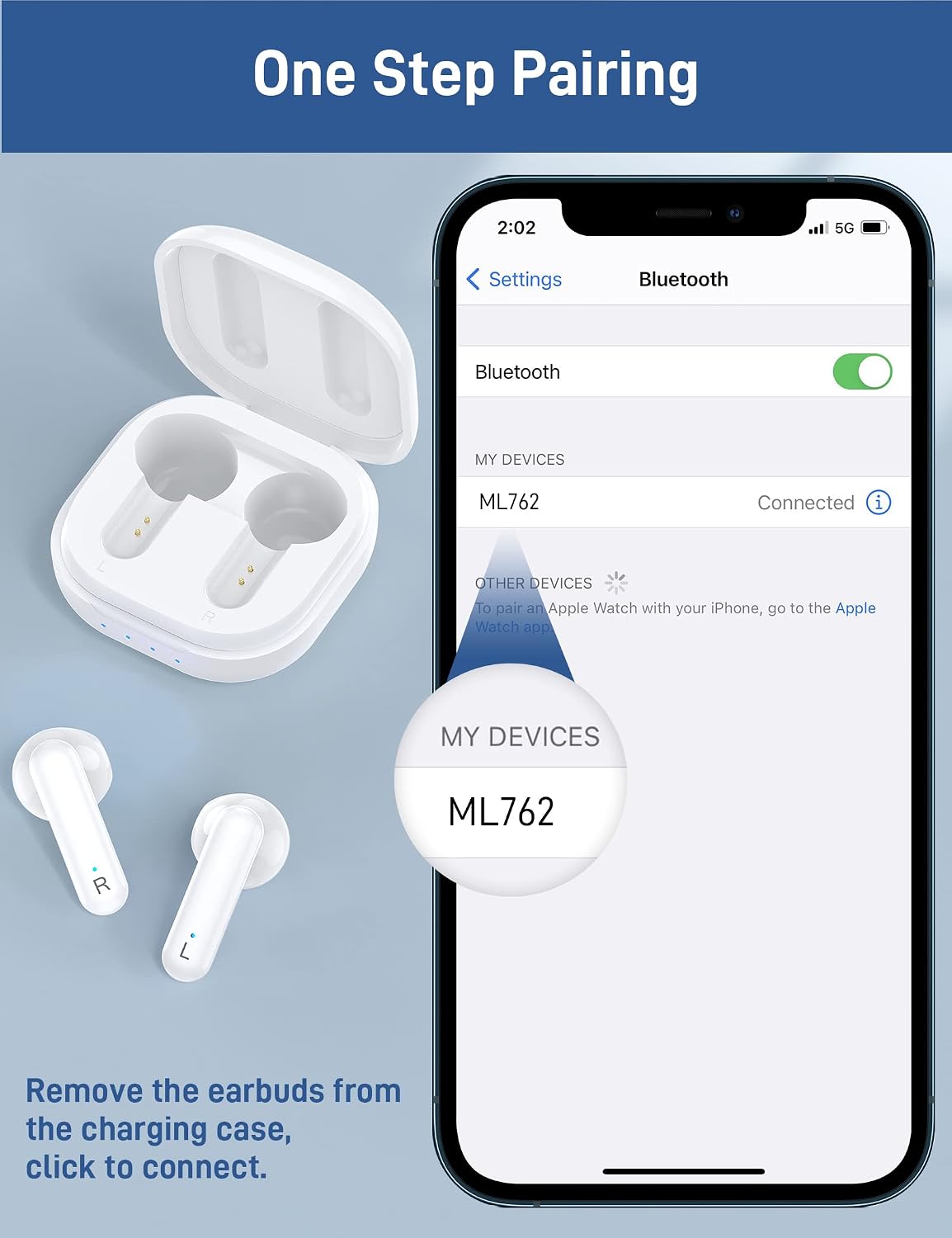
Image: One-step pairing process shown on a smartphone's Bluetooth settings.
Operating Instructions
Touch Controls
The earbuds feature intuitive touch controls for various functions:
- Music Play/Pause: Single tap on either earbud.
- Next Song: Double tap on the right earbud.
- Previous Song: Double tap on the left earbud.
- Answer/End Call: Single tap on either earbud.
- Reject Call: Press and hold either earbud for 2 seconds.
- Volume Up: Triple tap on the right earbud.
- Volume Down: Triple tap on the left earbud.
- Voice Assistant: Press and hold either earbud for 3 seconds.

Image: Visual guide to the smart touch controls for music, calls, and voice assistant.
Maintenance
Cleaning
Regularly clean your earbuds and charging case to ensure optimal performance and hygiene.
- Use a soft, dry, lint-free cloth to wipe the earbuds and charging case.
- Do not use abrasive cleaners, solvents, or aerosol sprays.
- Avoid getting moisture in any openings.
Storage
When not in use, store the earbuds in their charging case to protect them and keep them charged.
Troubleshooting
If you encounter any issues, please refer to the following common solutions:
- Earbuds not pairing: Ensure both earbuds are in the charging case, then remove them to activate pairing mode. Check your device's Bluetooth settings to ensure it's enabled and visible.
- Only one earbud working: Place both earbuds back into the charging case, close the lid, then open it again. This often resets the connection between them.
- No sound: Check the volume level on both your device and the earbuds. Ensure the earbuds are properly connected to your device.
- Charging issues: Verify that the charging cable is securely connected to both the case and the power source. Ensure the charging contacts on the earbuds and inside the case are clean and free of debris.
- Poor sound quality or disconnections: Move closer to your connected device to avoid interference. Ensure there are no obstacles between the earbuds and your device.
If the problem persists, try resetting the earbuds (refer to the full user manual for specific reset instructions if available) or contact customer support.
Specifications
| Feature | Detail |
|---|---|
| Brand | iMangoo |
| Model Number | iMangoo-0515 |
| Connectivity Technology | Bluetooth 5.0, Wireless |
| Wireless Communication Technology | Bluetooth |
| Control Method | Touch |
| Item Weight | 2.39 ounces |
| Product Dimensions | 1.57 x 1.18 x 2.36 inches |
| Manufacturer | iMangoo |
Warranty and Support
For warranty information or technical support, please refer to the contact details provided in your product packaging or visit the official iMangoo website. Keep your purchase receipt for warranty claims.