
unho Fits 32"-65" TV WHITE
Contents
unho Universal Against The Wall TV Stand Floor Instruction Manual
Model: Fits 32"-65" TV WHITE
1. Introduction
Thank you for choosing the unho Universal Against The Wall TV Stand. This free-standing mount stand is designed to securely hold your 32-65 inch flat panel LED, LCD, or Plasma screens, offering a versatile and space-saving solution without the need for wall drilling. This manual provides comprehensive instructions for assembly, operation, maintenance, and troubleshooting to ensure safe and optimal use of your TV stand.

Image: Front view of the unho Universal Against The Wall TV Stand, showcasing its minimalist design.
2. Safety Information
Please read all safety warnings and instructions carefully before assembly and use. Failure to do so may result in serious personal injury or property damage.
- Weight Capacity: Do not exceed the maximum load capacity of 88 lbs (40 kg). This stand is designed for TVs between 32 and 65 inches.
- VESA Compatibility: Ensure your TV's VESA mounting pattern is compatible (up to 600x400mm). Refer to your TV's manual for VESA specifications.
- Assembly: Assembly requires two people. Follow the instructions precisely.
- Stability: This stand is designed to be placed against a wall. Utilize the provided anti-drop accessory to secure the stand to the wall, preventing accidental tipping, especially in households with children or in earthquake-prone areas.
- Placement: Place the stand on a flat, stable, and level surface. Avoid placing it in high-traffic areas where it could be easily bumped.
- Children Safety: Keep children away from the stand during assembly. Do not allow children to climb on or play with the stand or mounted TV.

Image: Close-up of the anti-drop accessory, showing how to secure the stand to the wall using straps and anchors.
3. Package Contents
Before beginning assembly, verify that all parts are present and undamaged. If any parts are missing or damaged, do not attempt to assemble. Contact customer support for assistance.
The package typically includes:
- Main support columns (2)
- Base feet (2)
- TV mounting bracket
- Vertical TV mounting rails (2)
- Hardware kit (screws, washers, spacers, nuts, Allen wrench)
- Anti-drop straps and wall anchors
- User Manual
4. Setup and Assembly
Follow these steps carefully for proper assembly. It is recommended to have a second person assist with the assembly process.
- Prepare the Area: Clear a spacious, flat area for assembly. Lay out all components and hardware.
- Assemble the Base: Attach the main support columns to the base feet using the provided screws. Ensure all connections are secure.
- Attach TV Mounting Bracket: Secure the horizontal TV mounting bracket to the top of the main support columns.
- Install Vertical Rails to TV: Attach the vertical TV mounting rails to the back of your television using the appropriate VESA screws from the hardware kit. Ensure the rails are centered and securely fastened.
- Mount TV to Stand: With assistance, carefully lift the television and hook the vertical rails onto the horizontal mounting bracket on the stand. Secure the TV to the bracket using the safety screws or locking mechanisms provided.
- Adjust Height: The stand features adjustable height. Loosen the securing bolts on the main support columns, adjust the height to your desired viewing level (from 44.3 inches to 56.7 inches), and then firmly tighten the bolts.
- Install Anti-Drop Accessory: Position the stand against the wall. Attach the anti-drop straps from the stand to the wall using the provided wall anchors. This step is crucial for stability and safety.

Image: Illustration of the height adjustment points on the stand's vertical columns.

Image: Diagram showing compatible VESA patterns and the maximum load capacity of 88 lbs (40 kg).
5. Operating the TV Stand
The unho TV stand is designed for static placement against a wall, providing a stable and adjustable viewing platform for your television.
- Placement: Ensure the stand is always positioned against a sturdy wall. The design allows it to sit behind a TV cabinet or bench, making it appear as part of your furniture.
- Viewing Angle: Adjust the height of the TV on the stand to achieve the most comfortable viewing angle, reducing strain on your eyes, neck, and back.
- Cable Management: While the stand does not feature integrated cable management channels, cables can be neatly routed behind the vertical columns and secured with cable ties (not included) for a tidy appearance.
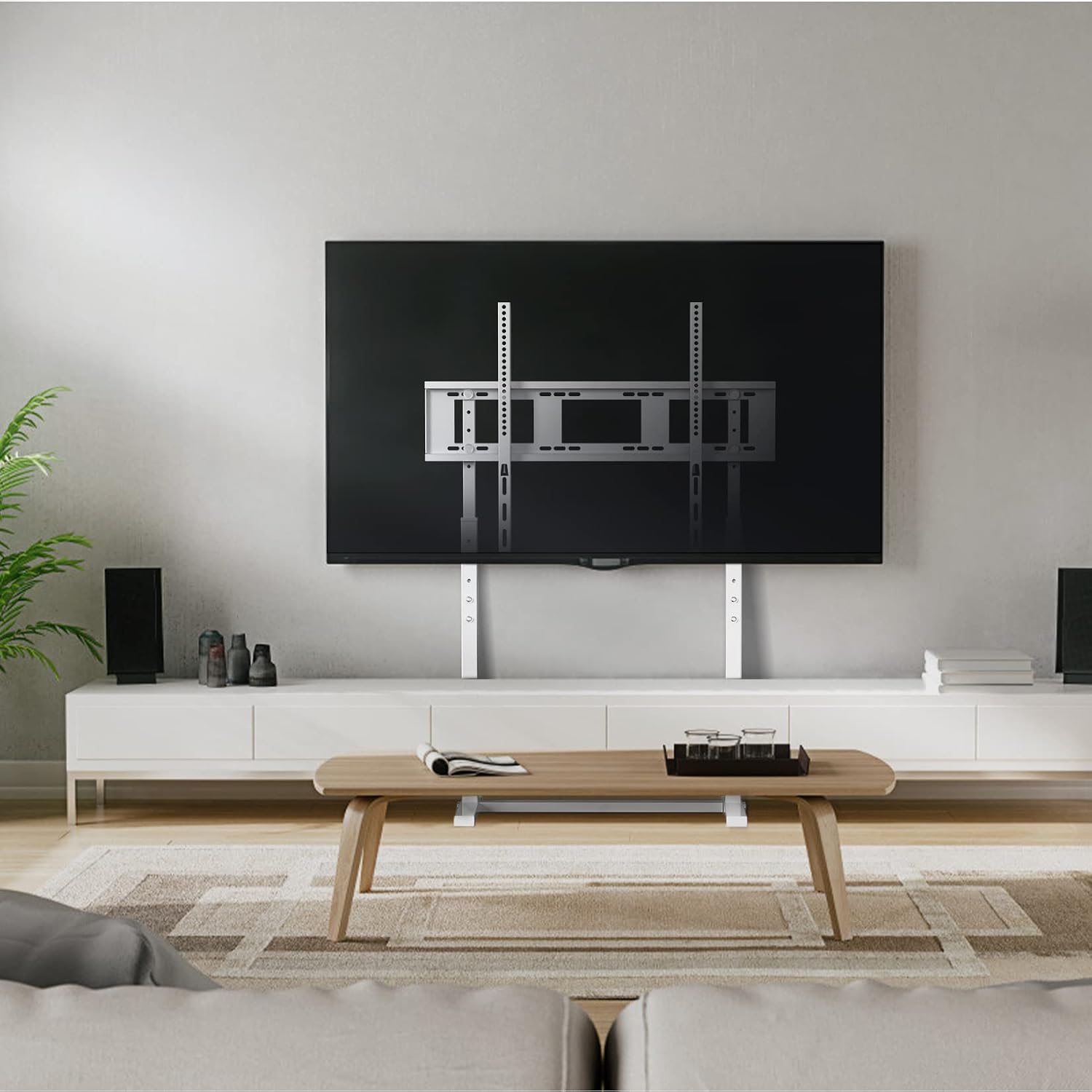
Image: The TV stand with a television, integrated into a living room environment.

Image: The TV stand positioned behind a TV bench, demonstrating its space-saving design.
6. Maintenance
To ensure the longevity and appearance of your unho TV stand, follow these simple maintenance guidelines:
- Cleaning: Wipe the stand with a soft, damp cloth. Avoid using abrasive cleaners or harsh chemicals, as they may damage the finish.
- Regular Checks: Periodically check all screws and connections to ensure they remain tight and secure. Re-tighten if necessary.
- Stability Check: Regularly verify that the anti-drop straps are securely fastened to the wall and the stand.
7. Troubleshooting
If you encounter any issues with your unho TV stand, refer to the following common problems and solutions:
| Problem | Possible Cause | Solution |
|---|---|---|
| Stand feels unstable or wobbly. | Not placed on a level surface; screws are loose; anti-drop accessory not installed or loose. | Ensure the stand is on a perfectly level surface. Check and tighten all assembly screws. Install or re-secure the anti-drop straps to the wall. |
| TV does not fit the stand. | Incorrect TV size or VESA pattern. | Verify your TV's size (32-65 inches) and VESA mounting pattern (up to 600x400mm) against the stand's specifications. |
| Difficulty with height adjustment. | Securing bolts are too tight or misaligned. | Loosen the securing bolts sufficiently before attempting to adjust the height. Ensure the columns are aligned correctly. |
| Missing parts or damaged components. | Manufacturing defect or shipping damage. | Do not proceed with assembly. Contact unho customer support immediately for replacement parts. |
8. Specifications
| Feature | Detail |
|---|---|
| Brand | unho |
| Model | Universal Against The Wall TV Stand Floor (White) |
| Compatible TV Sizes | 32 - 65 inches |
| VESA Compatibility | Up to 600x400mm |
| Load Capacity | 88 lbs (40 kg) |
| Adjustable Height Range | 44.3 inches to 56.7 inches (112.5 cm to 144 cm) |
| Material | Iron |
| Item Weight | 17.73 pounds (8.04 kg) |
| Color | WHITE |
| Mounting Type | Floor Mount (Against Wall) |

Image: Technical drawing with detailed dimensions of the TV stand.
9. Warranty and Support
unho is committed to providing high-quality products. If you encounter any problems with your TV mount stand, our responsive team is available to assist you.
- Customer Service: For any inquiries, issues, or missing parts, please contact unho customer support. Our team aims to provide a solution within 12 hours.
- Product Information: For more information about unho products, visit the official unho Store on Amazon.
Documents and downloads
Ask a question about this manual
Ask about setup, troubleshooting, compatibility, parts, safety, or missing instructions. Manuals+ will review the question and use this page’s manual context to help answer it.