
OMISOON DH-QN12
OMISOON 2000W PTC Electric Fan Heater User Manual
Model: DH-QN12 | Brand: OMISOON
Important Safety Instructions
Please read all instructions carefully before using this appliance and retain for future reference. Failure to follow these instructions may result in electric shock, fire, or serious injury.
- Always plug the heater directly into a wall outlet. Never use with an extension cord or relocatable power tap.
- Do not use the heater in bathrooms, laundry areas, or similar indoor locations where water may be present.
- Do not cover the heater. Covering the heater can cause overheating and fire.
- Keep combustible materials, such as furniture, pillows, bedding, papers, clothes, and curtains at least 1 meter (3 feet) from the front and sides of the heater.
- This heater is hot when in use. To avoid burns, do not let bare skin touch hot surfaces.
- Close supervision is necessary when any appliance is used by or near children or invalids.
- Unplug the heater when not in use.
- Do not operate any heater with a damaged cord or plug, or after the heater malfunctions or has been dropped or damaged in any manner.
- Do not insert or allow foreign objects to enter any ventilation or exhaust opening as this may cause an electric shock or fire, or damage the heater.
- To prevent a possible fire, do not block air intakes or exhaust in any manner. Do not use on soft surfaces, like a bed, where openings may become blocked.
- The heater has an internal tip-over switch that automatically shuts off the heater if it is tipped over.
- The heater has an overheat protection system that automatically shuts off the heater if its internal temperature exceeds a standard value.
- Before use, remove the film from the display screen.
Product Overview
Key Features:
- PTC Ceramic Heating: Provides instant heating with a maximum output of 2000W.
- Multiple Modes: Offers Low Heat (900W), High Heat (2000W), ECO Mode, and Fan Mode.
- Digital Thermostat: Adjustable temperature range from 15°C to 35°C, with 1°C increments.
- 90° Oscillation: Distributes heat evenly across a wider area.
- 24-Hour Timer: Set the operating time from 1 to 24 hours.
- Remote Control: Convenient operation from a distance.
- Safety Features: Overheat protection and tip-over protection.
- Adjustable Control Panel: HD display with touch control, panel height can be adjusted.
- Low Noise Operation: Operates at approximately 40-60 dB.
- Portable Design: Compact size (17 x 17 x 48 cm) and lightweight (2 kg) for easy movement.
Components:
- Main Heater Unit
- Remote Control
- Power Cord (1.5m length)

Image: The OMISOON 2000W PTC Electric Fan Heater, showing its sleek black tower design, the digital display on top, and the remote control. Warm air is depicted flowing from the front grille.
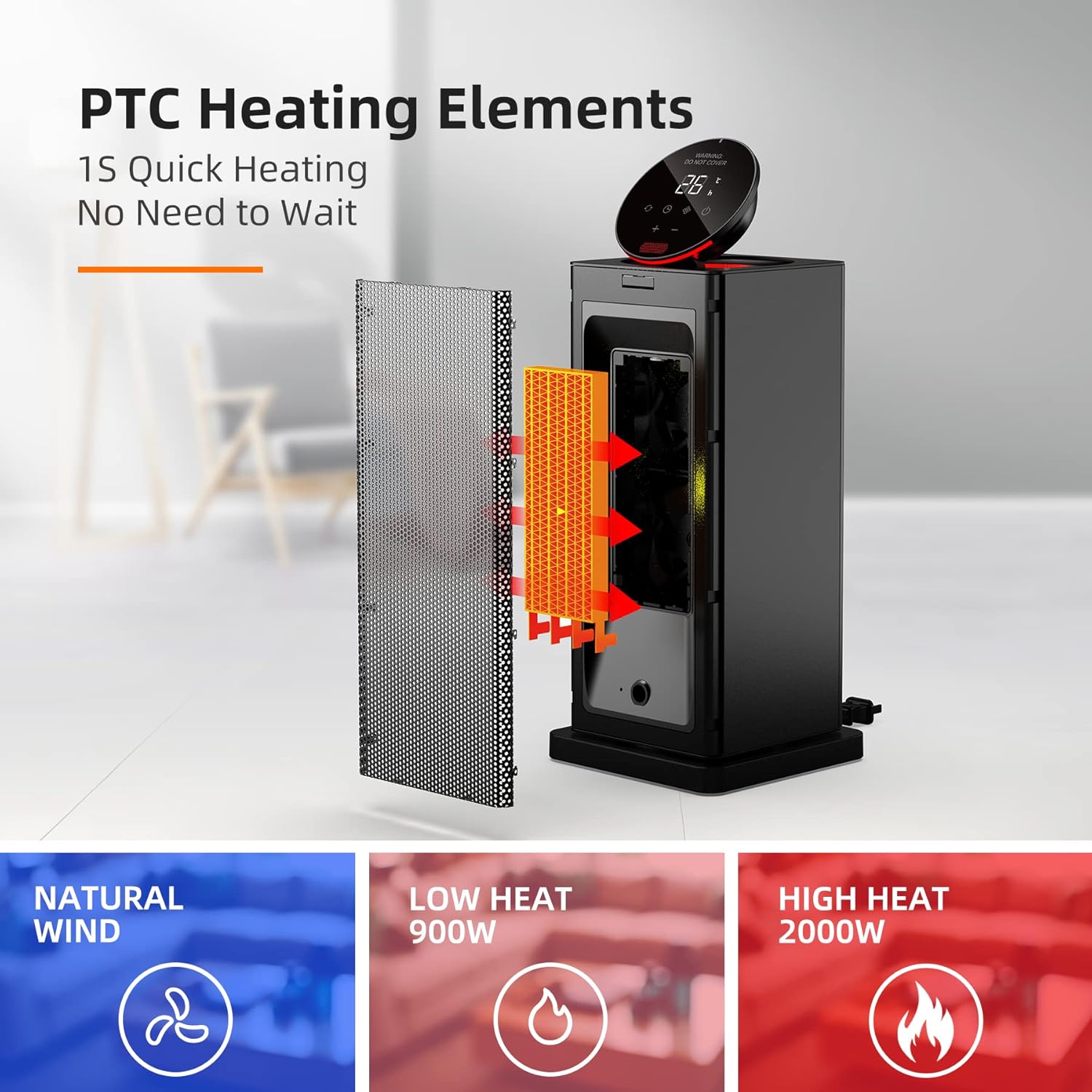
Image: An exploded view diagram illustrating the PTC heating elements inside the heater, emphasizing 1-second quick heating. Below, icons represent Natural Wind, Low Heat (900W), and High Heat (2000W) modes.
Setup
- Unpacking: Carefully remove the heater and all accessories from the packaging.
- Placement: Place the heater on a firm, level surface. Ensure there is at least 1 meter (3 feet) of clear space around the heater from any combustible materials.
- Power Connection: Plug the power cord directly into a standard 220-240V ~ 50Hz wall outlet. Do not use extension cords or power strips.
- Initial Power On: Press the master switch located at the back or bottom of the unit after plugging in the power. This prepares the unit for operation.
- Display Film: If present, gently remove the protective film from the digital display screen.
Operating Instructions
Control Panel and Remote Control:
The heater can be operated using the touch-sensitive control panel on top of the unit or the included remote control. The control panel's height can be manually adjusted for convenience.

Image: A close-up view of the heater's digital control panel, showing temperature display (e.g., 26°C) and touch buttons for power, mode, oscillation, timer, and temperature adjustment.

Image: The top of the heater with its control panel open, revealing a compartment for the remote control. The remote control itself is shown with buttons for Mode Switching, ON/OFF, Timer, Swing, and Temperature/Hour Increase/Decrease.
Power On/Off:
- Ensure the master switch (usually at the back or bottom) is in the ON position.
- Press the Power button () on the control panel or remote control to turn the heater ON or OFF.
Mode Selection:
Press the Mode button () to cycle through the available heating modes:
- Low Heat (900W): For gentle heating.
- High Heat (2000W): For rapid and powerful heating.
- ECO Mode: The heater automatically adjusts its power output (900W/2000W) to maintain the set temperature, optimizing energy consumption. It will restart if the room temperature drops below the set temperature.
- Fan Mode: Operates as a fan without heating.
Temperature Adjustment:
- In heating modes, use the "+" and "-" buttons on the control panel or remote to adjust the desired temperature.
- The temperature can be set between 15°C and 35°C in 1°C increments.
Oscillation Function:
- Press the Swing button () on the control panel or remote to activate or deactivate the 90° oscillation feature.
- This feature helps distribute warm air more widely across the room.

Image: The heater shown oscillating 90 degrees, with warm air spreading across a room where a person and a dog are relaxing, illustrating the wide heat distribution.
Timer Function:
- Press the Timer button () on the control panel or remote.
- Use the "+" and "-" buttons to set the desired operating time from 1 to 24 hours.
- The heater will automatically turn off once the set time has elapsed.
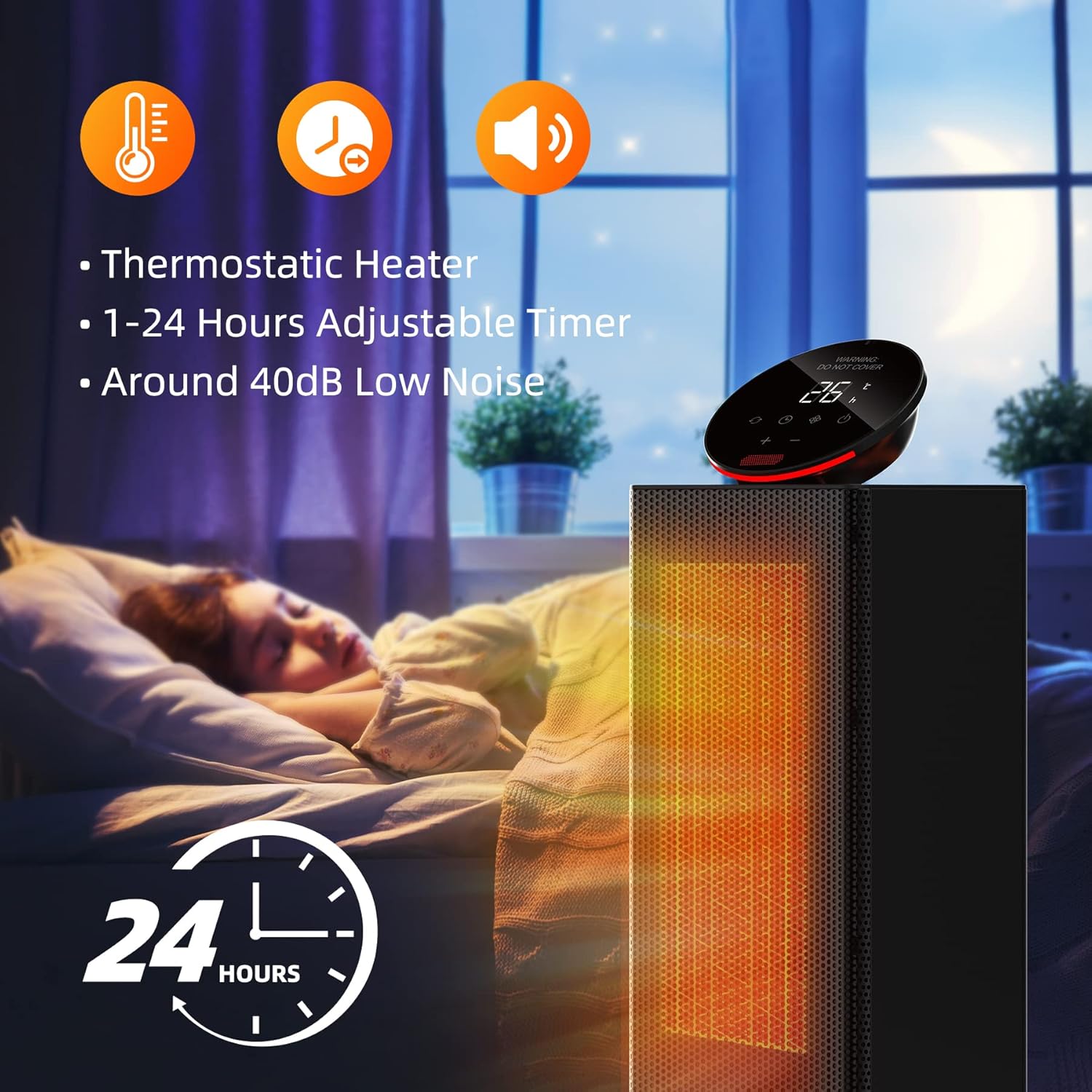
Image: The heater shown in a bedroom setting with a sleeping child, highlighting its thermostatic control, 1-24 hours adjustable timer, and low noise operation (around 40dB).
Maintenance
Regular maintenance ensures optimal performance and longevity of your heater.
- Cleaning:
- Always unplug the heater and allow it to cool completely before cleaning.
- Use a soft, damp cloth to wipe the exterior surfaces of the heater.
- Do not use abrasive cleaners or solvents as they may damage the surface.
- The heater features a removable filter. Clean the filter regularly to ensure efficient airflow. Refer to the product diagram for filter location and removal instructions.
- Storage:
- When not in use, store the heater in a cool, dry place.
- It is recommended to store the heater in its original packaging to protect it from dust and damage.
Troubleshooting
If you encounter issues with your heater, please refer to the following common problems and solutions:
| Problem | Possible Cause | Solution |
|---|---|---|
| Heater does not turn on. |
|
|
| Heater produces no heat. |
|
|
| Oscillation not working. |
|
|
| Remote control not working. |
|
|

Image: Diagrams illustrating the safety features: tip-over protection (heater automatically turns off when tilted) and overheat protection (heater automatically turns off if internal temperature exceeds safe limits).
Specifications
| Attribute | Value |
|---|---|
| Brand | OMISOON |
| Model Number | DH-QN12 |
| Color | Black |
| Product Dimensions (L x W x H) | 17 x 17 x 48 cm |
| Item Weight | 2 Kilograms |
| Power | 2000 Watts (Max) |
| Voltage | 220-240 Volts |
| Material | Ceramic (PTC Heating Elements) |
| Auto Shut-off Function | Yes (Overheat & Tip-over Protection) |
| Number of Speeds/Modes | 3 (Low, High, ECO + Fan Mode) |
| Noise Level | 40-60 dB |
| Special Features | Rapid Heating, Removable Filter, Timer, Oscillating, Portable, Adjustable Temperature, Thermostat, Remote Control, Adjustable Speed |
| Cable Length | 1.5 meters |
| Recommended Use | Indoor (Home, Office, Bedroom) |

Image: A diagram showing the precise dimensions of the heater: 17cm width, 17cm depth, and 48cm height.

Image: A person easily carrying the heater, highlighting its lightweight design (1.9kg) and portability. Also shows the general power supply switch at the bottom rear.
Warranty and Support
For warranty information or technical support, please refer to the contact details provided with your purchase or visit the official OMISOON website. Keep your purchase receipt as proof of purchase for any warranty claims.
Note: Information regarding spare parts availability is not provided in the product specifications.