
1. Product Overview
The TOMOLOO L1 PRO Electric Scooter is designed for adults seeking a portable and efficient commuting solution. It features 8.5-inch honeycomb tires for comfort, a powerful 500W motor for speeds up to 15.5 mph, and a long-range battery providing up to 21.7 miles on a single charge. The scooter incorporates double shock absorption and advanced braking systems for a safe and smooth ride. Its innovative technology allows for app control, enhancing user experience and safety.

Image 1.1: The TOMOLOO L1 PRO Electric Scooter, showcasing its sleek design and connectivity with the mobile application.
2. Setup and Initial Use
2.1 Unfolding the Scooter
The TOMOLOO L1 PRO features a one-click folding system for easy portability. To unfold, locate the folding mechanism near the base of the handlebar stem. Release the latch and carefully raise the handlebar stem until it locks securely into place. Ensure all locking mechanisms are engaged before riding.
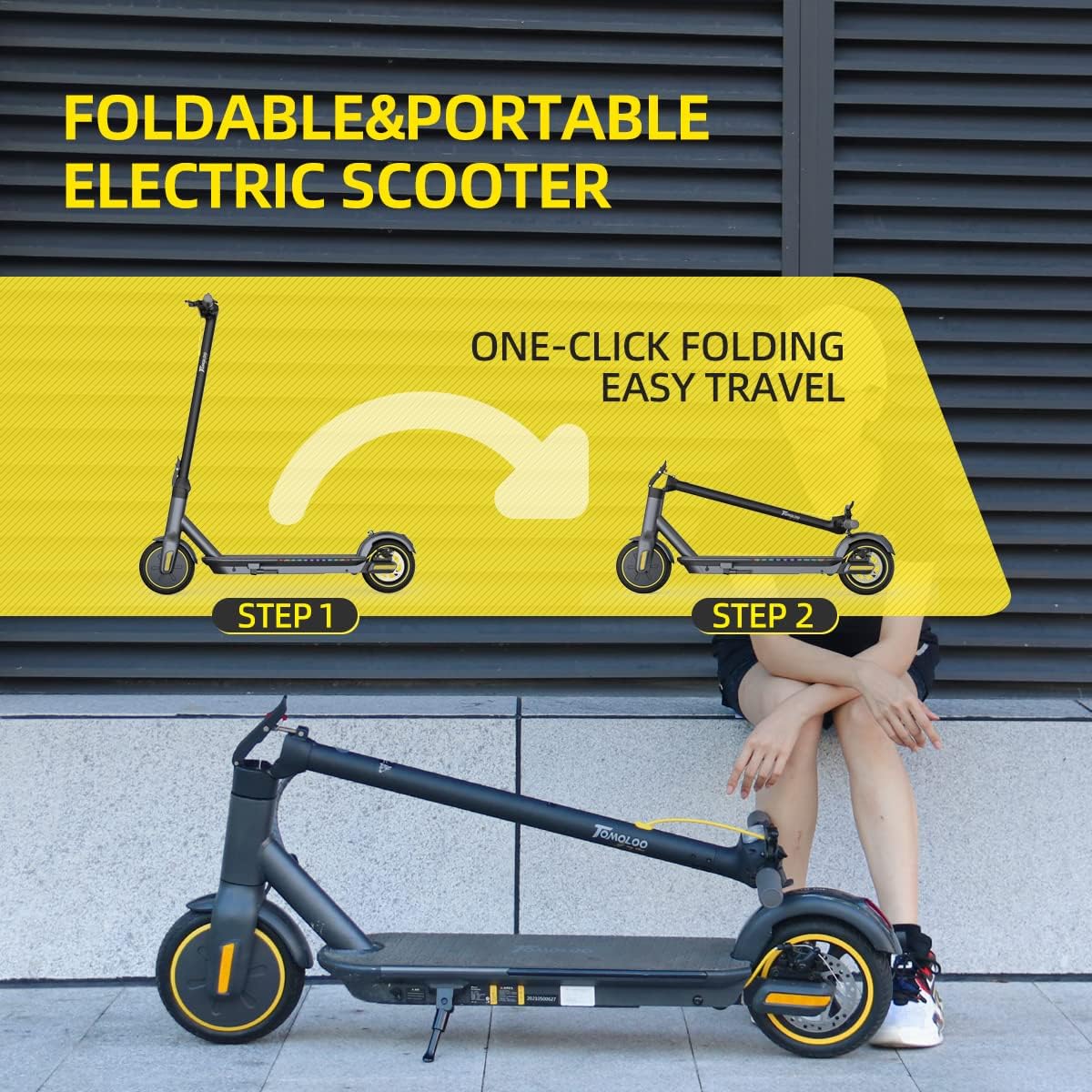
Image 2.1: Visual guide demonstrating the simple two-step process for unfolding the scooter.
2.2 Initial Charging
Before first use, fully charge the scooter's battery. Connect the charger to the charging port, typically located on the side of the deck, and then plug it into a standard wall outlet. The charging indicator light on the charger will change color (e.g., red to green) when charging is complete. This ensures optimal battery life and performance.
2.3 App Installation and Pairing
Enhance your riding experience by connecting your TOMOLOO L1 PRO to the dedicated mobile application. Search for "TOMOLOO" or "TOMOLOO PRO" in your device's app store. Once installed, follow the in-app instructions to pair your scooter via Bluetooth. The app allows for control over LED display, locking, pedal lights, cruise control, gear settings, and vehicle self-checking.

Image 2.2: The TOMOLOO L1-PRO mobile application interface, providing control over various scooter functions.
3. Operating Instructions
3.1 Power On/Off and Speed Control
To power on the scooter, press and hold the power button for 3 seconds. To turn it off, repeat the same action. The scooter features multiple speed modes. Press the power button twice quickly to cycle through the available speed modes (gears).
3.2 Headlight Operation
To turn the LED headlight on or off, press the power button once. The headlight provides illumination for night riding and enhances visibility to others.

Image 3.1: Detail of the handlebar controls, showing the power button and display.
3.3 Braking System
The TOMOLOO L1 PRO is equipped with a double braking system, including a disc brake and an EABS anti-lock braking system, ensuring efficient and responsive stopping power. Apply the brake lever on the handlebar to engage the brakes. Releasing the accelerator or applying the brake also activates the energy recovery system, which helps to increase battery endurance.

Image 3.2: Illustration of the scooter's double brake system and energy recovery feature.
3.4 Display Information
The integrated LED display provides real-time information about your ride, including battery level, current speed, front light status, Bluetooth status, electric lock status, cruise mode, and endurance mileage.

Image 3.3: Detailed view of the scooter's LED display, indicating battery, speed, and other operational statuses.
4. Maintenance
4.1 Battery Care
To maximize the lifespan of your automotive-grade lithium battery, avoid completely draining it before recharging. Store the scooter in a cool, dry place when not in use, and charge it periodically if stored for extended periods. Do not expose the battery to extreme temperatures.
4.2 Tire Inspection
The scooter is equipped with 8.5-inch honeycomb solid tires, which do not require inflation. Regularly inspect the tires for any signs of wear, cracks, or embedded debris. While solid, proper care ensures their longevity and consistent performance.

Image 4.1: View of the scooter's powerful 500W hub motor and durable 8.5-inch solid tires.
4.3 General Cleaning and Storage
Clean the scooter regularly with a damp cloth. Avoid using high-pressure water jets or harsh chemicals. When storing, especially for long periods, ensure the scooter is clean and dry. The foldable design allows for compact storage in your car or home.
5. Troubleshooting
If you encounter issues with your TOMOLOO L1 PRO scooter, consider the following common solutions:
- Scooter Not Powering On: Ensure the battery is sufficiently charged. Check that the power button is pressed and held for the required 3 seconds.
- Reduced Performance/Range: This may indicate a low battery charge. Ensure the battery is fully charged before each ride. Environmental factors like uphill riding or heavy loads can also affect range.
- App Connectivity Issues: Ensure Bluetooth is enabled on your mobile device and the scooter is powered on. Try restarting both the app and the scooter.
- Unusual Noises or Vibrations: Stop riding immediately. Inspect the wheels, brakes, and folding mechanism for any loose parts or obstructions.
- Intelligent Self-Checking: Utilize the TOMOLOO app's self-checking feature. This function can diagnose potential issues with the Hall sensor, motor, battery, handle, and controller, helping to identify and resolve security risks.

Image 5.1: Illustration highlighting the scooter's robust aviation aluminum frame and the intelligent self-checking function available through the app.
6. Technical Specifications
| Feature | Specification |
|---|---|
| Brand | TOMOLOO |
| Model Name | L1 PRO |
| Motor Power | 500W |
| Maximum Speed | 15.5 mph (25 km/h) |
| Maximum Distance Range | 21.7 miles (35 km) |
| Weight Limit | 220.5 Pounds (100 kg) |
| Item Weight | 33 Pounds (14.97 kg) |
| Wheel Size | 8.5 Inches |
| Wheel Type | Solid Honeycomb Tires |
| Frame Material | Aerospace-grade Aluminum Alloy |
| Brake Style | Mechanical Brake (Disc) & EABS Anti-lock |
| Suspension Type | Rear Suspension |
| Special Features | Fixed Speed Cruise, Foldable, Power Recovery System, Wide Platform, APP Control, LED Lighting |

Image 6.1: Infographic summarizing the key performance and design specifications of the L1 PRO scooter.
7. Warranty and Support
7.1 Warranty Information
The TOMOLOO L1 PRO Electric Scooter comes with a limited warranty. The warranty period is 3 months and covers replacement of defective parts, not repair. Please retain your proof of purchase for warranty claims.
7.2 Customer Support
For any questions, technical assistance, or warranty claims, please contact TOMOLOO customer support. Refer to the contact information provided with your product packaging or visit the official TOMOLOO website for support details.
You can also visit the official TOMOLOO store on Amazon for more information: TOMOLOO Amazon Store.


