
1. Introduction
This manual provides instructions for the safe and efficient use of your Briloner Leuchten Table Lamp, model 7022-016. Please read this manual thoroughly before installation and operation, and retain it for future reference. This lamp is designed for indoor use only.
Safety Information
- Ensure the power supply is disconnected before installation, cleaning, or bulb replacement.
- Use only E14 bulbs with a maximum wattage of 25W. Exceeding this limit may cause overheating and damage.
- This product has an IP20 rating, indicating it is protected against solid objects larger than 12.5mm but has no protection against water. Do not use in damp environments.
- Do not modify the lamp or its components. Any modifications will void the warranty and may pose a safety risk.
- Keep the lamp away from flammable materials.
2. Product Overview
The Briloner Leuchten Table Lamp 7022-016 is a white, single-bulb lamp featuring a flexible gooseneck and a cable switch for easy operation. Its minimalist design makes it suitable for various indoor settings, such as a desk or bedside table.
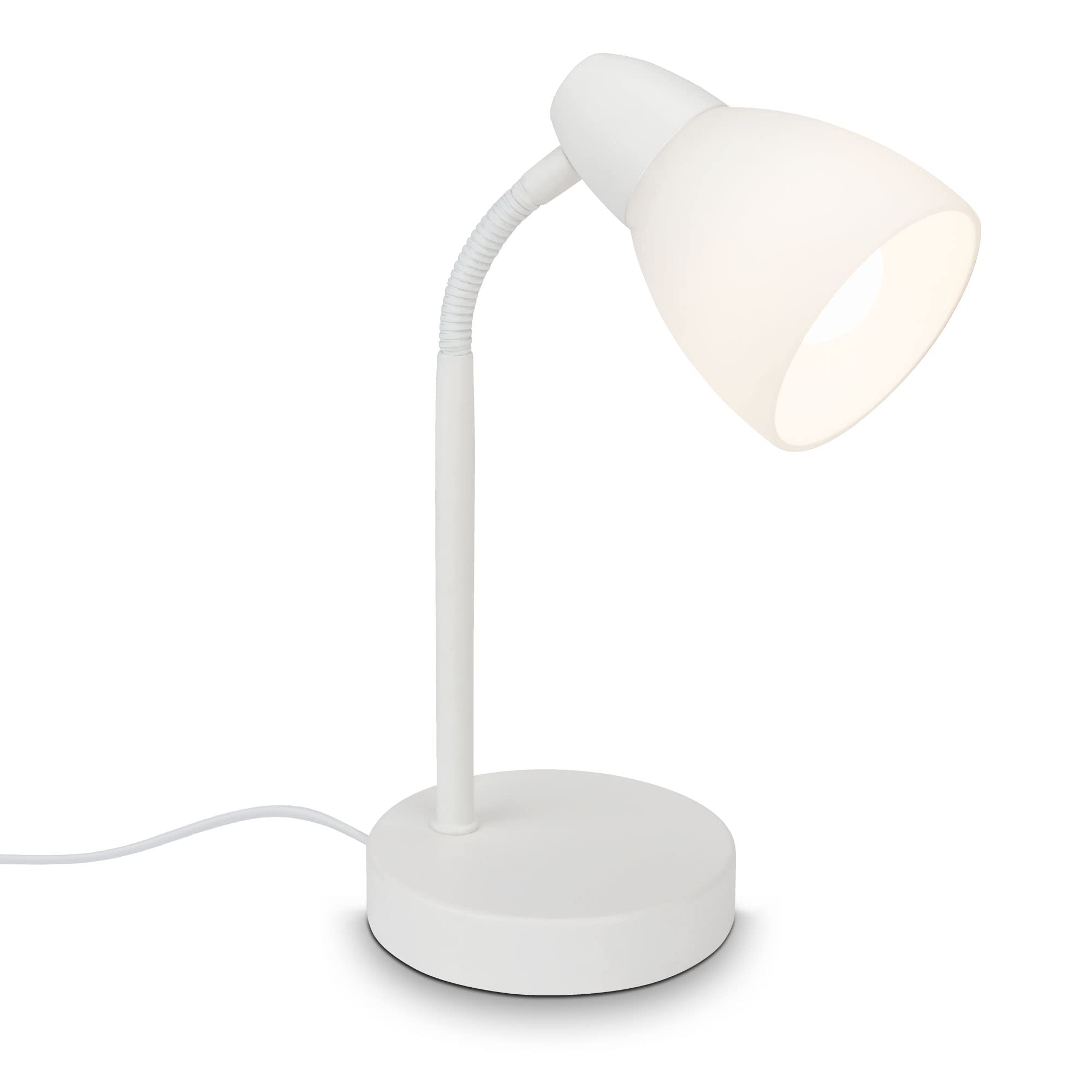
Figure 2.1: Briloner Leuchten Table Lamp 7022-016. This image shows the complete white table lamp with its round base, flexible neck, and conical shade, illuminated.
Key Components
- Base: Stable round base made of metal.
- Flexible Neck: Allows adjustment of the light direction.
- Shade: Conical glass shade.
- Bulb Socket: E14 type (bulb not included).
- Cable Switch: Integrated into the power cable for on/off control.
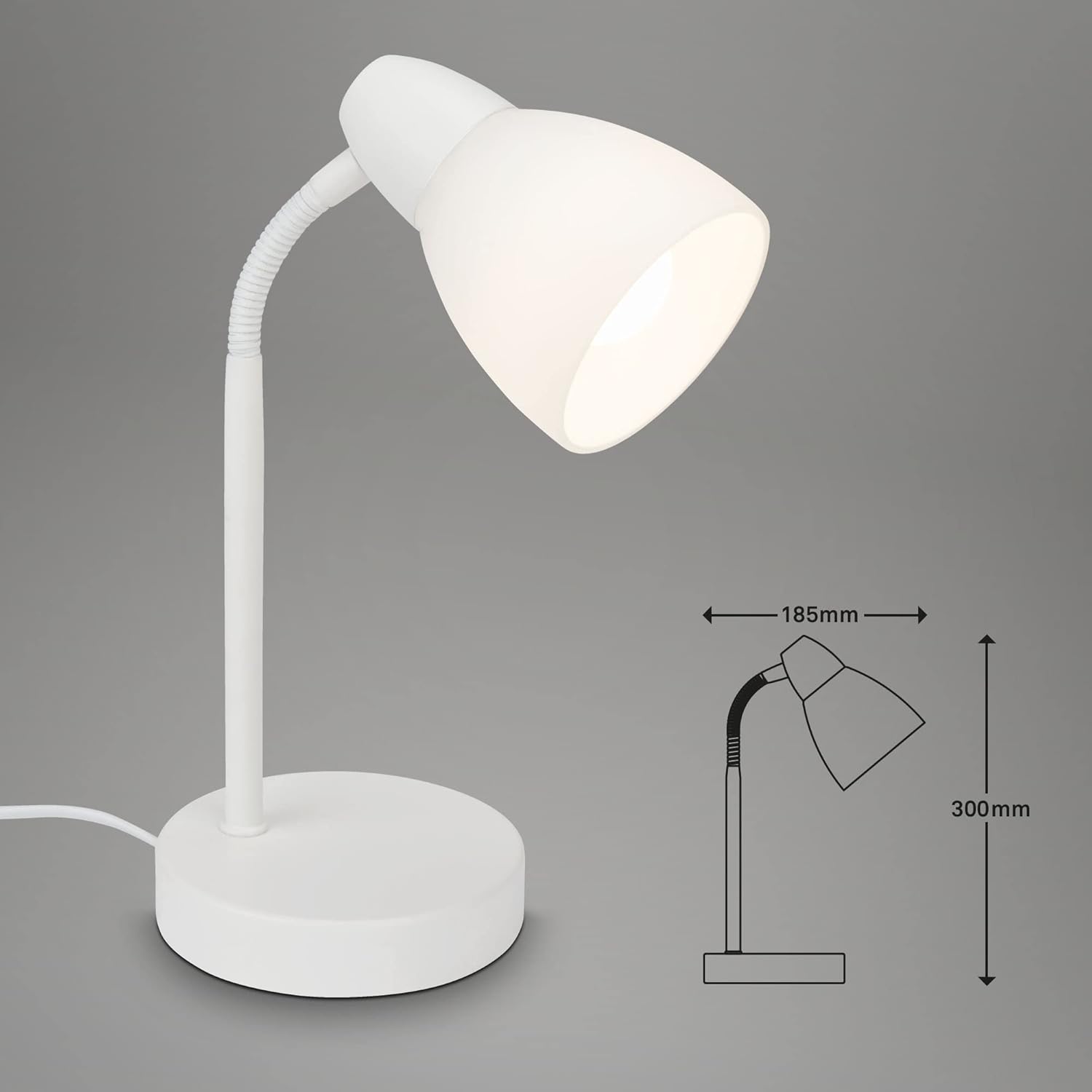
Figure 2.2: Dimensions of the Briloner Leuchten Table Lamp 7022-016. The diagram indicates a diameter of 185mm for the base and a height of 300mm.
3. Setup Instructions
Follow these steps to assemble and prepare your table lamp for use:
- Unpack Components: Carefully remove all parts from the packaging. Ensure all components are present: lamp base with flexible neck and cable, and glass shade.
- Attach the Shade: Unscrew the plastic ring from the bulb socket. Place the glass shade onto the bulb socket, ensuring it sits securely. Screw the plastic ring back onto the socket to firmly hold the shade in place.
- Install the Bulb: Insert an E14 bulb (max. 25W, not included) into the bulb socket. Turn clockwise until it is securely fastened. Do not overtighten.

Figure 3.1: Close-up view indicating the E14 bulb base and the cable switch location on the Briloner Table Lamp 7022-016.
- Position the Lamp: Place the lamp on a stable, flat surface.
- Connect to Power: Plug the power cable into a suitable 230V AC electrical outlet.
4. Operating Instructions
Operating your Briloner Leuchten Table Lamp is straightforward:
- Turning On/Off: Locate the cable switch on the power cord. Press the switch to turn the lamp ON. Press it again to turn the lamp OFF.
- Adjusting Light Direction: Gently bend the flexible neck to direct the light as desired. Avoid excessive force to prevent damage.

Figure 4.1: A hand demonstrating the operation of the cable switch on the Briloner Table Lamp 7022-016.
5. Maintenance
Regular maintenance ensures the longevity and optimal performance of your lamp.
Cleaning
- Always disconnect the lamp from the power supply before cleaning.
- Wipe the lamp's metal base and flexible neck with a soft, dry cloth.
- For the glass shade, use a soft, slightly damp cloth. Avoid abrasive cleaners or solvents, as they may damage the finish.
- Ensure the lamp is completely dry before reconnecting it to power.
Bulb Replacement
- Disconnect the lamp from the power supply.
- Allow the old bulb to cool completely before touching it.
- Carefully unscrew the old E14 bulb counter-clockwise.
- Screw in a new E14 bulb (max. 25W) clockwise until it is secure. Do not overtighten.
- Reconnect the lamp to the power supply.
6. Troubleshooting
If you encounter issues with your lamp, refer to the following common problems and solutions:
| Problem | Possible Cause | Solution |
|---|---|---|
| Lamp does not turn on. | No power supply. | Check if the power plug is securely inserted into the outlet. Test the outlet with another device. |
| Bulb is faulty or not installed correctly. | Ensure the bulb is screwed in tightly. Replace the bulb with a new E14 bulb (max. 25W). | |
| Cable switch is faulty. | If the above steps do not resolve the issue, contact customer support. | |
| Light flickers. | Loose bulb connection. | Disconnect power, then gently tighten the bulb. |
| Faulty bulb. | Replace the bulb with a new one. |
7. Specifications
| Feature | Detail |
|---|---|
| Model Number | 7022-016 |
| Brand | Briloner |
| Dimensions (Diameter x Height) | 18.5 cm x 30 cm |
| Item Weight | 910 Grams |
| Material | Metal, Glass |
| Color | White |
| Bulb Base | E14 |
| Max. Wattage | 25 Watts |
| Voltage | 230 Volts (AC) |
| Number of Bulbs | 1 (not included) |
| Switch Type | Cable Switch |
| IP Rating | IP20 (Indoor Use Only) |
| Mounting Type | Table Mount |
8. Warranty and Support
For warranty information or technical support, please contact Briloner Leuchten customer service. Keep your purchase receipt as proof of purchase.
Contact information can typically be found on the Briloner Leuchten official website or on the product packaging.


