
Introduction
This manual provides essential information for the safe and effective use of your NIKKOR Z DX 18-140mm f/3.5-6.3 VR lens. Please read this manual thoroughly before using the product and retain it for future reference. This lens is designed for use with Nikon Z series mirrorless cameras (DX format).
The NIKKOR Z DX 18-140mm f/3.5-6.3 VR is a versatile 7.8x zoom lens, covering a focal length range from 18mm to 140mm (equivalent to 27mm–210mm on a DX-format camera). It features built-in Vibration Reduction (VR) for enhanced image stability and a custom control ring for various functions.
Setup
Unpacking and Included Items
Carefully unpack the lens and ensure all items are present:
- NIKKOR Z DX 18-140mm f/3.5-6.3 VR Lens
- LC-62B Lens Cap (front cap)
- LF-N1 Lens Cap (rear cap)
Attaching the Lens
- Ensure the camera is turned off.
- Remove the body cap from the camera and the rear lens cap from the lens.
- Align the mounting mark on the lens with the mounting mark on the camera body.
- Rotate the lens counter-clockwise until it clicks into place.

Image: Side view of the NIKKOR Z DX 18-140mm VR lens attached to a Nikon Z series camera.
Detaching the Lens
- Ensure the camera is turned off.
- While pressing the lens release button on the camera body, rotate the lens clockwise until it detaches.
- Attach the front and rear lens caps to protect the lens elements.
Operating the Lens
Zooming
Rotate the zoom ring to adjust the focal length. The lens covers a wide-angle 18mm to telephoto 140mm range, offering flexibility for various shooting situations.
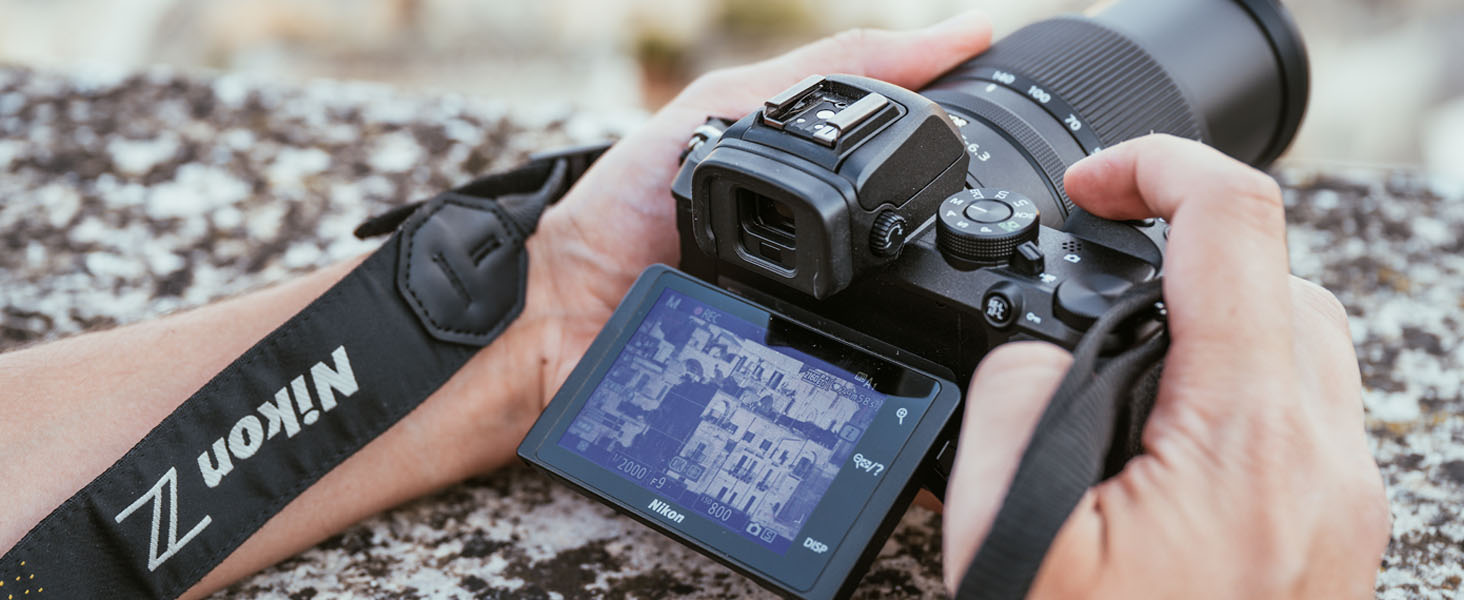
Image: Close-up view of the lens barrel with focal length markings and the NIKKOR branding.
Focusing (Auto/Manual)
The lens supports both autofocus (AF) and manual focus (MF). The focus mode is typically controlled via the camera body settings. For manual focus, rotate the focus ring on the lens. The minimum focus distance is 7.9 inches (at the wide-angle position).
Vibration Reduction (VR)
The lens features optical Vibration Reduction, which helps to reduce blur caused by camera shake. This system provides up to 5.0 stops of image stabilization, allowing for sharper images in challenging lighting conditions or at slower shutter speeds. VR is activated and controlled through your camera's menu settings.
Custom Control Ring
The lens is equipped with a custom control ring. This ring can be assigned various functions through your camera's custom settings, such as controlling focusing, aperture, ISO sensitivity, or exposure compensation. Refer to your camera's manual for details on customizing this feature.
Video Recording
When recording video, the lens's stepping motor (STM) provides quiet and smooth autofocus operation, minimizing operational noise that could be captured by the camera's microphone. It also allows for smooth iris transitions and exposure adjustments during video capture.
Maintenance
Cleaning the Lens
- Lens Elements: Use a blower brush to remove dust and lint. For smudges or fingerprints, apply a small amount of lens cleaner to a clean, soft cotton cloth or lens tissue and wipe gently in a circular motion from the center outwards. Do not apply cleaner directly to the lens surface.
- Lens Body: Wipe with a soft, dry cloth. For stubborn dirt, use a cloth lightly dampened with water or a mild cleaning solution, then wipe dry.
Storage
When not in use, attach both the front and rear lens caps. Store the lens in a cool, dry place away from direct sunlight and extreme temperatures. Avoid storing the lens with mothballs or camphor, as these can damage the lens elements.
Precautions
- Do not leave the lens pointed at the sun or other strong light sources for extended periods, as this can cause damage to the camera's image sensor.
- The lens is not water-resistant. Avoid exposure to water or high humidity.
- Avoid strong impacts or vibrations.
Troubleshooting
If you encounter issues with your lens, refer to the following common problems and solutions:
| Problem | Possible Cause / Solution |
|---|---|
| Lens not recognized by camera | Ensure the lens is securely attached to the camera body. Clean the lens and camera contacts with a dry, lint-free cloth. Update camera firmware if necessary. |
| Autofocus is slow or inaccurate | Check camera's focus mode settings. Ensure sufficient light for autofocus. Clean lens elements. In very low light, manual focus may be required. |
| Images are blurry | Check shutter speed (too slow can cause motion blur). Ensure VR is enabled if needed. Verify focus. Clean lens elements. Use a tripod for stability in low light. |
| Zoom ring or focus ring is stiff | This may indicate dust or debris. Do not force the rings. Contact Nikon service for inspection. |
For more complex issues or problems not listed here, please consult your camera's instruction manual or contact Nikon customer support.
Specifications
The following table outlines the key technical specifications for the NIKKOR Z DX 18-140mm f/3.5-6.3 VR lens:

Image: Optical diagram illustrating the internal elements of the NIKKOR Z DX 18-140mm VR lens.
| Feature | Specification |
|---|---|
| Model Name | NKZDX18140VR |
| Focal Length | 18-140mm (DX format: 27-210mm equivalent) |
| Maximum Aperture | f/3.5-6.3 |
| Minimum Aperture | f/22-40 |
| Lens Mount | Nikon Z Mount |
| Image Stabilization | Optical VR (Vibration Reduction) |
| Minimum Focus Distance | 0.20 m (0.66 ft) at 18mm, 0.40 m (1.32 ft) at 140mm |
| Filter Size | 62 mm |
| Dimensions (Diameter x Length) | Approx. 73.5 mm x 90 mm (2.9 in. x 3.5 in.) |
| Weight | Approx. 315 g (0.69 lbs) |
| Diaphragm Blades | 7 (rounded diaphragm opening) |
| Focus Type | Auto/Manual |
Warranty Information
This Nikon NIKKOR Z DX 18-140mm f/3.5-6.3 VR lens comes with a 1-year manufacturer's warranty. For detailed terms and conditions, including coverage and service procedures, please refer to the warranty card included with your product or visit the official Nikon USA website. Keep your proof of purchase for warranty claims.
Support
For further assistance, technical support, or service inquiries regarding your NIKKOR Z DX 18-140mm f/3.5-6.3 VR lens, please visit the official Nikon support website or contact Nikon customer service in your region. Online resources often include FAQs, software downloads, and service center locators.


