Roxel RSB500 All-in-One 2.1 Channel Sound Bar User Manual
Model: RSB500
Introduction
Welcome to your new Roxel RSB500 All-in-One 2.1 Channel Sound Bar. This manual provides essential information for setting up, operating, and maintaining your device to ensure optimal audio performance. Please read these instructions carefully before use and retain them for future reference.
What's in the Box
Carefully unpack all items and ensure you have received the following components:
- 1x Roxel Soundbar
- 1x Optical Cable
- 1x Power Cord
- 1x Roxel Manual
- Wall Mount Brackets and Screws

Image: All components included with the Roxel RSB500 Sound Bar.
Setup
1. Placement
The Roxel RSB500 Sound Bar can be placed on a flat surface, such as a TV stand, or wall-mounted.
- Desktop Placement: Position the sound bar centrally below your television or monitor on a stable, flat surface. Ensure there is adequate space for ventilation.
- Wall Mounting: The sound bar comes with wall mount brackets and screws. Refer to the detailed instructions in the included Roxel Manual for safe and secure wall installation.
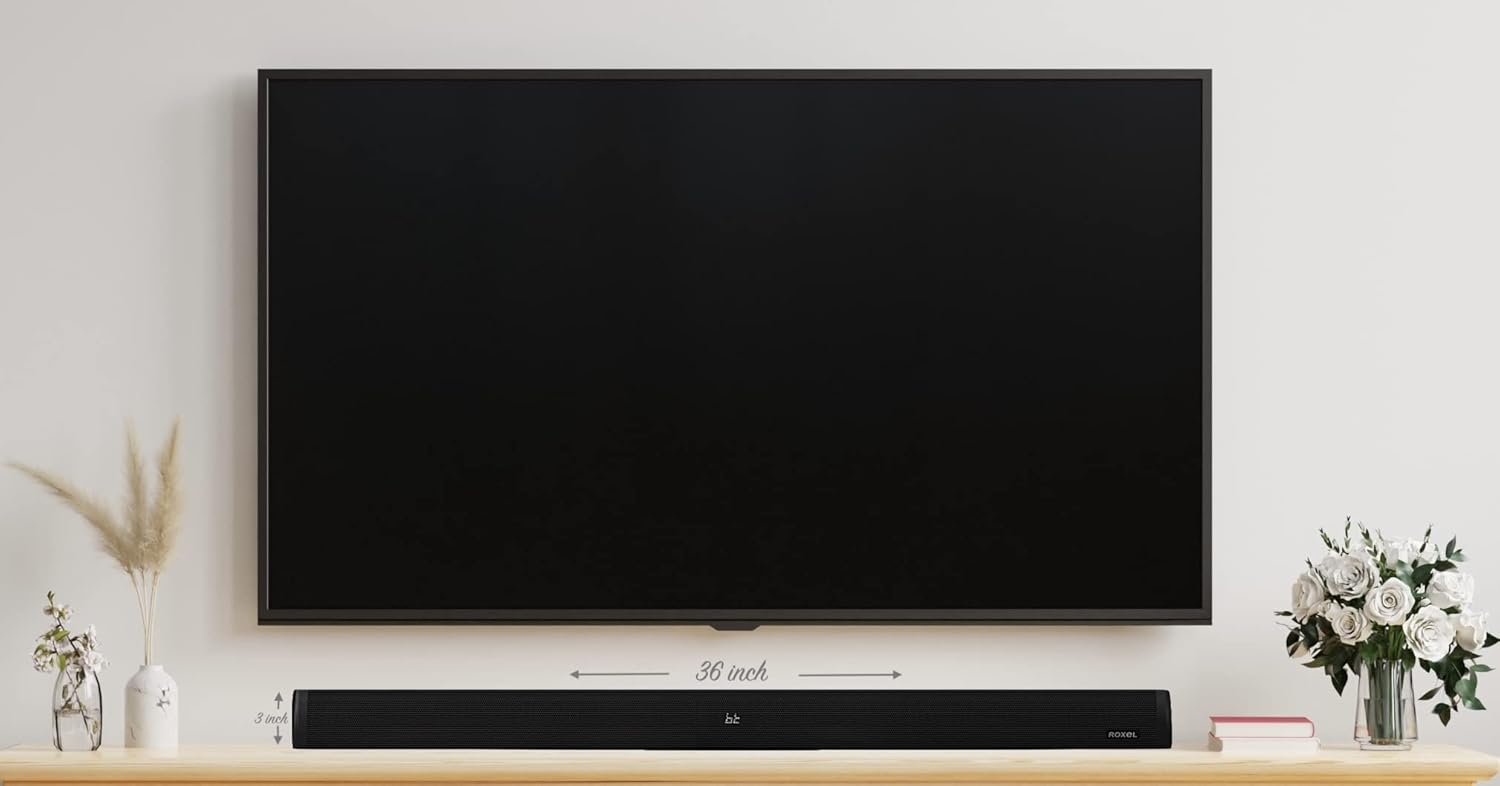
Image: The Roxel RSB500 Sound Bar positioned below a television, illustrating typical placement.
2. Connections
The RSB500 offers multiple connectivity options to suit various devices:
- Optical: Connect the included optical cable from your TV's optical output to the sound bar's optical input for high-quality digital audio.
- HDMI: Use an HDMI cable to connect your TV's HDMI ARC/CEC port to the sound bar's HDMI input. This allows for control of the sound bar with your TV remote.
- AUX/RCA: For devices without Bluetooth, optical, or HDMI, use an AUX/RCA cable to connect to the corresponding ports on the sound bar.
- USB: Play music directly from a USB memory stick by inserting it into the USB port.
- Wireless BT 5.0: Connect wirelessly to your smartphone, tablet, or PC for audio streaming.

Image: Rear panel of the sound bar with connection ports.
3. Power Connection
Connect the power cord to the sound bar and then to a suitable power outlet. The sound bar will enter standby mode.
Operating Instructions
1. Power On/Off
Press the Power button on the sound bar or the remote control to turn the unit on or off.
2. Selecting Input Modes
Use the 'Mode' button on the remote control or the sound bar to cycle through the available input sources: Bluetooth (BT), Optical, HDMI, AUX/RCA, and USB.
3. Remote Control Functions
The included remote control allows for convenient adjustment of various settings:
- Volume Control: Use the Volume Up (+) and Volume Down (-) buttons.
- Playback Controls: Play/Pause, Next Track, Previous Track (for Bluetooth and USB modes).
- Mode Selection: Switch between input sources.
- Equalizer Modes: Select from built-in equalizer modes to optimize sound for movies, music, and audio.
- Treble and Bass: Adjust treble and bass settings to your preference.

Image: Top panel controls of the sound bar.
4. Bluetooth Pairing
- Switch the sound bar to Bluetooth mode. The indicator light will flash.
- Enable Bluetooth on your device (smartphone, tablet, PC).
- Search for 'RSB500' in your device's Bluetooth settings and select it to pair.
- Once paired, the indicator light will become solid, and you can stream audio.
Maintenance
To ensure the longevity and optimal performance of your Roxel RSB500 Sound Bar, follow these maintenance guidelines:
- Cleaning: Use a soft, dry cloth to clean the surface of the sound bar. Do not use liquid cleaners or abrasive materials, as they may damage the finish.
- Ventilation: Ensure the sound bar has adequate ventilation and is not covered, to prevent overheating.
- Storage: If storing the sound bar for an extended period, disconnect it from power and store it in a cool, dry place.
Troubleshooting
If you encounter any issues with your sound bar, please refer to the following common troubleshooting steps:
- No Power: Ensure the power cord is securely connected to both the sound bar and the power outlet. Check if the power outlet is functioning.
- No Sound:
- Verify the correct input mode is selected on the sound bar.
- Check the volume level on both the sound bar and your connected device.
- Ensure all audio cables are securely connected.
- If using Bluetooth, ensure the device is properly paired and within range.
- Distorted Sound:
- Reduce the volume on both the sound bar and the connected device.
- Check audio cable connections for any damage or loose fit.
- Try a different audio source or cable to isolate the issue.
- Remote Control Not Working:
- Ensure there are no obstructions between the remote and the sound bar.
- Replace the batteries in the remote control.
For further assistance, please consult the full Roxel Manual or contact customer support.
Specifications
| Feature | Detail |
|---|---|
| Brand | Roxel |
| Model Name | RSB-500 |
| Speaker Type | Soundbar |
| Speaker Maximum Output Power | 120 Watts |
| Connectivity Technology | Wired, Wireless (BT 5.0) |
| Audio Output Mode | Surround |
| Mounting Type | Wall Mount |
| Material | Plastic |
| Product Dimensions | 90 x 8 x 7.5 cm; 2.84 kg |
| Recommended Uses | Television Soundbar, Computer Soundbar |
Warranty and Support
For detailed warranty information and customer support, please refer to the 'Roxel Manual' included in your product packaging. This manual contains specific terms and conditions regarding your product's warranty and contact details for technical assistance.


