
1. Introduction
The Elecbee MCX to MCX Cable (RG178 Assembly 20cm) is a high-quality coaxial cable designed for reliable signal transmission in various radio frequency applications. It features MCX angled male connectors on both ends, making it suitable for connecting devices in compact spaces.

Image 1.1: Elecbee MCX to MCX Cable, 20cm length, coiled for illustration.
Key features include:
- RF Coaxial Cable with RG178 Assembly.
- MCX Angled Male connectors on both ends.
- Suitable for Wireless communication and Wireless LAN applications.
- Applications include Mobile Phones, PCs, GPS devices, Network Storage Equipment, Technology, Lighting, and Remote Control systems.
2. Setup and Connection
This cable is designed for straightforward connection between compatible devices. Ensure both devices have MCX female ports. Follow these steps for proper connection:
- Identify Ports: Locate the MCX female ports on your devices.
- Align Connector: Gently align one MCX angled male connector with the device's port. The angled design helps in tight spaces.
- Insert and Secure: Push the connector firmly until it clicks into place, indicating a secure connection.
- Repeat for Second Device: Connect the other end of the cable to your second device following the same procedure.
Important: Avoid excessive force or twisting during connection to prevent damage to the connectors or device ports. Compatible devices include Radio Frequency communications equipment, antennas, GPS devices, and various wireless systems.

Image 2.1: Close-up of the Elecbee MCX to MCX Cable illustrating both angled male connectors.
3. Operating Instructions
Once properly connected, the Elecbee MCX to MCX cable facilitates the transmission of radio frequency signals between your devices. Its RG178 cable type ensures efficient signal transfer with minimal loss. No specific operational steps are required for the cable itself beyond ensuring a secure and stable connection between your equipment.
The cable acts as a passive conduit for RF signals. Ensure that the connected devices are powered on and configured according to their respective instruction manuals for proper operation of your overall system.
4. Care and Maintenance
To ensure optimal performance and longevity of your Elecbee MCX to MCX Cable, follow these maintenance guidelines:
- Storage: Store the cable in a cool, dry place, away from direct sunlight and extreme temperatures. Avoid tight coiling or sharp bends that can damage the internal conductors and shielding.
- Cleaning: If necessary, gently wipe the cable and connectors with a soft, dry, lint-free cloth. Do not use liquid cleaners, solvents, or abrasive materials, as these can damage the cable jacket or connector plating.
- Handling: Always handle the connectors by their metal housing, not by the cable itself, when connecting or disconnecting. Avoid pulling on the cable, as this can strain the connector-to-cable junction.
- Inspection: Periodically inspect the cable for any visible signs of wear, damage, or corrosion on the connectors.
5. Troubleshooting
If you experience signal issues or connectivity problems, consider the following troubleshooting steps:
- No Signal or Intermittent Signal:
- Ensure both MCX connectors are fully and securely seated in their respective ports on your devices. A loose connection can cause signal loss.
- Check for any visible damage to the cable or connectors, such as kinks, cuts, or bent pins. Damaged cables should be replaced.
- Test with another known-good cable if available to rule out the cable as the source of the problem.
- Verify that the connected devices are powered on and configured correctly according to their own manuals.
- Poor Signal Quality:
- Ensure the cable length is appropriate for your application and signal strength requirements. While this cable is 20cm, longer runs or specific applications might require different cable types or lengths.
- Minimize interference from other electronic devices or power cables by routing the MCX cable away from them.
6. Specifications
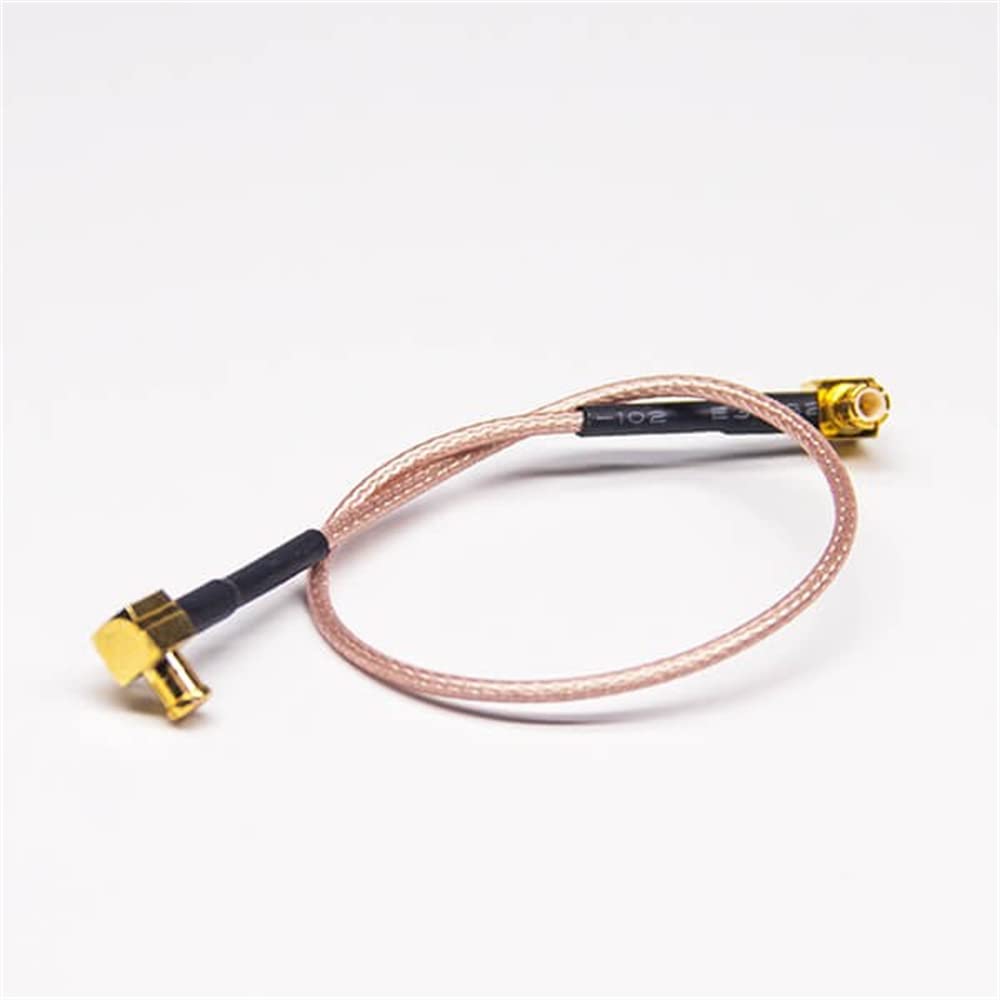
Image 6.1: Elecbee MCX to MCX Cable illustrating one angled male connector.
| Feature | Detail |
|---|---|
| Brand | Elecbee |
| Connector Type | MCX |
| Connector Gender | Male-to-Male (Angled) |
| Cable Type | Coaxial (RG178) |
| Cable Length | 20cm |
| Special Feature | High Speed |
| Compatible Devices | Radio Frequency communications, antennas, GPS devices, wireless systems |
| Recommended Uses | RF communications, antenna connections, GPS systems, wireless devices |
| Indoor/Outdoor Usage | Indoor, Outdoor |
| Item Weight | 0.32 ounces |
| ASIN | B09J8JZ484 |
7. Warranty Information
This Elecbee MCX to MCX Cable comes with a 30-day 100% Money Back Guarantee from the date of purchase. This warranty covers manufacturing defects and ensures customer satisfaction. Please refer to the seller's return policy or contact the manufacturer for detailed terms and conditions regarding returns and replacements.
8. Customer Support
For further assistance, technical support, or inquiries regarding your Elecbee MCX to MCX Cable, please contact the manufacturer or your point of purchase. When contacting support, please provide the following information for efficient service:
- Product Model: MCX to MCX Cable RG178 Assembly 20cm
- ASIN: B09J8JZ484
- A detailed description of the issue or question.
You may also visit the official Elecbee store on Amazon for more product information and contact options.