1. Product Overview
The Vecupou Mini Projector (Model QK03) offers a versatile and immersive viewing experience, supporting 1080P Full HD resolution with enhanced brightness and contrast. It features the latest 5G WiFi for seamless wireless screening from iOS and Android devices, and advanced Bluetooth 5.1 technology for connecting external audio. Designed for both indoor and outdoor use, this portable projector delivers a maximum 200-inch display and comes equipped with dual built-in HiFi stereo speakers for rich audio. Its multiple connectivity options ensure compatibility with a wide range of devices, making it ideal for home theater, gaming, and presentations.
2. Package Contents
Upon opening the package, please ensure all the following items are present:
- Vecupou Mini Projector (Model QK03)
- Remote Control
- Power Cable
- HDMI Cable
- USB Cable
- AV Cable
- Adjustable Tripod Stand
- Lens Cap
- Cleaning Cloth
- Cotton Swabs
- User Manual (this document)
3. Key Product Features
- Enhanced Visuals: Supports 1080P Full HD resolution with 80% higher brightness (REAL 10000 Lumens) and an 8000:1 contrast ratio for clear and vivid images.
- Advanced 5G WiFi Connectivity: Enables easy and fast wireless screening of movies, games, and videos from iOS/Android devices to a maximum 200-inch display. Note: Due to copyright restrictions, protected videos from platforms like Netflix or Hulu may not be supported via mirror display.
- Bluetooth 5.1 Integration: Connects seamlessly with external speakers or headphones for enhanced audio synchronization and immersive sound. (Note: Bluetooth does not support direct phone connection for audio).
- Dual Hi-Fi Stereo Speakers: Equipped with two built-in speakers that restore original audio fidelity, providing excellent sound quality for various settings without external speakers.
- Multiple Device Compatibility: Features versatile input options including HDMI, USB, VGA, TF/SD, and AV, allowing connection to smartphones, laptops, TV sticks, PS5, tablets, TV boxes, and more.
- Long-lasting LED Light Source: The LED light lens has a lifespan of up to 80,000 hours.
- Manual Keystone Correction: Offers ±15° manual keystone correction for adjusting image distortion.
4. Setup Guide
- Unpacking: Carefully remove all components from the packaging. Retain the packaging for future storage or transport.
- Placement: Place the projector on a stable, flat surface. Use the adjustable tripod stand for optimal positioning. Ensure there is adequate ventilation around the projector.
- Power Connection: Connect the power cable to the projector's power input and then to a wall outlet. The power indicator light will illuminate.
- Initial Power On: Press the power button on the projector or the remote control to turn on the device.
- Focus and Keystone Adjustment: Use the FOCUS knob on top of the projector to sharpen the image. Adjust the KEYSTONE correction to ensure the projected image is rectangular and not trapezoidal.
- Connecting Devices: Choose your preferred connection method (HDMI, USB, VGA, AV, or wireless) and connect your source device.
5. Operating Instructions
- Input Source Selection: After connecting your device, use the 'Source' button on the remote or projector to select the correct input (e.g., HDMI1, USB, AV).
- Wireless Screen Mirroring (5G WiFi):
- Ensure your iOS/Android device and the projector are connected to the same 5G WiFi network.
- On the projector's home screen, select the 'Wireless' or 'Screen Mirroring' option.
- Follow the on-screen instructions to connect your smartphone or tablet.
- Bluetooth Audio Connection:
- Navigate to the Bluetooth settings on the projector.
- Enable Bluetooth and search for available devices.
- Select your Bluetooth speaker or headphones from the list to pair.
- Volume Control: Use the volume buttons on the remote control or the projector's control panel to adjust the audio level.
- Menu Navigation: Use the arrow keys and 'OK' button on the remote or projector to navigate through menus and settings.
6. Connectivity Options
The Vecupou Mini Projector offers a variety of ports for connecting different devices:
- HDMI: For connecting laptops, TV sticks, gaming consoles (PS5), Blu-ray players, etc.
- USB: For playing media directly from USB drives.
- VGA: For connecting older computers or laptops.
- TF/SD Card Slot: For playing media directly from TF or SD cards.
- AV: For connecting devices using composite video and stereo audio cables.
- Audio Out (3.5mm): For connecting external speakers or headphones via a wired connection.
7. Media Integration
Product Images

The Vecupou Mini Projector, shown with a projected image of a soccer game, highlighting its 1080P support and wireless capabilities.

An illustration detailing the projector's advanced technology, including 5G connectivity, 80% increased brightness, maximum 200-inch screen support, and 360-degree stereo surround sound.

A visual comparison demonstrating the superior image clarity and color of the Vecupou projector (labeled 'Ours' with 1080P Supported) against a less vibrant competitor's image (labeled 'Others').

The projector showcasing its latest 5G WiFi connection, enabling seamless wireless screening from iOS, Android, and Windows devices, with a smartphone mirroring content.

The projector demonstrating its Bluetooth connection capability, allowing pairing with headphones and smart speakers for enhanced audio. A note indicates that Bluetooth does not support direct phone connection.

An overview of the projector's multiple device connection options, displaying icons for compatible devices such as computers, USB drives, tablets, TV sticks, cameras, gaming consoles, DVD players, and external audio systems.
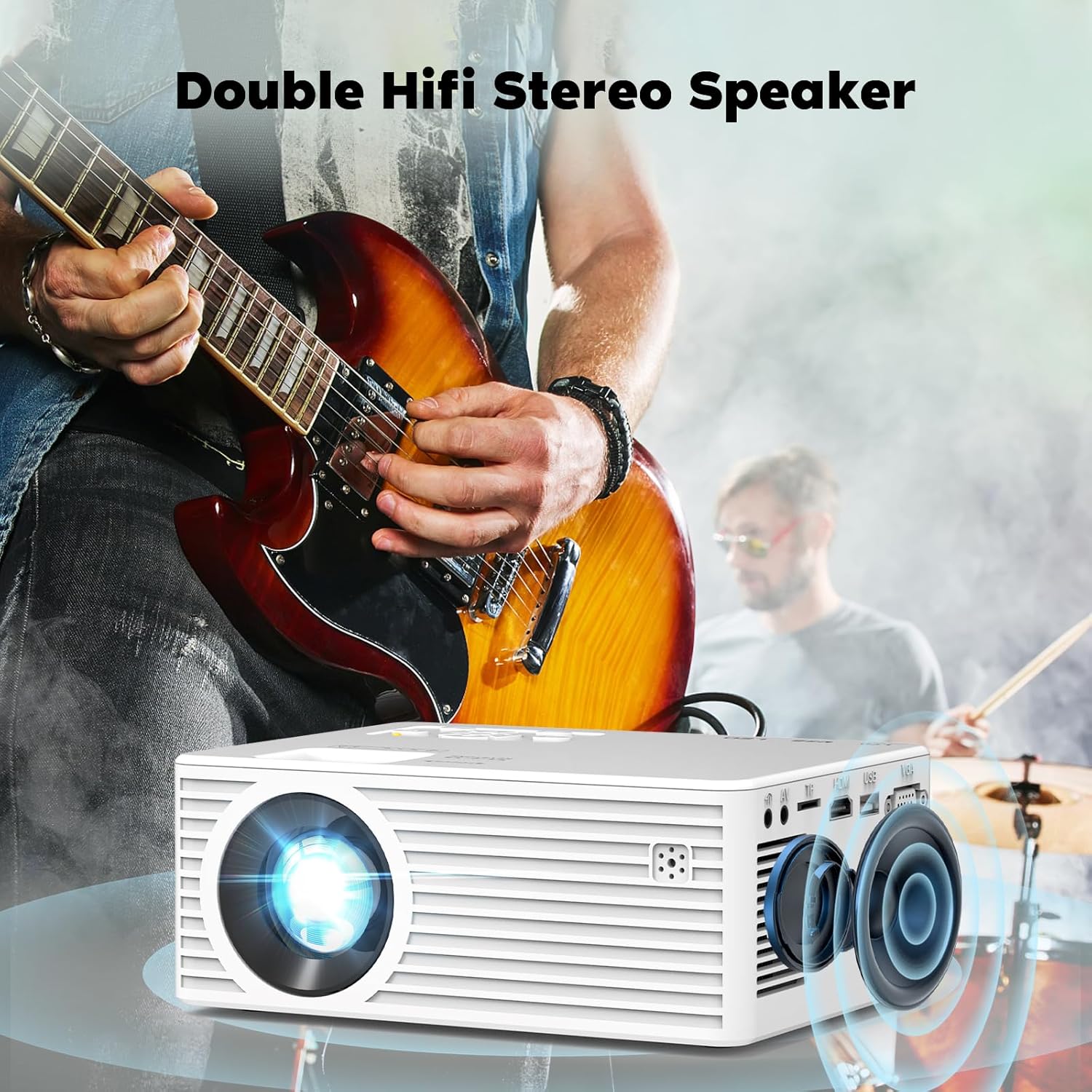
The projector highlighting its double HiFi stereo speakers, designed to deliver high-quality audio, with a musical performance in the background.

A detailed view of the projector's LED light lens, illustrating the focus and manual ±15° keystone correction features for optimal image alignment.

The projector demonstrating its compatibility with a TV Stick (not included), showing a smart TV interface with popular streaming applications for easy access to entertainment.
Official Product Videos
This video, titled 'See Customer's Real Projection Effect' by the seller JINDGLONDONLIMITED, demonstrates the actual projection quality of the Vecupou Mini Projector in a real-world setting. It showcases the clarity and brightness of the image as experienced by a customer.
8. Maintenance
- Lens Cleaning: Use the provided cleaning cloth and cotton swabs to gently clean the projector lens. Do not use abrasive cleaners or harsh chemicals.
- Dust Removal: Regularly clean the projector's vents to prevent dust buildup, which can affect performance and lifespan. Use a soft brush or compressed air.
- Storage: When not in use, store the projector in a cool, dry place, away from direct sunlight and extreme temperatures. Use the lens cap to protect the lens.
- Power Off Properly: Always power off the projector using the designated power button and allow it to cool down before unplugging or moving.
9. Troubleshooting
- No Power:
- Ensure the power cable is securely connected to both the projector and the power outlet.
- Check if the power outlet is functional.
- No Image:
- Verify that the correct input source is selected (e.g., HDMI1, USB, AV).
- Check the connection cable between the projector and the source device. Try a different cable if necessary.
- Ensure the source device is powered on and outputting a signal.
- Blurry Image:
- Adjust the FOCUS knob until the image is clear.
- Use the KEYSTONE correction to ensure the image is rectangular.
- Ensure the projection distance is within the recommended range.
- No Sound:
- Increase the volume on both the projector and the source device.
- If using Bluetooth, ensure the external audio device is properly paired and its volume is up.
- Check audio settings on the source device.
- Wireless Connection Issues:
- Ensure both the projector and your device are connected to the same 5G WiFi network.
- Restart both the projector and your device.
- Move closer to the WiFi router to improve signal strength.
10. Specifications
| Feature | Detail |
|---|---|
| Product Dimensions | 11 x 8 x 5 inches |
| Item Weight | 3 pounds |
| Item model number | QK03 |
| Manufacturer | Vecupou |
| Country of Origin | China |
| Recommended Uses For Product | Home Cinema |
| Special Feature | Built-In Speaker, Dust-Proof, Portable, Built-In Cooling System, Wireless Screen Mirroring, Wi-Fi Ready |
| Connectivity Technology | VGA, USB, HDMI |
| Display resolution | 1920 x 1080 |
| Visible screen diagonal | 300" / 762 cm |
11. Warranty and Support
Vecupou is committed to providing high-quality products and excellent customer service. Your Vecupou Mini Projector comes with a 3-YEAR After-Sales Service Promise and a 100% Money-Back Guarantee.
For any questions, technical support, or warranty claims, please contact our professional customer service team. We strive to respond to all inquiries within 24 hours.
- Email: Refer to your product packaging or the official Vecupou website for the most current email address.
- Website: Visit the official Vecupou website for FAQs and more information.