
HomeRunPet WF20.P01
Homerunpet Cat Water Fountain Wireless Pump Instruction Manual
Model: WF20.P01 | Brand: HomeRunPet
Introduction
This manual provides essential information for the proper setup, operation, and maintenance of your Homerunpet Cat Water Fountain Wireless Pump. This pump is designed to provide a continuous supply of fresh water for your pet, ensuring their hydration and well-being.
Compatibility: This wireless pump is specifically designed to work only with Homerunpet wireless pet fountains, models WF20 and CF20. It is not compatible with other brands or fountain models.

Image: Homerunpet wireless pet fountains, models CF20 and WF20, demonstrating compatibility.
Product Features
- Wireless Operation: Eliminates traditional pump wires, simplifying cleaning and refilling, and enhancing safety by reducing the risk of electric shock.
- Low Water Operation: Patented wireless pump operates efficiently with less than 7 ounces of water, reducing the frequency of refills.
- Water Level Detection: A side-positioned protruding sensor detects water levels, with LED signals indicating low water.
- Quiet Performance: Operates at a low noise level of 20dB, ensuring a quiet environment for both pets and owners.
- Easy Maintenance: Designed for quick disassembly and cleaning, typically within seconds.

Image: The patented wireless pump integrated within the Homerunpet pet fountain.
Setup Guide
Follow these steps to set up your Homerunpet wireless pump:
- Unpack Components: Carefully remove the wireless pump and the included filter sponge from the packaging.
- Attach Filter Sponge: Gently attach the filter sponge to the designated slot on the wireless pump. Ensure it is securely fitted.
- Place Pump in Fountain: Position the assembled pump inside your Homerunpet pet fountain. Ensure it sits correctly in the designated area for optimal water flow.
- Fill with Water: Fill the fountain with clean water up to the maximum fill line. The pump will begin operating once sufficient water is detected.

Image: Step-by-step visual guide for attaching the filter and placing the pump.
Operation
The Homerunpet wireless pump is designed for simple and efficient operation. Once properly installed and the fountain is filled with water, the pump will automatically begin circulating water.
- Automatic Operation: The pump activates automatically when placed in water and the fountain is powered.
- Water Level Indicator: The side sensor detects water levels. If the water level is too low, LED signals on the fountain will indicate the need for refilling.
- Quiet Performance: The pump operates silently at 20dB, ensuring minimal disturbance.
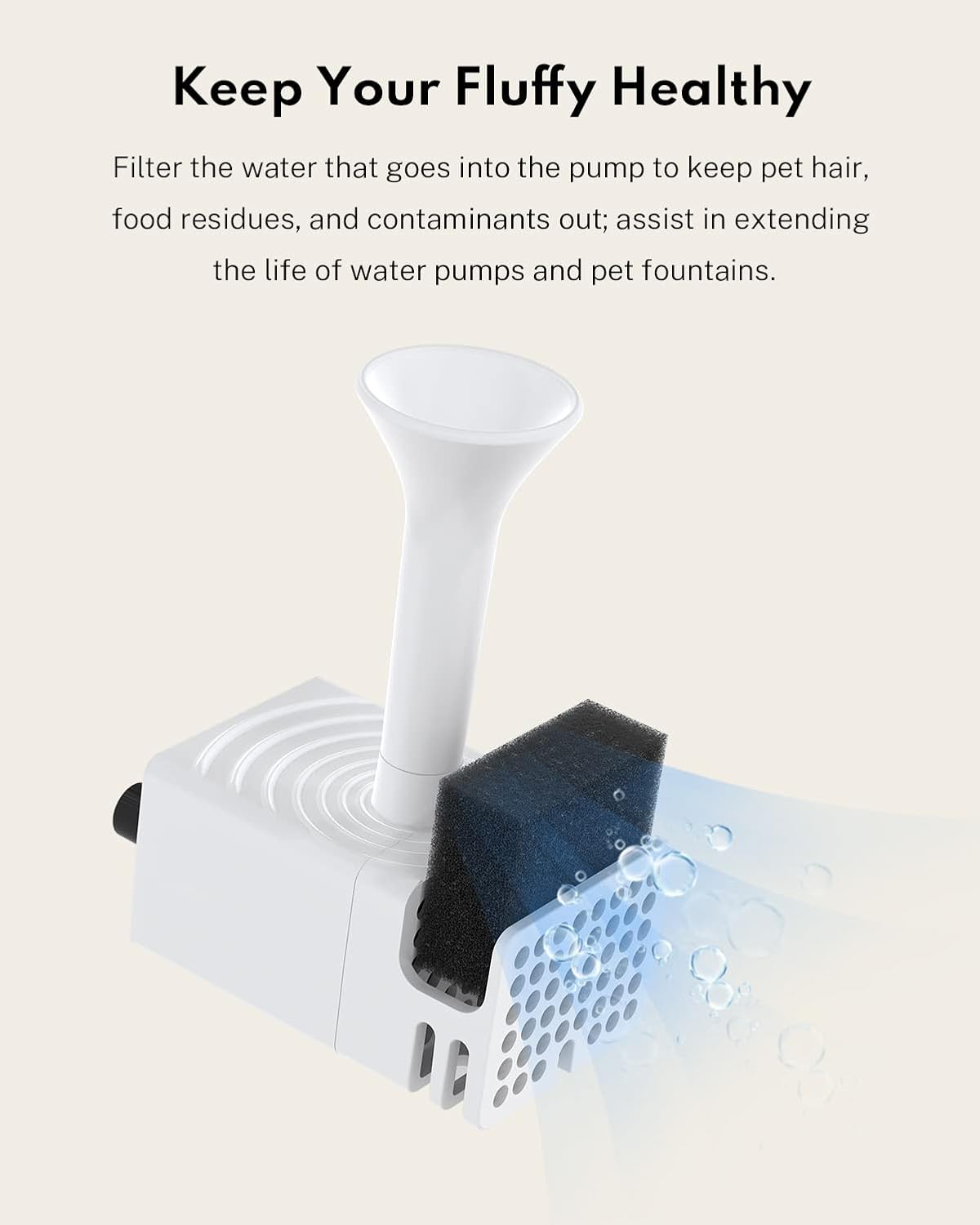
Image: The wireless pump actively filtering water within the fountain.
Maintenance
Regular cleaning of the wireless pump is crucial for maintaining optimal performance and water quality. It is advised to disassemble and clean the wireless pump thoroughly every 2 weeks.
- Disassembly: Carefully remove the pump from the fountain. Disassemble the pump components, including the filter sponge, pump cover, and impeller.
- Cleaning: Use the provided brush to clean the inside of the pump and all disassembled parts under running water. Be careful not to wash too hard to avoid breaking the ceramic shaft inside.
- Reassembly: Once all parts are clean and dry, reassemble the pump by reversing the disassembly steps. Ensure all components are securely in place.

Image: Exploded view of the wireless pump showing all parts for thorough cleaning.
Video: A detailed guide on how to disassemble and clean the Homerunpet wireless water pump.
Troubleshooting
| Problem | Possible Cause | Solution |
|---|---|---|
| Pump not operating or weak flow |
|
|
| Pump makes unusual noise |
|
|
| Pump randomly turns off |
|
|
Specifications
- Model Name: WF0201
- Item Model Number: WF20.P01
- Brand: HomeRunPet
- Material: Polypropylene (PP)
- Color: White
- Item Weight: 5.6 ounces
- Product Dimensions (LxWxH): 2.56 x 1.38 x 1.38 inches
- Capacity: 7 ounces (pump reservoir)
- Power Source: Battery Powered (refer to fountain for overall power)
- Target Audience: House-cats
- Specific Uses: Indoor
Warranty and Support
The Homerunpet Cat Water Fountain Wireless Pump comes with a 1-year warranty from the date of purchase. This warranty covers manufacturing defects and issues arising from normal use.
For warranty claims, technical support, or any questions regarding your product, please contact Homerunpet customer service. Refer to the original product packaging or the Homerunpet official website for contact information.
Ask a question about this manual
Ask about setup, troubleshooting, compatibility, parts, safety, or missing instructions. Manuals+ will review the question and use this page’s manual context to help answer it.