
Introduction
Thank you for choosing the VARUN M27-1 Electric Bicycle. This manual provides essential information for the safe assembly, operation, maintenance, and troubleshooting of your new electric bicycle. Please read this manual thoroughly before your first ride to ensure optimal performance and safety.
The VARUN M27-1 is a versatile electric mountain bike designed for both urban commuting and light off-road trails. It features a powerful 250W motor, a long-lasting 48V 624Wh removable battery, and a 21-speed gear system for a smooth and adaptable riding experience.
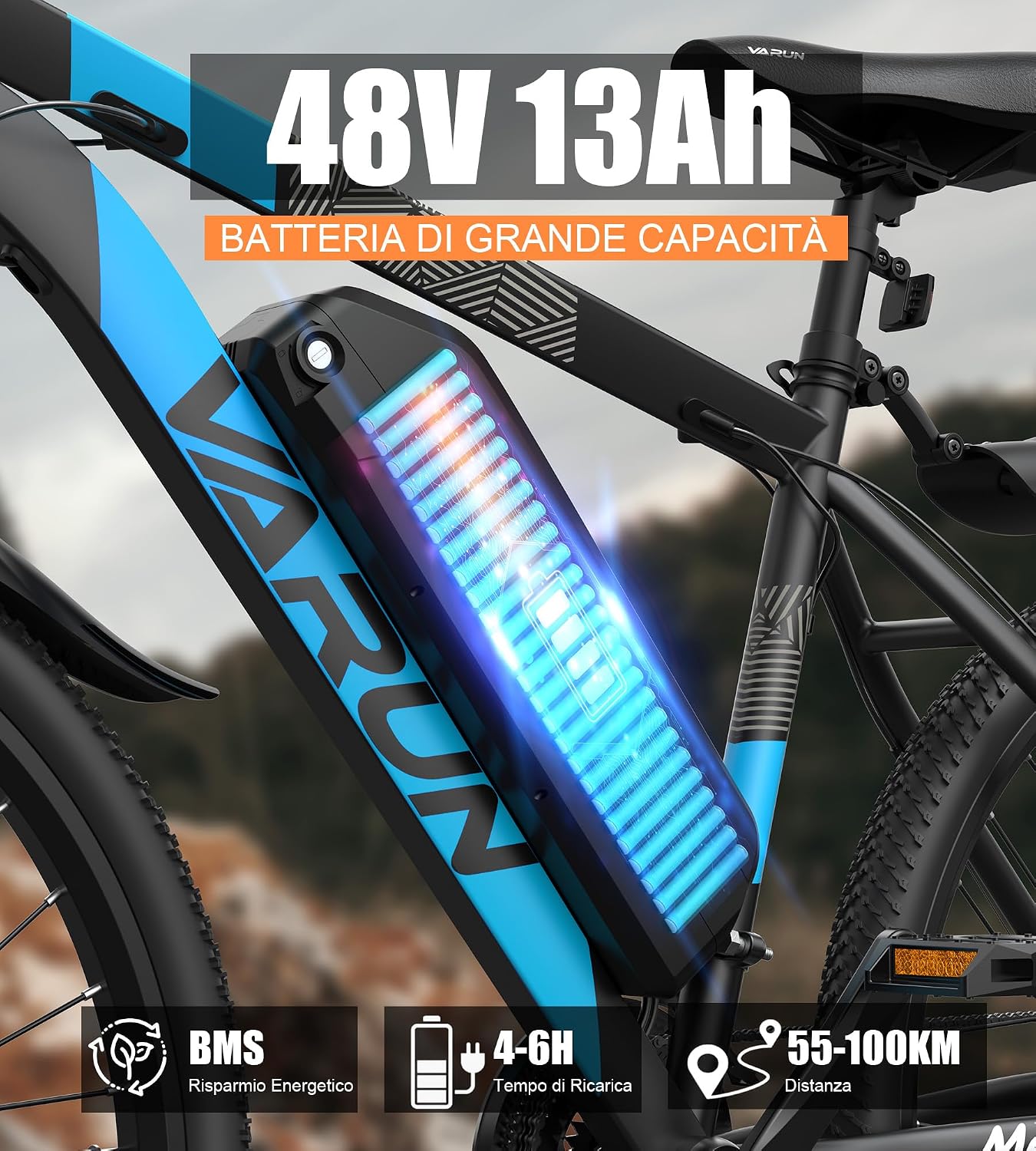
Image: The VARUN M27-1 Electric Bicycle, showcasing its design and features.

Image: Close-up of the lightweight aluminum frame, highlighting its construction and durability.
Safety Guidelines
Always wear a helmet when riding. Ensure all components are securely fastened before each ride. Adhere to local traffic laws and regulations. Do not ride under the influence of alcohol or drugs. Regular maintenance is crucial for safe operation. Be aware of your surroundings and ride defensively.
Setup and Assembly
Your VARUN M27-1 Electric Bicycle arrives approximately 85% pre-assembled. The remaining assembly steps are straightforward and require basic tools, which are included in your package. Please follow these instructions carefully.
Unpacking
Carefully remove the bicycle and all components from the packaging. Inspect for any shipping damage. Keep the packaging for future transport or storage.
Components Included:
- 85% assembled electric bicycle
- Fenders
- User Manual
- LCD Meter
- Battery
- Battery Charger
- Saddle
- Pedals
- Reflectors
- Tool Kit (Phillips screwdriver, wrench, Allen key)
Assembly Steps:
- Install the Front Wheel: Attach the front wheel to the fork, ensuring the quick-release skewer is properly tightened.
- Install the Handlebar: Secure the handlebar to the stem, adjusting the angle for comfortable riding.
- Attach the Pedals: Note that pedals are left (L) and right (R) specific. Thread them carefully to avoid cross-threading.
- Mount the Saddle: Insert the seat post into the frame and adjust the saddle height. Ensure the quick-release clamp is secure. The maximum adjustable distance for the seat post is 20 cm.
- Install Fenders and Reflectors: Attach the front and rear fenders, and ensure all reflectors are visible.
- Insert the Battery: Slide the battery into its compartment and lock it securely.
- Initial Charge: Fully charge the battery before your first ride.
For detailed visual instructions, please refer to the assembly diagrams in the included printed manual.
Operating Your VARUN M27-1 Electric Bicycle
Battery System

Image: The removable 48V 13Ah battery integrated into the bicycle frame, highlighting its capacity and charging options.
The VARUN M27-1 is equipped with a high-capacity 48V 624Wh removable battery, offering a maximum range of 55-100km depending on terrain and assist level. The integrated Battery Management System (BMS) ensures safe charging and discharging. The removable design allows for convenient charging, especially for those without ground-level access.
Charging: Connect the charger to the battery and a power outlet. A full charge typically takes 4-6 hours. The battery can be charged while installed on the bike or removed.

Image: Illustration showing two quick charging options for the removable 48V 13Ah battery, emphasizing IP54 water resistance, lockable anti-theft device, and 4-6 hour full charge time.
Motor and Riding Modes

Image: Detailed view of the 250W 48V motor and rear wheel hub, illustrating its power and integration with the 21-speed transmission.
The 250W high-efficiency motor provides smooth and powerful assistance. There are four intelligent riding modes to choose from, allowing you to adapt to various road conditions and physical effort levels:
- Normal Riding Mode: Pedal without electric assistance.
- Pedal Assist Mode: The motor provides assistance as you pedal, with adjustable levels.
- Boost Mode: Provides maximum electric assistance for easier climbing or acceleration.
- Walk Mode: Provides low-speed assistance for pushing the bike.

Image: A rider on a VARUN electric bicycle navigating a dirt path, demonstrating its adaptability to various terrains with different riding modes.
Smart LCD Display

Image: Close-up of the bicycle's smart LCD display, showing real-time information such as speed, battery indicator, PAS level, and trip distance.
The intelligent LCD display provides real-time information including speed, battery level, assist level, and total mileage. It also monitors the operational status of all vehicle components, ensuring you have all necessary data at your fingertips for a confident ride.
21-Speed Gear System

Image: Close-up of the 21-speed gear shifter and rear derailleur, illustrating the smooth and precise gear changes for varied riding conditions.
The professional 21-speed gear system ensures seamless synergy between human power and electric assistance. This allows you to effortlessly tackle flat sprints, headwinds, or steep climbs, providing an exhilarating riding experience across any terrain.
Braking and Suspension

Image: A rider on a VARUN electric bicycle descending a rocky path, highlighting the effectiveness of the hydraulic spring fork for smooth and comfortable riding.
The dual disc braking system offers excellent stopping power, ensuring quick and reliable braking even in wet or foggy conditions. The high-performance front suspension effectively absorbs road bumps, providing a stable ride on uneven terrain.

Image: Detailed view of the high-quality front suspension fork, designed to absorb shocks and provide a smoother, quieter ride.
Safety Lighting

Image: Close-up of the bicycle's LED headlight and rear reflector, emphasizing the safety lighting features for night riding.
The high-intensity headlight illuminates the road at night, and rear reflectors ensure visibility, enhancing safety during low-light conditions.
Maintenance
Regular maintenance is essential to keep your VARUN M27-1 Electric Bicycle in optimal condition and ensure its longevity.
Battery Care
- Charge the battery regularly, even if not in use, to maintain its health.
- Avoid completely draining the battery.
- Store the battery in a cool, dry place, away from direct sunlight and extreme temperatures.
- Clean battery contacts periodically with a dry cloth.
Brakes
- Regularly check brake pads for wear and replace them when necessary.
- Ensure brake levers are firm and responsive. Adjust cable tension if needed.
- Keep disc rotors clean and free from oil or grease.
Tires
- Check tire pressure before each ride and inflate to the recommended PSI.
- Inspect tires for cuts, punctures, or excessive wear.
Chain and Gears
- Keep the chain clean and lubricated to ensure smooth shifting and prevent rust.
- Periodically check gear shifting for accuracy and adjust the derailleur if needed.
General Inspection
- Check all bolts and fasteners for tightness.
- Ensure the handlebars, seat post, and wheels are securely fastened.
- Clean the bicycle regularly with a damp cloth and mild soap. Avoid high-pressure washing directly on electrical components.
Troubleshooting
This section addresses common issues you might encounter with your VARUN M27-1 Electric Bicycle.
| Problem | Possible Cause | Solution |
|---|---|---|
| Motor not providing assistance | Low battery, assist level set to zero, loose connection, motor error. | Charge battery, increase assist level on display, check all electrical connections, consult manual for error codes. |
| Battery not charging | Charger not connected properly, faulty charger/battery, power outlet issue. | Ensure secure connections, try a different outlet, contact support if issue persists. |
| Brakes feel weak or noisy | Worn brake pads, contaminated rotors, loose cables, air in hydraulic system (if applicable). | Inspect/replace brake pads, clean rotors, adjust cable tension, seek professional service for hydraulic brakes. |
| Gears not shifting smoothly | Dirty/dry chain, misaligned derailleur, bent hanger, worn cables. | Clean and lubricate chain, adjust derailleur, inspect for damage, replace cables if necessary. |
| Unusual noises during riding | Loose components, worn bearings, rubbing parts. | Inspect all bolts and connections, check wheel bearings, ensure no parts are rubbing (e.g., fenders, brake rotors). |
If you encounter a problem not listed here or cannot resolve an issue, please contact VARUN customer support.
Specifications

Image: Diagram illustrating the key dimensions of the VARUN Electric Bicycle, including recommended user height, maximum load capacity, and bicycle weight.
| Feature | Detail |
|---|---|
| Brand | VARUN |
| Model Number | M27-1 |
| Type | Electric Mountain Bike |
| Wheel Size | 27.5 inches |
| Frame Material | Aluminum |
| Motor Power | 250W |
| Battery | 48V 624Wh (Removable) |
| Max Range | 55-100 km |
| Charging Time | 4-6 hours |
| Number of Speeds | 21 |
| Braking System | Dual Disc Brakes |
| Suspension Type | Front Suspension |
| Recommended User Height | 160 cm - 195 cm |
| Max Recommended Weight | 150 kg |
| Item Weight | 23 kg |
| UPC | 797444369557 |
Warranty and Support
Your VARUN M27-1 Electric Bicycle comes with a 1-year limited warranty covering manufacturing defects. Please retain your proof of purchase for warranty claims.
For technical assistance, troubleshooting, or warranty inquiries, please contact VARUN customer support. You can typically find contact information on the VARUN Ebike Store page on Amazon or through the contact details provided in your product packaging.
VARUN Ebike Store: Visit Store


