Product Overview
The FiiO BTA30PRO is a versatile high-fidelity Bluetooth transceiver designed to enhance your audio experience. It functions as both a Bluetooth receiver (RX) and a Bluetooth transmitter (TX), and also includes a digital-to-analog converter (DAC) mode. This device supports a wide range of high-resolution audio codecs, including LDAC, aptX HD, aptX, and SBC, ensuring superior sound quality for various applications.
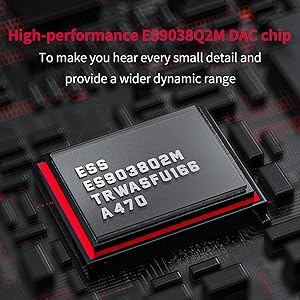
Key features include support for up to 384kHz/DSD256 audio, a high-performance ES9038Q2M DAC chip for detailed sound, and a Qualcomm CSR8675 Bluetooth chip for robust wireless performance. Its multiple operating modes allow seamless integration with various audio systems, from rejuvenating vintage speakers to creating a private listening environment with Bluetooth headphones.

Package Contents
Please check the package contents upon unboxing to ensure all items are present:
- FiiO BTA30PRO Unit
- USB Type-C Cable
- RCA Audio Cable
- Quick Start Guide
- Warranty Card
- Rubber Feet (pre-applied or in a small bag)
Controls and Interfaces
Familiarize yourself with the various controls and connection ports on the BTA30PRO:
- Power On/Off Button: Short press to power on after connecting to power supply.
- Pair/Pause Button: Used for Bluetooth pairing and playback control.
- Mode Switch: Toggles between Bluetooth Receiving (RX), Bluetooth Transmitting (TX), and Digital Decoding (DAC) modes.
- Volume Knob: Adjusts output volume.
- Input Indicators (USB, COAX, OPT): Lights indicate the active input source.
- Status Light: Indicates Bluetooth connection status and active codec (flashes red/blue for pairing, white for LDAC, yellow for aptX HD, green for aptX LL, purple for aptX, blue for SBC, cyan for AAC).
- RCA Analog Output: For connecting to amplifiers or active speakers.
- Optical/Coaxial Output: Digital audio outputs.
- Optical/Coaxial Input: Digital audio inputs.
- USB Type-C Port: For power and USB audio input.
- External Antenna Port: For improved wireless range.


Setup
Initial Power On
- Connect the BTA30PRO to a power source using the provided USB Type-C cable.
- Short press the INPUT button to power on the device.
Bluetooth Receiving Mode (RX) Setup
In RX mode, the BTA30PRO receives Bluetooth audio from your source device (e.g., smartphone, tablet, computer) and outputs it to your audio system via wired connections.
- Set the BTA30PRO to RX mode using the MODE switch.
- Connect the BTA30PRO's RCA, Optical, or Coaxial output to your amplifier or active speakers.
- On your source device, enable Bluetooth and search for "FiiO BTA30PRO".
- Select "FiiO BTA30PRO" to pair. The status light will indicate the connected codec.

Video 1: Demonstrates how to use the transmission function of the FiiO BTA30PRO, including connecting to various devices and switching modes.
Bluetooth Transmitting Mode (TX) Setup
In TX mode, the BTA30PRO transmits audio from a wired source (e.g., TV, CD player, computer) to your Bluetooth headphones or speakers.
- Set the BTA30PRO to TX mode using the MODE switch.
- Connect your audio source to the BTA30PRO's USB, Optical, or Coaxial input.
- Put your Bluetooth headphones/speaker into pairing mode.
- On the BTA30PRO, hold the LL/HD button for about 3 seconds until the STATUS light flashes alternately in red and blue to enter pairing mode.
- Once connected, the status light will indicate the active codec.

Video 2: Guide on how to set the FiiO BTA30Pro into pairing mode for Bluetooth transmission.
Video 3: Comprehensive guide on how to use the FiiO BTA30 or BTA30 PRO in various modes.
Digital Decoding Mode (DAC) Setup
In DAC mode, the BTA30PRO acts as a high-quality digital-to-analog converter, taking digital audio input and outputting an analog signal to your audio system.
- Set the BTA30PRO to DAC mode using the MODE switch.
- Connect your digital audio source (e.g., computer, CD player, game console) to the BTA30PRO's USB, Optical, or Coaxial input.
- Connect the BTA30PRO's RCA, Optical, or Coaxial output to your amplifier or active speakers.
- Ensure your source device is configured to output audio to the BTA30PRO.

Operating Instructions
Mode Switching
Use the MODE switch on the front panel to cycle through the three operating modes: RX (Bluetooth Receiving), TX (Bluetooth Transmitting), and DAC (Digital Decoding).
Bluetooth Codec Indication
The STATUS light on the BTA30PRO indicates the currently active Bluetooth codec:
- White: LDAC
- Yellow: aptX HD
- Green: aptX LL (Low Latency)
- Purple: aptX
- Blue: SBC
- Cyan: AAC
In TX mode, you can short press the LL/HD button to switch between available Bluetooth codecs if connected to a compatible device.
Volume Control
The large knob on the right side of the unit controls the output volume. Rotate clockwise to increase volume and counter-clockwise to decrease. This allows for precise volume adjustment for both Bluetooth transmission and reception.

Connecting Two Bluetooth Devices (TX Mode)
The BTA30PRO supports connecting to two Bluetooth headphones/speakers simultaneously in TX mode:
- Connect the first Bluetooth device (e.g., headphone A) as described in the TX mode setup.
- Once connected, put the second Bluetooth device (e.g., headphone B) into pairing mode.
- On the BTA30PRO, hold the INPUT button for about 3 seconds until the STATUS light flashes alternately in red and blue again.
- The BTA30PRO will search for and connect to the second device. Both A and B lights will be on simultaneously when both devices are connected.

Maintenance
To ensure the longevity and optimal performance of your FiiO BTA30PRO, follow these maintenance guidelines:
- Cleaning: Use a soft, dry cloth to clean the unit. Avoid using abrasive cleaners, solvents, or strong chemicals, as they may damage the surface.
- Storage: Store the device in a cool, dry place away from direct sunlight, extreme temperatures, and high humidity.
- Handling: Handle the unit with care. Avoid dropping it or subjecting it to strong impacts.
- Ventilation: Ensure proper ventilation around the device to prevent overheating. Do not block any ventilation openings.
- Power Supply: Only use the provided USB Type-C cable and a compatible power adapter (5V DC) to power the unit.
Troubleshooting
| Problem | Possible Cause | Solution |
|---|---|---|
| No power | Power cable not connected properly; power adapter faulty. | Ensure USB Type-C cable is securely connected to both the BTA30PRO and the power source. Try a different USB port or power adapter. |
| Cannot pair Bluetooth device | BTA30PRO not in pairing mode; device too far; interference. | Ensure BTA30PRO is in pairing mode (STATUS light flashing red/blue). Move devices closer. Reduce interference from other wireless devices. |
| No sound output | Incorrect mode selected; cables loose; volume too low; incorrect input/output selected on connected device. | Verify BTA30PRO is in the correct RX/TX/DAC mode. Check all audio cable connections. Increase volume on BTA30PRO and connected audio system. Ensure correct input/output is selected on your amplifier/speakers. |
| Poor sound quality (Bluetooth) | Low-quality codec active; signal interference; source audio quality. | In TX mode, try switching to a higher-quality codec (LDAC, aptX HD) by short pressing LL/HD button. Minimize interference. Use high-quality audio files. |
| Cannot connect two Bluetooth devices in TX mode | Second device not in pairing mode; pairing sequence incorrect. | Ensure the first device is connected, then put the second device into pairing mode. Re-enter pairing mode on BTA30PRO by holding the INPUT button for 3 seconds. |
Specifications
| Feature | Detail |
|---|---|
| Model | BTA30PRO |
| Bluetooth Chip | Qualcomm CSR8675 |
| DAC Chip | ES9038Q2M |
| USB Receiver Chip | XMOS XUF208 |
| Bluetooth Codecs (TX) | LDAC, aptX HD, aptX LL, aptX, SBC, AAC |
| Bluetooth Codecs (RX) | LDAC, aptX HD, aptX, SBC, AAC |
| USB Audio Support | Up to 384kHz/32bit PCM, DSD256 |
| Optical Input Support | Up to 96kHz/24bit |
| Coaxial Input Support | Up to 384kHz/24bit, DoP128 |
| Outputs | RCA Line-out, Optical, Coaxial |
| Inputs | USB Type-C, Optical, Coaxial |
| Dimensions | 2.16 x 4.72 x 3.72 inches (approx. 55 x 120 x 94.5 mm) |
| Weight | 3.99 ounces (approx. 113 grams) |


Warranty and Support
FiiO products come with a limited warranty. Please refer to the warranty card included in your package for specific terms and conditions, including warranty period and coverage details.
For technical support, product inquiries, or warranty claims, please contact FiiO customer service through their official website or the contact information provided in your product documentation.
You can also visit the official FiiO store on Amazon for additional product information and support resources: FiiO Official Store