
Introduction
Thank you for purchasing the ELECOM LBT-TWS11 True Wireless Earbuds. These earbuds are designed for comfort, portability, and clear audio, featuring a semi-open inner-ear design and advanced Bluetooth 5.0 connectivity. This manual provides essential information for setup, operation, maintenance, and troubleshooting to ensure optimal performance.
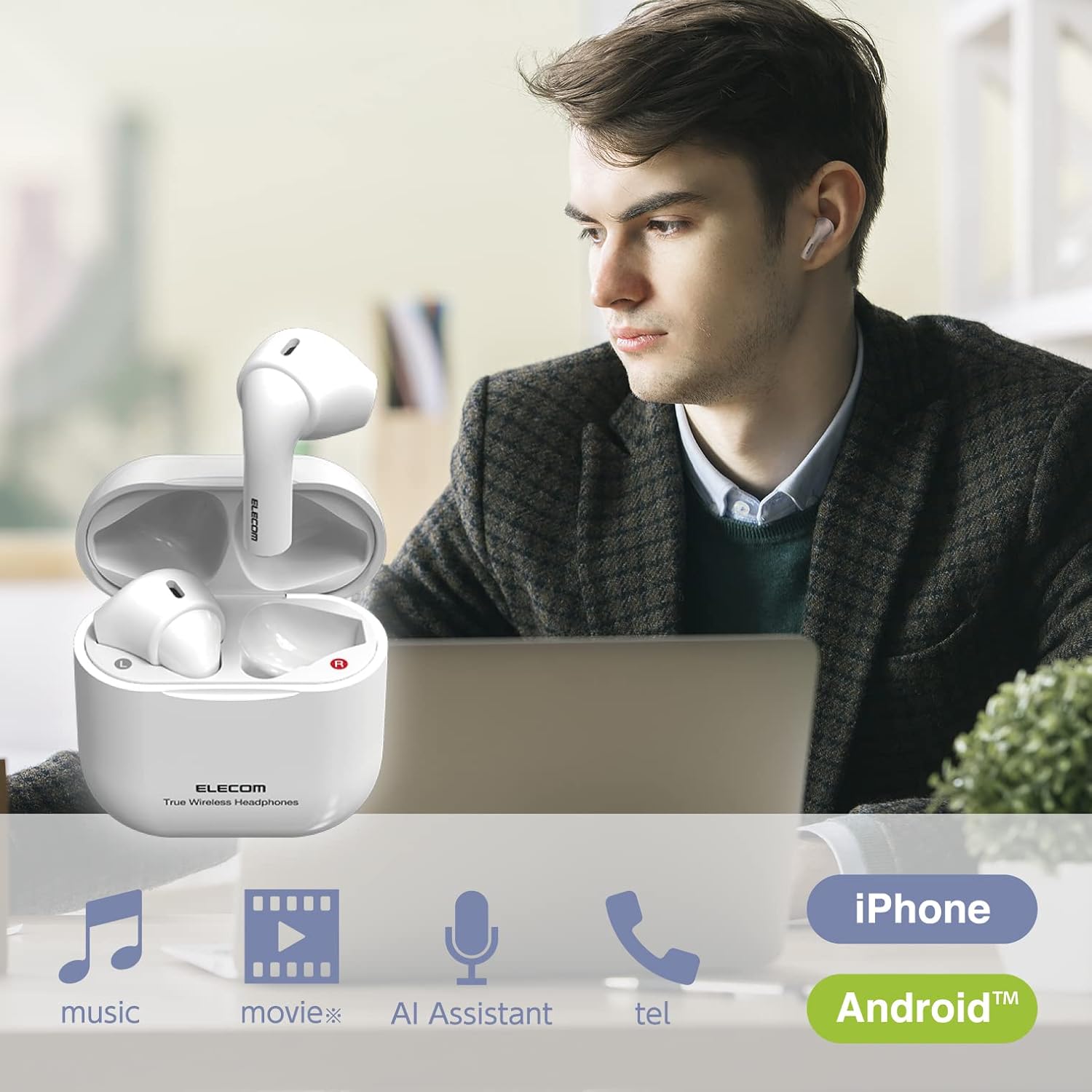
Image: ELECOM LBT-TWS11 earbuds in use, highlighting their versatility for various audio activities.
Product Features
- Ergonomic & Ultra-Lightweight Design: Each earbud weighs approximately 3.4g, providing a comfortable and secure fit that minimizes ear fatigue. The compact charging case fits easily in your palm.
- Semi-Open Inner-Ear Type: Allows you to hear ambient sounds and conversations, enhancing safety and awareness of your surroundings. This design also prevents the earbuds from getting caught when wearing or removing a mask.
- Bluetooth 5.0 Connectivity: Ensures stable and efficient wireless connection with your devices.
- Automatic Pairing: After initial registration, simply open the charging case to automatically pair with your smartphone.
- AAC Codec Support: Enjoy high-quality audio playback with AAC-compatible devices like iPhones and iPads.
- Touch Sensor Controls: Smooth and shockless operation for music playback, call management, and voice assistant activation.
- Built-in Microphone: Enables hands-free calling and voice assistant interaction (Siri, Google Assistant).
- Extended Battery Life: Up to 4 hours of continuous music playback on a single charge, and a total of approximately 12 hours with the charging case (which provides 2 additional charges).
- USB Type-C Charging: The charging case features a reversible USB-C port for convenient charging.
- Safety Features: Lithium-ion battery with overcharge and overdischarge protection circuits.
- Battery Level Display: View the remaining earbud battery level on your smartphone screen (feature availability may vary by device).

Image: The semi-open design allows for awareness of surroundings while enjoying audio.

Image: The compact design ensures comfort even when wearing a face mask.
Package Contents
Please ensure all items are present in the package:
- ELECOM LBT-TWS11 True Wireless Earbuds (Left and Right)
- Charging Case
- USB Charging Cable (Type-C)
Setup
1. Initial Charging
Before first use, fully charge the earbuds and the charging case.
- Place both earbuds into the charging case.
- Connect the supplied USB charging cable to the USB Type-C port on the charging case and to a USB power adapter (not included) or a computer's USB port.
- The indicator light on the charging case will show charging status. Once fully charged (approximately 1.5 hours), the indicator will change or turn off.
2. Pairing with a Device
The earbuds support automatic pairing for convenience.
- Ensure your smartphone or other Bluetooth device has Bluetooth enabled.
- Open the lid of the charging case. The earbuds will automatically enter pairing mode.
- On your device, search for Bluetooth devices and select "LBT-TWS11" from the list.
- Once connected, a confirmation sound will play, and the earbuds are ready for use.

Image: Automatic pairing initiated by opening the charging case.
3. Single Earbud Use
Either earbud can be used independently. If you wish to use only one earbud, simply remove it from the charging case. The other earbud should be powered off or stored in the charging case.
Operating Instructions
The LBT-TWS11 earbuds feature touch sensors for various functions.
Touch Sensor Functions:
- Play/Pause: Tap either earbud once during music playback.
- Next Track: Double-tap the right earbud during music playback.
- Previous Track: Double-tap the left earbud during music playback.
- Answer/End Call: Tap either earbud once during an incoming call or during a call.
- Reject Call: Press and hold either earbud during an incoming call.
- Activate Voice Assistant: Press and hold either earbud (Siri, Google Assistant).
Note: Volume adjustment must be performed directly on your connected smartphone or device.

Image: Touch sensor controls for music and calls.
Maintenance
To ensure the longevity and optimal performance of your earbuds, follow these maintenance guidelines:
- Cleaning: Regularly wipe the earbuds and charging case with a soft, dry cloth. Avoid using harsh chemicals or abrasive materials.
- Charging Contacts: Periodically clean the charging contacts on both the earbuds and inside the charging case with a dry cotton swab to ensure a good connection.
- Storage: When not in use, store the earbuds in their charging case to protect them from dust and damage. Store in a cool, dry place away from direct sunlight and extreme temperatures.
- Water Resistance: These earbuds are not waterproof. Avoid exposure to water, moisture, or excessive sweat.
Troubleshooting
If you encounter any issues with your ELECOM LBT-TWS11 earbuds, please refer to the following common solutions:
| Problem | Possible Cause | Solution |
|---|---|---|
| No sound or sound from only one earbud | Low battery; Earbuds not properly paired; Connection issue. | Charge both earbuds and the charging case. Re-pair the earbuds with your device. Ensure both earbuds are removed from the case simultaneously for stereo mode. |
| Earbuds do not charge | Charging cable not connected properly; Dirty charging contacts; Faulty power source. | Ensure the USB cable is securely connected. Clean the charging contacts on earbuds and case. Try a different USB port or power adapter. |
| Cannot pair with device | Bluetooth is off on device; Earbuds are already paired with another device; Device is out of range. | Ensure Bluetooth is enabled on your device. Turn off Bluetooth on other nearby devices. Move your device closer to the earbuds. Try forgetting the device in your Bluetooth settings and re-pairing. |
| Voice assistant activates unexpectedly or too loudly | Accidental touch sensor activation. | Be careful when adjusting the earbuds in your ear to avoid touching the sensor for too long. There is no setting to disable voice assistant activation via the earbuds; control it from your smartphone if needed. |
| Poor sound quality | Weak Bluetooth signal; Earbuds not properly seated in ear; Interference. | Move closer to your connected device. Adjust the earbuds for a better fit. Avoid environments with strong wireless interference. |
Specifications
| Feature | Specification |
|---|---|
| Communication Method | Bluetooth Standard Version 5.0 |
| Output | Bluetooth Power Class 2 |
| Maximum Communication Distance | Line of sight approx. 10m |
| Used Frequency Band | 2.4GHz band |
| Modulation Method | FHSS (Frequency Hopping Spread Spectrum) |
| Supported Bluetooth Profiles | A2DP, AVRCP, HFP |
| Supported A2DP Codecs | SBC, AAC |
| A2DP Content Protection | SCMS-T |
| Maximum Number of Registered Devices | 8 devices |
| Multipoint (Simultaneous Standby) | Not supported |
| Playback Frequency Band (A2DP) | 20-20,000Hz |
| Maximum Continuous Playback Time | Approx. 4 hours (Max approx. 12 hours with charging case) |
| Maximum Continuous Talk Time | Approx. 4 hours (Max approx. 12 hours with charging case) |
| Maximum Continuous Standby Time | Max approx. 70 hours |
| Power Supply | Rechargeable lithium-ion battery |
| Rated Voltage | DC5V |
| Charging Time | Approx. 1.5 hours |
| Microphone Type | MEMS type |
| Headphone Unit Dimensions (W x D x H) | Approx. 17.2 x 18.4 x 29.6mm (per ear) |
| Charging Case Dimensions (W x D x H) | Approx. 44 x 21.3 x 45mm |
| Headphone Unit Weight | Approx. 3.4g (per ear) |
| Charging Case Weight | Approx. 25.3g |
| Body Color | White |
| Headphone Type | Semi-open type, Inner-ear type |
| Driver Unit | 14mm full range |
| Materials | Plastic |
| Water Resistance | Not waterproof |
Warranty and Support
Warranty Information
This product comes with a 1-year warranty from the date of purchase. Please retain your proof of purchase for warranty claims. The warranty covers manufacturing defects but does not cover damage caused by misuse, accidents, or unauthorized modifications.
Customer Support
For technical assistance or inquiries regarding your ELECOM LBT-TWS11 earbuds, please contact the ELECOM General Information Center:
- Telephone: 0570-084-465
- FAX: 0570-050-012
- Reception Hours: 10:00 AM - 7:00 PM (JST), Open all year round
Product Overview Video
Video: A brief overview of the ELECOM LBT-TWS11 True Wireless Earbuds, showcasing their design and key features.


