
radtel RT88
Radtel RT88 FRS Walkie Talkies User Manual
Model: RT88 | Brand: Radtel
1. Introduction
The Radtel RT88 is a compact, license-free FRS (Family Radio Service) two-way radio designed for reliable communication over short to medium distances. Featuring 16 channels, hands-free VOX operation, and USB charging, it is suitable for various activities including outdoor adventures, family travel, and business use. This manual provides detailed instructions for setup, operation, and maintenance of your RT88 walkie-talkie.
2. Package Contents
Before using your Radtel RT88 walkie-talkie, please verify that all items are present in the package:
- Radtel RT88 Walkie Talkie Unit(s)
- Lithium Ion Battery(ies)
- Desktop Charger(s)
- USB Charging Cable(s)
- Earpiece(s)
- Belt Clip(s)
- Wrist Strap(s)
- User Manual (this document)

3. Product Overview
Familiarize yourself with the components and controls of your Radtel RT88 walkie-talkie.
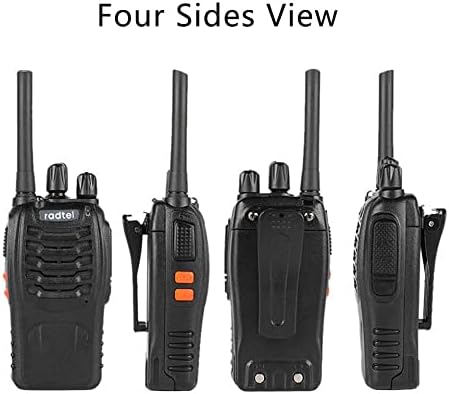
Key Components:
- Antenna: For transmitting and receiving signals.
- Channel Knob: Rotate to select one of the 16 available channels.
- Power/Volume Knob: Rotate to turn the radio on/off and adjust volume.
- PTT (Push-to-Talk) Button: Press and hold to transmit, release to receive.
- Monitor Button: Press to listen for weak signals on the current channel.
- Flashlight Button: Activates the built-in LED flashlight.
- Speaker/Microphone: For audio output and input.
- Accessory Jack: For connecting the earpiece or other audio accessories.
- Battery Compartment: Houses the rechargeable Lithium Ion battery.
- USB Charging Port: For direct USB charging.

4. Setup
4.1 Battery Installation
The Radtel RT88 walkie-talkie uses a rechargeable Lithium Ion battery. Ensure the radio is powered off before installing or removing the battery.
- Locate the battery compartment cover on the back of the radio.
- Slide the battery cover downwards to open it.
- Align the battery with the contacts inside the compartment.
- Gently push the battery into place until it clicks securely.
- Replace the battery compartment cover and slide it upwards until it locks.
4.2 Charging the Battery
The RT88 offers multiple charging options:
- Using the Desktop Charger:
- Connect the USB charging cable to the desktop charger and a power source (e.g., wall adapter, computer USB port, power bank).
- Place the walkie-talkie (with battery installed) into the charging cradle. The indicator light on the charger will turn red while charging and green when fully charged.
- Alternatively, you can remove the battery from the radio and place it directly into the battery slot on the desktop charger for charging.
- Direct USB Charging:
The RT88 features a built-in USB charging port, allowing you to charge the radio directly using a standard USB cable connected to a compatible power source.

A fully charged 1500mAh Li-ion battery provides approximately 2-3 days of standby time.

5. Basic Operation
5.1 Power On/Off and Volume Adjustment
- To power on the radio, rotate the Power/Volume knob clockwise. You will hear a voice prompt indicating "Power on".
- Continue rotating the knob clockwise to increase the volume. Rotate counter-clockwise to decrease the volume.
- To power off the radio, rotate the Power/Volume knob counter-clockwise until it clicks.
5.2 Channel Selection
The RT88 has 16 FRS channels. To select a channel:
- Rotate the Channel knob to select your desired channel (1-16). A voice prompt will announce the selected channel number.
- Ensure all radios in your group are set to the same channel for communication.
5.3 Transmitting and Receiving
- To transmit, press and hold the PTT (Push-to-Talk) button located on the side of the radio. Speak clearly into the microphone.
- Release the PTT button to stop transmitting and return to receive mode.
- When receiving a signal, the LED indicator will light up green.
5.4 VOX Function (Hands-Free Operation)
The VOX (Voice Operated Exchange) function allows you to transmit without pressing the PTT button. The radio will automatically transmit when it detects your voice.
- To activate VOX: In Channels 1-5, turn off the radio. Press and hold both the PTT and MONI buttons, then power on the radio until it says "VOX - ON / OFF".
- The RT88 offers 3 sensitivity levels for VOX. Adjust as needed for optimal performance.

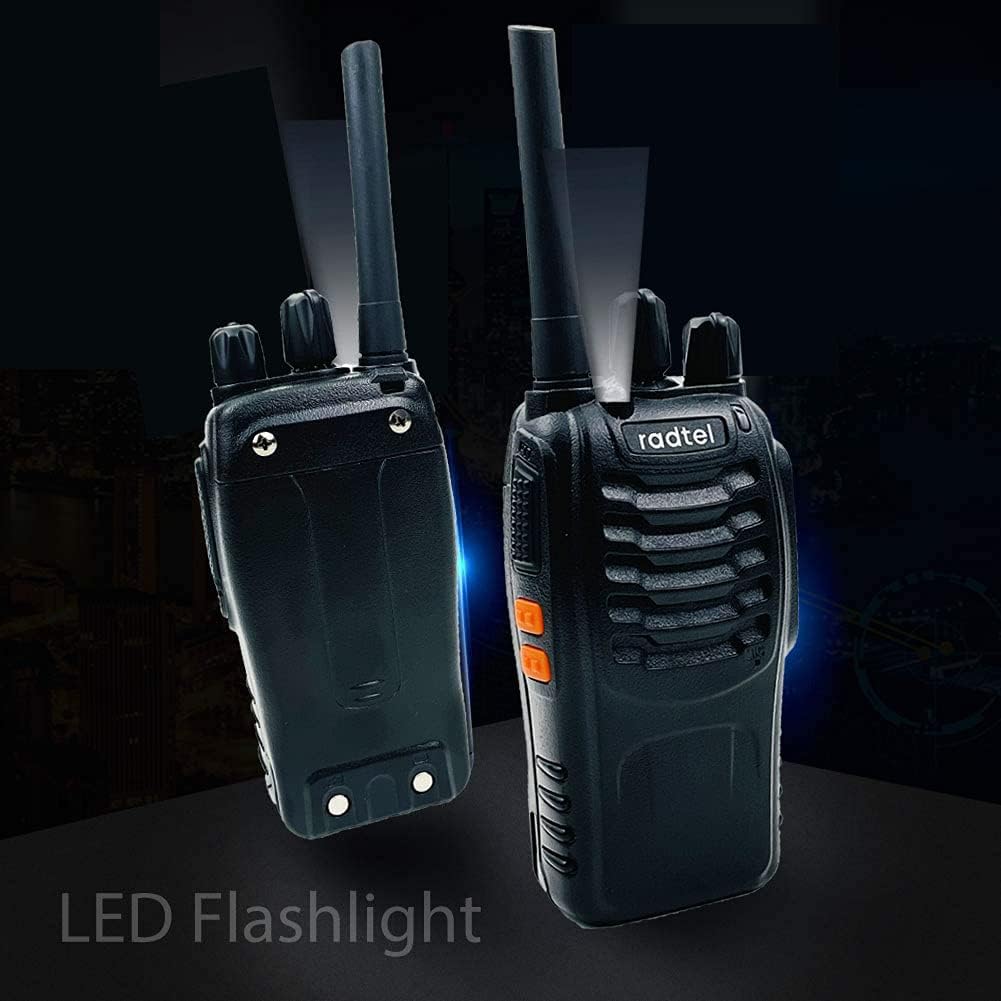
5.5 LED Flashlight
The RT88 is equipped with a built-in LED flashlight for convenience in low-light conditions.
- Press the dedicated Flashlight button to turn the LED light on or off.
6. Advanced Features
6.1 Channel Scan
The scan function allows the radio to automatically scan through all 16 channels to detect activity.
- To activate Scan: In Channel 16, turn off the radio. Press and hold both the PTT and MONI buttons, then power on the radio until it says "Scan ON / OFF".
6.2 CTCSS/DCS Codes
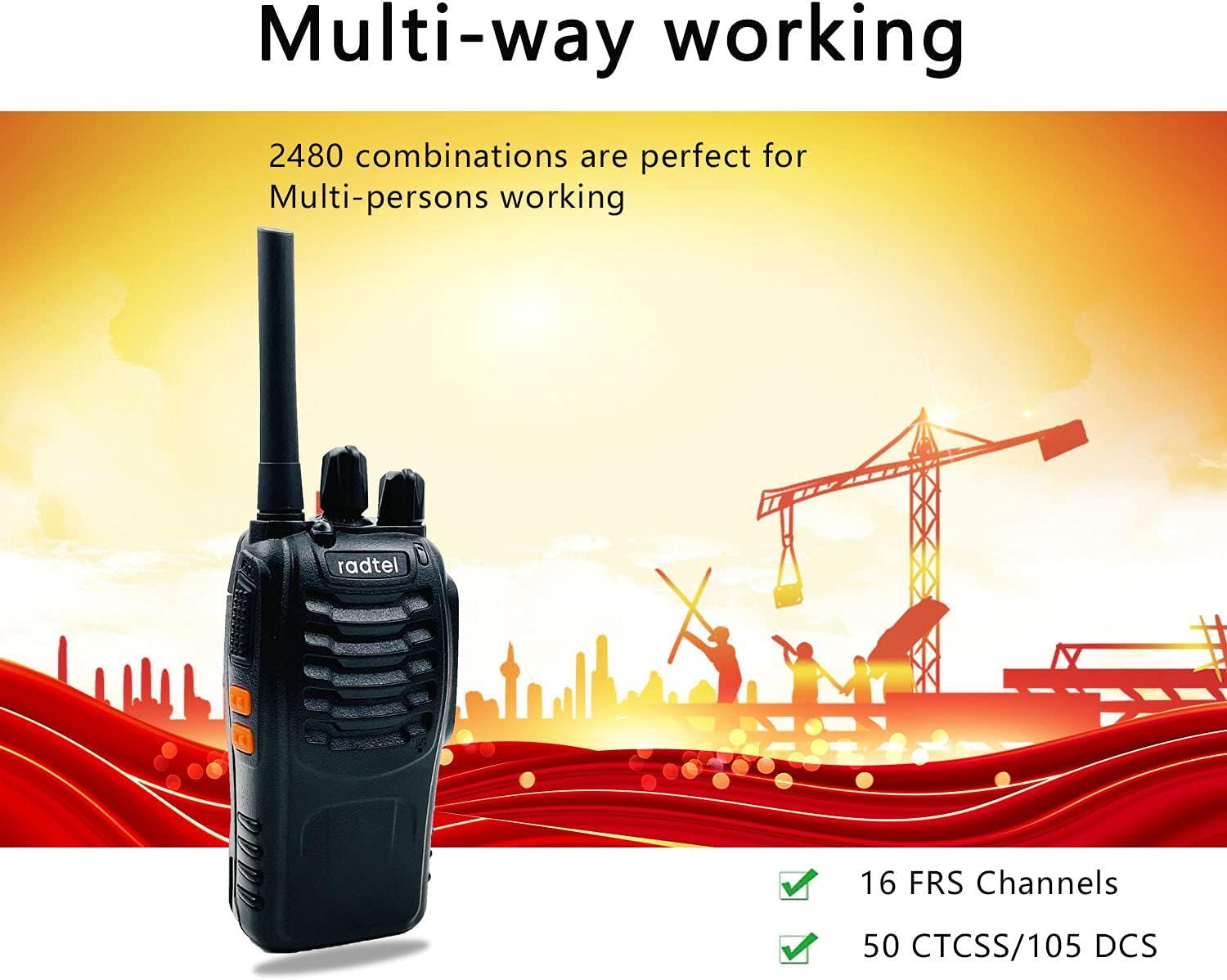
The RT88 supports 50 CTCSS (Continuous Tone-Coded Squelch System) and 105 DCS (Digitally Coded Squelch) codes. These codes help filter out unwanted conversations on a channel, allowing you to hear only transmissions from users with the same code set.
For specific programming of CTCSS/DCS codes, refer to the detailed programming guide or contact Radtel support.
7. Specifications
| Feature | Detail |
|---|---|
| Model Number | RT88 |
| Channels | 16 FRS Channels |
| Frequency Range | 462.5625 MHz - 467.7125 MHz |
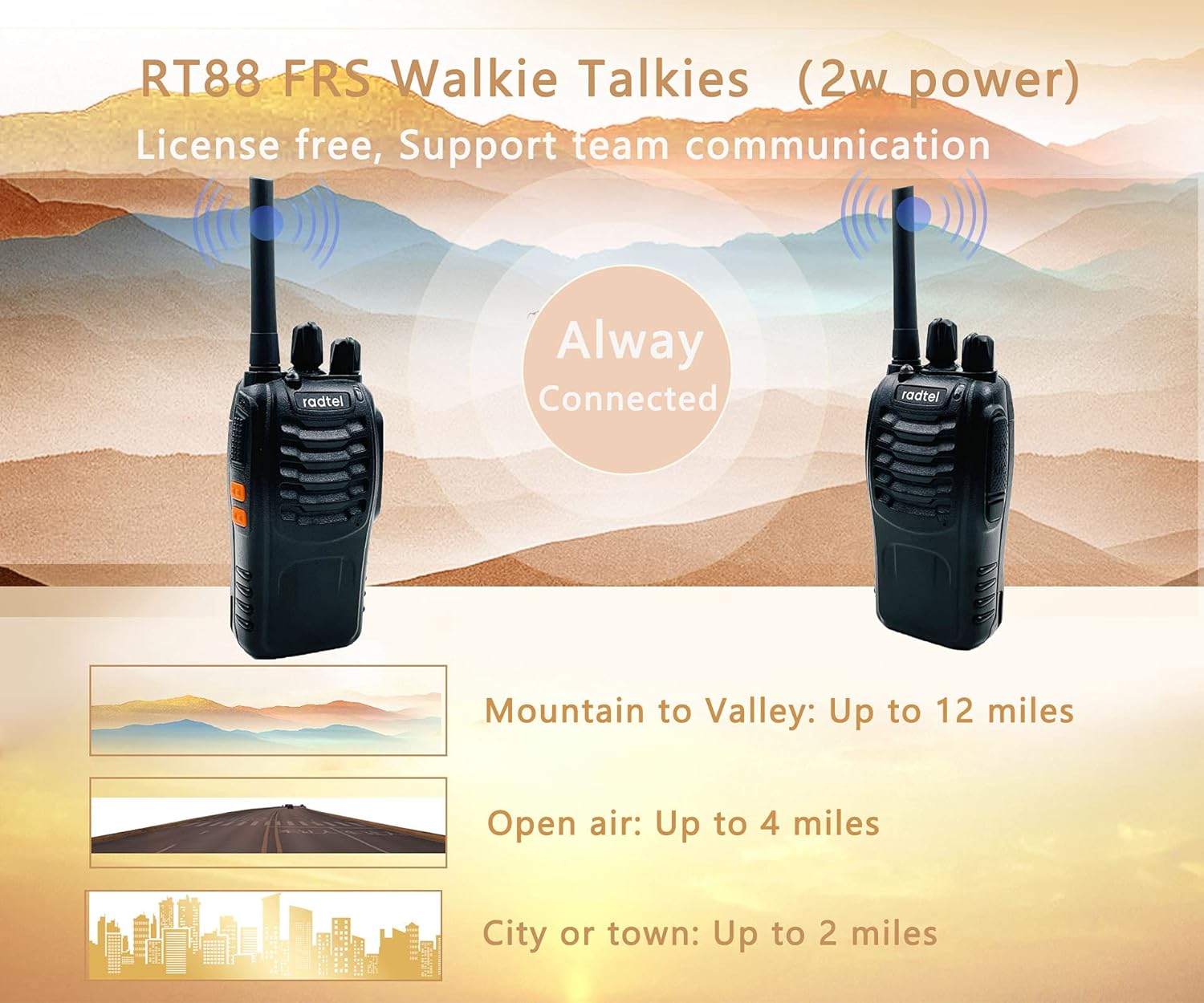
| Talking Range (Max) | 5 Miles (Open Air) |
| Battery Type | Lithium Ion (1500mAh) |
| Voltage | 3.7 Volts |
| Charging | Desktop Charger, Direct USB Charging |
| Special Features | VOX (Hands-free), LED Flashlight, Channel Scan, CTCSS/DCS Codes |
| Water Resistance Level | Not Water Resistant |
| FCC ID | 2AZSA-RT88 |
| Item Weight | 1.35 pounds (approx.) |
| Package Dimensions | 9.4 x 7 x 2.1 inches (approx.) |
8. Troubleshooting
If you experience issues with your Radtel RT88 walkie-talkie, refer to the following common problems and solutions:
| Problem | Possible Cause / Solution |
|---|---|
| No Power |
|
| Cannot Transmit or Receive |
|
| Poor Audio Quality / Static |
|
| VOX not working |
|
9. Safety Information
Please read and understand the following safety precautions before using your Radtel RT88 walkie-talkie:
- Do not operate the radio in explosive atmospheres (e.g., flammable gases, dust particles, metallic powders).
- Do not attempt to disassemble or modify the radio. Repairs should only be performed by qualified technicians.
- Use only Radtel-approved batteries and chargers. Using unapproved accessories may void your warranty and cause damage.
- Do not expose the radio to extreme temperatures, direct sunlight, or excessive moisture. The radio is not water resistant.
- Keep the radio and its accessories out of reach of small children.
- Avoid holding the antenna directly when transmitting.
- If the radio emits smoke or an unusual odor, immediately turn off the power and remove the battery.
- Dispose of batteries responsibly according to local regulations. Do not dispose of batteries in fire.
10. Warranty and Support
The Radtel RT88 walkie-talkie comes with a 1-year warranty from the date of purchase. This warranty covers manufacturing defects and workmanship under normal use.
The warranty does not cover damage caused by:
- Accident, misuse, abuse, or neglect.
- Unauthorized modification or repair.
- Exposure to water or other liquids (as the product is not water resistant).
- Improper installation or operation not in accordance with this manual.
For warranty claims, technical support, or further inquiries, please contact Radtel customer service through the retailer where you purchased the product or visit the official Radtel website.
FCC Compliance: This device complies with Part 95 of the FCC Rules. Its FCC ID is 2AZSA-RT88. Operation is subject to the condition that this device does not cause harmful interference.
Related documentsRT88


Ask a question about this manual
Ask about setup, troubleshooting, compatibility, parts, safety, or missing instructions. Manuals+ will review the question and use this page’s manual context to help answer it.