
1. Introduction
The TROTEC TTK 64 HEPA is a powerful 2-in-1 appliance combining a 24 L/24h dehumidifier with a 95% efficient HEPA air purifier. This manual provides essential information for the safe and effective operation, maintenance, and troubleshooting of your device. Please read it thoroughly before first use and keep it for future reference.
2. Safety Instructions
To prevent injury or damage to the device, always observe the following safety precautions:
- Read this manual completely before operating the device.
- Always ensure the device is placed on a stable, level surface.
- Do not block the air inlet or outlet openings. Maintain at least 20 cm of clear space around the unit.
- Unplug the device from the power outlet before any cleaning, maintenance, or when not in use.
- Do not operate the device if the power cord or plug is damaged. Contact qualified personnel for repairs.
- Keep the device away from water and other liquids. Do not immerse the unit in water.
- Allow the unit to stand upright for at least 2 hours after transport before plugging it in for the first time. This allows the refrigerant to settle.
- This appliance can be used by children aged 8 years and above and persons with reduced physical, sensory or mental capabilities or lack of experience and knowledge if they have been given supervision or instruction concerning use of the appliance in a safe way and understand the hazards involved.
3. Product Overview
The TROTEC TTK 64 HEPA combines efficient dehumidification with advanced air purification.
Key Features:
- 2-in-1 Function: Dehumidifier and HEPA air purifier.
- Dehumidification Capacity: Max. 24 liters per 24 hours.
- HEPA Filtration: Removes up to 95% of airborne pollutants (bacteria, viruses, pollen, mold spores, fine dust, allergens).
- Hygrostat Control: Automatic dehumidification with target humidity pre-selection (30% to 80%).
- Digital Air Quality Sensors: Monitors and displays current air quality.
- Operating Modes: Four modes, including a quiet night mode.
- Fan Speeds: Two adjustable fan speeds.
- Continuous Drainage: Option for unattended operation via a hose connection.
- LED Air Quality Indicator: Visual feedback on humidity levels (Blue: <50%, Green: 50-70%, Red: >70%).
- LCD Display: Shows current humidity, target humidity, and timer settings.
- Water Tank: Removable 3.5-liter capacity with automatic shut-off when full.
- Portability: Integrated handles and smooth-running wheels for easy movement.
Components and Controls:
Familiarize yourself with the main parts of your dehumidifier.
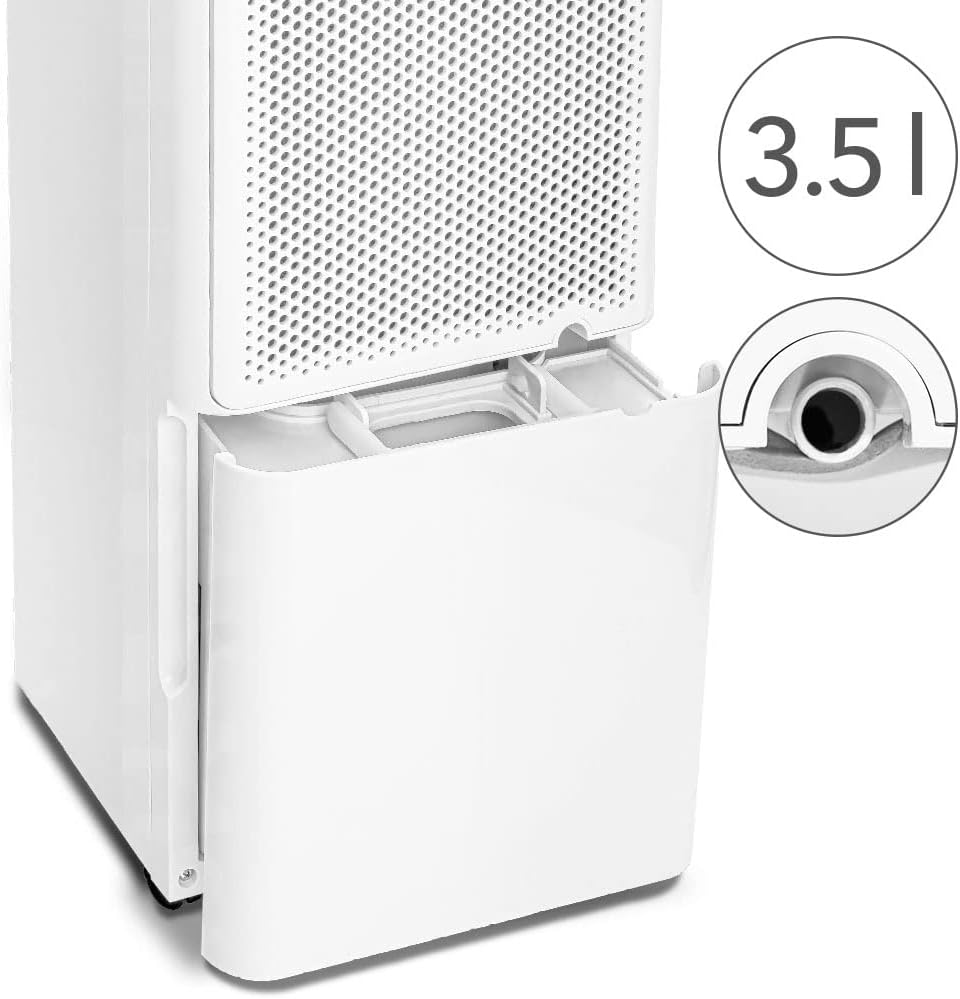
Image 1: Front view of the TROTEC TTK 64 HEPA dehumidifier, highlighting its key features such as room coverage, dehumidification capacity, 2-speed fan, condensate drain, LED display, HEPA filter, and portability.

Image 2: A clear front view of the TROTEC TTK 64 HEPA dehumidifier, showcasing its sleek white design and integrated handles.

Image 3: A detailed close-up of the intuitive control panel on the top of the dehumidifier, featuring a digital display showing '60' (likely humidity percentage) and various function buttons for mode, fan speed, timer, and power.
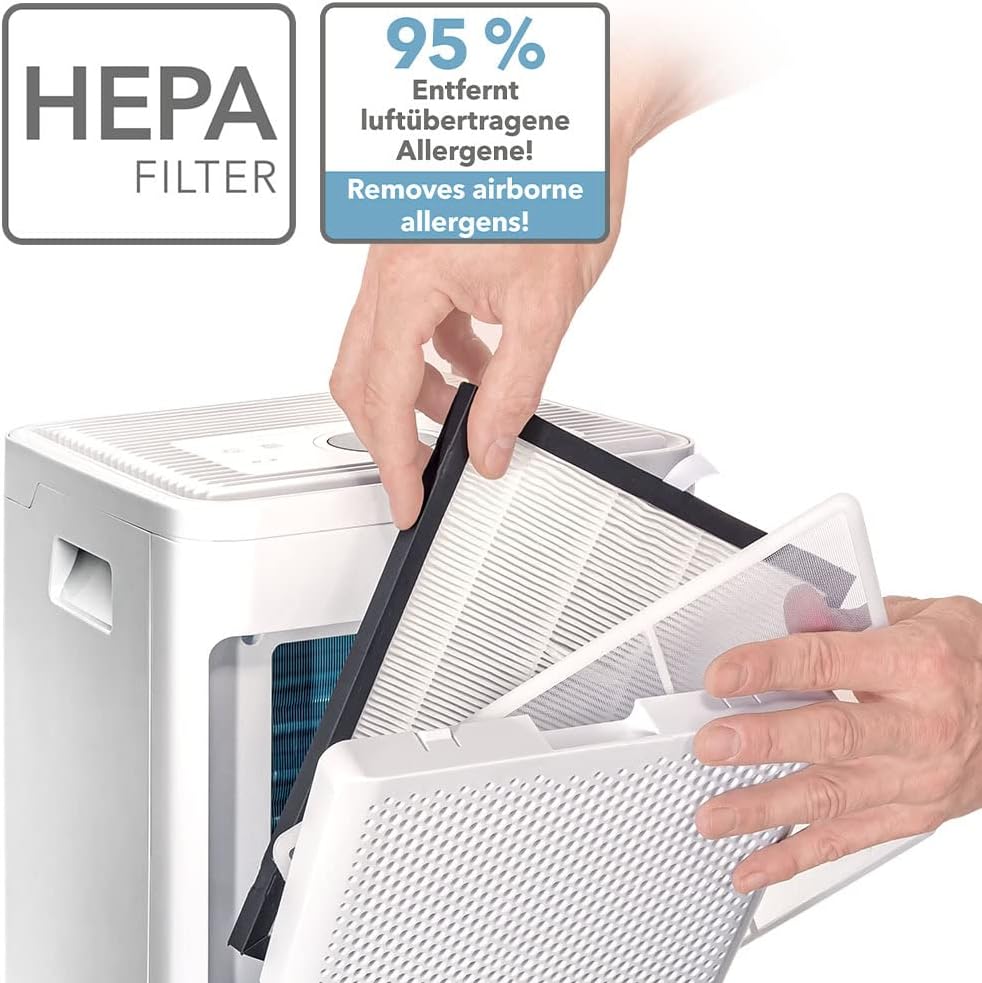
Image 4: A hand demonstrating the use of the integrated handle on the top side of the TROTEC TTK 64 HEPA, emphasizing its portability and ease of movement.
4. Setup
Follow these steps to set up your dehumidifier:
- Unpack: Carefully unpack the device and remove all packaging materials.
- Placement: Place the dehumidifier on a firm, level surface. Ensure at least 20 cm of clear space around all sides for proper airflow. Avoid placing it directly against walls or furniture.
- Initial Standing Period: If the unit has been tilted during transport, allow it to stand upright for at least 2 hours before plugging it in. This allows the refrigerant to settle.
- Water Tank: Ensure the water tank is correctly inserted into the device.
- Continuous Drainage (Optional): For continuous drainage, connect a suitable hose (not included) to the drainage outlet at the back of the unit. Ensure the hose leads to a drain and is positioned downwards to allow gravity drainage.
- Power Connection: Plug the power cord into a grounded electrical outlet.
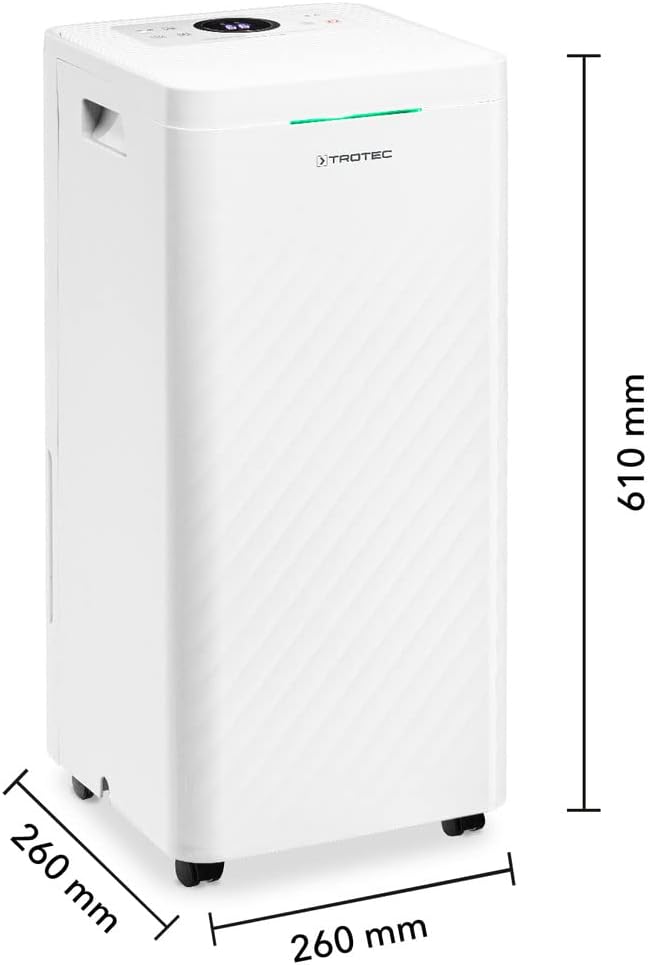
Image 5: The TROTEC TTK 64 HEPA dehumidifier shown with its dimensions: 260 mm (width), 260 mm (depth), and 610 mm (height). This helps in planning placement.
5. Operating Instructions
Operate your dehumidifier using the control panel on the top of the unit.
- Power On/Off: Press the Power button (red circle with line) to turn the unit on or off.
- Setting Humidity: Use the Humidity Setting buttons (< / >) to select your desired humidity level between 30% and 80%. The unit will automatically maintain this level.
- Operating Modes: Press the Mode button to cycle through the available operating modes:
- Automatic Mode: The unit operates based on the set target humidity.
- Night Mode: Reduces fan speed and dims display lights for quieter operation.
- Continuous Dehumidification: The unit runs continuously regardless of humidity levels.
- Fan Mode: The unit operates as an air purifier only, without dehumidification.
- Fan Speed: Press the Fan Speed button to select between two fan speeds (low/high) for dehumidification and air purification.
- Timer Function: Press the Timer button to set a timer for automatic shut-off after a specified period.
- Air Quality Indicator: Observe the LED light on the front panel for a quick visual indication of air humidity:
- Blue: Air humidity is below 50%.
- Green: Air humidity is between 50% and 70%.
- Red: Air humidity is above 70%.
6. Maintenance
Regular maintenance ensures optimal performance and longevity of your device.
- Cleaning the Exterior: Wipe the device with a soft, damp cloth. Do not use abrasive cleaners, solvents, or harsh chemicals.
- Cleaning the Pre-filter: The pre-filter is easily removable. Remove the pre-filter and clean it with water or a vacuum cleaner. Ensure it is completely dry before reinserting. This filter traps larger particles like lint and pet hair.
- Replacing the HEPA Filter: The HEPA filter should be replaced regularly, depending on usage and air quality. Follow the instructions for removing and inserting the filter. Dispose of the old filter properly.
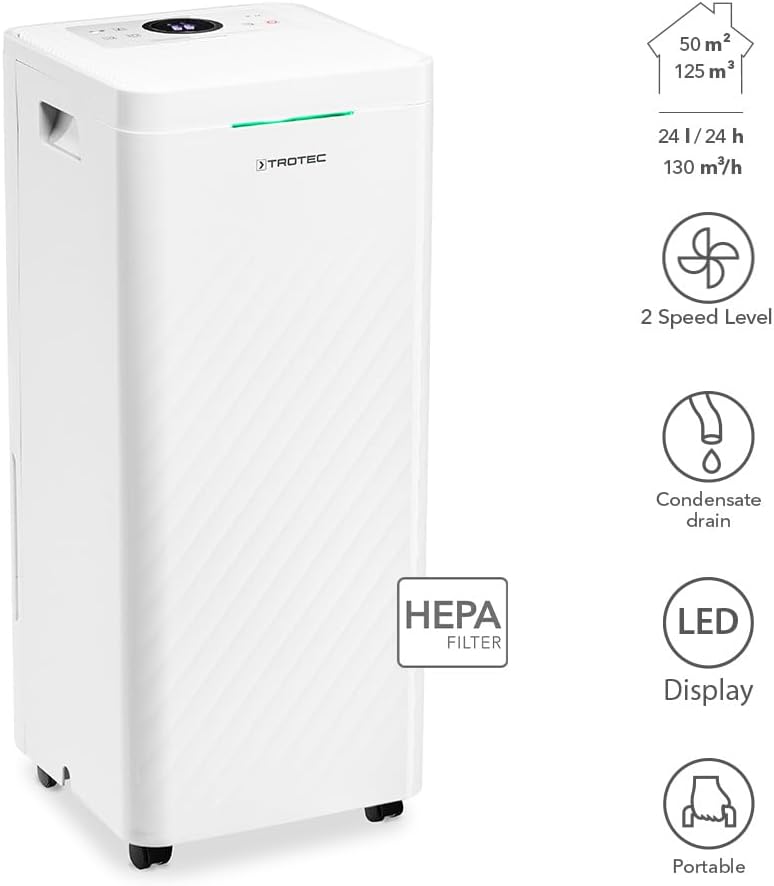
Image 6: A hand demonstrating the removal of the HEPA filter from the TROTEC TTK 64 HEPA dehumidifier, showing the filter's layered structure and the ease of access for replacement or cleaning.
- Emptying the Water Tank: When the water tank is full, the unit will stop operating and an indicator will light up. Carefully remove the water tank and empty it. Reinsert the tank securely until it clicks into place.
- Cleaning the Water Tank: Clean the water tank periodically to prevent mold or bacterial growth. Use mild soap and water, then rinse thoroughly.

Image 7: The water collection tank of the TROTEC TTK 64 HEPA dehumidifier being pulled out, with an inset showing the continuous drainage port. The tank has a capacity of 3.5 liters.
7. Troubleshooting
If you encounter issues with your dehumidifier, refer to the following common problems and solutions:
| Problem | Possible Cause | Solution |
|---|---|---|
| Unit does not turn on | Power cord unplugged; Water tank full or incorrectly inserted; Tripped circuit breaker. | Check power connection; Empty and reinsert water tank correctly; Reset circuit breaker. |
| Unit is not dehumidifying effectively | Room temperature too low; Air filters clogged; Windows/doors open; Target humidity set too high. | Ensure room temperature is within operating range (5-35°C); Clean or replace filters; Close windows/doors; Set target humidity lower than current room humidity. |
| Water leakage | Water tank improperly seated; Continuous drainage hose kinked, blocked, or not sloping downwards. | Ensure water tank is securely in place; Check continuous drainage hose for obstructions and proper downward slope. |
| Unusual noise | Unit on unstable surface; Loose parts; Clogged filters. | Place unit on a stable, level surface; Inspect for loose components; Clean filters. |
If the problem persists after attempting these solutions, please contact customer support.
8. Specifications
| Feature | Specification |
|---|---|
| Brand | TROTEC |
| Model Number | 1120000051 |
| Dehumidification Capacity | Max. 24 L/day |
| Power | 420 Watts |
| Room Coverage | Up to 50 m² / 125 m³ |
| Water Tank Volume | 3.5 Liters |
| Dimensions (L x W x H) | 26 x 26 x 61 cm |
| Weight | 12.54 kg |
| Fan Speeds | 2 |
| Special Features | HEPA filtration, Continuous drainage option |
9. Warranty and Support
For warranty information, please refer to the documentation provided with your purchase or contact your retailer. For technical support, spare parts, or further assistance, please contact TROTEC customer service through their official website or the contact details provided in your purchase documents.