1. Introduction
This manual provides detailed instructions for the safe and efficient operation of your Motorola ROKR 500 Portable Bluetooth Speaker with Wireless Charging Pad. Please read this manual thoroughly before using the device and retain it for future reference.
The Motorola ROKR 500 is a compact and portable audio device designed for versatile use. It features Bluetooth connectivity for wireless audio streaming, an integrated microphone for hands-free calls, and a built-in Qi-compatible wireless charging pad. Its IPX6 water-resistant design makes it suitable for various indoor and outdoor environments.

Image 1.1: Motorola ROKR 500 Portable Bluetooth Speaker. This image shows the top view of the black, oval-shaped speaker with control buttons and a wireless charging symbol.
2. Package Contents
Ensure all items listed below are present in your package:
- Motorola ROKR 500 Portable Bluetooth Speaker
- USB Type-C Charging Cable
- Quick Start Guide
- Auxiliary Cable (may be included)

Image 2.1: Illustration of the Motorola ROKR 500 speaker and its included accessories: a USB Type-C charging cable and a quick start guide.
3. Product Overview
The ROKR 500 features a sleek, oval design with a fabric finish and intuitive touch controls on its surface. The device is equipped with a powerful 5W speaker and an integrated subwoofer for enhanced audio quality.
Control Buttons:
- Power Button: Press and hold to power on/off.
- Volume Down (-): Decrease volume.
- Play/Pause Button: Play or pause audio, answer/end calls.
- Volume Up (+): Increase volume.
The top surface also features a wireless charging symbol, indicating the Qi-compatible charging area.

Image 3.1: Close-up view of the Motorola ROKR 500 speaker, highlighting the touch control buttons for power, volume, and play/pause, along with the wireless charging indicator.
4. Setup
4.1 Initial Charging
Before first use, fully charge your ROKR 500 speaker. Connect the supplied USB Type-C cable to the charging port on the speaker and the other end to a compatible USB power adapter (not included). A 5V/2A or 9V/2A charger is recommended for optimal charging. The charging indicator light will show the charging status.
4.2 Power On/Off
- To Power On: Press and hold the Power button until you hear an audible prompt or see the indicator light illuminate.
- To Power Off: Press and hold the Power button until you hear an audible prompt or the indicator light turns off.
5. Operating Instructions
5.1 Bluetooth Pairing
- Ensure the ROKR 500 speaker is powered on and in pairing mode (indicated by a flashing LED).
- On your smartphone or tablet, navigate to the Bluetooth settings.
- Select "ROKR 500" from the list of available devices.
- Once connected, you will hear a confirmation tone, and the LED indicator will become solid.
5.2 True Wireless Link (TWS)
For a stereo sound experience, you can connect two ROKR 500 speakers together:
- Ensure both ROKR 500 speakers are powered on and not connected to any other Bluetooth device.
- On one speaker (this will be the primary speaker), double-press the Play/Pause button to initiate TWS pairing.
- The speakers will automatically search for and connect to each other. A confirmation tone will sound once connected.
- Now, connect your smartphone or tablet to the primary speaker via Bluetooth as described in section 5.1.

Image 5.1: Two Motorola ROKR 500 speakers shown wirelessly connected, illustrating the True Wireless Link feature for stereo sound.
5.3 Hands-free Calls
When connected to your smartphone via Bluetooth, the ROKR 500's built-in microphone allows for hands-free calling:
- Answer Call: Press the Play/Pause button once.
- End Call: Press the Play/Pause button once during a call.
- Reject Call: Press and hold the Play/Pause button.
5.4 Wireless Charging Pad
The ROKR 500 features a 10W Qi-compatible wireless charging pad on its top surface. To use:
- Ensure the ROKR 500 speaker is powered on.
- Place your Qi-enabled device (e.g., smartphone, earbuds case) directly onto the wireless charging symbol on the speaker's top surface.
- Ensure the device is centered for optimal charging. The charging indicator on your device will confirm charging has begun.
Note: The speaker's internal battery capacity may affect its ability to charge external devices while simultaneously playing audio at high volumes.
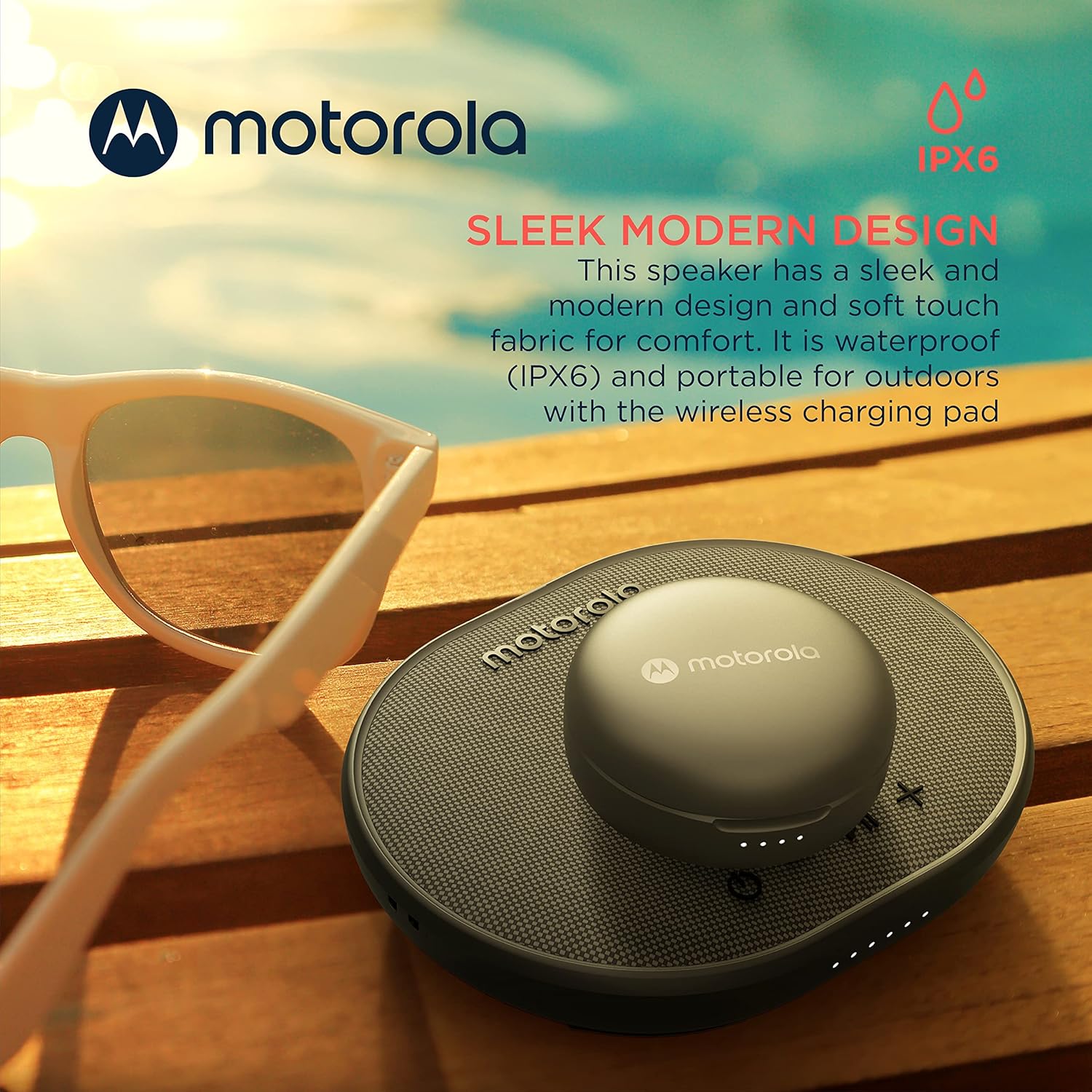
Image 5.2: The Motorola ROKR 500 speaker shown wirelessly charging a pair of earbuds, demonstrating its Qi-compatible charging functionality.
6. Maintenance
6.1 Cleaning
Wipe the speaker with a soft, dry cloth. Do not use abrasive cleaners or solvents. Ensure the USB-C port cover is securely closed before cleaning or exposing to moisture.
6.2 Water Resistance (IPX6)
The ROKR 500 is IPX6 water-resistant, meaning it can withstand powerful water jets. It is suitable for use in environments like pool parties or bathrooms, but it should not be submerged in water.

Image 6.1: The Motorola ROKR 500 speaker placed outdoors near sunglasses, illustrating its sleek design and IPX6 water resistance for outdoor use.
7. Troubleshooting
- No Power: Ensure the speaker is fully charged. Connect it to a power source using the provided USB-C cable.
- Cannot Pair via Bluetooth:
- Ensure the speaker is in pairing mode (flashing LED).
- Make sure Bluetooth is enabled on your device.
- Move the speaker closer to your device (within 10 meters).
- Forget "ROKR 500" from your device's Bluetooth list and try pairing again.
- Restart both the speaker and your Bluetooth device.
- Poor Sound Quality/Static:
- Ensure the speaker is within Bluetooth range and there are no obstructions.
- Check the audio source for quality issues.
- Adjust the volume on both the speaker and your connected device.
- Wireless Charging Not Working:
- Ensure the ROKR 500 speaker is powered on.
- Verify your device is Qi-compatible.
- Ensure your device is correctly centered on the wireless charging symbol.
- Remove any thick cases from your device that might interfere with wireless charging.
8. Specifications
| Feature | Specification |
|---|---|
| Model Number | ROKR 500 |
| Speaker Type | Subwoofer |
| Special Features | Wireless Charging, IPX6 Water Resistant, Built-In Microphone |
| Connectivity Technology | Bluetooth |
| Wireless Charging Output | 10W (Fast Wireless Charging) |
| Playtime | Up to 15 hours |
| Water Resistance Level | IPX6 |
| Control Method | Touch |
| Bluetooth Range | 10 meters (33 feet) |
| Power Source | Battery Powered (1 Lithium Ion battery required) |
| Product Dimensions | 6.69 x 1.65 x 4.72 inches |
| Item Weight | 11.7 ounces |
| UPC | 810036771436 |
9. Warranty and Support
For warranty information and customer support, please refer to the documentation included with your product or visit the official Motorola Sound website. Keep your proof of purchase for warranty claims.
Note: Specific warranty terms and conditions may vary by region.